Everyone thinks they know creative version control. It’s about file naming conventions, right? Like `project_final_v3_really_final.psd` or `logo_revised_client_approved_date.ai`. That’s the common wisdom. The quick fix everyone agrees on.
None of that is wrong. But it’s incomplete.
The hard truth is that basic file naming is a band-aid on a much larger operational wound. Real creative version control isn't just about naming files; it's about managing the entire lifecycle of creative assets and feedback. It’s about clarity, accountability, and efficiency.
1. The Chaos of Unmanaged Revisions
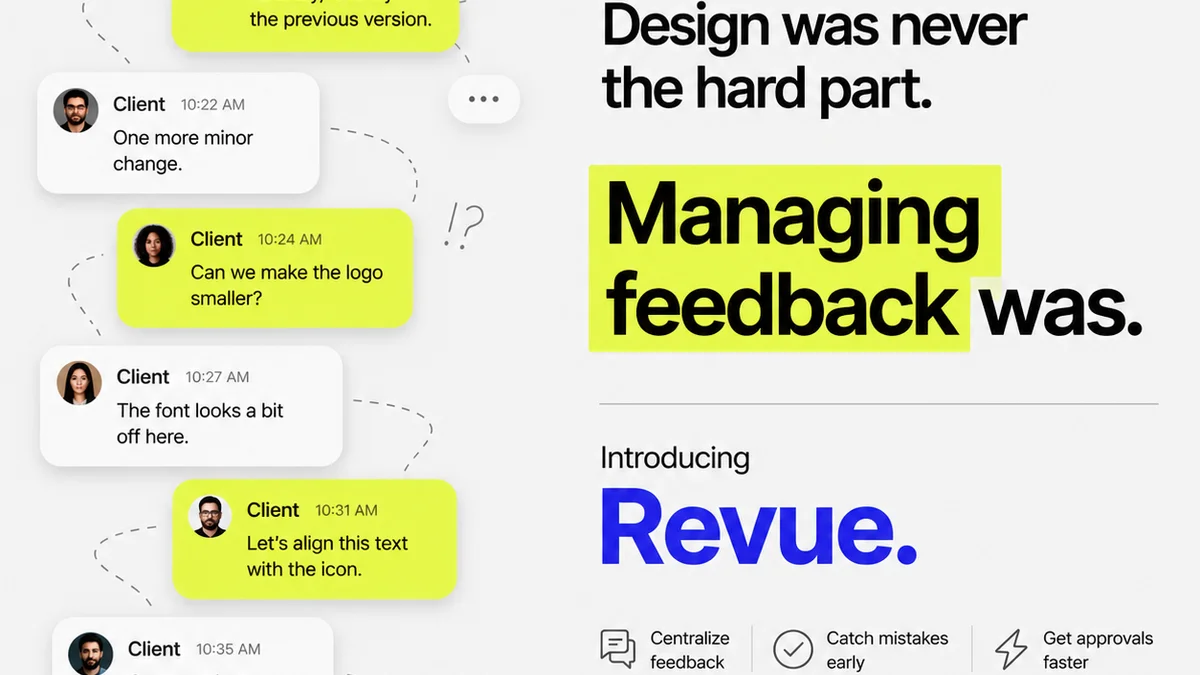
Think about your typical project. A designer sends a draft. Feedback comes in, often scattered across emails, Slack messages, and even verbal notes. Someone makes changes. A new file is saved. Then more feedback. And more files.
This creates:
- Endless file duplication.
- Confusion about which version is the latest.
- Lost feedback in communication silos.
- Wasted time hunting for the right asset.
- Increased risk of errors and missed deadlines.
This isn't just messy; it’s expensive. Every minute spent searching for a file or clarifying which version is current is a minute not spent creating or strategizing.
The Illusion of Control
File naming systems, while an attempt at order, often fail because they don't address the root cause: the lack of a centralized, transparent revision process. They put the burden on individuals to remember and meticulously follow rules, which is prone to human error.
When feedback is siloed, or when multiple people are making changes without a clear system, the file naming convention quickly breaks down. It becomes a guessing game.
2. What True Creative Version Control Looks Like
True version control for creative projects goes deeper than just file names. It's a system that tracks changes, centralizes feedback, and maintains a clear history of every iteration.
Imagine a system where:
- Every version of an asset is linked to specific feedback.
- Stakeholders can see the evolution of a design in one place.
- Approvals are clearly documented against specific versions.
- Rollbacks to previous states are simple and reliable.
This isn't about a complex, enterprise-level software. It's about adopting principles and tools that bring structure to the creative process.
Asset History, Not Just File Names
Instead of `image_v5_final_approved.jpg`, think about a system that logs:
- Initial concept upload.
- Feedback received on concept.
- Designer's revision based on feedback.
- Client approval of revision 1.
- Further feedback on approved version.
- Second revision.
- Final approval.
Each step is a distinct, traceable event, not just a new file with a slightly different name.
Centralized Feedback is Key
The biggest bottleneck in creative version control is often feedback management. When feedback is emailed, messaged, or spoken, it gets lost. It’s hard to track, harder to act on, and impossible to tie directly to a specific design iteration.
A centralized feedback system ensures that all comments are captured in one place, attached to the specific visual element they refer to. This dramatically reduces misinterpretation and ensures designers work from a single source of truth.
3. The Impact on Workflow and Accountability
Implementing robust creative version control has tangible benefits for your agency or team. It’s not just about being organized; it’s about operational excellence.
Reduced Rework and Errors
When everyone is working from the same, clearly defined latest version, the chances of costly rework due to misunderstandings or outdated assets plummet. Designers can trust that they are addressing the correct feedback on the correct version.
Clearer Accountability
A transparent revision history means you can see who provided feedback, when, and what changes were made in response. This fosters accountability without blame. It’s about understanding the process and identifying areas for improvement.
Faster Turnarounds
Less time spent searching for files, clarifying feedback, or redoing work means more time for actual creative output. Projects move through the pipeline faster when the administrative overhead of version management is removed.
Improved Client Relationships
Clients appreciate a smooth, transparent process. When they can easily see the progress of their project and understand how their feedback is being incorporated, it builds trust and reduces anxiety. They feel more in control, even though you are managing the complexity behind the scenes.
4. Common Pitfalls to Avoid
Even with the best intentions, teams can stumble when implementing new version control practices.
- Overly Complex Naming Systems: Trying to cram too much information into file names leads to confusion and is hard to maintain.
- Ignoring Feedback Management: Focusing only on file versions and not on how feedback is collected and processed.
- Lack of Buy-in: Not getting the whole team on board with the new process, leading to inconsistent adoption.
- Tool Overload: Using too many disparate tools that don't talk to each other, creating more silos than they break down.
- Treating it as a One-Time Fix: Version control is an ongoing process, not a set-it-and-forget-it solution.
The goal is simplicity and clarity, not bureaucracy.
Where Revue Fits In
This is where a platform like Revue becomes essential for modern creative teams. It’s built to address the core challenges of creative version control, moving beyond just file naming.
Revue acts as your central hub for creative projects. Instead of scattered emails and messages, all client feedback is captured directly on the visual assets. This means:
- Centralized Feedback: Comments are pinned to specific versions of designs, videos, or documents, eliminating ambiguity.
- Revision Visibility: Every iteration is tracked, with clear markers for what has changed and who approved what. You can easily compare versions and see the progression.
- Streamlined Approvals: Formal approval workflows ensure that sign-offs are documented and linked to specific deliverables, providing a clear audit trail.
- Quality Checks: By having a structured process for feedback and revisions, teams can build in more robust quality assurance steps, ensuring that final assets meet all requirements.
Revue doesn't just help you name your files better; it provides the operational framework for managing the entire creative revision process effectively.
Final Thought
The assumption that creative version control is simply about file naming is a dangerous oversimplification. It leads to chaotic workflows, wasted time, and frustrated teams. True version control is about establishing a transparent, centralized system for managing assets, feedback, and approvals throughout the project lifecycle.
How much time do you think your team currently spends wrangling file versions and deciphering feedback instead of creating? It’s likely more than you realize.
Frequently asked questions
What's the difference between file naming and true creative version control?
File naming is a basic method for distinguishing versions, often leading to confusion. True creative version control is a comprehensive system that tracks asset evolution, centralizes feedback, manages approvals, and maintains a clear history, ensuring clarity and accountability throughout the project lifecycle.
How can I prevent my team from creating too many file versions?
Implement a centralized platform for feedback and approvals, like Revue. This ensures all communication is tied to specific versions, reducing the need for duplicate files and clarifying which version is the current focus for revisions.
Is creative version control only for large agencies?
No, creative version control principles and tools are beneficial for any team handling creative projects, regardless of size. Smaller teams often benefit greatly from the clarity and efficiency it brings to manage limited resources effectively.
How does centralized feedback improve version control?
Centralizing feedback means all comments are captured in one place, linked to specific assets and versions. This eliminates misinterpretations, ensures designers are working from a single source of truth, and creates a clear audit trail for revisions.