You think your creative workflow is just about the tools: the design software, the project management app, maybe a shared drive. That’s the easy part to fix, right? Just swap out one for another.
None of that is wrong. But it’s incomplete.
The hard truth? Your creative workflow is less about the specific software and more about the *system* of communication, feedback, and approval that software enables. Or fails to enable.
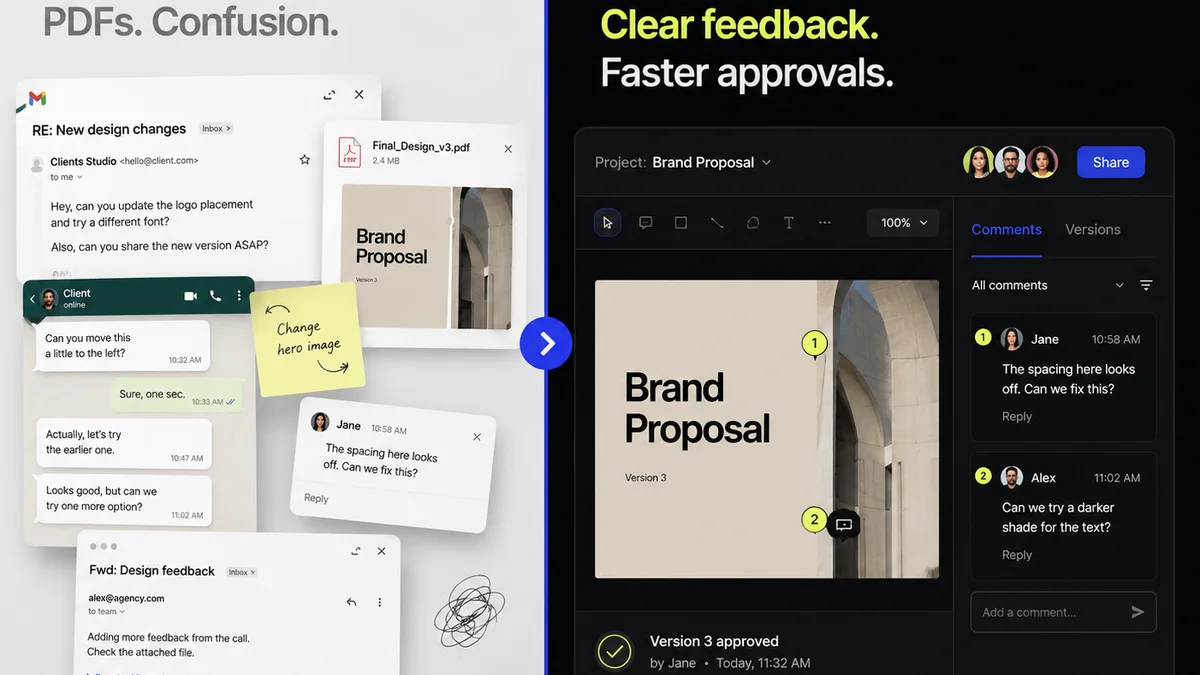
For US creative and marketing teams, this often means wrestling with a tangled mess of email threads, scattered feedback, endless revision rounds, and a general lack of clarity. It’s the operational drag that kills creative momentum. The good news is, there are better ways to manage this. You just need to look beyond the obvious.
1. The Feedback Black Hole: Why Email Fails Creatives
Email is the default. It’s where most feedback lands. And it’s a disaster.
Why? Because email is asynchronous, unstructured, and easily misinterpreted. A single design file might get dozens of email attachments, each with slightly different instructions.
The Symptoms of Email-Driven Chaos
- Endless
Frequently asked questions
What are the main drawbacks of using email for creative feedback?
Email is asynchronous, unstructured, and prone to misinterpretation. It leads to scattered feedback, version control issues, difficulty tracking revisions, and a lack of clear accountability, all of which slow down the creative process.
How can creative workflow software improve team collaboration?
Dedicated software centralizes communication, provides a single source of truth for feedback and files, visualizes revision history, and automates approval processes. This clarity reduces misunderstandings and speeds up project delivery.
Is creative workflow software only for large agencies?
No. Creative workflow software offers scalable solutions for teams of all sizes, from small boutique agencies to large in-house departments. The core benefits of organization and efficiency are valuable regardless of team size.
What are the key features to look for in creative workflow software?
Key features include centralized feedback and annotation tools, version control, clear revision tracking, approval workflows, task management, asset organization, and integrations with existing design tools like Adobe Creative Cloud or Figma.