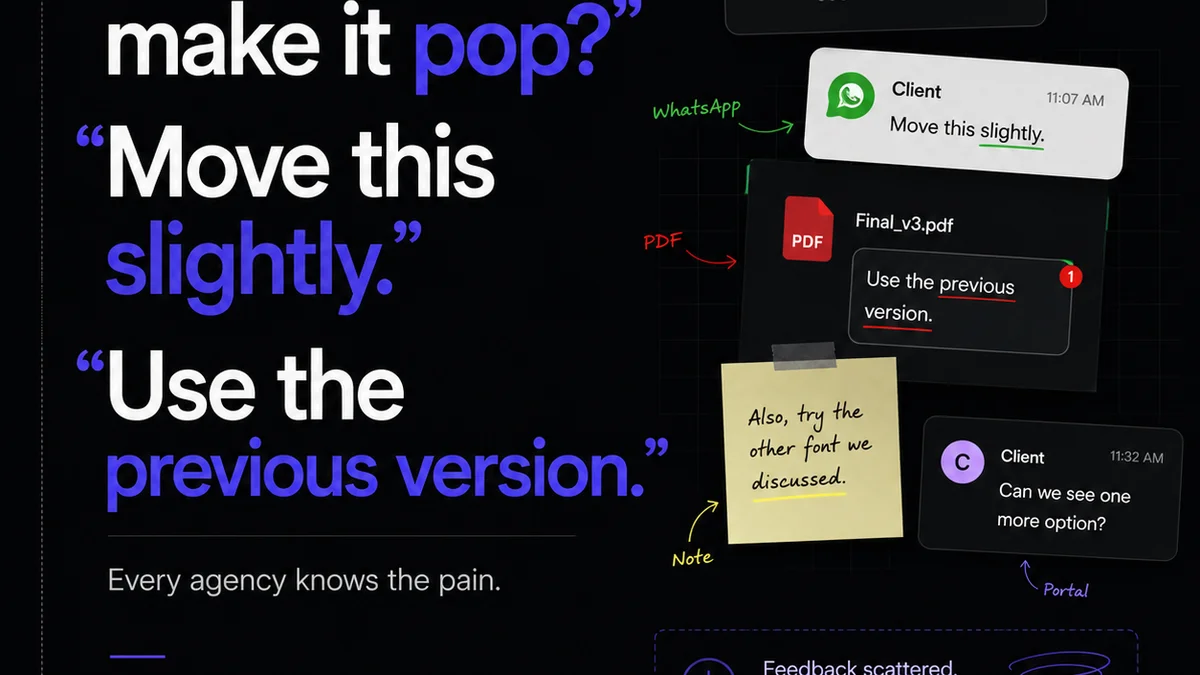
You think managing design change requests is all about clear communication. That clients need to articulate their feedback better, and designers need to be more receptive. None of that is wrong. But it’s incomplete.
The hard truth is that the best design change request tools don’t just *facilitate* feedback; they actively *structure* it. They turn chaotic conversations into actionable data, reducing friction and speeding up approvals. For US-based teams, this means more than just a faster turnaround; it means protecting margins and delivering exceptional work consistently.
1. The Illusion of Email and Chat
Many agencies still rely on email chains or instant messaging for design feedback. It feels direct, immediate.
But it’s a trap.
Feedback gets buried. Versions get confused. Who approved what? When? It’s a recipe for scope creep and client frustration. The sheer volume makes it impossible to track effectively, especially across different time zones or team members.
The Real Costs of Disconnected Feedback
- Lost client trust due to missed revisions.
- Wasted designer hours chasing down context.
- Budget overruns from endless, unmanaged revisions.
- Delayed project launches impacting revenue.
- Burnout from constant context-switching and chasing.
These aren't minor inconveniences; they're operational drains that kill profitability.
2. What Makes a Design Change Request Tool Truly Effective?
Forget tools that just add a comment box. The best solutions offer structured workflows for managing design change requests.
They must go beyond simple annotation.
Core Functionality for US Teams
- Centralized Feedback Hub: All comments, markups, and approvals live in one place, tied to specific project assets. No more digging through emails or Slack.
- Version Control & Comparison: Easily see which version of the design is live and compare it side-by-side with previous iterations. This is critical for tracking progress and identifying discrepancies.
- Actionable Task Management: Convert feedback directly into tasks for designers, complete with deadlines and assignees. This ensures accountability.
- Clear Approval Workflows: Define who needs to approve what, at which stage. Get explicit sign-offs, not implied consent buried in a long email thread.
- Audit Trail: Maintain a complete history of all feedback, revisions, and approvals. This is your safeguard against disputes and scope creep.
- Client-Side Simplicity: The tool must be intuitive for clients. If they can't use it easily, they'll revert to email.
These features move you from reactive problem-solving to proactive project management.
3. Top Contenders for Design Change Request Management
The market has solutions, but few nail the entire workflow. We're looking for tools that integrate seamlessly and offer robust features without unnecessary complexity.
Tools with Strong Annotation & Feedback Capabilities
These tools excel at capturing visual feedback directly on designs.
- Filestage: Known for its straightforward review and approval process. Clients can add comments directly on creatives like mockups, videos, and documents. It offers clear versioning and approval tracking.
- ReviewStudio: Offers detailed annotation tools and robust project management features. It supports various file types and emphasizes clear communication channels for feedback.
- UserTesting (for specific use cases): While primarily for user research, its platform can capture detailed feedback on visual prototypes and interfaces. It’s less about general change requests and more about in-depth usability feedback.
Tools with Broader Project Management Integration
These solutions embed feedback within a larger project management framework.
- Asana / Monday.com (with integrations): These powerful platforms can be customized to manage design feedback loops. You’ll need to build out specific workflows, often integrating with annotation tools for visual feedback. They offer great task management but require setup.
- ClickUp: Similar to Asana and Monday, ClickUp offers highly customizable workflows. Its flexibility allows for building robust feedback and approval processes, but it demands a significant setup effort.
The best choice often depends on your existing tech stack and the complexity of your projects.
4. Where Revue Fits In
Managing design change requests effectively is about more than just capturing comments. It’s about ensuring that feedback leads to approved, high-quality creative work, efficiently.
Revue provides the central nervous system for this process.
Instead of feedback scattering across emails, Slack, and random annotation tools, Revue consolidates it.
It offers a single source of truth for client feedback, revision history, and final approvals.
- Centralized Feedback: All client comments and markups are logged against specific assets within Revue.
- Revision Visibility: Track every iteration of a design, understanding what changed and why.
- Streamlined Approvals: Define clear approval stages and get explicit sign-offs, reducing ambiguity.
- Quality Assurance Checkpoints: Use Revue to run final quality checks, ensuring all requested changes have been implemented correctly before delivery.
This isn't just another tool; it’s the glue that holds your creative workflow together, turning feedback into tangible progress and reducing the operational overhead of revisions.
5. Avoiding the Pitfalls: Best Practices for Handling Change Requests
Even with the best tools, your team’s processes matter most. A tool won't magically fix a broken workflow.
Key Practices for Success
- Define Scope Upfront: Clearly outline what’s included in the project. Make this agreement visible and accessible.
- Set Feedback Deadlines: Clients need to know when feedback is due to keep the project on schedule.
- Consolidate Feedback: Designate one point person to gather and relay feedback to the design team. This prevents conflicting messages.
- Use Visual Annotation: Whenever possible, feedback should be tied to a specific element on the design.
- Educate Your Clients: Explain your feedback and approval process. Show them how the tool works and why it benefits them too.
- Regularly Review Your Process: Periodically assess what’s working and what’s not. Adapt as needed.
These practices, combined with the right technology, create a robust system for managing design change requests.
Final Thought
The tools for managing design change requests are evolving. They’re moving past simple annotation to become integral parts of a project management and quality assurance system.
For US teams focused on profitability and client satisfaction, investing in a tool that structures feedback, ensures clarity, and provides an undeniable audit trail isn't optional. It’s essential.
Are you treating design change requests as a necessary evil, or as a critical opportunity to demonstrate your agency’s operational excellence?
Frequently asked questions
What is the main benefit of using specialized design change request tools?
Specialized tools centralize all feedback and revisions in one place, creating a clear audit trail. This reduces confusion, prevents scope creep, speeds up approvals, and ultimately protects your agency's margins and client relationships.
How do these tools help with client communication?
They provide a structured, intuitive interface for clients to leave feedback directly on creatives. This eliminates the ambiguity of email and chat, ensuring feedback is specific, actionable, and easy for designers to understand and implement.
Can these tools integrate with existing project management software?
Yes, many modern tools can integrate with popular project management platforms like Asana, Monday.com, or ClickUp. This allows for a seamless workflow where feedback captured in a design tool can be directly translated into tasks within your project management system.
What are the key features to look for in a design change request tool?
Key features include centralized feedback, visual annotation, version control and comparison, clear approval workflows, task management integration, and a comprehensive audit trail. The tool should also be user-friendly for both your team and your clients.