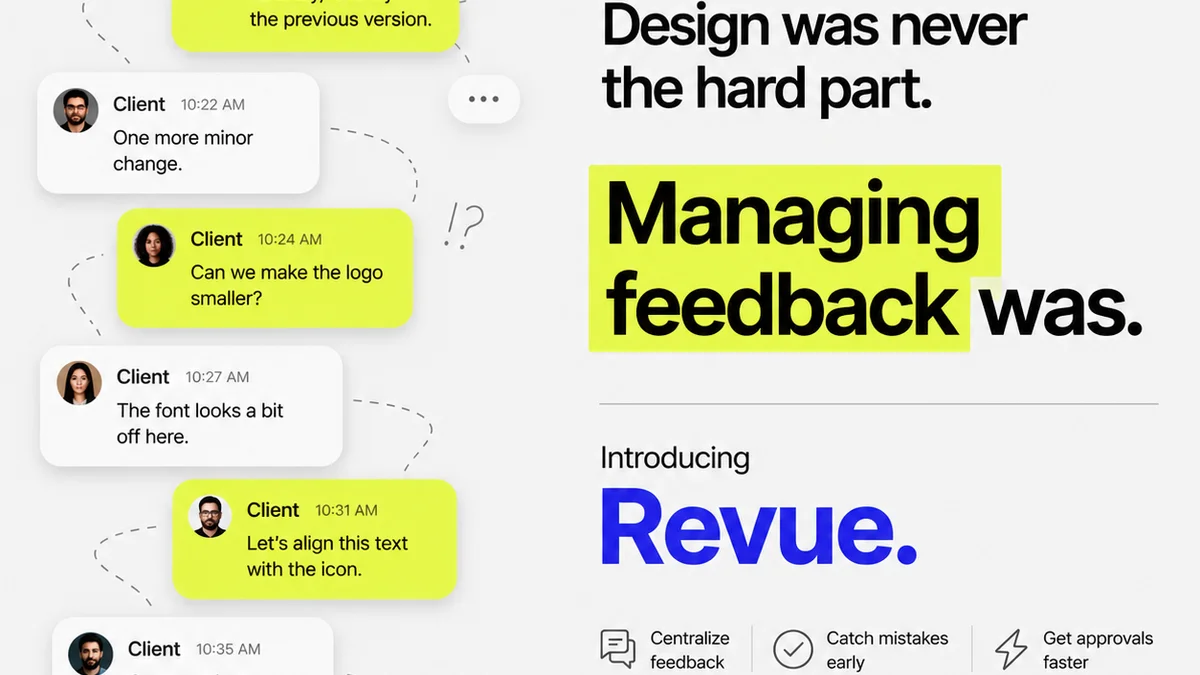
Everyone talks about design collaboration software. They say it’s about faster feedback, easier approvals, and keeping clients happy. None of that is wrong. But it’s incomplete.
The hard truth? Most collaboration tools just shuffle the same old problems around. They add more steps, more notifications, and more places for things to get lost. What agencies actually need is software that fundamentally streamlines their design collaboration process, not just digitizes it.
1. Centralization is Non-Negotiable
Your current system likely involves a messy mix of email threads, Slack messages, Dropbox comments, and maybe even sticky notes. Sound familiar?
This fragmentation kills efficiency. It creates silos where feedback disappears, revisions get missed, and the version history becomes a detective novel.
The Cost of Chaos
- Missed deadlines due to lost feedback.
- Endless back-and-forth clarifying what was *really* asked for.
- Client frustration with unclear or inconsistent communication.
- Wasted hours searching for specific comments or files.
- Difficulty tracking project status and accountability.
True collaboration software must act as a single source of truth. Everything—briefs, assets, feedback, revisions, approvals—lives in one place.
2. Context is King for Feedback
Generic comments like “Make it pop” or “I don’t like this” are useless. Effective feedback needs context.
Good design collaboration tools allow stakeholders to comment directly on specific elements of the design. Think annotations on a mockup, timestamps on a video, or paragraph-level comments on copy.
Contextual Feedback Features
- Visual annotation tools (e.g., drawing arrows, highlighting areas).
- Ability to comment on specific frames, layers, or sections.
- Version comparison to see what changed and why.
- Linking feedback to specific project tasks or requirements.
This specificity cuts through ambiguity. It ensures everyone is talking about the same thing, reducing misinterpretation and speeding up the revision cycle.
3. Revision Management Needs Clarity
Revisions aren't just about making changes; they're about managing a documented evolution of the creative work.
Your software needs to track every iteration. This isn't just for historical purposes; it's crucial for accountability and preventing scope creep.
Effective Revision Tracking
- Clear version numbering and history.
- Ability to compare different versions side-by-side.
- Linking revisions back to specific feedback items.
- Status tracking for each revision (e.g., In Progress, Pending Approval).
Without this, you’re flying blind. You can’t easily prove what was changed, when, or why. This opens the door to disputes and makes it hard to manage client expectations around scope.
4. Approval Workflows Must Be Transparent
Approvals are the gatekeepers of progress. A clunky or opaque approval process is a major bottleneck.
Your design collaboration software should offer customizable, transparent approval workflows. This means clearly defining who needs to approve what, and when.
Streamlining Approvals
- Configurable approval stages (e.g., internal review, client sign-off).
- Automated notifications for pending approvals.
- Clear indication of approval status (Approved, Rejected, Pending).
- Digital signatures or recorded consent for formal sign-offs.
When approvals are clear and trackable, projects move forward smoothly. There’s no more guessing who’s holding things up or waiting for a vague email confirmation.
5. Integration with Existing Tools
No software exists in a vacuum. Your collaboration tool needs to play nice with your existing stack.
Consider how it integrates with project management software, cloud storage, or even design tools themselves. Seamless integration prevents duplicate data entry and reduces friction.
Key Integration Points
- Cloud storage (Google Drive, Dropbox, OneDrive).
- Project management (Asana, Jira, Trello).
- Design software (Figma, Adobe Creative Cloud).
- Communication platforms (Slack, Microsoft Teams).
A tool that forces you to constantly switch contexts or manually transfer data is a productivity killer, not a helper.
6. Security and Permissions are Paramount
You're dealing with client assets and sensitive project information. Security can't be an afterthought.
Robust access controls and data security are essential. Not everyone needs to see or edit everything.
Ensuring Security
- Role-based access controls (e.g., admin, editor, viewer).
- Secure file storage and transfer protocols.
- Audit trails for user activity.
- Compliance with relevant data protection regulations.
Protecting your clients' intellectual property is as important as delivering great creative work.
Where Revue Fits In
The core challenge for creative agencies and in-house teams is managing the flow of feedback and approvals without losing clarity or control. This is precisely where Revue shines.
Instead of juggling endless email chains and scattered comments, Revue provides a centralized hub for all your creative projects. You can upload designs, videos, or documents and gather all feedback in one place, directly linked to the specific asset.
Our system is built for clear revision management. You can easily track iterations, compare versions, and ensure that every change is documented. The approval process becomes transparent, with clear workflows that keep clients and internal teams aligned. This visibility reduces ambiguity, minimizes misunderstandings, and accelerates the path to final sign-off.
Revue integrates smoothly into your existing workflow, acting as the dedicated space for client feedback and approvals, reducing the reliance on less structured communication channels.
Final Thought
Is your current design collaboration software truly accelerating your workflow, or is it just adding another layer of complexity? The goal isn’t more tools; it’s better tools that solve real problems.
Frequently asked questions
What is the most important feature in design collaboration software?
While features vary, the most critical aspect is centralization. Software that acts as a single source of truth for all project assets, feedback, revisions, and approvals prevents information silos and misunderstandings.
How can collaboration software improve client feedback?
Effective software allows for contextual feedback, meaning comments are tied directly to specific elements of the design (e.g., annotations on a mockup). This specificity reduces ambiguity compared to generic comments and speeds up the revision process.
Why is revision management important in creative projects?
Clear revision management tracks every iteration of a design, providing a documented history. This is crucial for accountability, preventing scope creep, and resolving potential disputes by showing exactly what changes were made, when, and why.
Can collaboration software help with project approvals?
Yes, by offering transparent and customizable approval workflows. This clearly defines who needs to approve what and when, automates notifications, and provides a clear status of approvals, eliminating bottlenecks and ensuring alignment.
Should design collaboration software integrate with other tools?
Absolutely. Seamless integration with existing tools like cloud storage, project management software, and design applications prevents duplicate data entry, reduces context switching, and creates a more cohesive and efficient workflow.