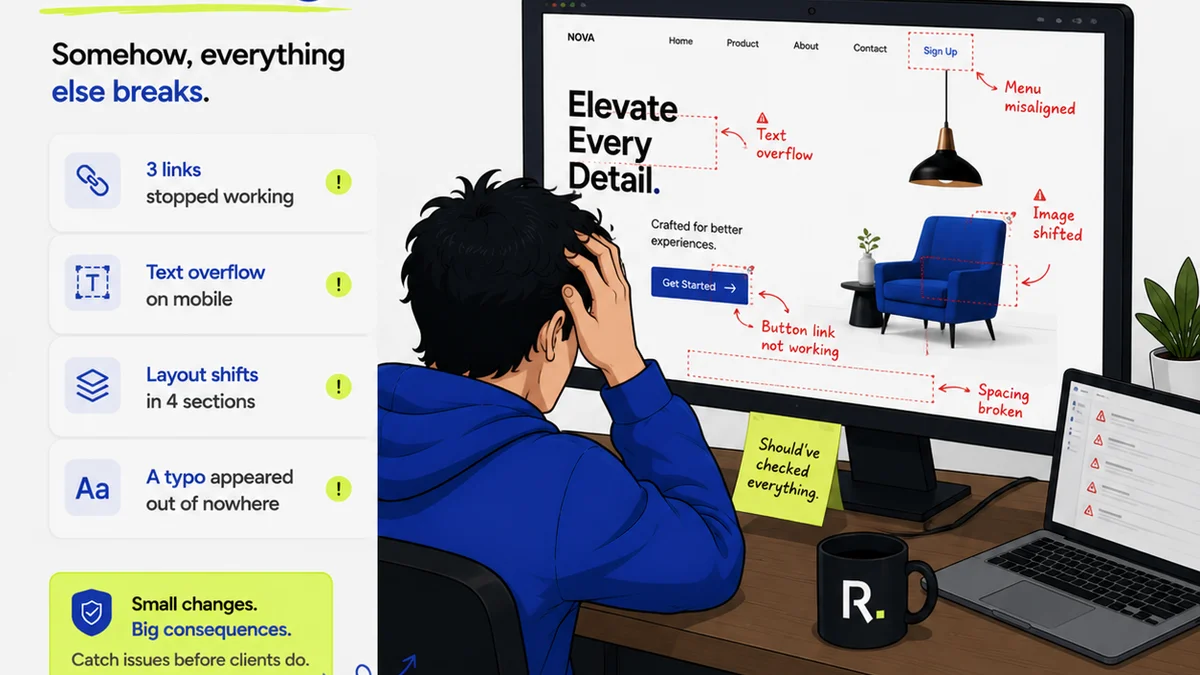
Everyone knows you need to give design feedback. You’ve probably heard a million times: “Be specific.” “Be constructive.” “Be clear.”
None of that is wrong. But it’s incomplete.
The hard truth is, the *way* you give comments often matters more than the comments themselves. Bad comment hygiene can derail projects, frustrate clients, and waste everyone’s time. It’s an operational blind spot many agencies and teams ignore.
Let’s fix that. Here’s how to make your design comments work for you, not against you.
1. The Problem with Vague Feedback
You’ve seen it. The dreaded “Make it pop.” Or “I don’t love this.”
This isn’t feedback; it’s noise. It tells the designer *something* is wrong but gives zero direction on how to fix it. It forces the designer to guess, leading to wasted revisions and mounting frustration.
This kind of feedback:
- Creates ambiguity
- Wastes design time
- Damages client relationships
- Slows down the entire project
It’s the equivalent of a doctor saying “You’re sick” without a diagnosis. Useless.
2. Actionable Feedback: The Core Principles
Actionable feedback is specific, objective, and directly tied to project goals. It’s not about personal preference; it’s about effectiveness.
Think of it like this: Can the designer understand exactly what needs to change and why, without needing a follow-up conversation?
Be Specific, Not General
Instead of “The hero image isn’t working,” try: “The hero image’s contrast is too low, making the text hard to read. Let’s increase the contrast by 20% or use a darker overlay.”
Focus on the Goal
Remind yourself (and the commenter) of the project’s objective. Is the design achieving that goal? If not, why?
Comment: “This CTA button is too small. Users might miss it.”
Goal-oriented comment: “This CTA button is too small. Based on the Fitts’s Law principles, increasing its size will improve click-through rates and conversion by making it easier to target.”
Be Objective, Not Subjective
Avoid “I don’t like the font.” Instead, explain *why* it might be a problem.
Comment: “This font is too decorative for a financial services website. It might undermine the brand’s credibility.”
Consider using established design principles. For example, ensure your typography choices align with accessibility standards like those outlined by the WCAG.
Suggest Solutions (When Possible)
If you have a clear idea, offer it. But be careful not to dictate the design. Frame it as a suggestion.
Comment: “Could we try aligning the logo to the left instead of the center? It might create better visual hierarchy with the navigation.”
Context is King
Always reference the specific element being discussed. Use timestamps for video, page numbers for documents, or clear labels for UI elements.
3. The Anatomy of a Great Design Comment
A truly effective comment has a few key components:
- What: Clearly identify the element being discussed.
- Why: Explain the problem or the opportunity for improvement, often referencing project goals or user experience.
- How: Suggest a specific change or direction for revision.
Example:
“[Hero Headline] The current text is too long and breaks onto three lines on mobile. [Why] This reduces readability and impacts the primary message’s immediate impact. [How] Let’s condense the headline to one sentence or explore a more concise alternative.”
This structure leaves no room for interpretation. It’s efficient and respectful of everyone’s time.
4. Common Commenting Pitfalls to Avoid
Even with the best intentions, bad habits creep in. Watch out for these:
- The “Kitchen Sink” Comment: Dumping every minor nitpick into one massive block of text. Break it down.
- The Passive-Aggressive Comment: “Just a thought, but maybe this color is a bit *too* bright?” No. Be direct.
- The “Me Too” Comment: Agreeing with a previous comment without adding value or context.
- The Unassigned Comment: Leaving feedback without a clear owner or assignee. Who is responsible for acting on this?
- The Outdated Comment: Leaving feedback on a version that has already been revised. This causes confusion and wasted effort.
These issues often stem from disorganized workflows and a lack of clear communication channels.
5. Structuring Your Feedback Process
Great comments don’t happen by accident. They are the result of a well-defined process.
Establish Commenting Guidelines
Create a simple document outlining your agency’s or team’s expectations for feedback. What makes a comment actionable? What’s the preferred format? Who is responsible for providing feedback and when?
Designate a Feedback Owner
For each project, have one person (e.g., Creative Director, Project Manager) responsible for consolidating and prioritizing feedback. This prevents conflicting comments and ensures a unified message.
Use a Centralized Platform
Scattered feedback across emails, Slack messages, and random documents is a recipe for disaster. A dedicated tool ensures all comments are in one place, tracked, and visible.
Schedule Feedback Review Sessions
Regular check-ins can clarify complex feedback, resolve disagreements, and keep the project moving. These sessions should be focused and time-boxed.
Where Revue Fits In
Managing client feedback and internal reviews effectively is crucial for agency operations. Disorganized feedback leads to scope creep, missed deadlines, and unhappy clients.
Revue is built to solve these exact problems. It provides a central hub for all creative assets and client feedback.
- Centralized Feedback: All comments live directly on the asset, linked to the specific version. No more digging through emails or Slack threads.
- Revision Visibility: Track the history of feedback and revisions, so everyone understands what’s been changed and why.
- Approval Workflows: Streamline the approval process, ensuring clear sign-offs and reducing the chance of outdated feedback resurfacing.
- Quality Checks: Integrate review stages to catch issues before they reach the client, ensuring consistent quality.
By centralizing feedback, you eliminate the ambiguity and inefficiency that plague traditional review processes. This means faster turnarounds, happier clients, and more time for creative work.
Final Thought
The quality of your design comments directly impacts the quality of your output and the health of your client relationships. It’s not just about spotting flaws; it’s about facilitating clarity and progress.
Are your comments helping your team build better work, or are they just adding to the noise?
Frequently asked questions
What is actionable design feedback?
Actionable design feedback is specific, objective, and directly tied to project goals. It clearly identifies what needs to change, why it needs to change, and suggests a direction for revision, enabling the designer to act on it without further clarification.
How can I avoid vague feedback like 'make it pop'?
Replace vague requests with specific observations and suggestions. Instead of 'make it pop,' explain what aspect of the design isn't achieving the desired effect and propose a concrete change. For example, 'Increase the contrast of the CTA button by 15% to improve visibility and click-through rates.'
Why is context important in design comments?
Context is crucial because it ensures everyone understands exactly which element or part of the design the comment refers to. For digital assets, this means referencing specific UI elements, page sections, or using timestamps for video. This prevents misinterpretation and wasted effort.
What's the best way to handle conflicting feedback from different stakeholders?
Designate a single point person (like a Creative Director or Project Manager) to consolidate and prioritize feedback. This individual can then resolve conflicting comments, ensure a unified message is communicated to the design team, and manage client expectations.