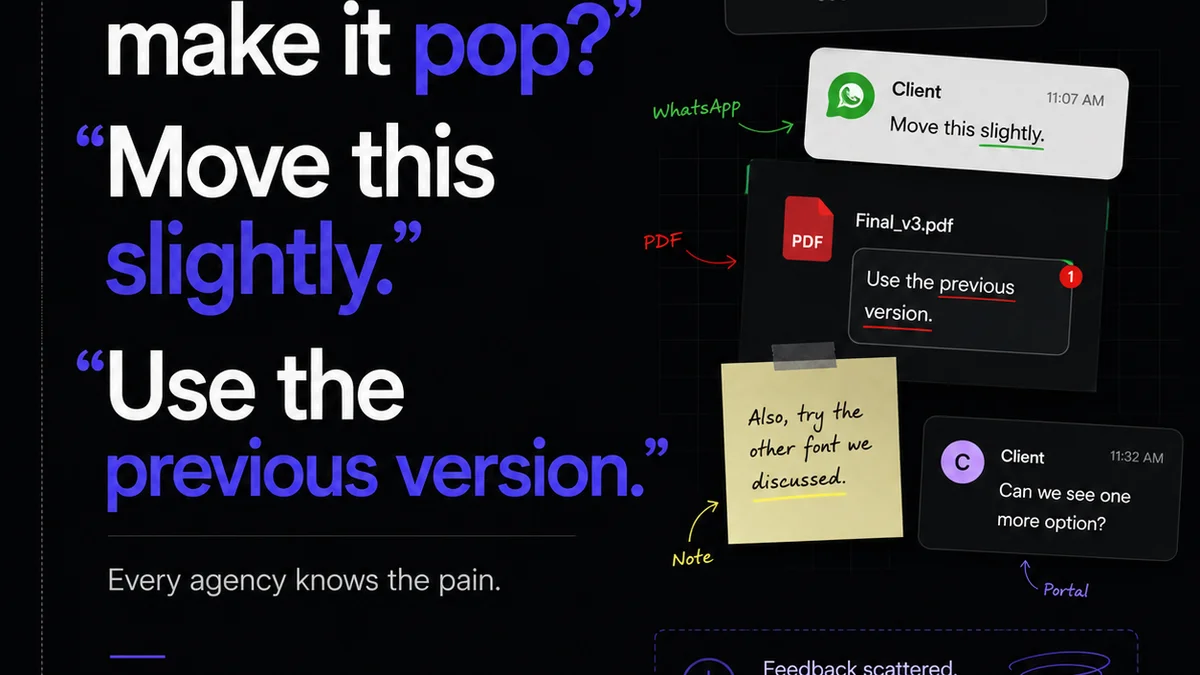
Everyone thinks they know how to give feedback on design. Just look at the hundreds of annotation tools, sticky notes, and email chains cluttering up creative workflows. That’s how you do it, right?
Wrong.
That’s a surface-level assumption. It mistakes the *mechanics* of leaving a comment for the *strategy* of effective design communication. The real power of design comments isn't in the markups themselves, but in how they shape collaboration, drive clarity, and ultimately, improve the final creative output. It’s about moving from random notes to actionable insights.
1. The Illusion of Clarity: Why Most Design Comments Fail
You’ve seen it. A client drops a comment: “Make it pop.” Or an internal stakeholder says, “I don’t love this.”
What does that even mean?
These comments are vague, subjective, and impossible to act on effectively. They create more work, not less. They lead to endless rounds of revisions that don’t solve the underlying problem.
The hard truth is that most design comments are unhelpful because they lack context, specificity, and a clear understanding of the project goals.
The Symptoms of Poor Feedback
- Endless revision cycles with no clear resolution.
- Frustration and defensiveness from the design team.
- Missed deadlines and blown budgets.
- Deliverables that don’t meet strategic objectives.
- A general feeling of being stuck in a creative rut.
This isn’t about blaming clients or internal teams. It’s about acknowledging a systemic issue in how creative feedback is managed.
2. The Anatomy of Effective Design Comments
Effective design comments are more than just observations. They are concise, actionable, and tied to project objectives. They guide, rather than dictate. They ask clarifying questions.
Think of it this way: A good comment helps the designer understand *why* a change is needed, not just *what* the change is.
Key Principles for Actionable Feedback
- Be Specific: Instead of “Make it pop,” try “Increase contrast between the call-to-action button and the background by 20% to improve visibility.”
- Provide Context: Explain *why* the change is important. “This headline needs to be shorter because user testing indicated attention spans are limited on mobile.”
- Reference Goals: Connect feedback to the original brief or business objectives. “This layout doesn't align with the goal of driving sign-ups; consider placing the form higher.”
- Suggest Solutions (When Appropriate): If you have a clear idea, propose it, but be open to alternatives. “Could we explore a different typographic hierarchy here? Perhaps a bolder sans-serif?”
- Ask Questions: If something is unclear, ask. “I’m not sure I understand the purpose of this graphic element. Can you elaborate on its role?”
- Focus on the Work, Not the Person: Frame feedback objectively. “The kerning on this headline feels a bit tight” is better than “You’ve kerned this headline poorly.”
This requires a shift in mindset—from simply reacting to proactively contributing to the solution.
3. Structuring Your Feedback Process
Leaving great comments is one thing. Having a system to manage them is another. Without a structured process, even the best feedback can get lost or misinterpreted.
Common Pitfalls in Feedback Management
- Scattered feedback across email, Slack, documents, and various annotation tools.
- Lack of a single source of truth for revisions.
- No clear ownership or accountability for acting on feedback.
- Difficulty tracking the history of feedback and decisions.
- Ambiguity about when feedback is
Frequently asked questions
What's the difference between a comment and feedback?
A comment is a note or annotation on a design. Feedback is a more comprehensive evaluation that includes context, rationale, and actionable recommendations, aimed at improving the design's effectiveness relative to project goals.
How can I make my design comments more specific?
Instead of vague terms like 'make it better,' specify the desired outcome or problem. For example, 'Increase the font size of the headline by 2 points for better readability on mobile' or 'The call-to-action button color does not meet WCAG AA contrast ratios.'
What's the best way to handle subjective feedback like 'I don't like it'?
Gently probe for the 'why.' Ask clarifying questions like, 'Can you tell me more about what isn't working for you?' or 'What specific aspect of the design is causing that feeling?' This helps uncover underlying issues that can be addressed objectively.
How can creative teams ensure feedback is acted upon?
Establish a clear process for collecting, prioritizing, and assigning feedback. Use a centralized tool where feedback is visible to all stakeholders, and clearly define who is responsible for addressing each comment. Regular check-ins can also ensure progress.