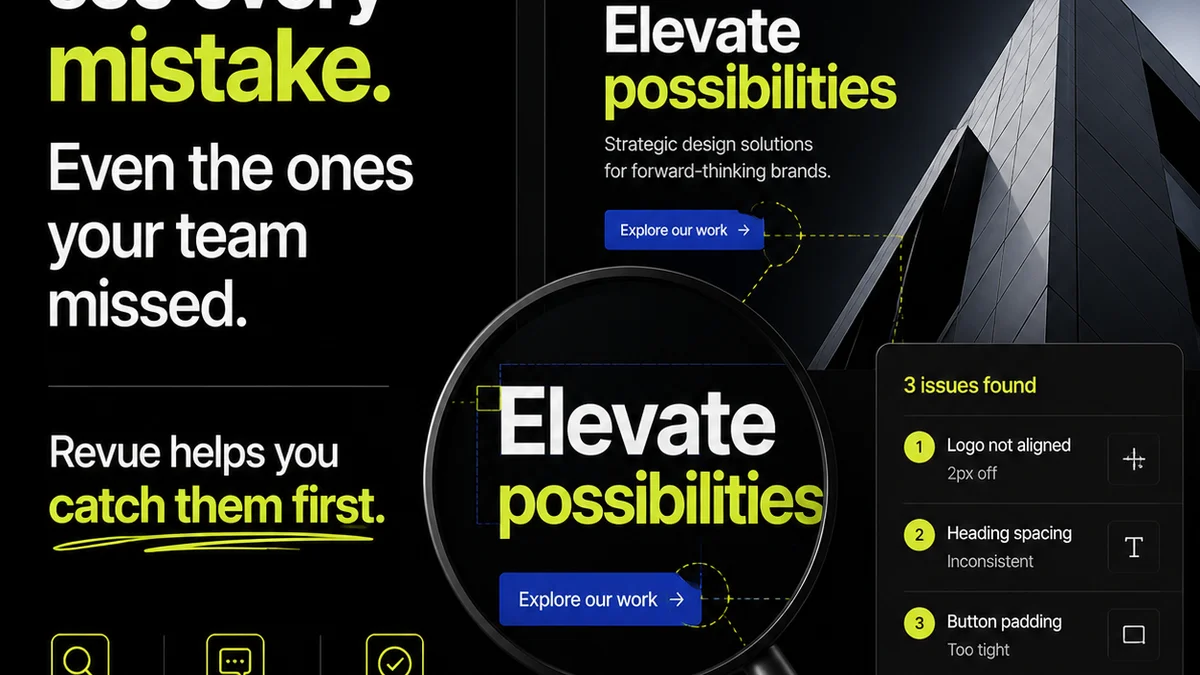
Everyone thinks design comments software is about making feedback easier. And that’s not wrong.
But it’s incomplete.
The real value isn’t just easier feedback; it’s about clarity, accountability, and speed. It’s about turning a messy, often subjective process into a structured, actionable one. If your current system feels like just another place to dump notes, you’re missing the point. You need software that actively improves your creative operations, not just digitizes them.
1. Beyond Red-Lines: Context is King
Visual annotation is table stakes. Any decent tool lets you draw boxes, arrows, and type directly on an image or design file. That’s the easy part.
The harder, more important part? Context. Where does that comment come from? Who made it? What’s the history of feedback on this specific element?
Think about it: a client says, “Make this pop more.” Without context, that’s useless. With the right software, that comment might be linked to a previous version where a specific CTA was deemphasized, or tied to a brand guideline document that emphasizes urgency. That’s the difference between subjective noise and actionable insight.
Key Contextual Features:
- Version history tracking for comments.
- Ability to link comments to specific project goals or brand guidelines.
- User roles and permissions to understand feedback source authority.
- Integration with project management tools for broader task context.
Without this, you’re just managing comments. With it, you’re managing feedback intelligently.
2. Accountability: Who Owns What?
This is where most creative workflows break down. Feedback is given, interpreted, acted upon, and then re-debated. It’s a cycle of frustration.
Good design comments software establishes clear lines of ownership. It answers the question: “Who is responsible for addressing this specific piece of feedback?”
This means more than just assigning a task. It means tracking the resolution of that feedback, ensuring it’s not lost in the shuffle. It’s about visibility for everyone involved.
Accountability Features to Prioritize:
- Clear assignment of comments to specific team members or clients.
- Status tracking for comments (e.g., Open, In Progress, Resolved, Approved).
- Notifications for comment assignments and status changes.
- Audit trails showing who did what and when.
When feedback is transparent and assigned, accountability follows naturally. No more “I thought someone else was handling that.”
3. Workflow Integration: Not Another Silo
The biggest sin of new software is becoming another isolated island. Your design comments tool shouldn’t require you to copy-paste assets or manually update project statuses elsewhere.
It needs to live within, or seamlessly connect to, your existing ecosystem. Think about how feedback translates into action. Does a comment automatically create a task in your project manager? Can you export annotated proofs directly for client sign-off?
The goal is to reduce friction, not add it. If your comments tool creates more work, it’s failing.
Seamless Integration Points:
- Direct integrations with popular design tools (Figma, Adobe Creative Cloud).
- Connections to project management software (Asana, Jira, Monday.com).
- API access for custom workflows.
- Automated export options for reports and proofs.
Your feedback tool should be a connective tissue, not a bottleneck.
4. Revision Management: The Full Picture
Feedback is only half the battle. The other half is managing the subsequent revisions and approvals.
Your design comments software should provide a clear, visual history of changes. When a client asks, “What exactly did we change on this last round?”, you should be able to show them, not just tell them.
This means easy comparison between versions, clear annotation of what was addressed, and a straightforward approval process.
Revision Control Essentials:
- Side-by-side version comparison.
- Visual indicators of changes made based on feedback.
- Streamlined approval workflows with clear sign-off steps.
- Centralized archive of all project iterations and feedback.
This clarity prevents scope creep and ensures everyone is aligned on the final deliverable.
5. Quality Assurance: Catching Errors Early
Beyond client feedback, internal quality assurance (QA) is critical. This is where you catch typos, alignment issues, broken links, and other small but damaging errors before they reach the client.
Your comments software can be a powerful QA tool. It allows your team to leave structured feedback, track issues, and ensure they are resolved systematically. This moves QA from a reactive, last-minute scramble to a proactive, integrated part of the process.
Leveraging Comments for QA:
- Dedicated QA review stages within the tool.
- Checklists or templates for common QA points.
- Assigning specific QA tasks to team members.
- Tracking the resolution of QA issues alongside client feedback.
Think of it as building quality in, not bolting it on.
Where Revue Fits In
The ideal design comments software acts as a central hub. It’s where feedback converges, revisions are tracked, and approvals are managed, all while maintaining context and accountability.
Revue provides this centralized environment. It consolidates client feedback, making it easy to see who said what, when, and on which version. Our platform streamlines the revision and approval process, offering clear visibility so you always know the status of creative work.
By centralizing these critical steps, Revue helps creative teams reduce miscommunication, accelerate turnaround times, and ensure the highest quality output. It’s about bringing order to the creative chaos.
Final Thought
Are you using design comments software as a simple digital notepad, or as a strategic operational tool? The difference impacts your bottom line, your client relationships, and your team’s sanity. Choose wisely.
Frequently asked questions
What's the difference between basic annotation and contextual feedback?
Basic annotation is simply drawing on an image or document. Contextual feedback links that annotation to project goals, brand guidelines, or previous discussions, making it actionable rather than subjective.
How can design comments software improve accountability?
By clearly assigning feedback to specific individuals or teams, tracking the status of each comment (e.g., open, resolved), and providing an audit trail, the software ensures everyone knows who is responsible for what.
Why is workflow integration important for design comments tools?
Integration prevents the tool from becoming another isolated silo. It allows comments to trigger actions in other systems, like creating tasks in project management software, or enables seamless export of annotated files, reducing manual work.
Can design comments software help with internal quality assurance (QA)?
Yes, it can be used as a QA tool by allowing internal teams to leave structured feedback, track issues, and ensure they are resolved systematically before client delivery.