Everyone thinks a design error checking checklist is about spotting typos or misaligned elements. It’s about catching the obvious stuff before it ships. That’s not wrong. But it’s incomplete.
The hard truth? A truly effective design error checking checklist isn't just a list of visual items. It's a systematic process woven into your entire creative workflow, designed to prevent errors before they even happen, not just catch them at the end.
1. The Illusion of the Final Review
Many teams treat the final review as the primary error-checking stage. They rush through designs, assuming a last-minute scrub will catch everything. This is a recipe for disaster.
By the time a design reaches its final review, significant rework can be incredibly costly. It impacts timelines, budgets, and team morale.
The Real Cost of Late Error Detection
- Delayed project launches
- Increased client dissatisfaction
- Wasted developer hours
- Team burnout
- Compromised design integrity
A proactive approach, incorporating checks at multiple stages, is far more efficient and effective.
2. Building a Foundational Design Error Checking Checklist
Your checklist needs to be more than a static document. It should be a living guide that evolves with your projects and team.
Start with the fundamentals. These are the non-negotiables that should be checked on virtually every project.
Core Checklist Categories
- Brand Consistency: Correct logos, colors, fonts, tone of voice.
- Content Accuracy: Verified copy, correct data, up-to-date information.
- Functional Integrity: All interactive elements work as intended, links are correct.
- Usability & Accessibility: Clear navigation, readable text, sufficient contrast, keyboard operability.
- Technical Specifications: Correct dimensions, file formats, resolution, responsive behavior.
- Legal & Compliance: Disclaimers, privacy policies, copyright notices, adherence to regulations.
This forms the bedrock. But it's just the start.
3. Stage-Specific Checks: Prevention Over Cure
The most effective error checking happens *during* the design process, not after.
Integrate checks into each phase, from initial concept to final handover.
Discovery & Strategy Phase Checks
- Did we fully understand the brief and objectives?
- Are the target audience needs addressed?
- Is the scope clearly defined and agreed upon?
Concept & Wireframing Phase Checks
- Does the proposed structure support user goals?
- Is the information architecture logical?
- Are key user flows mapped out correctly?
UI Design & Prototyping Phase Checks
- Are design systems and style guides being followed?
- Is the visual hierarchy clear?
- Do interactive elements provide clear feedback?
- Is the design responsive across target devices?
- Are accessibility standards being met (e.g., WCAG)? Check contrast ratios and focus states.
Content Integration Checks
- Is placeholder text being replaced with final, approved copy?
- Is the content formatted correctly within the design?
- Are all images and media optimized and correctly placed?
Pre-Production & Handoff Checks
- Are all assets properly named and organized?
- Are specifications for development clearly documented?
- Has the client provided final approval on all elements?
Each stage has its own potential pitfalls. Checking at the right time minimizes the impact of any discovered issues.
4. The Human Element: Team Roles and Responsibilities
Who is responsible for checking what? This is often a fuzzy area, leading to things falling through the cracks.
Define clear roles. A checklist is only as good as the people using it.
Key Roles in Error Checking
- Designer: Self-checks, adherence to style guides, component consistency.
- Content Strategist/Writer: Copy accuracy, tone, grammar, factual correctness.
- UX/UI Lead: Usability, flow, accessibility, adherence to UX principles.
- Project Manager: Scope adherence, client approvals, timeline impact of issues.
- QA Specialist (if applicable): Thorough functional and visual testing.
- Client: Final sign-off on content, branding, and overall direction.
Empower each role to own their part of the quality assurance process.
5. Beyond the Checklist: Tooling and Automation
While a checklist is crucial, relying solely on manual checks is inefficient.
Leverage tools to automate repetitive checks and catch common errors.
Helpful Tools and Techniques
- Automated Accessibility Checkers: Tools like WAVE or browser extensions can flag contrast issues and missing alt text.
- Linters and Formatters: For code-based design systems, these ensure consistency.
- Spell Checkers and Grammar Tools: Standard software features, but ensure they're used diligently.
- Design System Libraries: Ensure designers are pulling from approved components, reducing inconsistencies.
- Prototyping Tools: Features like Figma's inspect panel help developers understand spacing and styling.
Technology can augment your team's efforts, freeing them up for more complex problem-solving.
Where Revue Fits In
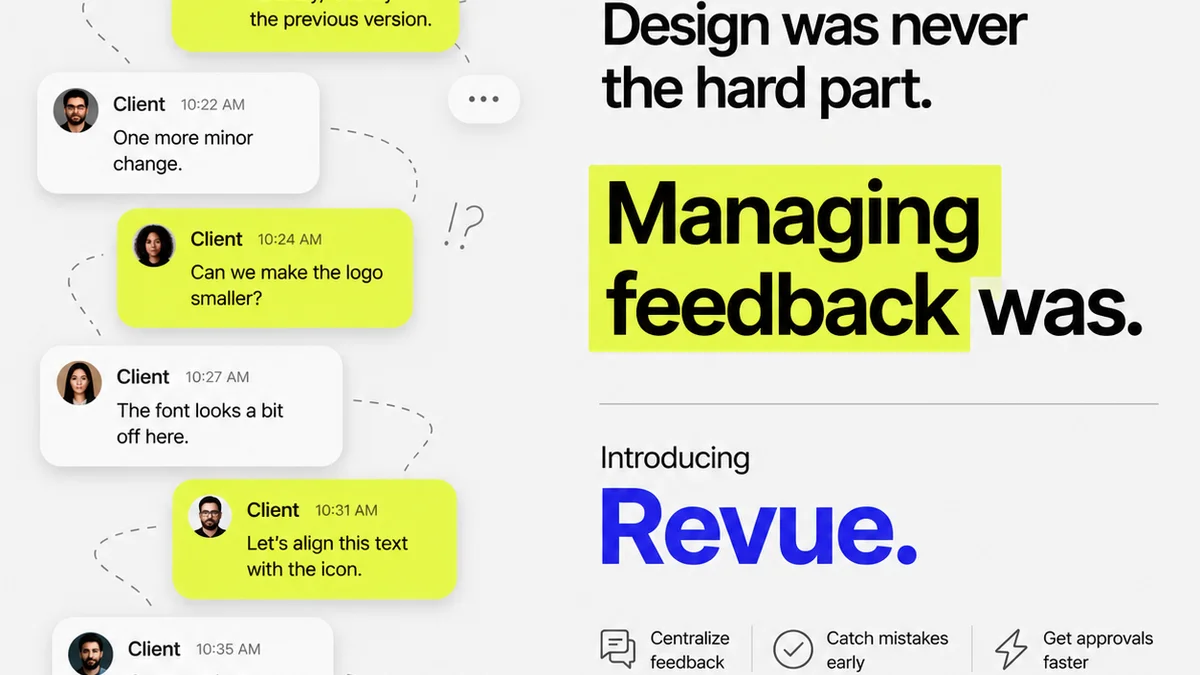
Managing feedback and revisions across multiple stakeholders and project stages can be chaotic. This chaos is a breeding ground for errors.
Revue helps centralize this process, making your error checking more robust.
- Centralized Feedback: All client comments and internal reviews live in one place, attached to the specific design version. No more scattered email chains or Slack messages.
- Version Control Visibility: Easily track revisions and understand the history of changes. This prevents outdated feedback from being acted upon and ensures everyone is working from the latest approved version.
- Clear Approval Workflows: Define clear steps for review and approval. This ensures that critical checks happen before a design moves to the next stage, acting as a built-in part of your design error checking checklist.
- Streamlined Quality Checks: With all feedback and revisions logged, performing final quality checks becomes a more informed and efficient process. You can easily reference discussions and decisions.
By bringing clarity to the feedback loop, Revue helps ensure that design checks are thorough and that decisions are documented, reducing the likelihood of overlooked errors.
Final Thought
The goal of a design error checking checklist isn't just to find mistakes. It's to build a culture of quality where errors are anticipated and prevented.
Are you just ticking boxes, or are you truly embedding quality into every step of your design process?
Frequently asked questions
What is the main purpose of a design error checking checklist?
The main purpose is to systematically identify and rectify errors in designs before they are finalized or handed off. This goes beyond just visual flaws to include functional, content, and brand consistency issues, ultimately preventing costly rework and client dissatisfaction.
How often should a design error checking checklist be used?
A comprehensive checklist should be integrated into multiple stages of the design process, not just at the very end. This includes checks during discovery, wireframing, UI design, content integration, and pre-production phases to catch errors as early as possible.
Who is responsible for using the design error checking checklist?
Responsibility is shared among the team. Designers perform self-checks, content specialists verify copy, UX/UI leads ensure usability and accessibility, and project managers oversee the overall process and approvals. Clear roles prevent items from being missed.
Can automation tools replace a design error checking checklist?
Automation tools can significantly aid the process by catching common, repetitive errors (like accessibility issues or typos) efficiently. However, they cannot replace the nuanced judgment required for creative and strategic checks, so a checklist remains essential as a guide for human oversight.