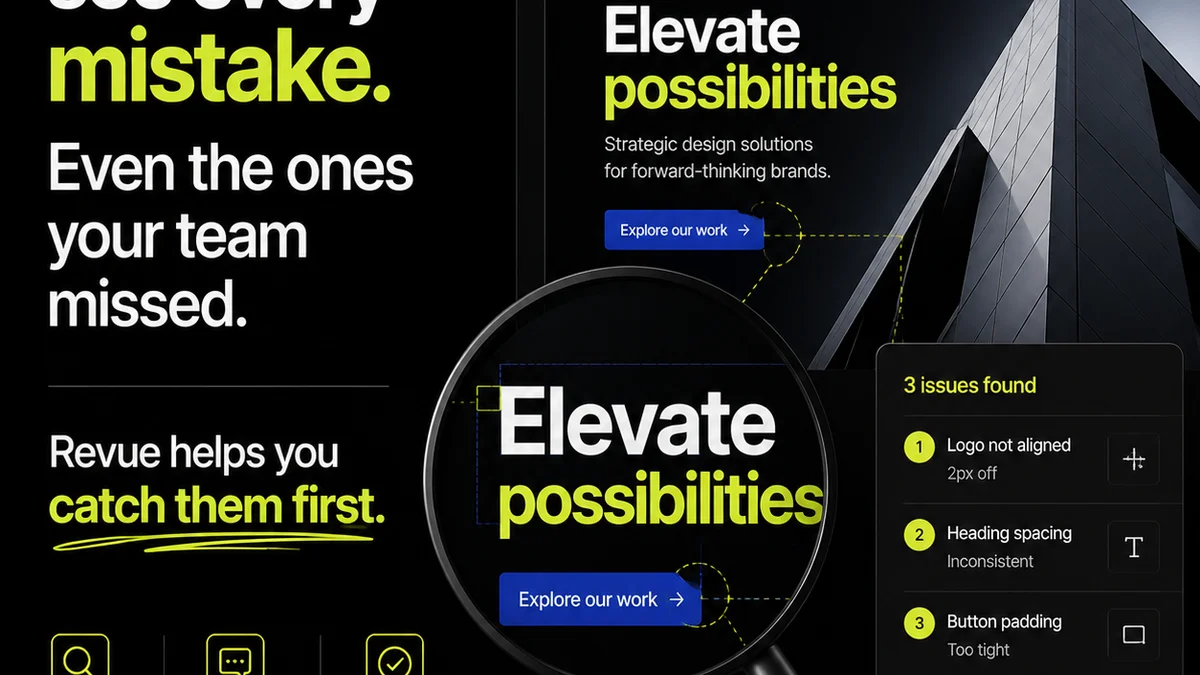
Everyone assumes design error checking software is about catching typos. Or maybe misplaced commas in a button label. None of that is wrong. But it’s incomplete.
The hard truth is, most design error checking software barely scratches the surface. It’s like using a magnifying glass to spot a crack in a dam. Real design errors aren’t just about pixels and kerning. They’re about broken processes, missed requirements, and communication failures that cascade into client dissatisfaction and costly rework.
1. Beyond Surface-Level Fixes: What True Error Checking Means
The industry standard for “design error checking” is often limited to the basics. Think spell check, grammar check, and maybe a rudimentary check for accessibility issues like low contrast text. These are table stakes.
But a truly effective system looks deeper. It flags potential problems that arise from:
- Inconsistent branding application across multiple assets.
- Failure to adhere to established design system components.
- Assets that don’t meet technical specifications for output (e.g., incorrect color profiles, wrong resolution).
- Feedback loops that have gone stale or are unaddressed.
- Missing required legal disclaimers or calls to action.
- Visual hierarchy issues that obscure key information.
This isn’t about finding a stray pixel. It’s about safeguarding the integrity of the creative output and the efficiency of the workflow.
2. Core Features: The Non-Negotiables
When evaluating design error checking software, what capabilities should be front and center?
Automated Visual Consistency Checks
This goes beyond simple spell check. It means the software can identify:
- Inconsistent typography (font families, sizes, weights used where they shouldn’t be).
- Color palette deviations from brand guidelines.
- Spacing and alignment inconsistencies that break visual rhythm.
- Repetitive elements that should be standardized (e.g., button styles).
Brand Guideline Enforcement
Your brand guidelines are gospel. The software should act as an enforcer.
- Can it flag incorrect logo usage (e.g., wrong color, incorrect placement)?
- Does it check for compliance with typography rules?
- Does it ensure brand colors are used only where permitted?
Accessibility Compliance Verification
This is no longer optional. Users with disabilities rely on accessible design. Your tools should help you get there.
- Automated contrast ratio checks for text and UI elements.
- Identification of missing alt text for images.
- Checks for keyboard navigation compatibility.
- Ensuring proper semantic structure for screen readers.
Tools like WCAG provide the benchmarks. Your software should help you meet them.
Technical Output Validation
Designs often need to meet specific technical requirements for different platforms or print. The software should verify:
- Correct color modes (RGB vs. CMYK).
- Appropriate resolution for print or web.
- File format compliance.
- Bleed and trim mark accuracy for print.
3. Workflow Integration: Where the Real Power Lies
A standalone tool that just spits out errors is a nuisance. True design error checking software integrates seamlessly into your existing workflow.
Version Control and History
You need to know what changed, when, and why. The system should track revisions and allow easy comparison between versions.
Collaboration Features
Errors are often a result of miscommunication. The software should facilitate clear communication:
- Centralized feedback collection, not scattered email threads.
- Tools for annotating specific design elements.
- Clear assignment of tasks and action items.
- Visibility into who is responsible for addressing each error.
Integration with Design Tools
The best tools don’t force you to switch contexts constantly. They work where you work.
- Plugins for popular design software like Adobe Creative Suite or Figma.
- APIs for custom integrations.
Reporting and Analytics
Understand your team’s error patterns. Are you consistently missing deadlines due to rework? Is a specific type of error recurring?
- Dashboards showing error trends.
- Reports on resolution times.
- Metrics on compliance adherence.
4. User Experience: Making Error Checking Painless
If the software is clunky or difficult to use, your team won’t adopt it. That defeats the purpose.
Intuitive Interface
The system should be easy to navigate. Error reporting should be clear and actionable, not cryptic codes.
Customizable Rulesets
Not every agency or project has the same needs. The ability to tailor checks to specific client requirements or internal standards is crucial.
Actionable Error Messages
Instead of just saying “Error: Contrast too low,” it should say “Error: Text color #FFFFFF on background #000000 has a contrast ratio of 1.2:1. WCAG AA requires at least 4.5:1 for normal text. Consider using a darker text color or lighter background.”
Minimal False Positives
Nothing kills adoption faster than a tool that flags things that aren’t actually problems. The algorithm needs to be smart enough to distinguish real issues from acceptable variations.
5. Where Revue Fits In
Many of the deeper design errors stem from broken feedback and revision cycles. This is where Revue excels.
Revue acts as a central hub for all client feedback. Instead of chasing down comments in emails, Slack threads, or random documents, everything lives in one place, tied directly to the creative asset being reviewed.
This clarity prevents misinterpretations and missed instructions – common sources of errors. When feedback is centralized and organized, the subsequent revisions are more accurate, reducing the need for extensive error checking later.
Furthermore, Revue provides clear visibility into the revision and approval process. Everyone sees the status of each piece of feedback, who is responsible for what, and when approvals are granted. This transparency helps catch workflow bottlenecks before they lead to costly mistakes.
While Revue isn’t a pixel-level checker, it ensures the *process* of getting to the final design is clean, documented, and auditable. This reduces the likelihood of errors born from confusion and delay.
6. Final Thought
Is your current error checking approach just a glorified spell checker, or is it a robust system that safeguards your creative output and streamlines your agency’s operations? The tools you choose directly impact your bottom line and your client relationships. Don’t settle for surface-level fixes when the real problems lie deeper.
Frequently asked questions
What's the difference between basic spell check and design error checking software?
Basic spell check catches typos. Design error checking software goes much further, identifying inconsistencies in branding, adherence to design systems, accessibility issues, technical output requirements, and even workflow breakdowns like unaddressed feedback.
Can design error checking software integrate with Figma or Adobe?
Many advanced design error checking solutions offer plugins or integrations for popular design tools like Figma and Adobe Creative Suite, allowing you to check for errors directly within your design environment.
How does centralized feedback help prevent design errors?
Centralized feedback, like that provided by Revue, ensures all comments and instructions are in one place, reducing miscommunication and the chance that crucial feedback is missed or misinterpreted, which are common causes of design errors.
Is accessibility checking a standard feature in design error checking software?
While basic tools might offer limited accessibility checks, robust design error checking software should include features like automated contrast ratio verification, checks for missing alt text, and keyboard navigation compatibility.
What are 'false positives' in design error checking?
False positives occur when the software flags something as an error that isn't actually a problem. Good design error checking software has smart algorithms to minimize these, ensuring that only genuine issues are reported to avoid frustrating users.