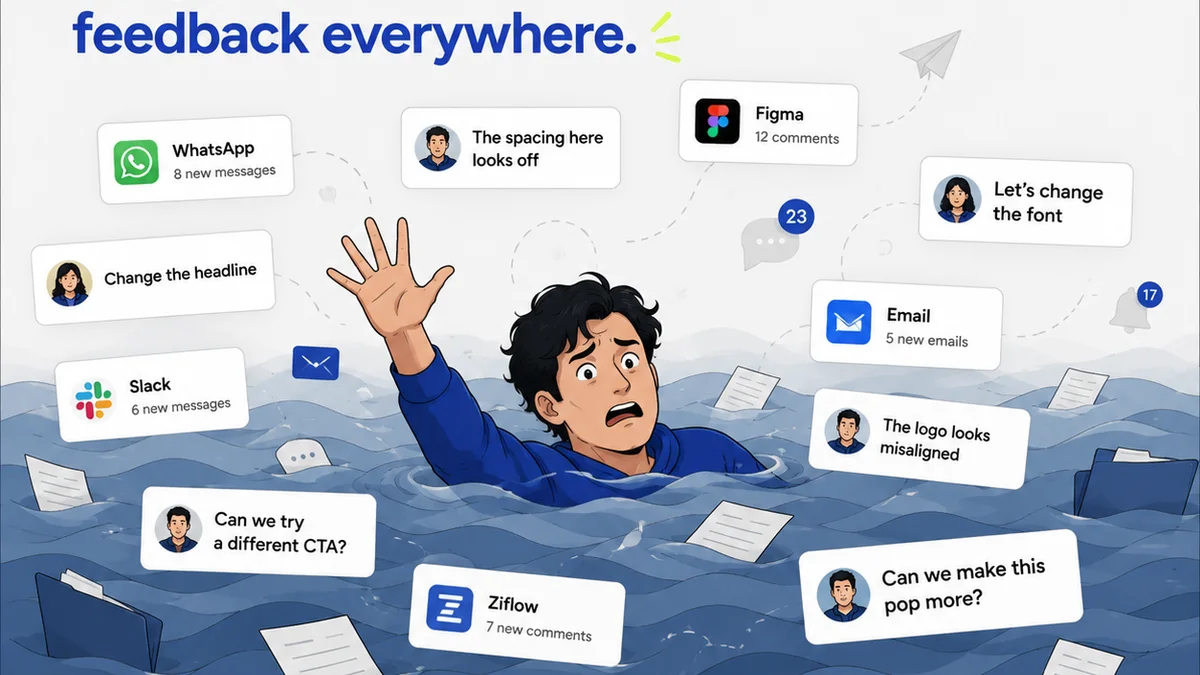
Everyone agrees that managing design feedback is a pain. You probably think the solution is just finding a better tool. Maybe a fancier spreadsheet template, or a more organized email folder structure.
None of that is wrong. But it’s incomplete.
The hard truth? The problem isn't just the tool; it’s the *process*. The real goal isn't just organizing feedback; it's streamlining the entire creative review cycle. That means making sure feedback is clear, actionable, and integrated directly into your workflow, not just another item on a to-do list.
1. The Spreadsheet & Email Status Quo: Why It Fails
For years, agencies and in-house teams have relied on a patchwork of spreadsheets and email to manage client feedback. It feels familiar, right?
But this approach is fundamentally flawed for several reasons:
- Version Control Nightmares: Which version is the latest? Which comments belong to which iteration? It’s a constant guessing game.
- Lost in Translation: Feedback buried in email threads or cryptic spreadsheet notes often lacks context, leading to misinterpretations and wasted revisions.
- Lack of Accountability: Who approved what, and when? Without a clear audit trail, disputes are inevitable.
- Inefficiency Drain: The sheer manual effort of compiling, cross-referencing, and chasing down feedback eats up valuable creative time.
- Client Frustration: Clients get lost in the complexity, leading to delayed approvals and strained relationships.
This isn't just inconvenient; it actively hinders creativity and delays project timelines. It’s a direct drag on your bottom line.
2. Dedicated Design Review Platforms: A Step Up
The first real step beyond basic tools is dedicated design feedback software. These platforms are built specifically to handle visual assets and the feedback loop.
Key Features to Look For:
- Visual Annotation: Direct commenting on images, videos, and PDFs.
- Version Comparison: Side-by-side or overlay views to see changes between iterations.
- Centralized Dashboard: All projects, assets, and feedback in one place.
- User Roles & Permissions: Control who can view, comment, and approve.
- Activity Tracking: A clear history of comments, changes, and approvals.
These tools streamline the feedback process significantly. They reduce ambiguity by allowing comments directly on the creative. They create a clear record, making approvals more transparent.
Think of it like moving from handwritten notes to a typed document. It’s a massive improvement in clarity and organization.
3. Project Management Integration: Connecting the Dots
While dedicated review tools are great, they often exist in a silo. The next logical step is integrating them with your broader project management system.
Why? Because feedback isn't an isolated event. It's a critical input that needs to flow into task management, timelines, and resource allocation.
The Benefits of Integration:
- Actionable Tasks: Convert feedback directly into tasks for designers or developers.
- Timeline Visibility: See how review cycles impact project schedules in real-time.
- Resource Management: Understand the bandwidth needed for revisions based on structured feedback.
- Unified Workflow: Reduce context switching for your team by keeping everything connected.
This level of integration means feedback isn’t just *collected*; it’s *actioned*. It becomes part of the project's operational DNA, not an external annoyance.
4. Workflow Automation: Eliminating Busywork
The most advanced alternatives move beyond just managing feedback to automating the *process* around it. This is where you truly reclaim time and reduce errors.
What Automation Looks Like:
- Automated Notifications: Alerting stakeholders when new feedback is ready or when an asset is approved.
- Automated Versioning: Automatically creating new versions based on uploaded revisions.
- Automated Quality Checks: Flagging common issues like broken links, incorrect dimensions, or accessibility problems before client review.
- Automated Reporting: Generating summaries of review cycles or project status.
Automation tackles the repetitive, manual tasks that drain your team's energy and introduce human error. It ensures consistency and allows your team to focus on creative problem-solving, not administrative drudgery.
Where Revue Fits In
Managing client feedback and approvals is central to creative agency operations. You need a system that doesn't just store comments but actively facilitates clear communication, ensures accountability, and speeds up the delivery process.
Revue is built for this. It’s designed to centralize all your client feedback, making it easy to see exactly what needs to be done. You get clear visibility into revision cycles and approvals, eliminating the guesswork and the endless back-and-forth.
More importantly, Revue helps you run quality checks directly within the workflow, ensuring that what gets approved meets your standards and client expectations before it goes live. It’s about making the entire review and approval process efficient, transparent, and less prone to costly errors.
5. The Human Element: Training and Communication
Even with the best software, a critical component remains: how your team and clients actually *use* it.
Technology is only as good as the people operating it. Effective design feedback requires clear communication protocols and user training.
Best Practices:
- Establish Clear Guidelines: Define what constitutes constructive feedback and how it should be delivered.
- Onboard Clients Properly: Walk clients through the review process and the tool you're using. Explain *why* it’s better for them.
- Train Your Team: Ensure everyone understands how to provide, interpret, and act on feedback within the system.
- Foster a Feedback Culture: Encourage open, honest, and actionable feedback internally and externally.
The goal is to make the feedback process collaborative, not adversarial. Good tools facilitate this, but intentional communication solidifies it.
Final Thought
The common assumption is that better design feedback management means finding the 'right' software. The deeper truth is that it requires optimizing your entire *process* – from initial review to final approval – and using tools that support that optimized workflow.
Are you just organizing feedback, or are you truly streamlining your creative delivery?
Frequently asked questions
What are the main drawbacks of using spreadsheets for design feedback?
Spreadsheets often lead to version control issues, lost feedback in translation, a lack of clear audit trails for approvals, and significant manual effort, all of which slow down the creative process and can frustrate clients.
How does dedicated design feedback software improve the process?
Dedicated software offers visual annotation directly on assets, clear version comparison, centralized dashboards, user role management, and activity tracking, which significantly reduces ambiguity and creates a transparent record of feedback and approvals.
Why is integrating feedback tools with project management important?
Integration connects feedback directly to actionable tasks, provides real-time visibility into project timelines, aids resource management, and reduces context switching for your team, ensuring feedback drives project progress effectively.
Can workflow automation help with design feedback?
Yes, automation can handle tasks like sending notifications, managing versions, performing basic quality checks, and generating reports. This frees up your team from repetitive busywork and reduces the potential for human error.
What is the role of human communication in managing design feedback?
Even with the best tools, clear guidelines, proper client onboarding, team training, and fostering a positive feedback culture are crucial. Intentional communication ensures that feedback is constructive, understood, and acted upon effectively.