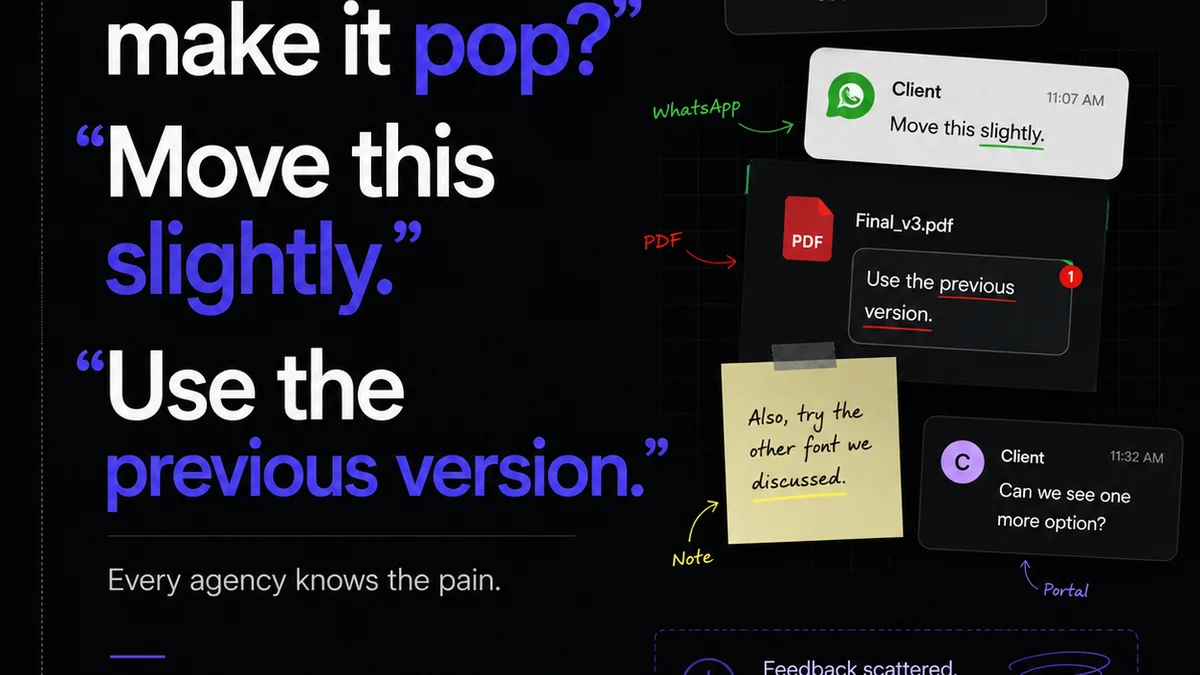
Everyone thinks design feedback tools are just about collecting comments. That’s a nice thought. It’s also fundamentally wrong.
The real power of design feedback tools isn't in the comments themselves. It's in the structured workflow they enable. It’s about transforming subjective input into actionable, trackable tasks.
1. The Illusion of Simplicity
The common assumption? A tool that lets clients drop pins on a mockup and type a note is enough. Simple. Elegant. Problem solved.
This view ignores the chaos that follows.
What happens when feedback is scattered across email, Slack, and a dozen different platforms? What happens when revisions aren’t clearly linked to original feedback?
It’s a recipe for:
- Endless clarification loops.
- Missed feedback.
- Scope creep disguised as 'small changes'.
- Frustration on both agency and client sides.
- Lowered quality due to lost context.
This isn't a tool problem. It's a workflow problem that the wrong tools exacerbate.
2. Structured Feedback is Actionable Feedback
The core of effective design feedback management is structure. Your tools should enforce it, not fight it.
Think about what you *really* need when feedback comes in:
- Clear Identification: Who said what? When? On which version?
- Contextual Relevance: Is this feedback about a specific element, a general direction, or a technical requirement?
- Actionability: Can a designer immediately understand what needs to be done without asking follow-up questions?
- Status Tracking: Is this feedback acknowledged, in progress, completed, or rejected? Why?
Tools that simply allow free-form comments fail here. They become digital dumping grounds.
Best-in-class design feedback tools move beyond this by:
a. Centralizing Communication
All feedback lives in one place, tied directly to the creative asset. No more hunting through email chains.
b. Version Control Integration
Feedback is linked to a specific version. When a new version is uploaded, old feedback can be reviewed, resolved, or archived. This prevents rework on outdated input.
c. Role-Based Permissions
Not everyone needs to see or provide all feedback. Granular permissions ensure the right people are involved at the right stages.
d. Clear Resolution Workflows
A system for marking feedback as addressed, requiring clarification, or even disputing it. This creates accountability and transparency.
3. The Cost of 'Good Enough' Tools
Many agencies cobble together solutions. They use generic project management tools, email, and chat apps. They think they're saving money.
They aren't.
The hidden costs are astronomical:
- Wasted Designer Time: Hours spent deciphering vague notes, searching for lost feedback, or redoing work.
- Extended Project Timelines: Delays caused by communication breakdowns and rework.
- Client Dissatisfaction: Frustration from a clunky, unprofessional feedback process.
- Increased Error Rates: Critical details slip through the cracks.
These aren't minor inconveniences. They directly impact your profitability and reputation.
4. Beyond Comments: The Approval Workflow
Feedback is only half the battle. The other is formal approval.
A truly effective design feedback tool facilitates this entire lifecycle.
Consider the steps:
- Feedback Collection: Gathering input on a draft.
- Revision: Designers implement agreed-upon changes.
- Re-Presentation: Showing the revised work.
- Approval/Rejection: Formal sign-off or request for further changes.
Tools that lack clear approval stages force you to build cumbersome workarounds. This often involves manual sign-off sheets or endless email confirmations.
What's the operational truth here? Approval needs to be as documented and trackable as the feedback that led to it.
5. Quality Assurance as a Feature, Not an Afterthought
The best design feedback tools contribute to quality assurance (QA). They don't just record what happened; they help prevent errors.
How?
- Standardized Checklists: For common QA items like brand compliance, accessibility checks, or technical specs.
- Version Comparison: Easily see what changed between versions, highlighting potential new issues.
- Bug Tracking Integration: Linking design feedback directly to bug reports for development teams.
This proactive approach is far more efficient than reactive QA, which often happens too late in the process.
Where Revue Fits In
Managing creative projects involves a constant flow of feedback, revisions, and approvals. Without a dedicated system, this process becomes a bottleneck.
Revue is built to streamline this exact workflow for creative agencies and in-house teams.
It provides a centralized hub for all client feedback, directly attached to design assets. This means no more scattered comments across emails and chat. Every piece of input is contextualized and traceable.
Our platform helps you manage the revision process with clear visibility. Designers and stakeholders know exactly what needs to be addressed, what's in progress, and what's been approved.
This structured approach naturally leads to better quality checks. By centralizing feedback and approvals, you reduce the risk of errors and ensure all requirements are met before final delivery.
Revue transforms subjective feedback into objective, actionable steps, driving efficiency and clarity for your entire team.
Final Thought
Are you using your design feedback tools to their full potential? Or are they just another place to stick digital notes?
The difference isn't just about convenience. It's about the operational efficiency and quality that define a truly professional creative business.
Frequently asked questions
What is the main problem with basic design feedback tools?
Basic tools often treat feedback as simple comments without enforcing structure. This leads to scattered input, lack of context, difficulty tracking revisions, and wasted time deciphering vague notes, ultimately hindering the workflow and potentially lowering quality.
How can design feedback tools improve quality assurance?
Effective tools contribute to QA by centralizing feedback, enabling clear version comparison to spot new issues, facilitating standardized checklists for brand compliance or accessibility, and integrating with bug tracking systems. This shifts QA from a reactive step to a proactive part of the process.
What are the hidden costs of using inadequate feedback tools?
Hidden costs include wasted designer time on clarification and rework, extended project timelines due to communication breakdowns, client dissatisfaction from a poor experience, and increased error rates because critical details are missed. These directly impact profitability and reputation.
Why is structured feedback more effective than unstructured feedback?
Structured feedback is actionable. It clearly identifies who provided the input, when, on which version, and its specific context. This clarity allows designers to understand exactly what needs to be done, reducing ambiguity and the need for follow-up questions, thus speeding up the revision process.