Everyone agrees that good design feedback is crucial. You’ve probably heard that clear communication and efficient tools are key to delivering great work. None of that is wrong. But it’s incomplete.
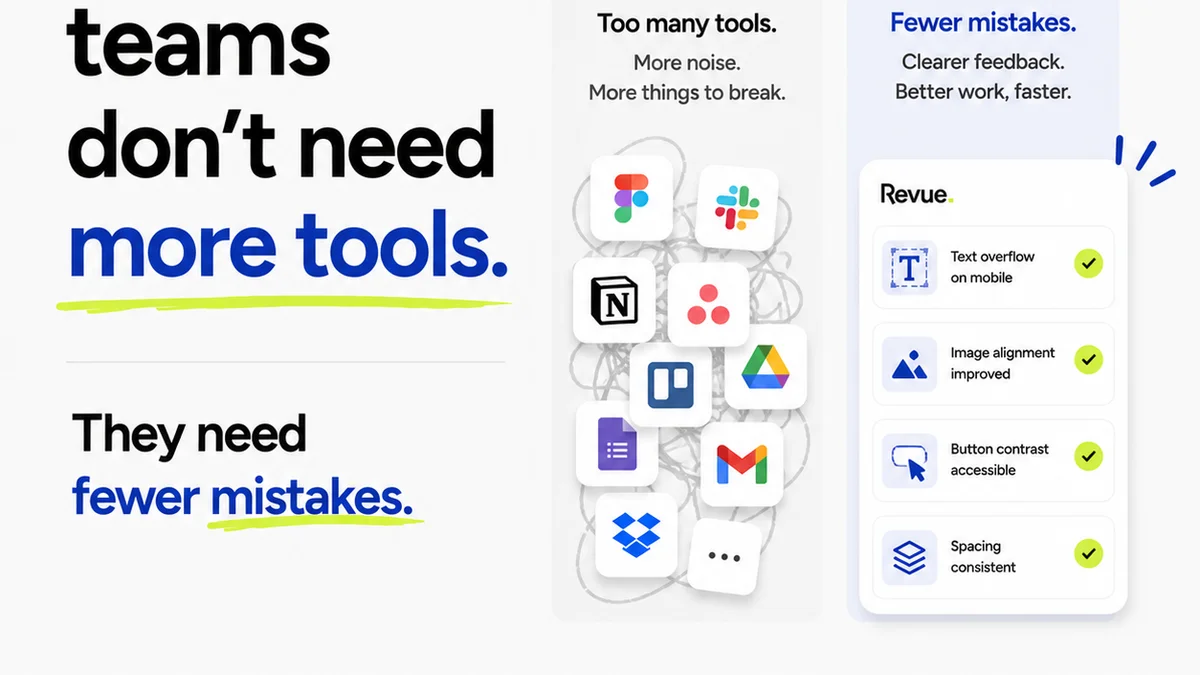
The hard truth? Most agencies operate with a patchwork of tools that create more friction than they solve. Email threads get lost. Slack messages vanish. Shared drives become digital graveyards. This chaos kills productivity and erodes client relationships. What you need isn't just *more* tools, but the *right* design feedback tools software.
1. Centralization: One Source of Truth
The biggest lie in creative operations is that multiple communication channels are efficient. They’re not. They’re a recipe for disaster.
Your primary goal for any design feedback software should be centralization. Everything related to a project’s creative assets and their feedback should live in one place. Think of it as the project’s digital command center.
Why Centralization Matters
- Reduces Miscommunication: No more hunting for the latest version or trying to decipher who said what, where.
- Improves Accountability: Clear audit trails show who provided feedback, when, and what was actioned.
- Streamlines Handoffs: Onboarding new team members or transitioning projects becomes significantly easier.
- Boosts Client Confidence: Clients see a professional, organized process, not a chaotic mess.
Scattered feedback across email, Slack, and various cloud storage services is a productivity killer. It leads to version control nightmares and missed revisions. Your chosen software must consolidate all feedback and assets.
2. Contextual Feedback: Visual, Not Just Verbal
Feedback is useless if it lacks context. Generic comments like “make it pop” or “I don’t like this” are impossible to act on effectively. Good design feedback tools allow for visual, contextual comments.
This means the ability to click directly on an element within a design mockup, image, or video and leave a specific comment. This eliminates ambiguity and speeds up the revision process dramatically.
Effective Contextual Feedback Includes
- Annotation Tools: Drawing, highlighting, and pointing directly to elements.
- Version Comparison: Seeing changes side-by-side to understand revisions.
- Asset-Specific Comments: Feedback tied directly to a particular image, paragraph, or button.
- Mobile and Desktop Previews: Feedback on how designs render across different devices.
When feedback is tied directly to the visual element it refers to, your team wastes less time trying to figure out what needs changing. It’s about precision.
3. Revision and Approval Workflows: Clarity Over Chaos
Design feedback is only half the battle. The other half is managing revisions and securing approvals. Without a clear workflow, projects stall, and frustration mounts.
Your software should facilitate a structured process for reviewing changes and obtaining sign-offs. This isn't about bureaucracy; it's about clarity and momentum.
Key Workflow Features
- Staged Reviews: Moving feedback through different stages (e.g., Internal Review, Client Review, Final Approval).
- Status Tracking: Easily see the current status of any asset or revision round.
- Automated Notifications: Alerting stakeholders when action is required.
- Digital Sign-offs: Formal, trackable approval records.
- Version History: A clear, accessible record of all previous versions and feedback rounds.
A defined workflow prevents tasks from falling through the cracks. It ensures everyone knows what’s expected and when.
4. Collaboration: Bridging Gaps, Not Building Walls
Collaboration isn't just about sharing files. It's about enabling seamless interaction between your team, clients, and other stakeholders. The right tools foster, rather than hinder, this interaction.
Look for software that makes it easy for everyone involved to participate, regardless of their technical expertise.
Features That Enhance Collaboration
- Guest Access: Simple ways for clients or external reviewers to provide feedback without needing full accounts.
- Real-time Discussions: Threaded conversations attached to specific feedback points.
- User Roles and Permissions: Controlling who can see, comment, or approve.
- Integration Capabilities: Connecting with other tools your team already uses (e.g., project management software).
When collaboration is frictionless, ideas flow more freely, and projects move faster. It’s about making everyone feel heard and involved.
5. Quality Assurance: Catching Errors Before They Escape
The final stage before delivery is critical. This is where quality assurance (QA) happens. Your design feedback tools should support this process, not just the initial creation and review phases.
A robust system helps ensure that all feedback has been addressed correctly and that the final output meets project requirements and quality standards.
QA Capabilities to Seek
- Checklist Functionality: Ability to create and assign QA checklists.
- Bug Tracking Integration: Linking design feedback to development bug tracking systems.
- Final Review Sign-off: A distinct approval step for final QA.
- Archiving and Reporting: Storing project history and generating reports on the review process.
Catching issues early saves immense time and prevents costly mistakes post-launch. It’s the final safety net.
Where Revue Fits In
Juggling client feedback, managing revisions, and ensuring quality checks across multiple projects can feel like spinning plates. This is where a centralized platform like Revue becomes essential for creative agencies and in-house teams.
Revue provides a single source of truth for all your creative assets and feedback. It consolidates comments directly on your designs, images, and videos, eliminating the need to sift through endless email chains or Slack messages. This contextual feedback ensures clarity and drastically reduces misinterpretation.
Our platform streamlines your revision and approval workflows. You can easily track the status of feedback, manage different review rounds, and obtain clear, auditable digital sign-offs. This structured approach keeps projects moving forward and prevents bottlenecks.
Furthermore, Revue facilitates seamless collaboration. Clients and stakeholders can provide feedback directly within the platform, with clear roles and permissions ensuring everyone stays in their lane. This fosters transparency and keeps all parties aligned.
Finally, Revue supports your quality assurance process. By centralizing all feedback and approvals, you gain a clear overview of what needs to be done, ensuring that all revisions are addressed before final delivery. It’s about bringing order to the creative chaos.
Final Thought
The tools you choose are more than just software; they are the infrastructure of your creative process. They dictate how efficiently your team collaborates, how clearly feedback is understood, and how smoothly projects move from concept to completion.
Are your current design feedback tools actively accelerating your agency’s workflow, or are they silently slowing it down?
Frequently asked questions
What is the main benefit of centralized design feedback tools?
The main benefit is eliminating miscommunication and version control issues by having all feedback, assets, and discussions in one accessible location, acting as a single source of truth for the project.
Why is contextual feedback important in design tools?
Contextual feedback, which allows comments directly on visual elements of a design, is crucial because it removes ambiguity, speeds up the revision process, and ensures designers understand exactly what needs to be changed.
How can design feedback software improve client approvals?
By providing structured workflows, clear status tracking, and digital sign-off capabilities, design feedback software makes the approval process transparent, auditable, and more efficient for both the agency and the client.
What role does quality assurance play in design feedback tools?
Quality assurance features in design feedback tools help ensure that all revisions have been correctly implemented and that the final output meets all project requirements and standards before delivery, acting as a final safety net.