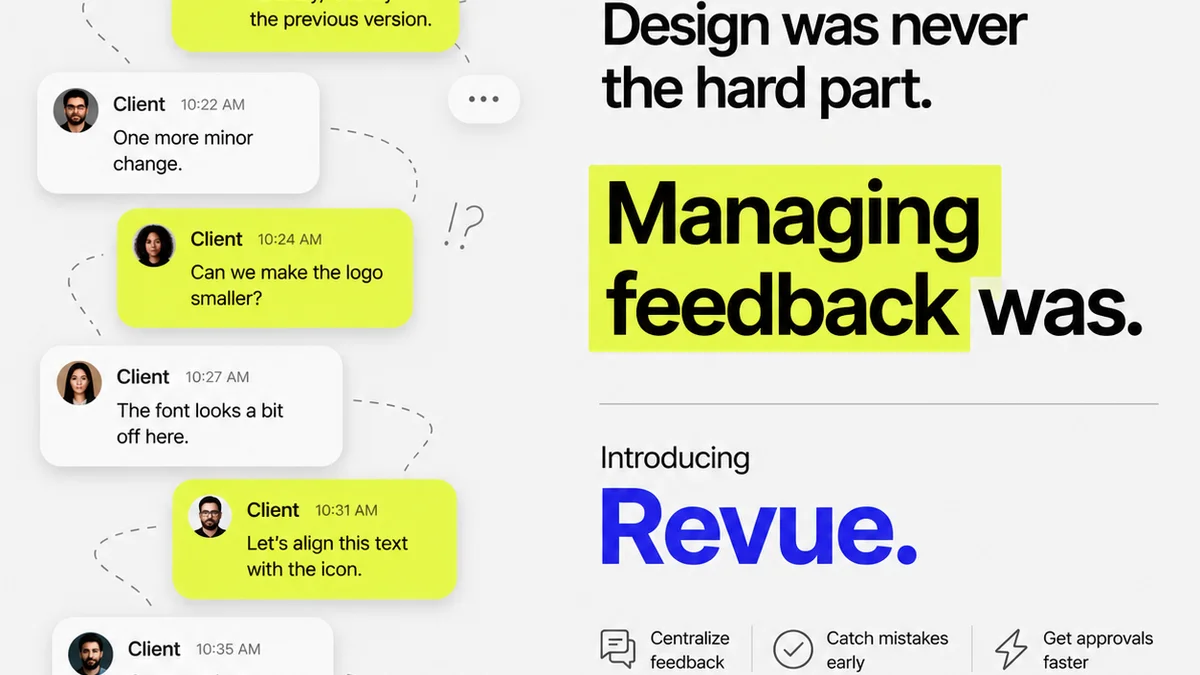
Everyone thinks the best design manager revision workflow tools are all about task lists and project timelines. That’s not wrong. But it’s incomplete.
The hard truth? The best tools don’t just track tasks; they manage the chaos of creative feedback. They turn subjective opinions into actionable input and eliminate the endless back-and-forth that kills productivity.
1. Centralized Feedback: The Single Source of Truth
The biggest drain on creative teams isn’t the design work itself. It’s the hunt for feedback. Emails get lost. Slack messages disappear. Stakeholders send notes in separate documents, on screenshots, or worse, verbally in meetings.
This fragmentation is a productivity killer. It leads to:
- Wasted time searching for comments.
- Misinterpretation of feedback.
- Duplicate or conflicting instructions.
- Missed revisions.
- Client frustration.
A truly effective revision workflow tool must act as the single source of truth. All feedback, regardless of source, should land in one place. This means:
- Direct annotation on creative assets (images, PDFs, videos, web pages).
- Clear attribution of comments to specific users.
- Timestamped feedback for context.
- The ability to organize and prioritize comments.
Think of it as a digital war room for your creative projects. Everyone sees the same information, in real-time. This clarity is the foundation of efficient design revision.
2. Streamlined Approval Processes: Beyond a Simple ‘Approve’ Button
The approval process is where many creative projects get stuck. It’s often an opaque gate, with designers unsure if their work has met client expectations or if it’s just… waiting.
A simple ‘approve’ button is rarely enough. Real approvals involve nuance:
- Are there outstanding comments that need addressing before final sign-off?
- Who is authorized to give final approval?
- What happens if a revision is rejected?
- How do we track the history of approvals and rejections?
The best tools facilitate a structured approval workflow. This might include:
- Configurable approval stages (e.g., Creative Director Review, Client Legal, Final Client Sign-off).
- Automated notifications when an asset is ready for review or has been approved/rejected.
- Version control that clearly shows the approved state of each iteration.
- Audit trails that record who approved what and when.
This transparency removes guesswork and ensures accountability. Designers know exactly where they stand, and clients know their feedback has been formally acknowledged.
3. Revision Management: Turning Feedback into Action
Feedback is only useful if it can be translated into revisions. This is where many tools falter, treating comments as static notes rather than actionable tasks.
Effective revision management means:
- Converting comments into trackable tasks.
- Assigning tasks to specific team members.
- Setting deadlines for revisions.
- Tracking the status of each revision (e.g., To Do, In Progress, Done).
- Linking revisions back to the original feedback.
This isn’t just about assigning work. It’s about creating a clear path from critique to completion. When a designer can see a comment directly on their design and convert it into a task with a click, they’re far more likely to address it efficiently.
This also helps in managing scope creep. By tracking each requested revision, teams can identify when requests are becoming extensive and may warrant a change order.
4. Collaboration and Communication: Keeping Everyone Aligned
Design revision isn’t a solo sport. It requires constant communication and collaboration between designers, project managers, clients, and other stakeholders.
Tools that foster this collaboration are invaluable:
- Real-time commenting and discussion threads attached to specific feedback points.
- The ability to @mention team members to draw their attention to specific comments or tasks.
- Integrations with other communication tools (like Slack or Microsoft Teams) for seamless notifications.
- Shared dashboards that provide an overview of project status for all stakeholders.
When communication is integrated into the workflow, misunderstandings decrease, and alignment increases. Everyone is on the same page, working towards the same goal.
5. Quality Assurance and Version Control
Before a design goes live or is handed off, a final quality check is crucial. This includes ensuring all feedback has been addressed, all approvals are secured, and the correct version is being used.
Robust version control is non-negotiable. It ensures:
- You can always revert to previous versions if needed.
- The history of changes is transparent.
- The final approved version is clearly marked and accessible.
QA features within a workflow tool can include checklists for final review, automated checks for common issues (though this is less common in pure feedback tools and more in specialized QA software), and clear indicators of an asset’s readiness for deployment.
Where Revue Fits In
Managing design revisions effectively requires a system that handles the entire lifecycle of feedback and approval. It’s not just about capturing notes; it’s about orchestrating the entire process.
Revue is built for this. It centralizes client feedback, ensuring no comment gets lost in an inbox or chat thread. Our platform allows for direct annotation on creative assets, turning subjective input into clear, actionable points.
The revision and approval process becomes transparent. Stakeholders can see the status of their feedback, and designers have a clear path forward. This visibility reduces ambiguity and speeds up the cycle.
Furthermore, Revue helps teams run quality checks by providing a clear audit trail of all feedback, revisions, and approvals. This ensures that the final deliverable meets all requirements and has been signed off by the appropriate parties.
6. Choosing the Right Tool for Your US Team
When selecting revision workflow tools, consider the specific needs of your US-based team. While many tools offer similar core features, factors like integration capabilities, ease of use, and pricing models can vary significantly.
Look for tools that:
- Integrate with your existing tech stack (e.g., Adobe Creative Cloud, Figma, project management software).
- Offer intuitive interfaces for both internal teams and external clients.
- Provide robust reporting on revision cycles and approval times.
- Support compliance with relevant US data privacy regulations if handling sensitive client information.
- Have reliable customer support, ideally with US-based options.
Don't fall into the trap of adopting a tool just because it's popular. Test it. Does it actually solve your specific pain points? Does it make your team more efficient, or just add another layer of complexity?
Final Thought
The quest for the perfect design manager revision workflow tool often leads teams down a rabbit hole of feature comparisons. But the real win isn’t about having the most features; it’s about implementing a system that fosters clarity, accountability, and speed. Are you managing your feedback, or is your feedback managing you?
Frequently asked questions
What is a design revision workflow?
A design revision workflow is a structured process that creative teams follow to manage feedback, make changes, and get final approval on design projects. It ensures feedback is captured, addressed, and approved efficiently.
Why is centralized feedback important for design teams?
Centralized feedback ensures all comments and input are in one place, preventing lost messages, conflicting instructions, and wasted time searching for information. It creates a single source of truth for revisions.
How do revision workflow tools help with client approvals?
These tools streamline approvals by providing clear annotation, version control, and audit trails. They make the approval process transparent, allowing clients to see the status of their feedback and designers to track sign-offs.
What are the key features of good revision management software?
Key features include direct annotation on assets, converting comments to trackable tasks, assigning revisions, version control, clear approval stages, and audit trails for accountability.