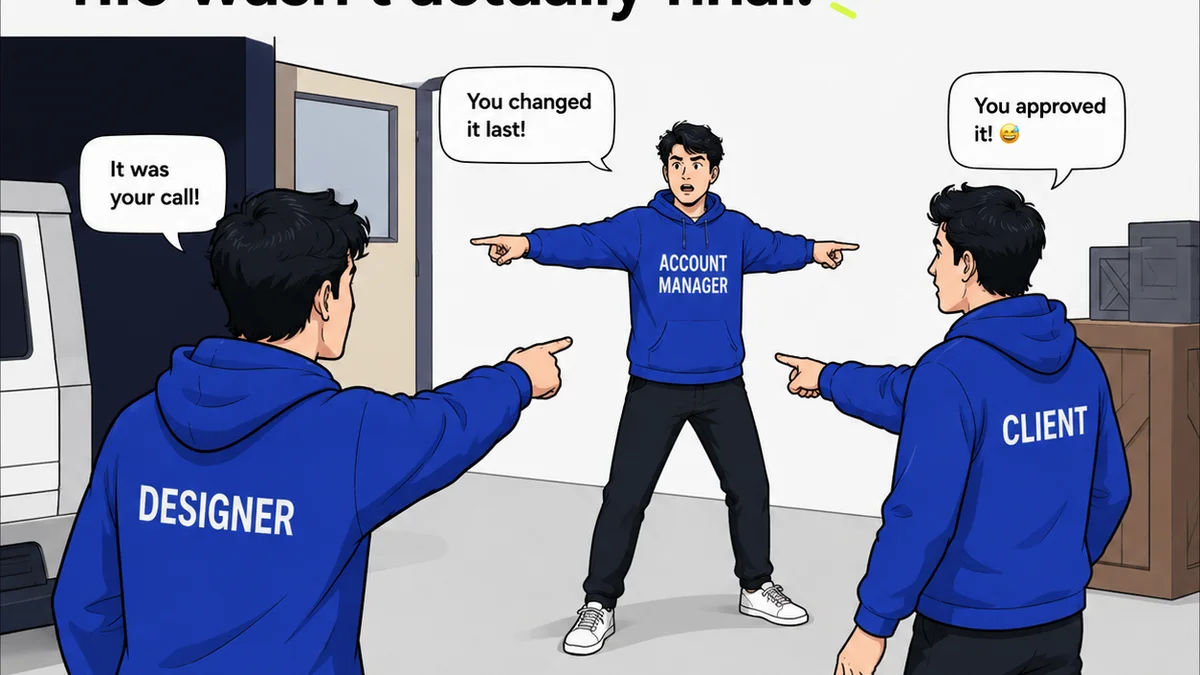
Everyone talks about the design process. They’ll show you a linear flow: Discovery, Ideation, Design, Test, Launch. It looks clean. It looks organized. It’s often a fantasy.
None of that is wrong. But it’s incomplete.
The hard truth? A design process is only as good as its execution. It’s about managing the mess, the communication, the endless revisions, and the client’s evolving — and often conflicting — feedback.
1. The Myth of the Linear Process
The classic design process diagrams are aspirational. They’re a simplified model of reality.
Real projects are rarely linear. They’re iterative. They’re messy.
You might discover something new during the design phase that sends you back to ideation. Client feedback can fundamentally shift the direction, demanding a revisit to initial assumptions.
This isn’t a failure of the process; it’s the nature of creative work. The challenge isn't having a process, but having a process that can absorb and adapt to this inherent messiness.
The Reality of Iteration
Iteration is where the magic happens, but it’s also where projects can derail.
- Unclear feedback leads to wasted cycles.
- Poor version control creates confusion.
- Lack of clear approval gates stall progress.
Your process needs to embrace iteration, not just acknowledge it.
2. Core Components of a Real Design Process
Forget the glossy diagrams for a moment. Focus on the operational bedrock needed to make any process work.
Discovery & Strategy
This is where you define the problem. What are we trying to solve? Who are we solving it for?
This phase involves:
- Client interviews and stakeholder workshops.
- Market research and competitor analysis.
- Defining user personas and journey maps.
- Establishing clear project goals and KPIs.
This isn't just about understanding the brief; it's about challenging it. Dig deep. Ask the uncomfortable questions. Ensure everyone is aligned on the *why* before moving to the *what* and *how*.
Ideation & Concepting
This is the brainstorming phase. Generating solutions based on the strategic foundation.
Methods include:
- Sketching and wireframing.
- Mood boards and style tiles.
- Prototyping (low-fidelity to high-fidelity).
- Internal critiques and brainstorming sessions.
This phase thrives on exploration. Encourage wild ideas. The goal is breadth, not depth, at this stage.
Design & Development
This is where concepts take shape into tangible deliverables.
Key activities:
- High-fidelity mockups and UI design.
- Content creation and integration.
- Prototyping for user testing.
- Technical feasibility checks.
This is where you start to see the vision become reality. It’s also where scope creep often begins its insidious creep.
Testing & Refinement
Before launch, validate your design decisions.
This involves:
- User testing (moderated and unmoderated).
- Usability heuristics evaluation.
- Accessibility checks.
- Performance testing.
Feedback here is critical. It’s an opportunity to catch issues early, saving significant time and resources later.
Launch & Post-Launch
The project goes live. But the process doesn't end.
This includes:
- Deployment and monitoring.
- Gathering post-launch analytics.
- Collecting user feedback.
- Planning for future iterations or updates.
A successful launch is just the beginning of the product lifecycle.
3. The Feedback Loop: The Real Bottleneck
If the linear process is a myth, the feedback loop is the battlefield.
This is where most design projects get bogged down. Why?
- Ambiguity: Feedback that’s vague, contradictory, or emotionally charged.
- Volume: Too many cooks, too many opinions, too many channels.
- Context: Reviewers lack understanding of the goals or constraints.
- Ownership: Unclear who has the final say.
A robust design process must have mechanisms to manage this chaos.
Taming the Feedback Beast
You need clear protocols for feedback:
- Centralized Channel: One place where all feedback lives.
- Structured Feedback: Ask reviewers specific questions.
- Defined Roles: Who gives feedback? Who synthesizes it? Who approves it?
- Clear Deadlines: Set expectations for response times.
Without this, feedback becomes a black hole, sucking time and energy with little productive output.
4. Managing Revisions and Approvals
Revisions are inevitable. Approvals are essential. Managing them effectively is key to agency profitability and client satisfaction.
The Revision Nightmare
Common pitfalls:
- Endless rounds of tweaks that don’t address core issues.
- “Scope creep” disguised as minor revisions.
- Lack of visibility into what’s been changed and why.
- Version control chaos (who is looking at the latest file?).
This is where clear communication and a structured workflow are paramount.
The Approval Gauntlet
Approvals aren't just a sign-off; they’re a critical checkpoint.
- What is being approved? A specific deliverable, a concept, a stage?
- Who is approving? Ensure the right stakeholders are involved.
- What are the criteria for approval? Does it meet the brief? The goals?
A lack of clarity here leads to “approvals” that aren’t really approvals, causing rework later.
5. Where Revue Fits In
The best design process frameworks acknowledge that creativity happens amidst chaos. They provide structure, not rigidity.
This is where tools designed for creative workflows become indispensable.
Revue offers a central hub for your design process:
- Centralized Feedback: Consolidate all client comments and stakeholder input in one place. No more hunting through emails or Slack messages.
- Revision Visibility: Track every version of a design, see the feedback associated with each, and understand the evolution of the project.
- Clear Approval Workflows: Define and manage your approval stages, ensuring stakeholders provide timely, informed sign-offs.
- Streamlined Quality Checks: Integrate quality assurance steps directly into your workflow, ensuring deliverables meet exacting standards before client review.
By bringing clarity and control to the feedback and revision cycles, Revue helps agencies move faster, reduce errors, and deliver better work.
6. Building Your Agency's Design Process
Your process isn't a static document. It's a living system that needs constant refinement.
Start Simple, Iterate
Don't try to implement a perfect, complex process overnight. Start with the basics.
- Define your core stages.
- Establish a primary feedback channel.
- Set clear approval gates for key deliverables.
As your team and projects evolve, so too will your process.
Involve Your Team
The people executing the process know its pain points best.
Regularly solicit feedback from your designers, project managers, and account teams.
What’s working? What’s slowing them down? What could be improved?
Document and Train
Once you’ve refined your process, document it clearly.
Train your team on its steps and the tools you use to support it.
Consistency is key to reaping the benefits.
Final Thought
The most effective design process isn't the one that looks prettiest on paper. It's the one that works in the trenches.
It’s the one that turns messy client feedback into actionable insights. It’s the one that keeps revisions productive and approvals decisive.
How well does your current process handle the inevitable friction of creative collaboration?
Frequently asked questions
What are the essential stages of a design process?
A typical design process includes Discovery & Strategy, Ideation & Concepting, Design & Development, Testing & Refinement, and Launch & Post-Launch. However, these stages are often iterative rather than strictly linear.
How can I effectively manage client feedback?
Effectively managing client feedback requires a centralized channel for all input, structured feedback requests, clearly defined roles for reviewers and approvers, and established deadlines for responses. This prevents ambiguity and ensures feedback is actionable.
What is the biggest challenge in a design process?
The biggest challenge is often the feedback loop. Ambiguous, contradictory, or voluminous feedback, coupled with a lack of context or unclear ownership, can significantly derail a project. Managing revisions and approvals efficiently is also critical.
How does a tool like Revue help with the design process?
Revue helps by centralizing feedback, providing clear visibility into revisions and version history, streamlining approval workflows, and facilitating quality checks. This brings structure and control to the often chaotic aspects of the creative process.