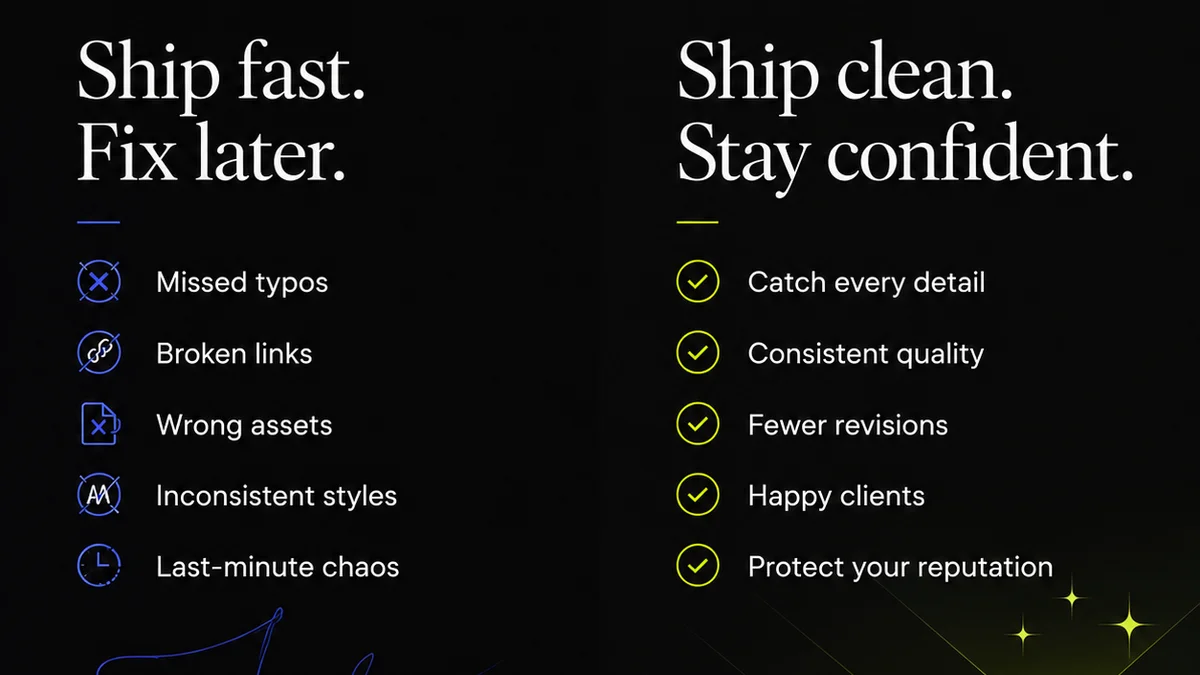
We all think a successful design project hinges on a killer brief. Nail the brief, get the masterpiece. Simple, right?
Wrong.
A great brief is table stakes. But it’s not the whole game. Many agencies and in-house teams suffer from design process mistakes that bleed their bottom line, long after the initial client kickoff. These aren't just minor annoyances; they are direct drains on profitability.
The hard truth? Your design process itself is likely riddled with inefficiencies. These inefficiencies cost you time, client trust, and ultimately, money. Let's dig into the most common culprits and how to fix them.
1. The "Agile" Feedback Loop That Isn't
You hear it everywhere: iterate, iterate, iterate. Clients love to say they want to be involved. This sounds collaborative. It sounds modern. It sounds like good business.
But in practice, it often devolves into a chaotic back-and-forth. A single email chain spirals into dozens of replies, each with vague comments like "make it pop" or "I don't love this." No one is tracking what's been addressed, what's been ignored, or who signed off on what.
This isn't agile; it's just messy. It leads to:
- Endless, unproductive revision rounds.
- Scope creep disguised as feedback.
- Designer burnout and frustration.
- Clients who feel unheard, even when they're dominating the conversation.
- Projects that drag on, increasing costs without adding value.
The Real Cost of Ambiguity
Every hour spent deciphering vague feedback or redoing work based on a whim is an hour not spent on billable tasks or strategic thinking. For agencies, this eats directly into profit margins. For in-house teams, it means less capacity for new initiatives and a backlog of stale projects.
The solution isn't to stop feedback. It's to structure it. Implement clear feedback stages. Use tools that allow for contextual comments directly on the design. Require stakeholders to consolidate feedback by a specific deadline. Define what constitutes a 'final' approval.
2. The Illusion of "Version Control" via File Naming
Ah, the classic file naming convention. `ProjectName_v3_final_REAL_final_v2.psd`. We’ve all seen it. We’ve all used it. It feels like a system. It feels organized.
It's a fantasy. This manual, often inconsistent, method is a breeding ground for errors. Which `_final` is truly the last one? Did anyone actually check that the client approved the `v3_REAL_final` before you started `v4`?
This leads to:
- Working on outdated versions of designs.
- Lost work when the wrong file is overwritten.
- Confusion about the approved direction.
- Wasted time searching for the correct file.
- The dreaded moment when the client points out a flaw that was fixed weeks ago in a different file.
The Repercussions of Lost Assets
Misplacing the correct asset or, worse, delivering the wrong one, erodes client confidence. It suggests a lack of professionalism and control. The time spent hunting for files or re-exporting assets is billable time lost or internal overhead increased. It’s a silent killer of project profitability.
A robust version control system, integrated into your workflow, is non-negotiable. This means tracking every change, who made it, when, and why. It ensures the single source of truth is always accessible and clearly marked.
3. Unclear Roles and Responsibilities
Who is the ultimate decision-maker? Who provides the final sign-off? Who is responsible for consolidating feedback from multiple stakeholders?
If you have to pause and think about the answer, you have a problem. When roles aren't crystal clear from the outset, projects become mired in indecision and finger-pointing.
This ambiguity results in:
- Delayed approvals because the right person wasn't consulted.
- Conflicting feedback from different decision-makers.
- Scope creep as informal requests bypass the official process.
- Frustration for the creative team, unsure of who to prioritize.
- Clients who don't understand their own role in the process.
The Cost of Indecision
Every delay caused by unclear roles is a direct hit to your project timeline and budget. If a client needs to circle back internally to determine who has the final say, your project stalls. For agencies, this can mean missing deadlines or having to absorb extra costs. For in-house teams, it means other critical projects get pushed back.
Clearly define stakeholders and their roles at the project's start. Map out the approval chain. Ensure everyone understands their responsibility in providing timely, consolidated feedback and final sign-off.
4. Neglecting Quality Assurance (QA)
The design is approved! Time to launch. Everyone breathes a sigh of relief. Job done.
Except… did anyone actually check the final deliverables against the brief and the approved mockups? Are the image resolutions correct? Is the typography consistent? Are there any broken links?
Skipping or rushing QA is a common, costly mistake. It’s often seen as a final, tedious step that can be trimmed when deadlines loom.
The consequences are severe:
- Delivering flawed or incomplete work.
- Brand inconsistency across touchpoints.
- Technical errors that impact user experience.
- Reputational damage and loss of client trust.
- Costly post-launch fixes and rework.
The Price of a Slip-Up
A single overlooked error can undermine months of great design work. The cost of fixing a mistake after launch is exponentially higher than catching it beforehand. This isn't just about pixels and typos; it's about protecting the client's brand and your agency's reputation. Thorough QA is an investment, not an expense.
Establish a formal QA checklist. Integrate QA into the final stages of your process. Ensure a dedicated person or team is responsible for reviewing all final assets before they go live.
5. Assuming Client Understanding of Design Principles
Clients hire you for your expertise. Yet, we often expect them to understand the nuances of user experience, visual hierarchy, accessibility, or even basic file formats. We present work assuming they grasp the 'why' behind our decisions.
This assumption can lead to feedback based on subjective preferences rather than objective design principles. It can also lead to misunderstandings about what's technically feasible or best practice.
This gap in understanding can manifest as:
- Requests that undermine usability or accessibility.
- Resistance to essential design elements.
- Misinterpretation of visual cues.
- Unrealistic expectations about outcomes.
The Cost of Misalignment
When clients don't understand the foundational principles guiding the design, they may push for changes that weaken the final product. This leads to more revisions, longer project timelines, and a final output that might not achieve the intended business goals. Educating your client, gently and effectively, is part of the design process, not an add-on.
Proactively educate your clients. Explain the rationale behind key design decisions, linking them to business objectives. Use case studies or examples to illustrate concepts. Make them partners in the strategic side of design, not just recipients of deliverables.
Where Revue Fits In
Managing these process pitfalls requires clear systems and visibility. This is where a tool like Revue can make a significant difference.
Revue helps centralize client feedback, making those vague comments actionable and trackable. Instead of scattered email threads, all feedback lives in one place, tied to specific design versions. This clarity dramatically reduces misunderstandings and endless revision cycles.
It provides a clear audit trail for revisions and approvals. You always know who approved what, and when. This eliminates the guesswork and ensures everyone is working from the same, approved version, avoiding the costly errors of outdated files.
Furthermore, Revue facilitates structured quality checks. By having a clear workflow and a single source of truth for approved assets, your QA process becomes more rigorous and less prone to oversight. This directly combats the costly mistakes that arise from delivering flawed work.
Ultimately, Revue streamlines collaboration, enhances transparency, and brings a much-needed layer of control to complex creative projects. It helps transform chaotic feedback loops into efficient, profitable workflows.
Final Thought
Are you treating your design process as a series of fixed steps, or as a dynamic system that requires constant refinement? The difference isn't just about efficiency; it's about profitability and sustainable growth. Stop letting preventable mistakes drain your resources. Start optimizing the engine of your creative output.
Frequently asked questions
How can I make client feedback more productive?
Structure your feedback process. Use tools that allow for contextual comments directly on the design. Set clear deadlines for consolidated feedback and define what constitutes final approval to avoid endless, vague revisions.
What's a better alternative to manual file naming for version control?
Implement a digital asset management (DAM) system or a project management tool with robust version control features. These systems automatically track changes, user actions, and dates, providing a clear, auditable history of every design iteration.
How do I prevent scope creep from client feedback?
Clearly define project scope and the feedback process upfront. Establish a system for evaluating feedback against the original brief and scope. Any requests falling outside the agreed scope should be flagged for a change order or added to a future phase.
Why is neglecting QA so costly?
Delivering flawed work leads to expensive post-launch fixes, damages your reputation, and erodes client trust. Catching errors during a structured QA process before delivery is significantly cheaper and preserves project integrity.