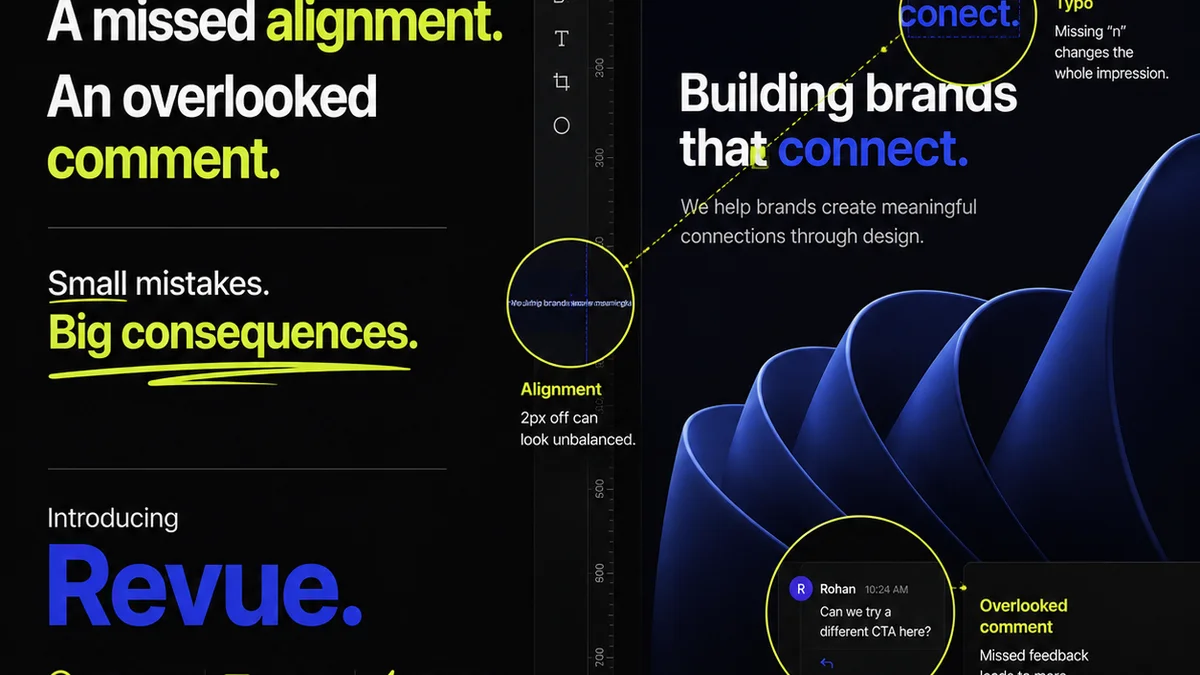
Most agencies think design QA is about catching typos and broken links. That’s not wrong. But it’s incomplete.
The real challenge of design quality assurance is ensuring the creative not only functions perfectly but also hits the strategic brief and delights the client. It’s about the big picture, not just pixel-perfect alignment.
1. The Strategic Audit: Does It Solve the Problem?
Before a single pixel is checked for alignment, ask: Does this design actually solve the client’s problem?
This is the highest level of design QA. It happens before any visual inspection.
The Brief vs. The Reality
Your creative team works from a brief. Clients have objectives. The design must align with both.
Too often, QA focuses on surface-level execution. A perfectly executed design that misses the strategic mark is still a failure.
- Is the core message clear?
- Does it speak to the target audience identified in the brief?
- Does it align with the client's brand guidelines and overall business goals?
- Does it achieve the primary objective (e.g., drive conversions, increase brand awareness, inform users)?
This requires a different kind of reviewer – someone who understands the strategy, not just the pixels.
2. Usability & Accessibility: The Silent Killer of Good Design
A beautiful design is useless if no one can use it. Or worse, if it excludes a segment of the audience.
This is where many agencies fall short, often because QA is an afterthought. It shouldn't be.
Functional Flow
Every interactive element needs to be tested. Every user journey mapped out.
For websites and apps:
- Are all links functional and leading to the correct destinations?
- Do forms submit correctly? Are error messages clear?
- Is navigation intuitive and consistent across the experience?
- Do interactive elements (buttons, carousels, accordions) work as expected on all target devices and browsers?
Accessibility Standards
Ignoring accessibility isn't just bad practice; it's often illegal. Compliance with standards like WCAG (Web Content Accessibility Guidelines) is non-negotiable.
- Are color contrast ratios sufficient?
- Is content navigable via keyboard alone?
- Are images properly described with alt text?
- Are form fields clearly labeled for screen readers?
- Is the overall structure logical and semantic?
Tools can help, but human review is essential. Don't rely solely on automated checkers.
3. Brand Consistency: The Unifying Thread
A brand is more than a logo. It’s a feeling, a voice, a visual language.
Your QA process must ensure this language is spoken fluently across every touchpoint.
Visual Language
This goes beyond just using the correct logo file.
- Are typography hierarchies consistent and readable?
- Are brand colors used correctly and within defined ratios?
- Is imagery style consistent with brand guidelines?
- Are spacing and layout principles applied uniformly?
Tone of Voice
The written content is just as crucial as the visuals. QA needs to check for brand voice consistency.
- Does the copy sound like the brand?
- Is the tone appropriate for the context and audience?
- Are there any inconsistencies in terminology or messaging?
This requires a reviewer who understands the brand's personality deeply.
4. Technical & Performance Checks: The Unseen Foundation
A design might look good and function well, but if it’s slow or buggy, it fails.
This is where creative meets engineering. QA bridges this gap.
Performance Metrics
Slow-loading assets kill user experience and SEO. QA should include basic performance checks.
- Are images optimized for web (correct format, compressed)?
- Are there any obvious performance bottlenecks (e.g., unoptimized videos, excessive requests)?
Cross-Browser & Cross-Device Testing
The web is a fragmented landscape. What works on Chrome might break on Safari, or on a mobile device versus a desktop.
- Test on the primary target browsers (e.g., Chrome, Firefox, Safari, Edge).
- Test on key device types and screen resolutions (desktop, tablet, mobile).
Don't just rely on developers. Creative QA should catch glaring visual or functional discrepancies before they hit a full dev QA pass.
5. The Reviewer's Role: Who Owns Design QA?
This is the million-dollar question. Often, it’s a distributed responsibility, which means no one is truly responsible.
Assigning QA to the most junior person or expecting the designer to QA their own work is a recipe for disaster.
Dedicated vs. Distributed QA
- Dedicated QA Specialist: Ideal for larger teams or complex projects. Brings a fresh, objective perspective.
- Project Manager/Producer: Often responsible, but may lack the design eye or technical depth. Best when trained and equipped.
- Account Manager: Understands client goals but might miss technical or UX nuances.
- Designer (Self-QA): Necessary, but never sufficient. Designers are too close to the work to be objective.
- Creative Director: Should be involved in strategic QA, but not bogged down in pixel-pushing checks.
The best approach often involves a multi-stage process with different roles contributing at different levels.
Where Revue Fits In
Managing feedback and revisions across multiple stakeholders can be chaotic. This chaos breeds errors and missed details, undermining even the best QA intentions.
Revue acts as the central hub for all creative feedback. Instead of scattered email threads, Slack messages, or random annotation tools, all comments are gathered in one place, linked directly to the creative asset.
This means:
- Centralized Feedback: All client and internal comments are in one place, reducing the chance of feedback falling through the cracks.
- Version Control Clarity: See exactly which version of the design is being reviewed and approved, preventing confusion.
- Clear Revision History: Track changes and understand the evolution of the design, making it easier to spot regressions or inconsistencies.
- Streamlined Approvals: Formalize the approval process, ensuring all necessary checks are signed off before a design moves forward.
By providing a single source of truth for feedback and approvals, Revue helps ensure that the creative output aligns with objectives and meets quality standards, making the QA process more robust and less prone to error.
Final Thought
Is your design QA process a perfunctory checklist, or a strategic gatekeeper?
The difference determines whether you're just catching mistakes, or truly elevating the quality and impact of your creative work.
Frequently asked questions
What is the most important aspect of design QA?
While visual and technical accuracy are crucial, the most important aspect of design QA is strategic alignment. Does the design effectively solve the client's problem and meet their objectives as outlined in the brief?
Who should be responsible for design QA in an agency?
Ideally, design QA is a collaborative effort. A dedicated QA specialist or a well-trained project manager can lead, but input from designers, account managers, and creative directors is also vital at different stages.
How can I ensure accessibility is part of my design QA process?
Integrate accessibility checks early and often. Review color contrast ratios, keyboard navigation, alt text for images, and semantic HTML structure. Utilize accessibility testing tools, but always follow up with manual verification.
What's the difference between design QA and development QA?
Design QA focuses on the visual, functional, and strategic aspects of the creative output itself, ensuring it meets the brief and brand standards. Development QA focuses on the underlying code, performance, and technical implementation of the design within its final environment.