Everyone talks about design quality. It’s the holy grail of creative agencies. You deliver great work, clients rave, and your reputation grows. That’s the story, right?
None of that is wrong. But it’s incomplete.
The hard truth? Great design doesn’t just *happen*. It’s the result of a disciplined, systematic process. Especially when it comes to quality assurance. Many agencies treat QA as an afterthought, a quick glance before hitting send. This is a mistake.
A thorough design QA process is your first line of defense against costly errors, client dissatisfaction, and reputational damage. It’s not just about spotting typos; it's about ensuring strategic alignment, technical correctness, and brand consistency across every single deliverable.
1. Beyond the Pixel-Peep: Defining True Design QA
What does design QA really mean for an agency?
It’s more than just checking if the logo is the right color. It’s a multi-faceted verification process that ensures the final creative output meets all defined project requirements, brand standards, and client expectations, while also being technically sound and error-free.
Think of it as the bridge between creative vision and flawless execution. This bridge needs to be built with strong, reliable materials.
Common Misconceptions
- Myth: QA is just for developers. False. Designers, copywriters, project managers, and account leads all have a role.
- Myth: QA is the last step. Wrong. QA should be integrated throughout the design and development lifecycle.
- Myth: QA is purely technical. Incorrect. It encompasses strategic, brand, and user experience checks too.
- Myth: QA is expensive and slows things down. It’s an investment that prevents far more expensive rework and client issues down the line.
Let’s break down the essential components of a robust design QA checklist.
2. The Strategic Alignment Check
Before anyone even looks at a pixel, does the design actually solve the client’s problem?
This is the most critical, and often overlooked, step. A beautiful design that doesn’t serve the business objective is ultimately a failure.
Key Questions to Ask
- Does the design directly address the brief and the stated goals?
- Is the target audience clearly considered in the design choices?
- Does it align with the client’s overall brand strategy and messaging?
- Are the calls to action clear and appropriately placed?
- Does the user flow make sense from a strategic perspective?
This stage requires input from account managers and strategists, not just designers.
3. Brand Consistency Audit
Your client hired you because they trust your ability to uphold and enhance their brand. QA must ensure this trust is honored.
Brand consistency builds recognition and reinforces trust. Inconsistency erodes it.
Checklist Items
- Logos: Correct usage, clear space, color variations, minimum size.
- Color Palette: Primary, secondary, and accent colors used correctly and consistently. Check against brand guidelines.
- Typography: Font families, weights, sizes, line heights, and spacing adhere to brand standards across all applications (headings, body copy, captions).
- Imagery & Tone: Photography, illustration, and graphic elements match the brand’s visual language and emotional tone.
- Voice & Tone: Copywriting style, terminology, and messaging align with the brand’s established voice.
Referencing the client’s official brand guidelines document is non-negotiable here.
4. Usability and User Experience (UX) Review
A design might look good and be on-brand, but if users can’t interact with it effectively, it fails.
Good UX is invisible. Bad UX is a constant barrier.
Core UX Checks
- Navigation: Is it intuitive? Easy to find? Consistent?
- Information Architecture: Is content organized logically? Can users find what they need?
- Interaction Design: Are buttons and links clearly identifiable and clickable? Do interactive elements provide feedback?
- Forms: Are they easy to understand and complete? Are error messages clear and helpful?
- Readability: Is text legible on different screen sizes and under various lighting conditions?
For digital products, this often involves testing on actual devices and with representative users.
5. Accessibility (A11y) Compliance
Designing for everyone isn't just good ethics; it's often a legal requirement and expands your client’s audience.
Ignoring accessibility excludes potential users and opens clients to legal risk.
Key A11y Considerations
- Color Contrast: Text and background colors must have sufficient contrast ratios. Aim for WCAG AA standards at a minimum. (WCAG 2.1 provides detailed guidelines).
- Keyboard Navigation: All interactive elements must be focusable and operable using a keyboard alone. Focus indicators should be visible.
- Alt Text: Meaningful images require descriptive alternative text for screen readers. Decorative images should have null alt attributes.
- Semantic HTML: Use proper HTML elements (headings, lists, buttons) to convey structure and meaning to assistive technologies.
- Resizable Text: Users should be able to zoom or resize text without loss of content or functionality.
Tools like browser extensions (e.g., WAVE, Axe) can help automate some checks, but manual review is essential.
6. Technical and Functional Integrity
This is where design meets the practical realities of implementation.
A brilliant design is useless if it breaks the site or app.
Technical QA Points
- Responsiveness: Does the design adapt gracefully across all target screen sizes (desktops, tablets, mobiles)?
- Cross-Browser/Platform Compatibility: Test in major browsers (Chrome, Firefox, Safari, Edge) and on relevant operating systems.
- Performance: Are images optimized? Are there excessive custom fonts or complex animations that could slow loading times?
- Interactivity: Do all animations, transitions, and interactive elements function as intended?
- Data Accuracy: Are all placeholder text, numbers, and data points replaced with correct, client-approved information?
- Link Verification: Ensure all links (internal and external) are correct and lead to the intended destinations.
This often requires close collaboration with the development team.
7. Content Accuracy and Completeness
Design is the vessel; content is the cargo. Both must be perfect.
Typos, grammatical errors, or missing information undermine credibility.
Content QA Steps
- Proofreading: Meticulous review of all copy for spelling, grammar, punctuation, and syntax errors.
- Fact-Checking: Verify all claims, statistics, dates, names, and technical specifications.
- Consistency: Ensure terminology, capitalization, and formatting are consistent throughout.
- Completeness: Is all required content present? Are there any missing sections or elements?
- Legal/Compliance: Does the content meet any industry-specific regulations or legal requirements (e.g., disclaimers, privacy policies)?
This is often best handled by a fresh pair of eyes, ideally someone not deeply involved in the content creation.
Where Revue Fits In
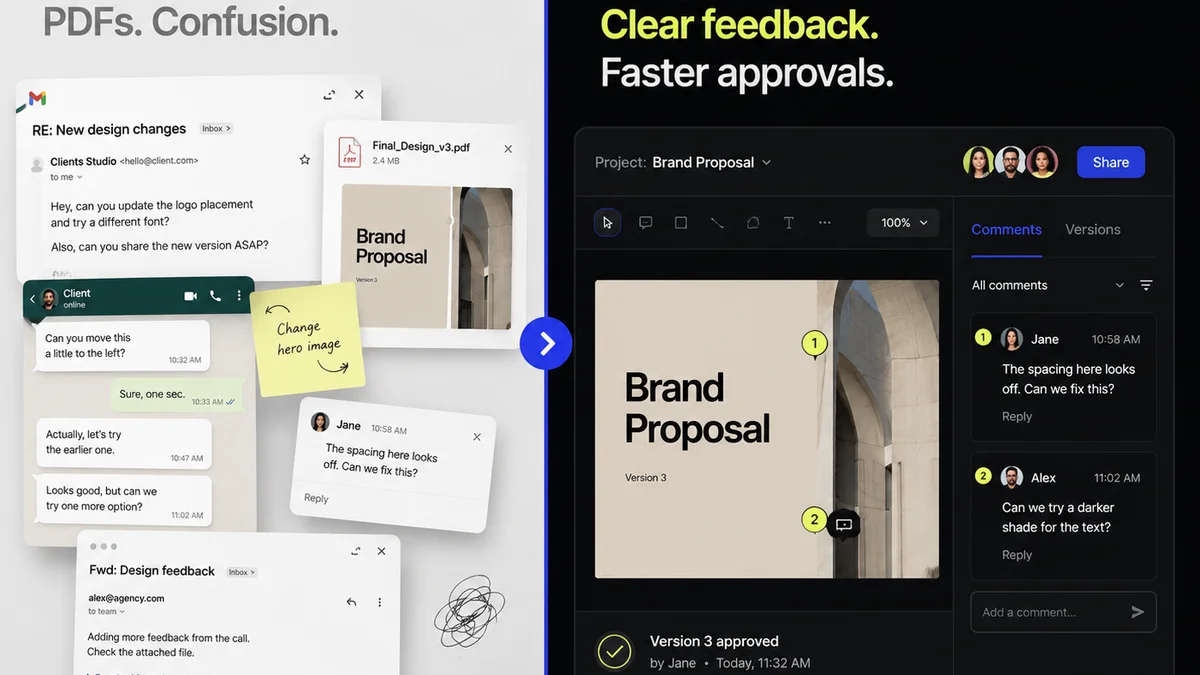
Managing a comprehensive design QA process across multiple projects and clients can become chaotic. Feedback gets lost in email chains, revision histories are unclear, and knowing the final approval status is a constant struggle.
Revue streamlines this entire workflow. It centralizes all client feedback directly on the creative assets, making it easy to track comments, manage revisions, and ensure nothing falls through the cracks.
With clear version control and a transparent approval process, your team can conduct more effective QA, knowing that all feedback is captured and all changes are accounted for. This visibility is key to maintaining quality and client trust.
8. Building Your Agency's Design QA Checklist
Your checklist won't be identical to anyone else's. It needs to reflect your agency's specific services, client types, and internal processes.
Start by documenting your current workflow. Identify potential failure points.
Steps to Create Your Checklist
- Gather Input: Talk to your designers, developers, project managers, and account leads. What are the common issues they encounter?
- Categorize Checks: Group QA items logically (e.g., Brand, UX, Technical, Content).
- Prioritize: What are the absolute must-haves for every project? What’s project-specific?
- Assign Responsibility: Clearly define who is responsible for each QA step.
- Document & Train: Create a formal checklist document and train your team on its use.
- Iterate: QA isn't static. Review and update your checklist regularly based on project outcomes and team feedback.
A well-defined checklist becomes a living document, constantly improving your agency’s output.
Final Thought
Is a meticulous design QA process a bureaucratic hurdle, or is it the bedrock of sustainable creative excellence?
Treating QA as a critical, integrated part of your workflow—not an optional extra—is how you move from simply delivering designs to delivering reliable, impactful creative solutions. It’s the difference between looking good and being truly great.
Frequently asked questions
What is the most important part of a design QA checklist?
The most critical part is the Strategic Alignment Check. A design must first solve the client's business problem and meet the brief's objectives before focusing on aesthetic or technical details.
How often should an agency update its design QA checklist?
Your design QA checklist should be a living document. Review and update it regularly, ideally quarterly or after significant project reviews, to incorporate lessons learned and adapt to new technologies or client needs.
Who should be responsible for design QA in an agency?
Design QA is a team effort. While designers often perform initial checks, project managers, copywriters, account leads, and even developers have roles to play in verifying different aspects like strategic alignment, content accuracy, and technical integrity.
How can tools like Revue help with design QA?
Revue helps by centralizing client feedback and managing revisions within a single platform. This provides clear version control and a transparent approval history, making it easier to track changes, conduct thorough checks, and ensure all feedback is addressed systematically.