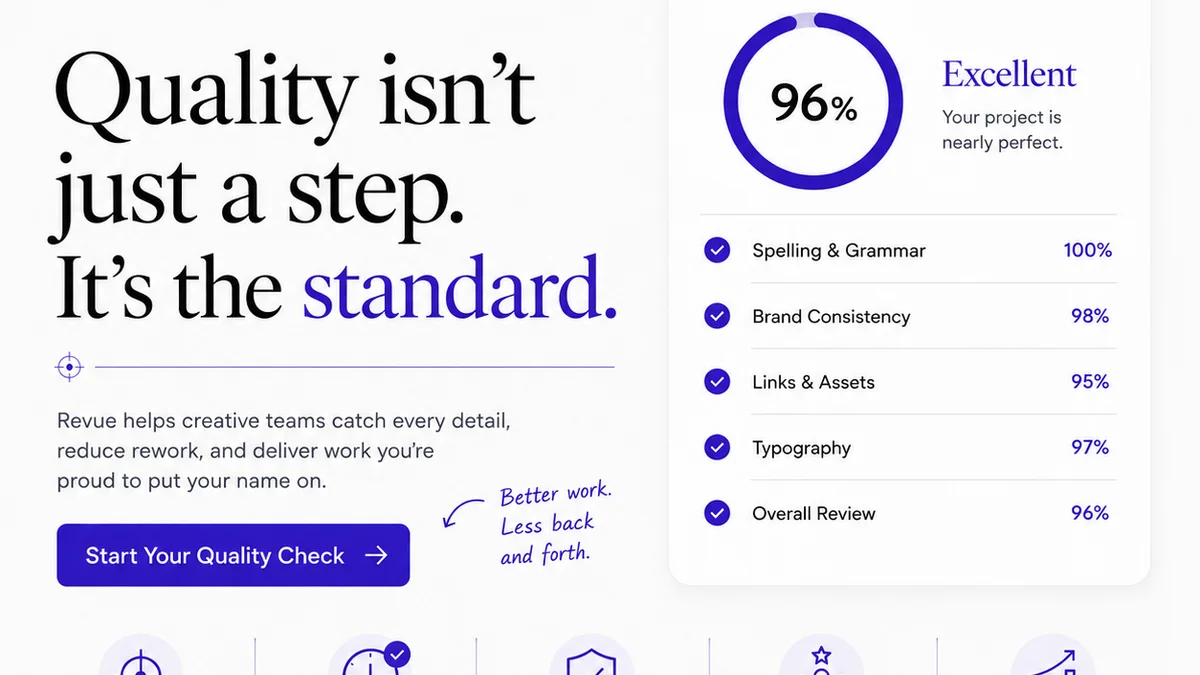
Everyone assumes design Quality Assurance (QA) is about catching typos and making sure images aren't pixelated. That's not wrong. But it’s dangerously incomplete.
The hard truth? Design QA is about operational excellence. It's the final gate between your team's brilliant creative output and a client's potentially disastrous first impression. Get it wrong, and you’re not just shipping bad pixels; you’re eroding trust, wasting billable hours, and damaging your agency’s reputation.
1. Beyond the Obvious: What Design QA Really Means
Most teams treat QA as a reactive, last-minute scramble. Someone spots a glaring error, and the whole project timeline gets torched. This approach is fundamentally broken.
True design QA is proactive. It’s a systematic process woven into the entire creative workflow, not just a final polish. It’s about preventing errors before they happen and ensuring every deliverable aligns with strategic goals, brand guidelines, and client expectations.
Think of it as risk management for your creative output.
The Cost of Neglect
- Client frustration and loss of confidence.
- Costly rework that eats into margins.
- Damage to brand perception (yours and the client's).
- Missed opportunities for strategic alignment.
- Team burnout from constant fire-fighting.
2. The Foundational Design QA Checklist Components
A comprehensive design QA process covers multiple layers. It’s not just about the final visual output. It’s about the strategy, the user experience, the technical implementation, and the brand integrity.
Brand Consistency and Guidelines
This is where many projects falter. Are we adhering to the established brand identity?
- Logo Usage: Correct variations, clear space, minimum size, incorrect usage.
- Color Palette: Primary, secondary, and accent colors used correctly. Hex codes, RGB, CMYK values verified. Accessibility contrast ratios met.
- Typography: Approved fonts, correct weights, leading, tracking, and hierarchy. Web font loading and fallbacks.
- Imagery Style: Photography, illustration, and iconographic style consistent with brand guidelines.
- Tone of Voice: Messaging and copy align with the brand's personality.
User Experience (UX) and Usability
Does the design actually work for the intended user? This goes beyond aesthetics.
- Navigation: Clear, intuitive, and consistent across the experience.
- Information Architecture: Content is logically organized and easy to find.
- Interaction Design: States (hover, active, disabled) are clear. Feedback mechanisms are present.
- Forms and Input: Labels are clear, error states are informative, and input fields are appropriate.
- Accessibility: Adherence to WCAG standards (e.g., keyboard navigation, screen reader compatibility, sufficient color contrast). A good starting point is the WCAG 2.2 guidelines.
Visual Design and Aesthetics
This is what most people think of as QA, but it's only one piece of the puzzle.
- Layout and Spacing: Grids are respected, alignment is precise, consistent white space.
- Visual Hierarchy: Most important elements are most prominent.
- Image Quality: Resolution, compression, and aspect ratios are correct.
- Consistency: UI elements (buttons, icons, cards) are uniform across the design.
- Responsiveness: Design adapts correctly to different screen sizes and devices.
Technical and Functional Accuracy
This is critical for digital products. Does it work as intended across platforms?
- Cross-Browser/Device Testing: Verified on target browsers (Chrome, Firefox, Safari, Edge) and devices (iOS, Android, desktop).
- Performance: Load times, image optimization, efficient code.
- Functionality: All interactive elements, links, and features work correctly.
- Content Accuracy: Text, data, and links are correct and up-to-date.
- Code Standards: Adherence to best practices for HTML, CSS, JavaScript.
3. Implementing a Robust Design QA Process
A checklist is only as good as the process that supports it. You need to embed QA into your workflow, not bolt it on at the end.
Assign Ownership
Who is responsible for QA? It can't be everyone and no one.
- Designers should self-check and perform initial QA.
- Project managers or dedicated QA testers conduct formal reviews.
- Developers verify functional implementation.
Clear roles prevent critical steps from being missed.
Integrate QA Early and Often
Don't wait until the final deliverable is
Frequently asked questions
What is the primary goal of design QA?
The primary goal of design QA is to ensure that the final creative deliverable meets all strategic, brand, usability, and technical requirements before it reaches the client or end-user. It's about mitigating risk and ensuring quality.
Who should be responsible for design QA?
Responsibility should be shared. Designers perform self-checks, project managers or dedicated QA personnel conduct formal reviews, and developers verify functional aspects. Clear ownership prevents oversights.
How often should design QA be performed?
Design QA should be integrated throughout the entire project lifecycle, not just at the end. Regular checkpoints at key stages (e.g., after wireframing, during visual design, before final handoff) are crucial.
What are the key areas covered in a design QA checklist?
Key areas typically include Brand Consistency, User Experience (UX) and Usability, Visual Design and Aesthetics, and Technical and Functional Accuracy across various platforms and devices.