Everyone assumes design QA is about finding a stray pixel or a forgotten comma. That it’s the final, fussy step before launch. A gatekeeper who only says “no.”
None of that is wrong. But it’s incomplete. Dangerously so.
The hard truth? Design QA is a strategic operational pillar. It’s how you build trust, prevent financial drain, and deliver predictably excellent work. Without it, you’re running a creative business on luck.
1. The Hidden Costs of Skipping Design QA
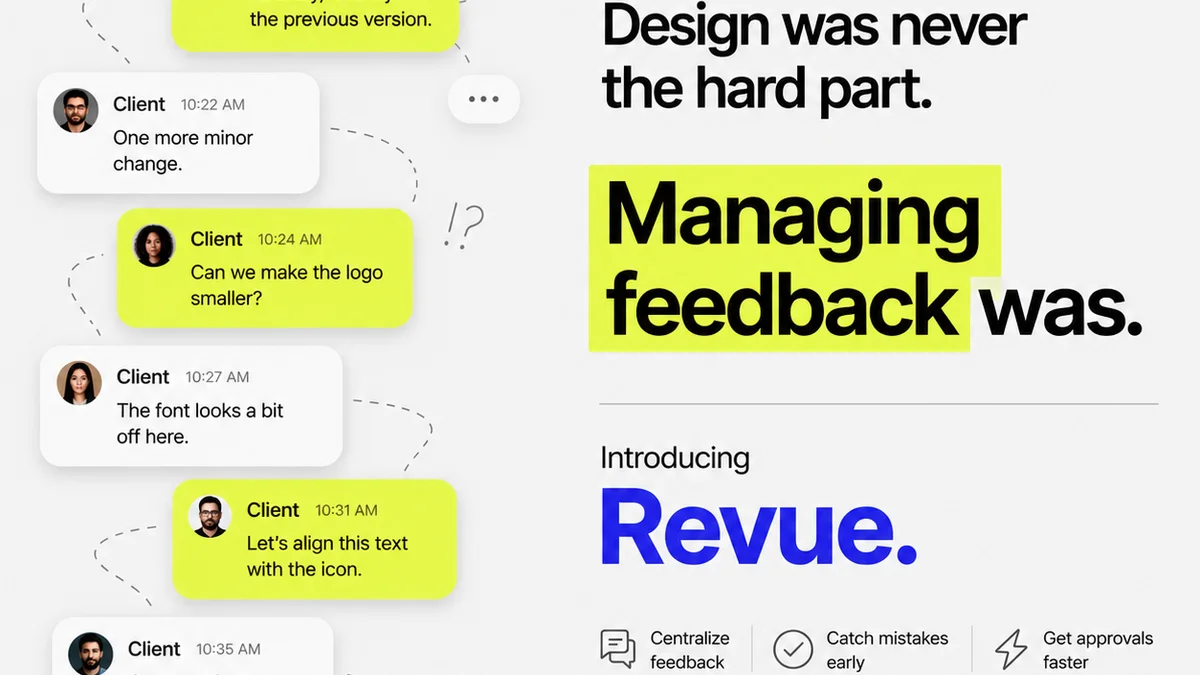
You’ve seen it. The client call minutes before a campaign goes live. “Uh, is that logo supposed to be that small?” Or the internal scramble after launch: “The website’s broken on Safari. Who checked that?”
These aren’t isolated incidents. They’re symptoms of a larger problem: insufficient design quality assurance.
The assumption is that QA is an expense. The reality is that *not* doing QA is far more expensive. Think about the true cost:
- Wasted developer time fixing preventable errors.
- Lost client confidence due to sloppy mistakes.
- Reputational damage that’s hard to repair.
- Rushed, frantic revisions that kill team morale.
- Missed opportunities because the core design failed its purpose.
- Legal or compliance issues from overlooked details.
It’s death by a thousand papercuts. Or rather, a thousand pixels.
2. Design QA is More Than Just Visual Checks
When people think design QA, they picture someone squinting at a screen. Looking for alignment issues. Maybe checking font sizes.
That’s part of it. But true design quality assurance is a comprehensive process. It examines the *entire* user experience and its underlying logic.
Consider these layers:
a. Functional Integrity
Does the design work as intended? This isn't just about pixels. It’s about the user flows, the interactive elements, the states of buttons, the form validation.
Does the “Add to Cart” button actually add the item? Does the error message appear when a required field is left blank? Does the animation play smoothly on target devices?
b. Brand Consistency
Is the brand voice and visual identity maintained across all touchpoints? This goes beyond the logo.
- Are colors used according to the brand guide?
- Is the typography consistent and legible?
- Are tone and messaging aligned with brand standards?
- Are imagery and illustration styles cohesive?
Inconsistent branding erodes trust. It makes your client look unprofessional, even if the individual elements are technically correct.
c. Usability and Accessibility
Can *everyone* use the design? This is where many teams fall short. It’s not just about the average user.
This means checking:
- Color contrast ratios for readability.
- Keyboard navigation for assistive technologies.
- Sufficient touch target sizes for mobile.
- Clear and concise labeling for all interactive elements.
- Logical information hierarchy.
Ignoring accessibility isn’t just bad practice; it’s often illegal. It also limits your audience. For robust guidelines, consult the Web Content Accessibility Guidelines (WCAG).
d. Content Accuracy and Completeness
Is the text correct? Are all the necessary pieces of information present?
This includes:
- Proofreading all copy.
- Verifying data points and statistics.
- Ensuring all legal disclaimers or required information are included.
- Checking that placeholder text is replaced.
A single piece of incorrect information can undermine the entire project’s credibility.
3. Building a Design QA Process That Works
A robust design QA process isn’t an afterthought. It’s integrated from the start. It involves the right people, the right tools, and the right mindset.
a. Define Clear Standards
What does “done” look like? What are the acceptance criteria for each deliverable?
Document your standards. This could be a design system, a style guide, or a project-specific checklist. Clarity here prevents subjective debates later.
b. Integrate Early and Often
Don’t wait until the final handoff. QA should happen at multiple stages.
- During wireframing: Check flows and information architecture.
- During mockups: Verify visual design and brand adherence.
- During prototyping: Test interactions and user journeys.
- Pre-development: Final functional and visual review.
- Post-development: Cross-browser, cross-device testing.
Catching issues early is exponentially cheaper and easier to fix.
c. Empower Your Team
QA isn't just one person's job. Everyone involved in the project should have a role in quality assurance.
Developers should test their own work. Designers should review implementations. Project managers should ensure requirements are met. Client stakeholders should be involved in their review cycles.
d. Leverage the Right Tools
Manual checks are essential, but tools can amplify your efforts.
- Design Handoff Tools: Tools like Zeplin or Avocode help developers inspect design elements, measure spacing, and extract assets accurately.
- Prototyping Tools: Figma, Adobe XD, and InVision allow for interactive testing before code is written.
- Browser Developer Tools: Essential for inspecting code, checking responsiveness, and debugging front-end issues.
- Accessibility Checkers: Browser extensions and online tools can quickly identify contrast and other accessibility issues.
- Project Management Software: Keep track of feedback, revisions, and approvals in one place.
The goal is to make the QA process efficient and integrated, not a bottleneck.
4. Where Revue Fits In
Managing feedback, revisions, and approvals across multiple stakeholders can quickly devolve into chaos. This is where a centralized platform like Revue becomes indispensable for effective design QA.
When feedback is scattered across emails, Slack messages, and random documents, crucial details get lost. This leads to misunderstandings, missed requirements, and ultimately, flawed deliverables.
Revue provides a single source of truth for all creative feedback. Stakeholders can comment directly on specific design elements, providing clear, contextual input.
This means:
- Centralized Feedback: All comments and approvals live in one place, linked to the specific design asset. No more hunting for that one crucial email.
- Version Control & Revision Tracking: Easily see how a design has evolved. Understand the history behind each iteration and who approved what, when. This is vital for accountability and for understanding the impact of changes.
- Clear Approval Workflows: Define clear stages for review and approval. Ensure that all necessary parties sign off before moving to the next stage. This prevents rushed or incomplete reviews.
- Quality Checklists: Integrate your defined QA standards directly into the workflow. Ensure that every required check is performed and documented before a design is considered complete.
By streamlining the feedback and approval process, Revue helps ensure that design QA isn’t just a final step, but an ongoing, integrated part of your workflow. It transforms a potentially messy operation into a transparent, efficient system.
5. Final Thought
Design quality assurance isn't about perfection. It's about diligence. It's about respecting your client's investment and your team's effort.
It’s the difference between a creative output that merely looks good and one that performs brilliantly, consistently, and reliably.
Are you treating design QA as a cost center, or as the strategic investment it truly is?
Frequently asked questions
What is the primary goal of design QA?
The primary goal of design QA is to ensure that creative deliverables meet established standards for functionality, brand consistency, usability, accessibility, and accuracy before they are launched or handed over to development. It aims to prevent errors, protect brand integrity, and ensure client satisfaction.
How often should design QA be performed?
Design QA should not be a single event at the end of a project. It should be integrated throughout the entire design and development lifecycle. This includes checks during wireframing, mockup reviews, prototyping, pre-development checks, and post-development testing across different devices and browsers.
Who is responsible for design QA?
Design QA is a shared responsibility. While dedicated QA professionals may be involved, designers, developers, project managers, and even client stakeholders all play a role. Clear processes and documentation ensure everyone understands their part in maintaining quality.
How can tools help with design QA?
Tools can significantly enhance design QA by streamlining processes. Design handoff tools aid developers, prototyping tools allow for interactive testing, accessibility checkers identify compliance issues, and project management software centralizes feedback and approval tracking, making the QA process more efficient and thorough.