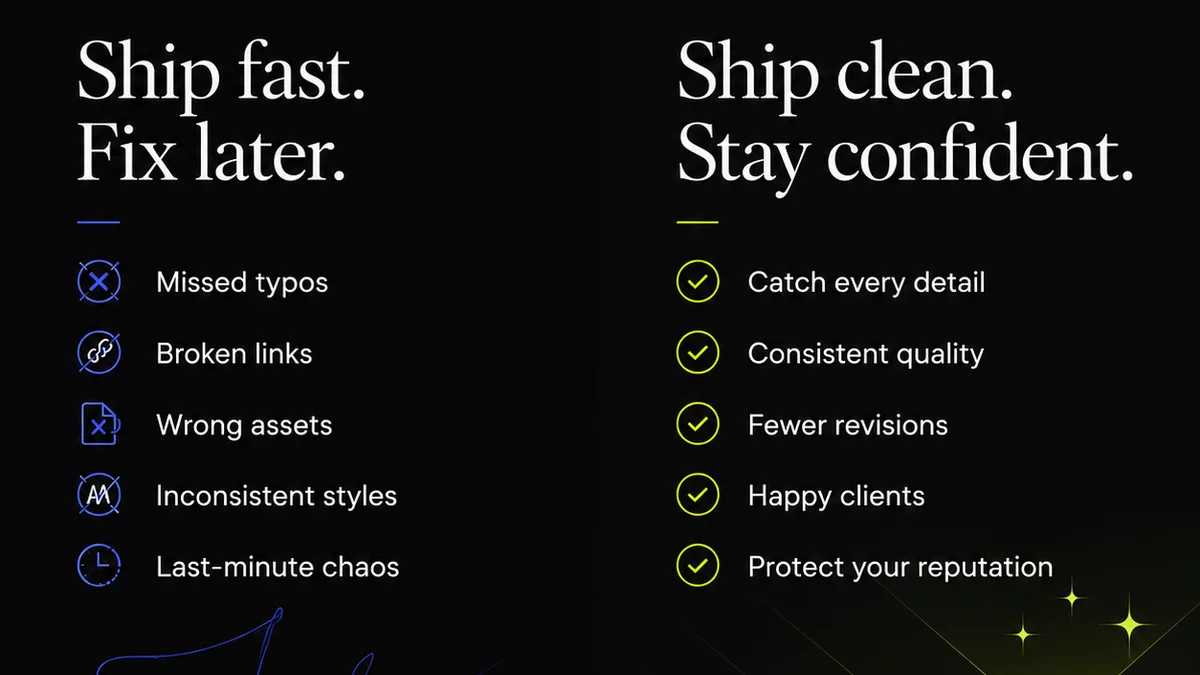
Everyone thinks design QA software is just about catching typos and broken links. That’s the easy part.
The real challenge? Orchestrating feedback, managing revisions, and ensuring brand consistency across every touchpoint. That’s where the right tools make or break your delivery.
1. The Flaw in the 'Just Check It' Mindset
Many teams use design QA tools as a glorified to-do list. They see a bug, log it, fix it, done. It’s transactional. Efficient, maybe. But it’s not strategic.
This approach misses the forest for the trees. It ignores the underlying causes of errors and the friction in the feedback loop.
The result? Recurring mistakes, delayed projects, and frustrated clients. You’re always playing defense.
Why the Checklist Mentality Fails
- It’s reactive, not proactive.
- It doesn’t foster collaboration.
- It scales poorly.
- It creates silos between design, dev, and stakeholders.
2. What 'Best-in-Class' Design QA Actually Means
The best design QA software in 2026 isn’t just about finding flaws. It’s about creating a seamless, transparent workflow from concept to launch.
It’s about centralizing communication, clarifying feedback, and providing clear visibility into the revision process. Think of it as the control center for creative quality.
Key Pillars of Advanced Design QA
Effective tools go beyond simple bug tracking. They focus on:
- Centralized Feedback Hubs: All comments, annotations, and approvals in one place, linked directly to design assets. No more hunting through emails or Slack threads.
- Version Control & Revision Tracking: Clearly see what changed, why, and by whom. This is crucial for accountability and understanding project evolution.
- Automated Quality Checks: Beyond typos, tools can flag accessibility issues, broken links, or visual inconsistencies using AI and predefined rules.
- Streamlined Approvals: Digital sign-offs that are auditable and easy to manage, reducing ambiguity and delays.
- Integration Capabilities: Connecting with your existing design and development stack (Figma, Sketch, Adobe XD, Jira, etc.) for a unified workflow.
3. Essential Features for Modern Design QA
When evaluating design QA software, look for these capabilities:
Asset Management & Annotation
The core of any QA tool is its ability to handle design files. This means supporting various formats and offering robust annotation features.
- Visual Annotation: Pinpoint comments directly on mockups, prototypes, or live websites.
- Contextual Comments: Link feedback to specific elements or states within a design.
- File Versioning: Easily compare different versions of an asset side-by-side.
Collaboration & Communication Tools
Design QA is a team sport. The software should facilitate clear, concise communication.
- User Roles & Permissions: Control who can view, comment, or approve.
- Notifications & Alerts: Keep everyone informed of new feedback or status changes.
- Discussion Threads: Keep conversations organized around specific feedback items.
Reporting & Analytics
Understand your QA process and identify bottlenecks.
- Bug Tracking Dashboards: Visualize the status of all reported issues.
- Approval History: Maintain a clear audit trail of sign-offs.
- Performance Metrics: Track turnaround times for feedback and revisions.
Integration Ecosystem
Your QA tool shouldn't operate in a vacuum. It needs to play well with others.
- Design Tool Plugins: Seamlessly bring designs into the QA environment.
- Developer Handoff Tools: Connect feedback directly to development tasks.
- Project Management Integration: Link QA tasks to broader project timelines.
4. Where Revue Fits In
The best design QA software acts as a central nervous system for your creative projects. It’s the single source of truth for feedback, revisions, and approvals.
Revue is built for this. It’s not just another bug tracker. It’s a platform designed to centralize client feedback, manage revisions with clarity, and ensure quality checks are thorough and documented.
Imagine this: A client leaves a comment directly on a mockup. That comment is visible to the entire team, linked to the specific design element, and tracked through every revision. No more
Frequently asked questions
What is the primary goal of design QA software?
Beyond just finding errors, the primary goal is to streamline the entire feedback and revision process, centralize communication, and ensure creative assets meet quality standards before delivery.
How does design QA software improve client collaboration?
It provides a single, clear platform for clients to give feedback directly on assets, reducing miscommunication and the need to sift through emails or calls. This transparency builds trust and speeds up approvals.
Can design QA tools automate quality checks?
Yes, many modern tools can automate checks for common issues like broken links, accessibility violations (e.g., contrast ratios), and even basic visual inconsistencies, freeing up human reviewers for more complex tasks.
What's the difference between a bug tracker and design QA software?
A bug tracker typically focuses on technical issues found during development. Design QA software is broader, encompassing visual, functional, and usability feedback on creative assets throughout the design and pre-development phases, including client approvals.