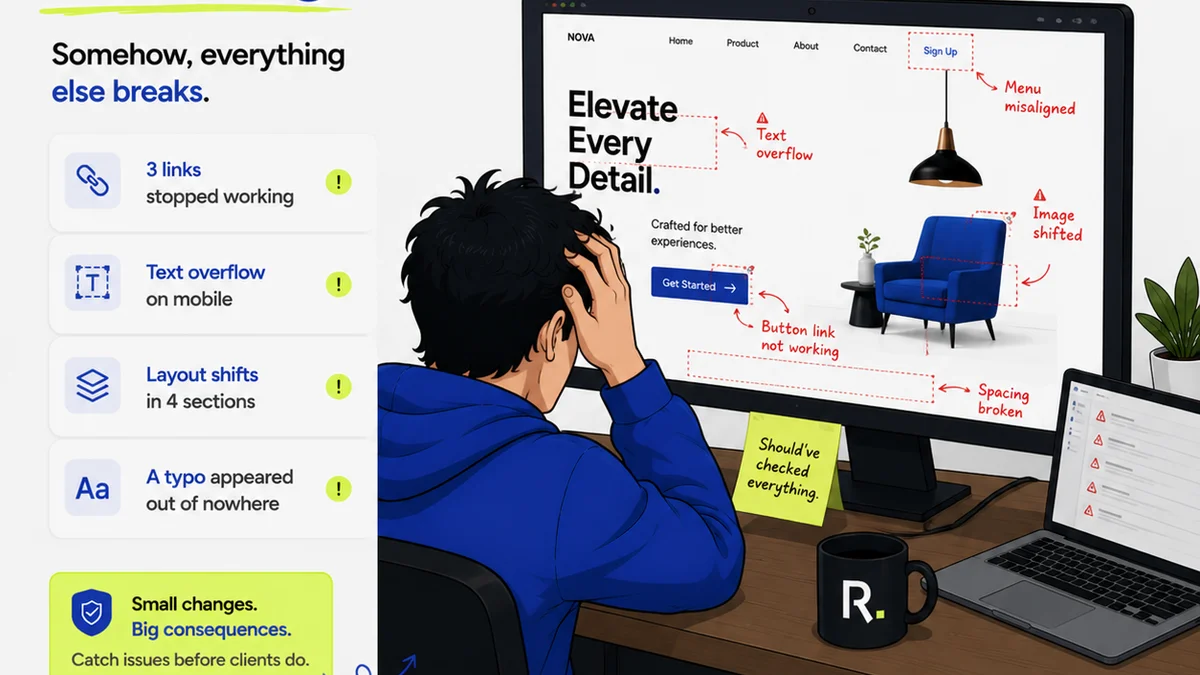
Everyone thinks design quality assurance is about catching typos and misaligned elements. That’s part of it. But it’s not the whole story.
The real purpose of design QA is to ensure the final output not only meets technical specifications but also aligns with the client’s strategic goals and brand vision. It's the final gatekeeper protecting your agency's reputation and profitability.
1. The Illusion of 'Done'
Projects often feel finished when the design files are handed over. But 'done' is a dangerous illusion.
A design can look perfect on screen but fail in execution. Or it might technically meet the brief but miss the strategic mark.
What 'Done' Really Means
True completion means the design is:
- Visually accurate and pixel-perfect.
- Technically sound and production-ready.
- Strategically aligned with client objectives.
- Brand-consistent and on-message.
- Usable and accessible.
Skipping checks here means problems surface later. Later is always more expensive.
2. Building a QA Framework, Not Just a Checklist
A simple checklist is a start, but it’s not a system. A system adapts and evolves. It’s built on principles, not just tasks.
Your design quality assurance process should be integrated, not an afterthought.
Key Pillars of a QA Framework
- Clear Standards: Define what 'good' looks like for your agency and clients.
- Defined Roles: Who is responsible for what at each stage?
- Integrated Tools: Leverage technology to streamline checks.
- Feedback Loops: Ensure learnings from QA feed back into the design process.
- Client Involvement: Manage expectations and approvals proactively.
This isn't about adding bureaucracy. It's about building efficiency and reducing risk.
3. The Many Faces of Design Flaws
Design flaws aren't always obvious. They can be subtle, systemic, or only appear under specific conditions.
Understanding these categories helps you anticipate and catch more issues.
Common Categories of Errors
- Visual/Aesthetic Errors: Misalignments, incorrect spacing, wrong colors, pixelation, inconsistent typography.
- Functional Errors: Broken links, non-responsive elements, interactive states not working, incorrect states in forms.
- Content Errors: Typos, grammatical mistakes, outdated information, incorrect client messaging, missing alt text.
- Brand Errors: Inconsistent logo usage, off-brand colors or tone, deviation from brand guidelines.
- Technical/Production Errors: Incorrect file formats, missing bleed, wrong resolution, accessibility violations (e.g., insufficient color contrast).
- Strategic Misalignment: Design doesn't support the user journey, fails to communicate key messages, or doesn't address the core business objective.
Each of these can derail a project, damage client relationships, and cost significant money to fix.
4. Integrating QA into the Workflow
The biggest mistake is treating QA as a final step before delivery. It needs to be woven throughout the entire design and development lifecycle.
This means quality checks happen at multiple junctures.
Stage-by-Stage QA Integration
Discovery & Strategy: Review the brief. Does it clearly define success metrics? Are there any ambiguities that could lead to design misinterpretations?
Concepting & Wireframing: Does the core structure and user flow make sense? Is it aligned with initial strategy?
High-Fidelity Design: This is where most people think QA starts. Check for visual accuracy, brand consistency, and adherence to wireframes. Crucially, verify that the design supports the intended user actions and strategic goals. Are interactive elements clearly defined?
Prototyping: Test the user flow. Does the interaction feel intuitive? Are there dead ends or confusing paths? Check for consistency across screens.
Development Handoff: Ensure all assets are correctly exported, organized, and documented. Provide clear style guides or design tokens.
Development QA: This is critical. Does the built product match the approved design? Test across different browsers, devices, and screen sizes. Check all interactive elements, forms, and states. Verify content accuracy and functionality.
User Acceptance Testing (UAT): The client's turn. Ensure they are testing against the agreed-upon scope and not introducing new requirements.
Pre-Launch Audit: A final sweep for any missed issues, accessibility checks, and performance optimization.
This layered approach catches problems early, when they are cheapest and easiest to fix.
5. The Human Element: Roles and Responsibilities
Technology can automate checks, but human judgment is irreplaceable. Clear roles are essential for effective design quality assurance.
Who owns the final sign-off? Who is responsible for checking accessibility?
Defining QA Roles
- Designer: Owns the initial quality of their work, adherence to brand and style guides.
- Art Director/Creative Lead: Reviews for strategic alignment, brand integrity, and overall creative quality.
- Project Manager: Ensures the design meets the brief, scope, and timeline. Manages client communication and approvals.
- QA Specialist/Tester: Conducts systematic checks for visual, functional, and content accuracy across devices and browsers. Focuses on bug identification.
- Developer: Ensures the design is implemented faithfully and technically sound. Performs unit and integration testing.
- Client Stakeholder: Provides feedback and final approval based on business objectives.
Ambiguity here leads to dropped balls. Everyone needs to know their part.
6. Leveraging Tools for Smarter QA
Manual checks are prone to error and time-consuming. The right tools can significantly improve efficiency and accuracy in your design quality assurance process.
Don't rely solely on spreadsheets and emails.
Essential QA Tool Categories
- Design Handoff Tools: Platforms that allow developers to inspect design elements, export assets, and get specs directly from design files (e.g., Zeplin, Avocode).
- Prototyping Tools: For interactive testing and user flow validation (e.g., Figma, Adobe XD, InVision).
- Bug Tracking Software: To log, prioritize, and manage identified issues systematically (e.g., Jira, Asana, Trello).
- Visual Regression Testing Tools: Automate checks for visual changes between design iterations or builds.
- Accessibility Checkers: Browser extensions and automated tools to identify accessibility issues like color contrast or missing ARIA labels.
- Cross-Browser/Device Testing Platforms: Services that allow you to test your live site or application on a vast range of real and virtual devices and browsers (e.g., BrowserStack, LambdaTest).
These tools don't replace critical thinking, but they amplify your team's capabilities.
7. Where Revue Fits In
Managing feedback, revisions, and approvals across multiple stakeholders can quickly become chaotic. This chaos is the enemy of quality.
Revue is built to bring order to that chaos, directly supporting your design quality assurance efforts.
Streamlining Feedback and Approvals
Instead of fragmented email chains or scattered comments in various tools, Revue centralizes all client feedback on creative assets. This means:
- Clearer Communication: All feedback is linked directly to the specific version of the design. No more guessing which comment applies to which iteration.
- Version Control: Easily track revisions and compare versions side-by-side. This provides an auditable trail and ensures everyone is working from the latest approved files.
- Streamlined Approvals: Formalize the approval process. Get explicit sign-offs at key milestones, reducing ambiguity and preventing scope creep.
- Actionable Insights: Consolidate feedback from different stakeholders into a single, manageable list. Project managers can then prioritize and assign tasks efficiently, ensuring no feedback falls through the cracks.
By providing a single source of truth for feedback and approvals, Revue helps ensure that designs are not only visually polished but also strategically sound and client-approved, minimizing costly rework and missed deadlines.
8. The Cost of Cutting Corners
It’s tempting to rush QA to meet a deadline. That’s a false economy.
The cost of fixing a bug after launch is exponentially higher than fixing it during development.
The Hidden Expenses of Poor QA
- Rework: Design and development time wasted fixing issues that should have been caught earlier.
- Client Dissatisfaction: A buggy or off-brand product erodes trust and can lead to lost business.
- Reputational Damage: A poorly executed project reflects badly on your agency's capabilities.
- Increased Support Costs: Post-launch issues require ongoing support and can strain resources.
- Missed Deadlines: Unforeseen issues inevitably cause delays.
- Legal/Compliance Issues: Especially relevant for accessibility and data privacy.
Investing in robust design quality assurance is not an expense; it's an investment in project success and client retention.
Final Thought
Is your team treating design QA as a perfunctory final check, or as an integral part of the creative process? The difference defines the quality of your output and the health of your business.
Frequently asked questions
What is the difference between design QA and user testing?
Design QA focuses on ensuring the design meets technical specifications, brand guidelines, and strategic objectives before and during development. User testing, on the other hand, involves real users interacting with a near-final or live product to identify usability issues and gather feedback on their experience.
How can small agencies afford a comprehensive QA process?
Start by integrating checks into existing roles and workflows. Define clear standards and responsibilities. Leverage free or low-cost tools for bug tracking and feedback. Prioritize the most critical checks based on project risk. QA doesn't have to be a dedicated role; it's a mindset and a process.
What are the most common design QA mistakes agencies make?
Treating QA as a final step, not integrating it throughout the process. Relying solely on checklists without strategic review. Lack of clear ownership and responsibility. Not testing across multiple devices and browsers. Failing to document and track issues systematically.
How does centralized feedback improve design quality assurance?
Centralizing feedback in a tool like Revue eliminates confusion from scattered comments. It provides a single source of truth for all stakeholder input, ensures version control is maintained, and creates a clear, auditable trail for approvals. This clarity reduces misinterpretations and rework, directly enhancing quality.