Everyone thinks a design quality assurance checklist is about catching typos and misaligned elements. That’s the easy part.
It’s a given that your final deliverables should be pixel-perfect. If you’re still debating that, you’ve got bigger problems than a checklist.
The real value of a design QA checklist lies in its ability to standardize review processes, prevent subjective errors, and ensure that creative work not only looks good but also functions flawlessly and meets strategic objectives.
1. Beyond Aesthetics: The Functional Imperative
Good design isn’t just about looking pretty. It’s about clear communication, usability, and achieving business goals. Your checklist needs to reflect this.
a. Usability and User Experience (UX)
Does the design make sense to the end-user? Can they achieve their goals easily?
- Navigation is intuitive and predictable.
- Interactive elements are clearly identifiable and provide feedback.
- Content is scannable and readable across different devices.
- Forms are easy to understand and complete.
- Accessibility standards are met (WCAG 2.1 AA is a good baseline).
If a user struggles, your design has failed, no matter how beautiful it is.
b. Performance Considerations
A stunning design that loads slowly is a failed design. Consider the technical implications of your creative decisions.
- Image optimization: Are assets appropriately sized and compressed?
- Font loading: Are web fonts implemented efficiently?
- Code efficiency (if applicable): Are there opportunities for performance gains?
Speed matters. Users expect instant gratification.
c. Brand Consistency
Is the design a true reflection of the client’s brand identity? This goes deeper than just the logo.
- Color palette adherence and accessibility.
- Typography hierarchy and usage.
- Tone of voice in copy.
- Imagery style and appropriateness.
- Consistent application of brand elements across all touchpoints.
Inconsistency erodes trust and brand recognition.
2. The Strategic Alignment Check
Creative work doesn't exist in a vacuum. It’s a tool to achieve a specific business outcome. Your QA process must verify this alignment.
a. Objective Verification
Does the design directly address the brief and the agreed-upon objectives?
- Does it solve the problem defined in the brief?
- Does it target the intended audience effectively?
- Does it support the desired user journey or call to action?
This is where many agencies stumble. They deliver pretty pictures that miss the mark strategically.
b. Call to Action (CTA) Clarity
What do you want the user to do? Is it obvious?
- CTAs are prominent and clearly worded.
- The user journey leading to the CTA is logical.
- The CTA’s purpose is unambiguous.
A weak CTA means a lost opportunity.
c. Content Accuracy and Completeness
It’s not just about spelling. Is the information correct and presented effectively?
- All copy is proofread and fact-checked.
- Data, statistics, and claims are accurate and attributed if necessary.
- Content is structured logically and supports the design’s purpose.
- Legal disclaimers or necessary fine print are included and accurate.
Errors here can lead to significant legal or reputational damage.
3. Technical and Production Readiness
The design handoff is a critical juncture. Ensuring technical accuracy prevents costly rework downstream.
a. Asset Delivery Specifications
Are all assets prepared according to the agreed-upon technical specifications?
- File formats are correct (e.g., JPG, PNG, SVG, EPS).
- Color modes are appropriate (RGB for screen, CMYK for print).
- Resolution and dimensions meet production requirements.
- Naming conventions are standardized and clear.
This is often the source of production delays.
b. Interactivity and Animation Logic
For digital products, how do interactive elements behave?
- States for buttons and interactive elements are defined (hover, active, disabled).
- Animations are smooth and serve a purpose, not just decorative.
- Transitions between states are logical and intuitive.
- Microinteractions are considered and documented.
This requires close collaboration between design and development.
c. Cross-Browser and Cross-Device Compatibility
Does the design render correctly everywhere it’s intended to?
- Test on major browsers (Chrome, Firefox, Safari, Edge).
- Test on key devices and screen sizes (desktop, tablet, mobile).
- Check for responsive behavior and layout shifts.
What looks good on your machine might break elsewhere.
4. The Human Element: Collaboration and Communication
A checklist is a tool, but its effectiveness hinges on the people using it. Quality assurance is a team sport.
a. Stakeholder Alignment
Are all relevant stakeholders on the same page?
- Has the client signed off on key stages?
- Are internal teams (e.g., account management, development) aware of decisions?
- Are client feedback loops clearly documented?
Misunderstandings here are fertile ground for errors.
b. Feedback Clarity and Actionability
Is feedback specific, constructive, and actionable?
- Is it clear *what* needs to change and *why*?
- Is feedback consolidated in one place to avoid conflicting instructions?
- Are subjective comments clearly distinguished from objective requirements?
Vague feedback leads to wasted time and frustration.
c. Revision Tracking
Can you easily see what has changed and who approved it?
- All revisions are logged with context.
- Approvals are clearly recorded.
- Previous versions are accessible if needed.
This prevents scope creep and disputes.
Where Revue Fits In
A comprehensive design quality assurance process demands clear communication, organized feedback, and visible approval trails. This is precisely where a platform like Revue excels.
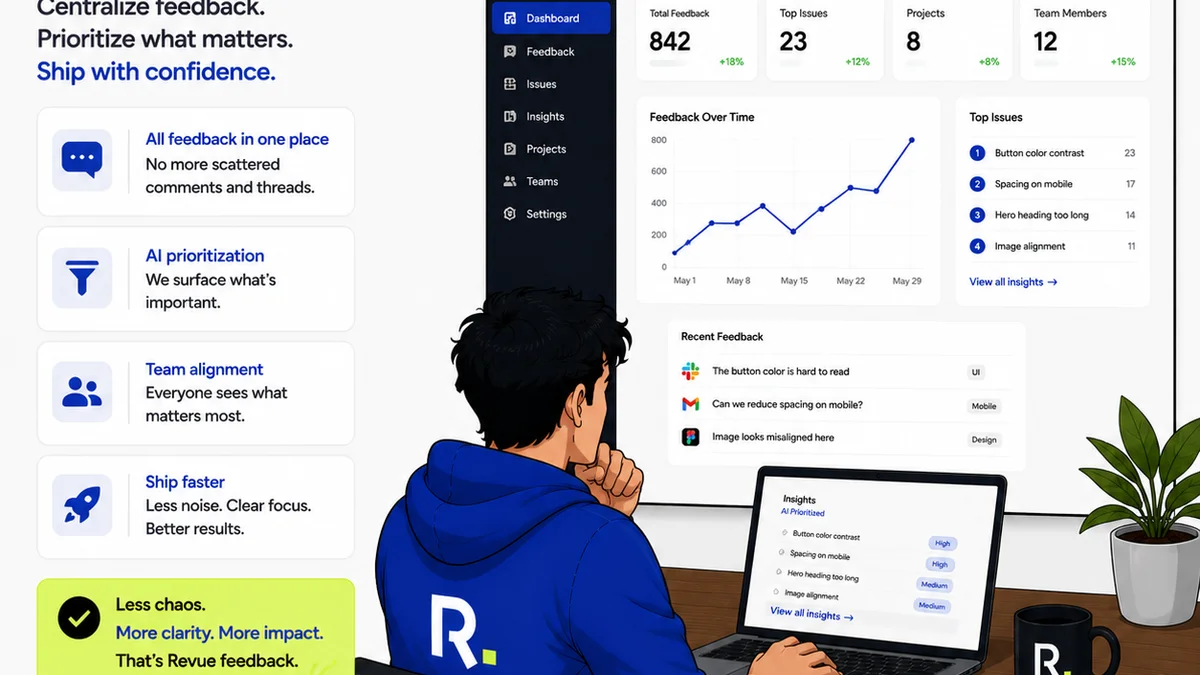
Revue centralizes client feedback, ensuring that every comment, revision request, and approval is captured in one accessible location. No more hunting through emails or scattered documents.
This visibility streamlines the review cycle. Designers can see exactly what needs to be addressed, and stakeholders can track the progress of revisions with confidence.
By providing a single source of truth for all creative assets and feedback, Revue helps your agency maintain rigorous quality standards from initial concept to final delivery, ensuring that every project meets both aesthetic and strategic goals.
Final Thought
Is your design quality assurance checklist just a compliance hurdle, or is it a strategic lever for delivering exceptional, error-free work that truly moves the needle for your clients?
Frequently asked questions
What are the key components of a design quality assurance checklist?
A comprehensive checklist includes aesthetic checks, functional usability, performance considerations, brand consistency, strategic alignment with objectives, content accuracy, technical production readiness, and clear communication/collaboration protocols.
How does a design QA checklist improve client communication?
By ensuring clarity on objectives, standardizing feedback, and providing a clear record of revisions and approvals, a checklist minimizes misunderstandings and keeps clients informed and confident in the process.
Is a design QA checklist only for digital design?
No, while digital design has specific technical considerations, the core principles of functional usability, strategic alignment, brand consistency, and content accuracy apply to print, branding, and other design disciplines as well.
How often should a design QA checklist be updated?
The checklist should be reviewed and updated periodically, especially when new technologies emerge, client needs evolve, or your agency identifies recurring issues in its workflow. Regular team retrospectives can highlight areas for improvement.