Everyone thinks a design quality assurance checklist is about catching typos or misaligned elements. That’s a given. It’s the table stakes for any creative output.
But if that’s where your QA stops, you’re missing the forest for the trees. The real value of a thorough design QA process lies in its ability to uncover fundamental issues that impact usability, brand consistency, and, ultimately, client success.
1. The Foundation: Brand and Strategy Alignment
Before a single pixel is placed, the design must serve the strategy. This is the first and often most overlooked layer of quality assurance.
Is the design solving the right problem?
A beautiful design that doesn’t address the core business objective is a failure. Your QA checklist needs to interrogate the brief and the proposed solution.
- Does the design directly address the client’s stated goals?
- Is the target audience clearly considered in the visual and functional approach?
- Does the design align with the brand’s established voice, tone, and personality?
Brand Consistency is Non-Negotiable
This goes deeper than just the logo. It's about the entire ecosystem of the brand.
- Are the correct brand colors, typography, and imagery guidelines being followed?
- Is the tone of voice consistent across all copy elements?
- Are UI elements (buttons, forms, icons) consistent with established design systems or brand patterns?
2. Usability and User Experience (UX)
A design might look good, but if users can’t interact with it intuitively, it’s fundamentally broken. This is where UX QA becomes critical.
Navigation and Information Architecture
Can users find what they need? Is the path logical?
- Is the site map logical and easy to understand?
- Are navigation elements clearly labeled and consistently placed?
- Is there a clear hierarchy of information on each page?
Interaction Design and Feedback
How does the interface respond to user input?
- Are interactive elements discoverable?
- Is there clear visual feedback when a user interacts with an element (e.g., hover states, active states, loading indicators)?
- Are error messages clear, concise, and helpful?
Accessibility: Designing for Everyone
This isn't an afterthought; it's a core quality metric. Failing here excludes users and can have legal implications.
- Is there sufficient color contrast between text and background? (Refer to WCAG guidelines).
- Are interactive elements large enough to be easily tapped or clicked?
- Is the design navigable using a keyboard alone?
- Are form fields clearly labeled for screen readers?
3. Visual Design and Aesthetics
This is where many checklists start and end, but it’s only one piece of the puzzle. Even here, there’s more than meets the eye.
Layout and Composition
Is the visual structure sound?
- Is there a clear visual hierarchy guiding the user's eye?
- Is whitespace used effectively to improve readability and reduce clutter?
- Are elements aligned and distributed consistently?
Typography
Legibility and aesthetic appeal are paramount.
- Is the font choice appropriate for the brand and content?
- Is line height and spacing adequate for readability?
- Are text sizes appropriate for the intended viewing context (desktop, mobile)?
Imagery and Graphics
Visual assets must be high-quality and purposeful.
- Are images and graphics high-resolution and free of distortion?
- Do visual assets support the message and brand identity?
- Are all necessary image assets included and correctly named?
4. Technical and Functional Integrity
A design needs to be technically sound to be implemented effectively. This bridges the gap between design and development.
Responsiveness and Cross-Browser/Device Compatibility
Does it work everywhere?
- Does the design adapt gracefully to different screen sizes (desktop, tablet, mobile)?
- Have key breakpoints been tested for visual integrity?
- Are there known issues with specific browsers or devices that need addressing?
Performance Considerations
A slow experience is a bad experience.
- Are image file sizes optimized?
- Are custom fonts loaded efficiently?
- Are there any design elements that could negatively impact load times?
Content Accuracy
The final copy matters.
- Is all placeholder text (lorem ipsum) replaced with final copy?
- Has the copy been proofread for grammar, spelling, and punctuation errors?
- Does the copy accurately reflect the client’s messaging?
5. Where Revue Fits In
Managing a comprehensive design quality assurance process across multiple projects and clients can become chaotic. That’s where a centralized platform like Revue becomes invaluable.
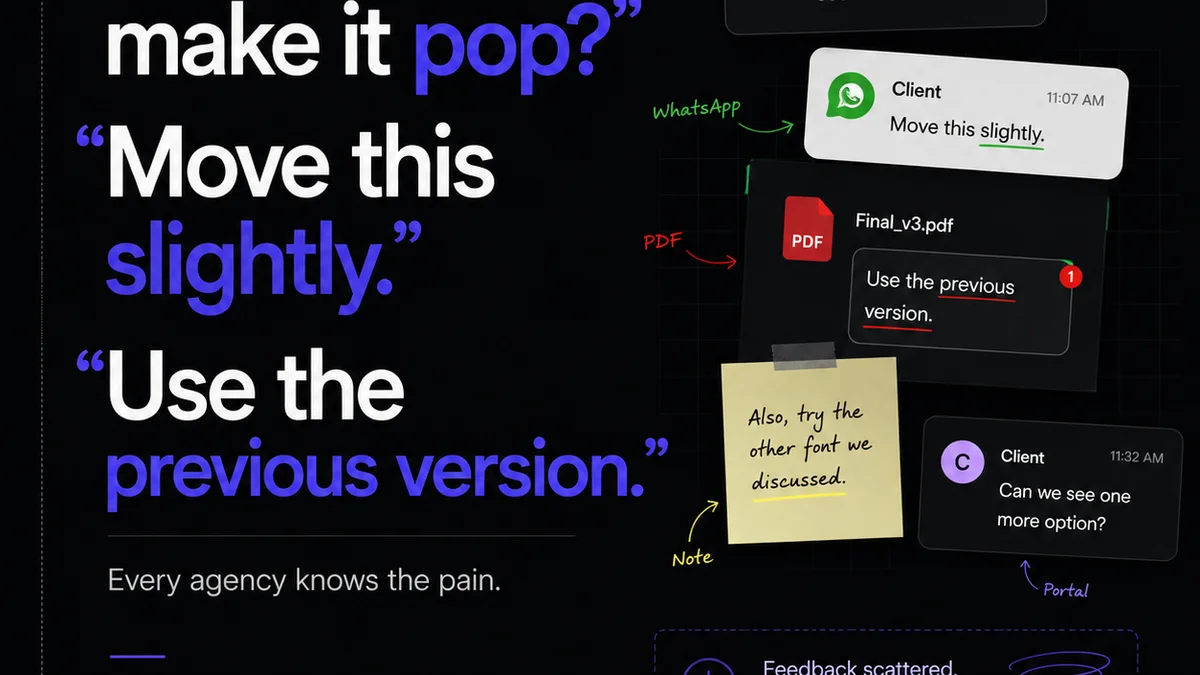
Revue helps streamline your QA by providing a single source of truth for feedback and revisions. Instead of chasing down emails or scattered Slack messages, all stakeholder comments are logged in one place, linked directly to the design asset. This clarity makes it easier to:
- Track feedback systematically: Ensure no comment falls through the cracks.
- Manage revisions efficiently: See the history of changes and approvals, making it simple to verify that QA points have been addressed.
- Conduct thorough quality checks: With all feedback consolidated, your team can perform a more rigorous review against the original brief and agreed-upon standards.
- Maintain brand consistency: Reference past feedback and approved assets to ensure ongoing projects adhere to established brand guidelines.
This structured approach transforms QA from a reactive chore into a proactive quality control mechanism.
6. Final Thought
Your design quality assurance checklist is more than just a list of technical checks. It’s a reflection of your agency’s commitment to strategic thinking, user empathy, and flawless execution.
Are you just checking boxes, or are you truly ensuring design excellence?
Frequently asked questions
What are the key components of a design quality assurance checklist?
A robust design QA checklist should cover brand and strategy alignment, usability and UX, visual design and aesthetics, and technical/functional integrity. It's not just about pixel perfection but about whether the design solves the right problem effectively and accessibly.
How does accessibility fit into design QA?
Accessibility is a critical component. Your checklist should include checks for color contrast, keyboard navigation, screen reader compatibility, and sufficient target sizes to ensure the design is usable by everyone, adhering to standards like WCAG.
Why is brand consistency important in design QA?
Brand consistency ensures a cohesive and trustworthy user experience. QA should verify that correct colors, typography, imagery, and tone of voice are used according to brand guidelines across all touchpoints.
How can a platform like Revue improve design QA?
Revue centralizes feedback and revision history, making it easier to track comments, verify that QA points have been addressed, and conduct thorough reviews. This reduces miscommunication and ensures all stakeholders are aligned.