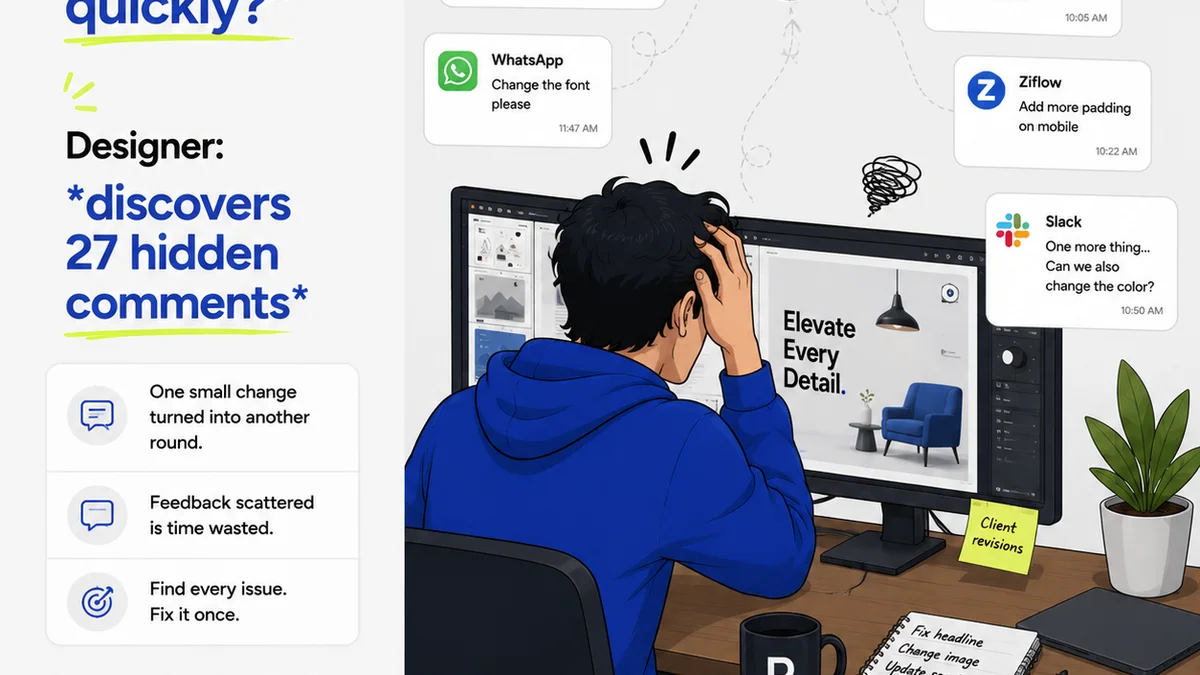
Everyone talks about design quality assurance software as a way to catch mistakes. And that’s not wrong. But it’s incomplete.
The real value isn't just finding typos or misaligned elements. It’s about building a predictable, repeatable process that saves time, reduces client friction, and protects your team’s sanity.
This isn't about tools replacing judgment. It’s about tools amplifying it.
1. Beyond Bug Hunting: The True Purpose
Many teams think of design QA software as a final safety net. A last-ditch effort before sending work to clients.
This limited view misses the point entirely.
Effective QA software should be integrated much earlier in the process. It’s a tool for alignment, clarity, and proactive problem-solving.
Think of it less as a debugger and more as a communication hub.
The Assumption: QA is About Perfection
The assumption is that QA’s sole job is to find and fix every single flaw. Pixel-perfect execution is the only goal.
This leads to endless revision cycles and frustrated designers.
The Hard Truth: QA is About Clarity and Efficiency
The real goal is to ensure the design meets the brief, is technically sound, and is understood by everyone involved – client included. It’s about reducing ambiguity and speeding up approvals.
It’s about preventing misunderstandings before they escalate.
2. Core Functionality: What Your Software MUST Do
When evaluating design quality assurance software, focus on these non-negotiables.
A. Centralized Feedback and Annotation
Your software needs a single place for all feedback. No more scattered emails, Slack messages, or scribbled notes.
- Visual annotation directly on design assets.
- Clear, actionable comments tied to specific elements.
- Ability to @mention team members and clients.
- Status tracking for feedback items (e.g., open, resolved, needs clarification).
This streamlines communication and ensures nothing gets lost.
B. Version Control and Revision Tracking
You need to see the evolution of a design. What changed? When? Who approved it?
- Automatic versioning of uploaded assets.
- Clear visual diffs between versions (if possible).
- History log of all comments, changes, and approvals.
- Ability to revert to previous versions if necessary.
Transparency here is key to avoiding disputes.
C. Approval Workflows
Formalizing the sign-off process is critical.
- Configurable approval stages (e.g., internal review, client review, final approval).
- Clear indicators of approval status for each asset and version.
- Automated notifications for pending approvals or completed stages.
- Digital signatures or simple click-to-approve mechanisms.
This removes guesswork and provides a clear audit trail.
D. Asset Management and Organization
A central repository for all creative assets is essential for efficient QA.
- Easy uploading and organization of various file types (images, PDFs, videos, prototypes).
- Search and filtering capabilities.
- Clear project or client-based folder structures.
- Permissions management to control who can view or edit.
You can’t QA what you can’t find.
3. Advanced Features: What to Look for Next
Once the core needs are met, consider these advanced capabilities.
A. Integration Capabilities
Your QA tool shouldn't live in a silo.
- Integrations with design tools (Figma, Adobe Creative Cloud).
- Connections to project management software (Asana, Jira, Trello).
- Links to cloud storage (Dropbox, Google Drive).
Seamless integration saves massive amounts of manual work.
B. Reporting and Analytics
Data can reveal bottlenecks and areas for improvement.
- Time spent in review cycles.
- Number of revisions per project.
- Common types of feedback or errors.
- Team or client response times.
Use this data to refine your processes.
C. Customizable Checklists and Templates
Standardize your quality checks.
- Ability to create reusable checklists for different project types.
- Pre-defined QA templates for common issues (e.g., accessibility, brand compliance).
This ensures consistency across all projects.
D. Accessibility and Compliance Checks
For many projects, meeting accessibility standards is non-negotiable. Some tools offer automated checks.
- WCAG compliance reporting.
- Color contrast checkers.
- Font size and spacing analysis.
While not a replacement for human review, these can catch common oversights.
4. User Experience and Adoption
The most powerful software is useless if your team and clients hate using it.
A. Intuitive Interface
It needs to be easy to pick up and use, even for less tech-savvy clients.
- Clean, uncluttered layout.
- Logical navigation.
- Minimal learning curve.
If it's confusing, people won't use it effectively.
B. Performance and Reliability
Slow loading times or frequent crashes will kill adoption.
- Fast asset loading.
- Stable platform.
- Mobile responsiveness for client reviews on the go.
Reliability builds trust.
C. Onboarding and Support
Good documentation and responsive customer support are vital.
- Clear tutorials and help guides.
- Accessible and helpful support channels.
- Training resources for new team members.
You need backup when you have questions.
5. Evaluating Specific Tools: A Cautionary Note
There are many tools on the market. Some are general-purpose, others are highly specialized.
Don't get dazzled by features you'll never use.
Focus on how well a tool solves your specific workflow problems.
What are your biggest pain points right now?
- Are clients constantly missing feedback?
- Are revisions taking too long?
- Is there confusion about what’s approved?
- Are small errors slipping through to final delivery?
Match the tool’s strengths to your weaknesses.
Where Revue Fits In
Revue isn't a pixel-pushing QA tool. It’s a strategic layer that enhances your entire client feedback and approval process.
Think of it as the central nervous system for creative collaboration.
Revue excels at centralizing client feedback, ensuring every comment, revision request, and approval is captured in one accessible place. No more digging through email chains or Slack channels.
It provides unparalleled visibility into revision and approval cycles. You and your clients always know exactly where a project stands, what’s been reviewed, what’s pending, and what’s been signed off. This transparency drastically reduces confusion and speeds up decision-making.
While Revue doesn’t perform granular design checks itself, it facilitates the quality checks by providing a clear, documented history of approvals and feedback. This ensures that the final approved version is the one everyone agreed upon, reducing the risk of last-minute changes or disputes.
By streamlining these critical aspects, Revue empowers agencies to manage client expectations, reduce administrative overhead, and deliver exceptional creative work more efficiently.
Final Thought
Are you using design quality assurance software, or is it using you?
The right tool should feel like an extension of your team, not an obstacle.
It should empower you to deliver better work, faster, with less friction. If it’s not doing that, it’s time to re-evaluate.
Frequently asked questions
What is the primary goal of design quality assurance software?
While catching mistakes is part of it, the primary goal is to build a predictable, repeatable process that streamlines communication, reduces client friction, and ensures alignment between the creative team and client expectations. It's about clarity and efficiency, not just bug hunting.
What are the essential features to look for in design QA software?
Key features include centralized feedback and annotation, robust version control and revision tracking, clear approval workflows, and efficient asset management and organization. These form the backbone of effective QA.
How important are integrations for design QA software?
Integrations are highly important. Connecting your QA tool with design software (like Figma or Adobe CC) and project management tools can automate tasks, reduce manual data entry, and create a more seamless workflow.
Can design QA software replace human review for accessibility?
No, design QA software can assist with automated checks for things like color contrast or font sizes, but it cannot replace human judgment and comprehensive testing for full accessibility compliance. It's a helpful aid, not a complete solution.
How can I ensure my team and clients will actually use the QA software?
Focus on user experience. Choose software with an intuitive interface, reliable performance, and good onboarding resources. If the tool is easy and pleasant to use, adoption rates will be much higher.