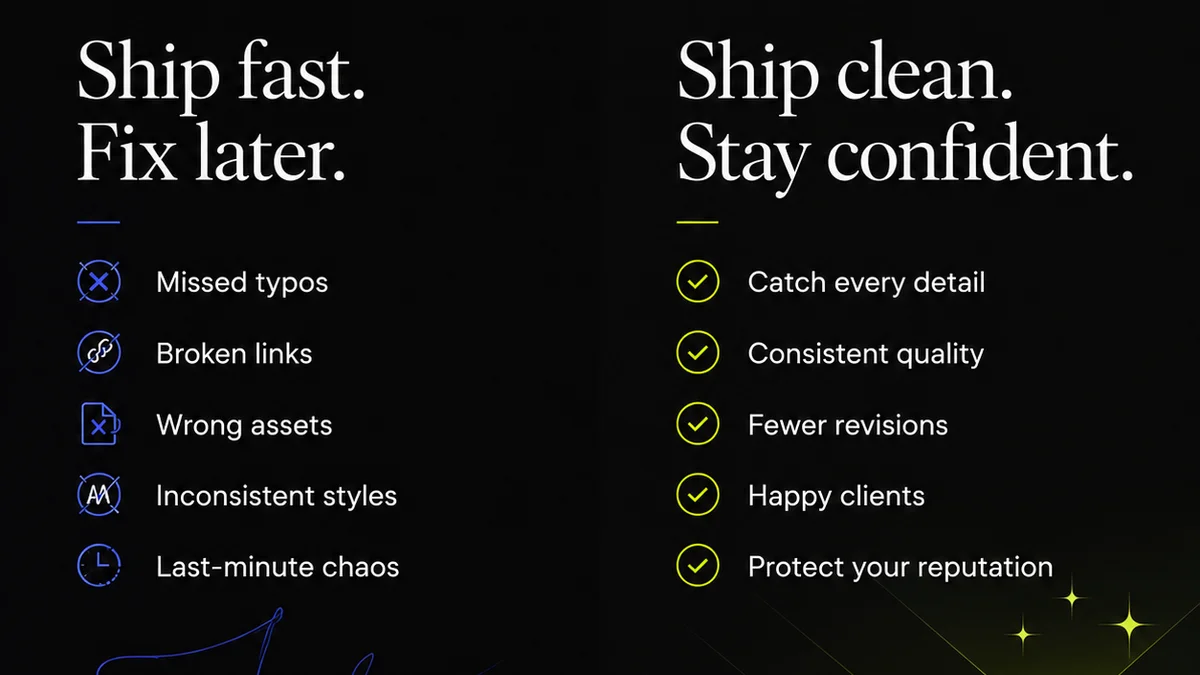
Everyone wants faster design reviews. The assumption is that automating this process automatically means quicker turnaround times. None of that is wrong. But it’s incomplete.
The real value of design review automation isn't just speed. It's about creating a more intelligent, efficient, and ultimately more profitable workflow.
1. Automation Isn't About Replacing People, It's About Empowering Them
The fear with automation is always job displacement. For design reviews, this usually manifests as a worry that software will replace the critical eye of a creative director or the nuanced feedback of a client.
That’s a fundamental misunderstanding of what design review automation does.
It’s not about removing human judgment. It's about removing the friction that gets in the way of that judgment.
The Bottlenecks You Don't See
Think about a typical review cycle:
- Designer finishes a round of work.
- Files are uploaded, often to shared drives or email attachments.
- Stakeholders are notified, sometimes manually.
- Feedback comes in, often scattered across emails, Slack messages, or even verbal comments.
- The designer has to collate all this feedback, identify conflicts, and then start the next round.
- This process repeats, each step adding time and potential for miscommunication.
Automation targets these points of friction. It centralizes files, standardizes feedback collection, and provides clear audit trails.
From Busywork to Strategic Work
When you automate the tedious parts of collecting and organizing feedback, your team has more time for what matters:
- Deep strategic thinking about the brief.
- Creative problem-solving.
- Providing constructive, high-level critique rather than just logistical notes.
- Ensuring brand consistency and adherence to project goals.
Design review automation frees up mental bandwidth. That’s where the real gains are found.
2. Standardize Feedback for Clarity and Actionability
Vague feedback is the enemy of efficient design. "Make it pop" or "I don't like it" doesn't tell anyone what to do.
Automation helps enforce clarity by providing structured ways to give feedback.
Structured Feedback Loops
Tools can prompt reviewers for specific types of input:
- Is this on-brand? (Yes/No/Needs Revision)
- Does this meet the core objective? (Yes/No/Needs Revision)
- Are there any technical issues? (Open text field)
- Are there any accessibility concerns? (Checklist or open text)
This structured approach ensures that key aspects of the design are considered systematically.
Centralized Annotation
Instead of scattered comments, imagine a single canvas where stakeholders can leave precise, contextual feedback directly on the design asset. This is a core feature of many automation tools.
Click on a specific element, leave a comment, tag a team member. It’s all in one place, linked directly to the part of the design it refers to.
This eliminates the need to decipher which comment applies to which section, a common problem with email threads or shared documents.
3. Version Control and Audit Trails: The Unsung Heroes
How many times has a project been delayed because someone was working on an outdated version of the design?
Or worse, a final approval was given, only for a stakeholder to later claim they didn't see the final iteration?
Design review automation brings discipline to version control.
Clear Iteration History
Every upload is a new version. Every comment is tied to a specific version. Every approval is logged against a specific version.
This creates an immutable history of the project's evolution. There’s no ambiguity about what was reviewed, by whom, and when.
Accountability and Transparency
This audit trail is crucial for accountability. It protects your team from scope creep and false claims.
It also provides transparency for clients, showing them the progression and the decisions made along the way.
For agencies, this documentation is invaluable for project retrospectives and for demonstrating value to clients.
4. Streamlining Approvals: From
Frequently asked questions
What is design review automation?
Design review automation refers to using software and defined processes to streamline the collection, organization, and management of feedback and approvals on creative work. It aims to reduce manual effort, improve clarity, and speed up the review cycle.
Does design review automation replace human reviewers?
No, it empowers them. Automation handles the administrative tasks of collecting and organizing feedback, freeing up creative directors and stakeholders to focus on strategic critique and decision-making.
How does automation improve feedback quality?
By using structured feedback forms, contextual annotations, and clear version control, automation ensures feedback is more specific, actionable, and easier for designers to act upon, reducing misinterpretation.
What are the key benefits of automating design reviews?
Key benefits include faster turnaround times, reduced miscommunication, improved feedback clarity, better version control, enhanced accountability, increased transparency with clients, and more time for strategic creative work.