Everyone thinks design review automation software is about speed. Faster feedback loops, quicker revisions, faster client approvals. And that’s true, to a point.
But that’s not the whole story. It’s not just about shaving minutes off a process.
The real win with design review automation isn’t just speed; it’s clarity. It’s about eliminating the chaos that slows you down, derails projects, and frustrates teams and clients alike. It’s about transforming a messy, manual process into a predictable, transparent workflow.
1. Centralize All Feedback, Everywhere
Your clients, your internal stakeholders, your QA team – they’re all giving feedback. The problem? It’s coming from everywhere: email threads, Slack messages, random documents, even verbal notes. This fragmentation is a project killer.
Design review automation software needs to be a single source of truth for feedback. Period.
What to Look For:
- Omni-channel import: Can it pull feedback from email, Slack, or other tools, or does it require clients to learn a new system?
- Contextual annotations: Does feedback attach directly to the design element it refers to? No more guessing what “make the button better” means.
- Version control: Every revision, every comment, tied to a specific version of the design. No more confusion about which file is the latest.
- User roles and permissions: Control who sees what and who can comment. Keep feedback focused and relevant.
If your tool doesn’t centralize feedback, you’re just moving the chaos to a slightly more organized digital space.
2. Visualize the Entire Revision Lifecycle
Too often, the revision process is a black box. A client requests a change. You make it. Then they ask for something else. You’re left wondering: what’s been done? What’s still pending? What’s been approved?
Transparency is key to managing client expectations and team workload.
Key Capabilities:
- Status tracking: Every comment and revision should have a clear status: Pending, In Progress, Approved, Rejected.
- Revision history: A clear, chronological log of all changes and feedback, linked to specific versions.
- Approval workflows: Define clear steps for sign-off. Who needs to approve what, and when?
- Activity feeds: Real-time updates on feedback, comments, and status changes.
Without this visibility, you’re flying blind. Your team is guessing, and your clients are waiting in the dark.
3. Automate Quality Checks and Compliance
This is where many agencies stumble. They assume quality checks are purely human. That a final pair of eyes is always necessary. And while human oversight is critical, the *process* of checking can be automated.
Think about repetitive, rule-based checks. Things that don't require creative judgment, but meticulous attention to detail.
Essential Features:
- Automated QA for common issues: Does the software flag missing alt text, broken links, or incorrect image dimensions?
- Brand guideline enforcement: Can it check for correct logo usage, color palette adherence, and typography standards?
- Accessibility checks: Basic checks for contrast ratios or missing ARIA labels can catch common WCAG pitfalls early.
- Cross-browser/device testing integration: Connect with tools that verify how designs render across different platforms.
This isn't about replacing your QA team. It's about freeing them up to focus on the nuanced, subjective aspects of quality, rather than tedious, repetitive tasks.
4. Streamline Client Collaboration and Approvals
The client experience is paramount. If your review process is confusing or cumbersome for them, they’ll hesitate to provide feedback, or worse, they’ll get frustrated and look elsewhere.
Effective automation should simplify, not complicate, client interaction.
Look for Tools That:
- Offer guest access: Clients shouldn’t need to create accounts or download software. Simple, secure access is crucial.
- Provide clear calls to action: Clients need to know exactly what’s expected of them.
- Allow for different feedback types: Sometimes a quick tick is enough. Other times, detailed comments are needed.
- Facilitate clear sign-off: Make the final approval process unambiguous.
A clunky review process directly impacts client satisfaction. A smooth one builds trust and confidence.
5. Integrate with Your Existing Tool Stack
No tool exists in a vacuum. Your design review automation software needs to play nice with the other systems you rely on.
Trying to force a standalone tool into your workflow creates more friction, not less.
Integration Points to Consider:
- Design tools: Direct plugins or integrations with Figma, Adobe Creative Suite, Sketch, etc.
- Project management tools: Connect with Asana, Trello, Jira, Monday.com to sync task statuses and feedback.
- Communication platforms: Integrate with Slack or Microsoft Teams for notifications.
- Cloud storage: Link to Google Drive, Dropbox, or Box for easy file access.
Seamless integration means your team stays in their flow, and valuable data isn’t siloed.
Where Revue Fits In
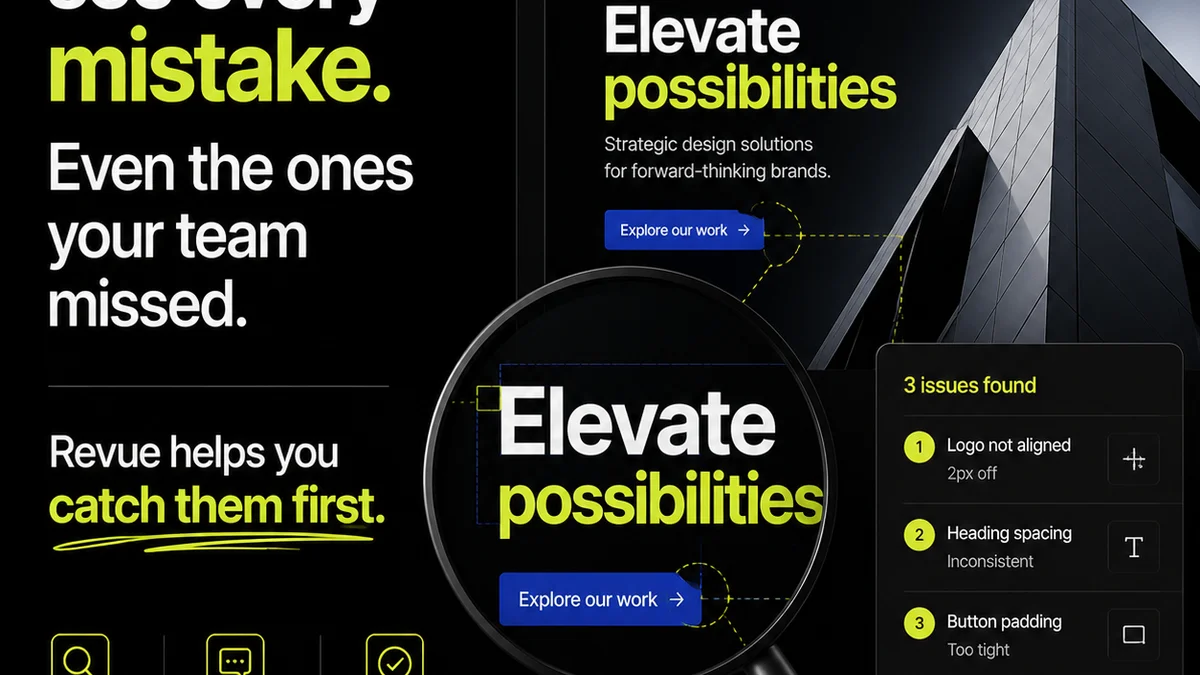
At Revue, we understand the friction points in creative workflows. That’s why we built a platform designed to centralize client feedback, manage revisions, and ensure quality checks are part of a clear, manageable process.
Revue acts as that single source of truth for feedback, consolidating comments directly on your creative assets. Our version control and clear approval workflows eliminate ambiguity, ensuring everyone is working from the same page.
We help automate the tedious parts of the review cycle, so your team can focus on delivering exceptional creative work, not chasing down comments or deciphering confusing feedback.
Final Thought
Design review automation isn't just about efficiency gains. It's about building a more resilient, transparent, and client-friendly creative process. Are you focusing on the right metrics?
Frequently asked questions
What is the primary benefit of design review automation software?
While speed is a benefit, the primary advantage of design review automation software is gaining clarity and transparency in the feedback and revision process. It centralizes feedback, visualizes revisions, and automates quality checks, reducing chaos and improving client collaboration.
How can automation software improve client collaboration?
Automation software streamlines client collaboration by providing a centralized platform for feedback, clear version control, and straightforward approval workflows. Features like guest access and clear calls to action make it easier for clients to participate without technical hurdles.
Can design review automation software replace human QA testers?
No, it doesn't replace human QA testers entirely. Instead, it automates repetitive, rule-based quality checks (like broken links or contrast ratios), freeing up human testers to focus on more complex, subjective aspects of quality and user experience.
What kind of integrations are important for design review tools?
Key integrations include design tools (Figma, Adobe Suite), project management software (Asana, Jira), communication platforms (Slack, Teams), and cloud storage (Google Drive, Dropbox). These integrations ensure a seamless workflow and prevent data silos.