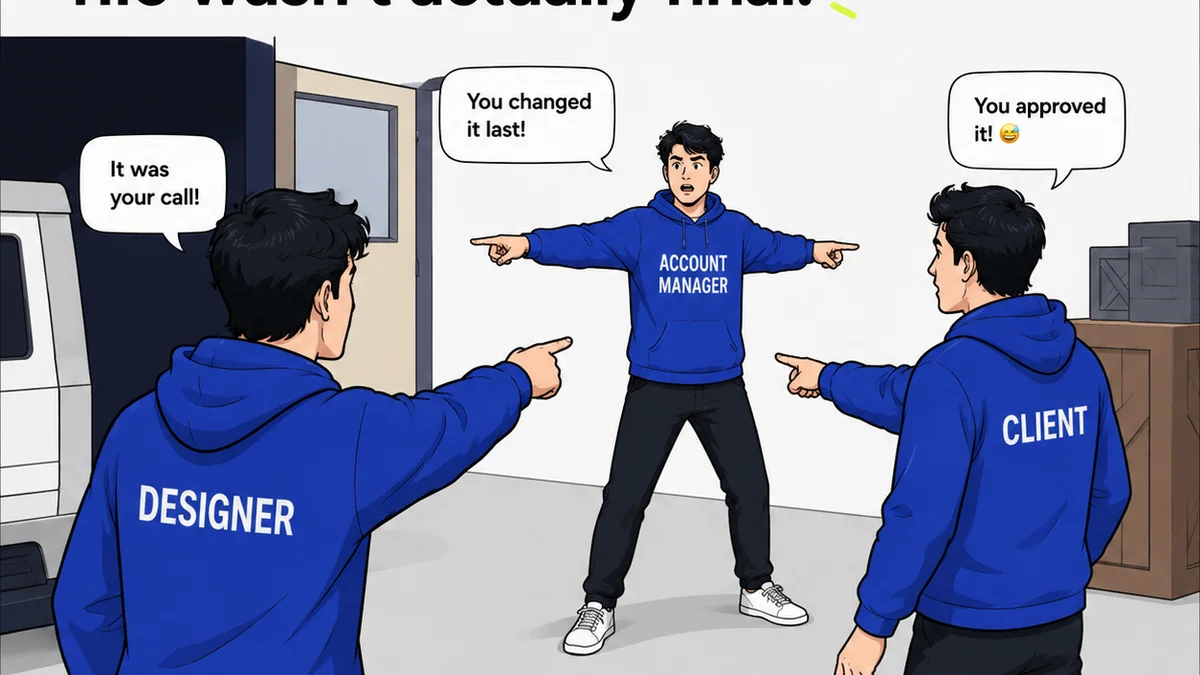
Remote work is here to stay. And with it, the challenge of effective design review for distributed teams. Everyone assumes that with the right tools, your remote design reviews will be just as smooth as in-person ones. That’s a nice thought. But it’s not the whole story.
The hard truth? Tools are only part of the equation. The real magic in remote design review lies in establishing clear processes and fostering a culture of constructive feedback, regardless of location.
1. Define the 'Why' and 'Who' Before the 'What'
Before any pixel is critiqued, get crystal clear on the purpose of the review and who needs to be involved. This sounds obvious, but it’s where most remote reviews stumble.
Purpose of the Review
Is this a quick gut check? A deep dive into UI interactions? A final sign-off before development?
Each type of review needs a different approach. A broad, unfocused review session drains everyone’s energy and rarely yields actionable insights.
Stakeholder Identification
Who absolutely *needs* to be there? Who is providing crucial input? Who is just there to be informed?
Wasting the time of non-essential stakeholders is a quick way to breed resentment and disengagement. It also clutters the feedback loop.
- Essential: Decision-makers, lead designers, project managers.
- Optional: Subject matter experts, client stakeholders (for specific stages), wider team members (for asynchronous input).
- Informational: Anyone who needs to be aware but doesn't need to actively participate.
Review Cadence
How often will reviews happen? Daily stand-ups? Weekly check-ins? Milestone-based reviews?
Consistency is key for remote teams. Predictable review schedules allow everyone to prepare and manage their time effectively.
2. Standardize Your Feedback Process
Ad-hoc feedback is the enemy of efficient remote collaboration. You need a system.
Centralized Feedback Hub
Stop relying on scattered comments across Slack, email, and random documents. All feedback needs to live in one place.
This ensures nothing gets lost and everyone is looking at the same version of the truth.
Structured Feedback Forms
For more formal reviews, consider a simple feedback template. This guides reviewers and ensures you get the information you need.
- What’s working well? (Positive reinforcement is crucial.)
- What could be improved? (Specific areas for iteration.)
- Are there any blockers or concerns? (Proactive problem-solving.)
- Overall recommendation: (Approve, Revise, Reject.)
Asynchronous vs. Synchronous
Not all feedback needs a meeting. Leverage asynchronous review for early-stage concepts or less critical elements.
Synchronous reviews are best for complex problem-solving or final sign-offs where immediate discussion is required.
Block out dedicated time for each. Don’t let your calendar become a chaotic mess of unscheduled feedback requests.
3. Master the Art of Constructive Critique
Remote feedback can easily become blunt or misinterpreted. Tone is everything.
Focus on the Work, Not the Person
This is a golden rule, but it’s even more critical when you can’t read body language.
Frame feedback around the design’s objectives and user experience, not personal preference.
- Instead of: “I don’t like this blue.”
- Try: “Does this shade of blue align with our brand guidelines? How does it perform for color contrast accessibility?”
Be Specific and Actionable
Vague feedback is useless. Remote teams don’t have the luxury of a quick follow-up chat to clarify.
Provide clear examples and suggest concrete next steps.
Use Visual Annotation Tools
Tools that allow direct commenting on designs (like Figma, Adobe XD, or specialized review platforms) are invaluable.
Pinpointing feedback visually removes ambiguity.
The 'Two-Yes-and-a-Maybe' Rule
Encourage reviewers to find at least two things they like or agree with before offering a suggestion for improvement.
This fosters a more positive and collaborative environment, especially crucial when teams are physically apart.
4. Leverage Technology Wisely
The right tech stack makes remote design review feasible. The wrong one makes it a nightmare.
Centralized Project Management
Tools like Asana, Trello, or Jira help track tasks, deadlines, and the status of design deliverables. This provides visibility for everyone.
Dedicated Design Review Platforms
These tools are built specifically for creative feedback.
They streamline the process of uploading, annotating, and managing feedback on visual assets.
Video Conferencing and Screen Sharing
For synchronous reviews, reliable video conferencing is non-negotiable. Ensure everyone has a stable connection and knows how to use screen sharing effectively.
Practice your screen sharing before important meetings.
Version Control
Always be clear about which version of the design is under review. Use clear naming conventions and version numbering.
This prevents confusion and ensures feedback is given on the latest iteration.
5. Foster a Culture of Trust and Transparency
Process and tools only go so far. The human element is paramount.
Psychological Safety
Team members must feel safe to offer honest feedback without fear of reprisal or judgment.
This starts from leadership modeling vulnerability and constructive critique.
Clear Roles and Responsibilities
Who is the final approver? Who is responsible for consolidating feedback? Who implements changes?
Define these roles clearly to avoid bottlenecks and miscommunication.
Regular Check-ins (Beyond Design Reviews)
Build rapport and understanding through informal chats, virtual coffee breaks, or team-building activities.
Stronger interpersonal relationships translate to smoother professional interactions, including design reviews.
Where Revue Fits In
Managing feedback effectively is the core challenge for remote creative teams. Endless email chains, missed comments in Slack, and confusion over which version is current – these issues cripple productivity.
Revue offers a centralized platform designed to tame this chaos. It allows you to collect, organize, and track all client and stakeholder feedback in one place. No more hunting for that crucial comment buried in an inbox.
You gain clear visibility into revision history and approval status, ensuring everyone is aligned and projects move forward smoothly. This structured approach is essential for maintaining quality and efficiency when your team isn't in the same room.
Final Thought
Remote design review isn’t inherently harder than in-person review; it’s just *different*. It demands more intentionality around process, communication, and culture.
Are you designing your remote review process with the same care you design your client’s product?
Frequently asked questions
What are the key differences between in-person and remote design reviews?
Remote design reviews require more intentionality around process, clear communication protocols, and the use of technology to bridge physical distance. The lack of non-verbal cues means feedback must be more explicit and actionable. Centralization of feedback and clear version control become critical.
How can I ensure feedback is constructive in a remote setting?
Focus on the work, not the person. Frame feedback around project goals and user experience. Be specific and provide actionable suggestions. Encourage the 'two-yes-and-a-maybe' rule to maintain a positive tone. Utilizing visual annotation tools also helps clarify feedback.
What technology is essential for remote design reviews?
Essential tools include a centralized project management system (like Asana or Trello), reliable video conferencing with screen sharing, and ideally, a dedicated design review platform for visual feedback and annotation. Good version control practices are also crucial.
How do I manage different types of feedback (e.g., quick check vs. final approval) remotely?
Define the purpose of each review clearly beforehand. Use asynchronous methods for less critical feedback and synchronous meetings for complex discussions or final approvals. Standardize feedback templates where appropriate to ensure all necessary information is captured for each review type.