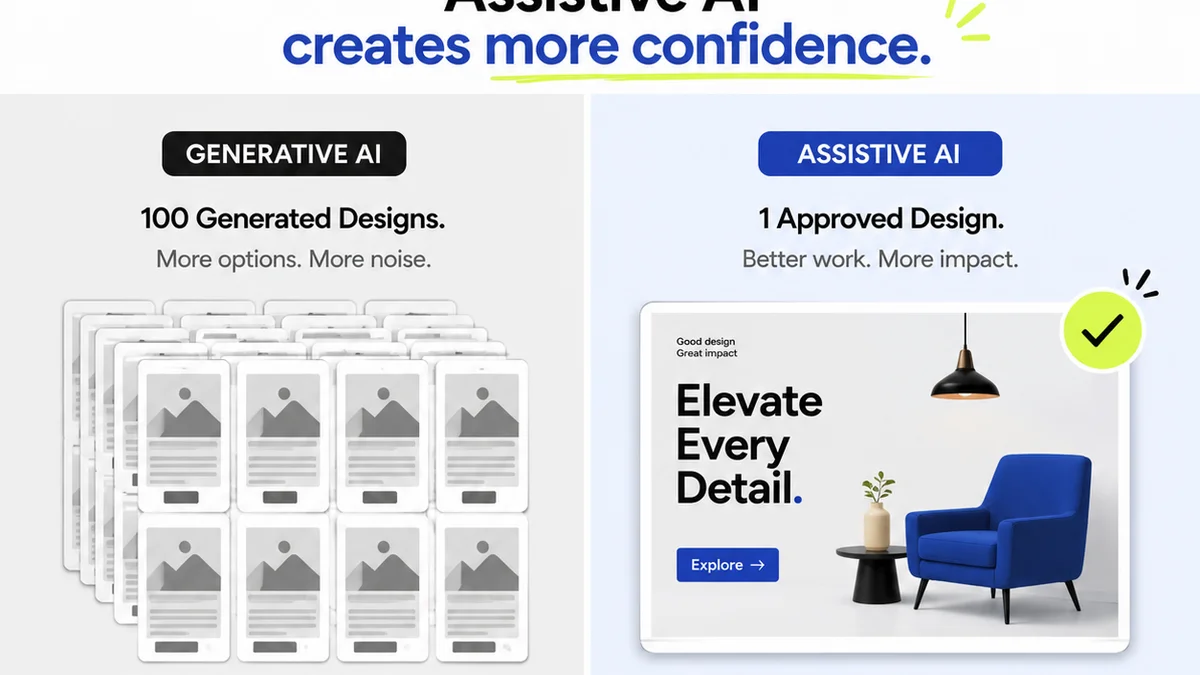
You think design review checklist software is just about ticking boxes. That’s the surface-level pitch, anyway. It’s about ensuring brand consistency, catching typos, verifying asset specs. None of that is wrong. But it’s incomplete.
The hard truth? A simple checklist tool is a band-aid. Real design review software solves workflow chaos. It’s about clarity, accountability, and speed — not just compliance.
1. Beyond Static Checklists: Dynamic Feedback Loops
Static checklists are fine for simple tasks. Think spellcheck. But creative projects are rarely simple. They’re iterative. Messy. They involve multiple stakeholders with evolving opinions.
Your software needs to support this reality. It needs to move beyond a simple yes/no. It needs to facilitate conversation and action.
Context is King
Where does the feedback live? Is it buried in emails? Scattered across Slack channels? Or is it tied directly to the creative asset itself?
Good design review software provides context. Comments, annotations, and revisions live on the artwork. This eliminates the endless back-and-forth trying to figure out *what* is being discussed.
Version Control is Non-Negotiable
Creative work evolves. You need to see the history. Who said what, and when? Which version incorporated that feedback? Which version ignored it?
This isn't just for accountability. It's for understanding the project's journey. It helps prevent the dreaded “we already addressed that” conversation.
Stakeholder Visibility
Who needs to see what? Can you control access? Can you route feedback to specific individuals or teams?
Not everyone needs to weigh in on every detail. Granular permissions prevent feedback overload and ensure the right people are involved at the right stages.
2. Streamlining Approvals: From Feedback to Sign-Off
Collecting feedback is one thing. Getting a clear, documented sign-off is another. This is where many review processes break down. Ambiguity leads to scope creep and missed deadlines.
Effective software makes approvals a clear, trackable event.
Clear Decision Trails
Who gave the final approval? When did it happen? What was the state of the creative at that exact moment?
This is crucial for project closure and legal protection. You need an undeniable record.
Automated Notifications
Waiting for someone to review is a productivity killer. Automated reminders and notifications keep the process moving. They nudge stakeholders without you having to chase them down.
This ensures timely feedback and prevents bottlenecks. It keeps the project on schedule.
Status Tracking
Where does the project stand? Is it awaiting feedback? Ready for review? Approved? Rejected?
Clear status indicators provide an at-a-glance understanding of the project's progress. This helps project managers and teams prioritize their efforts.
3. Quality Assurance Built-In
Design review isn’t just about aesthetics. It’s about technical accuracy, brand compliance, and meeting project requirements. Your checklist software should support this.
Customizable Checklists
Every project, every client, every brand is different. A one-size-fits-all checklist is a recipe for missed details.
Look for software that allows you to create custom checklists tailored to specific project types, clients, or deliverables. This could include:
- Brand guideline adherence (logos, colors, typography)
- Accessibility checks (WCAG compliance, color contrast)
- Technical specifications (file formats, resolution, dimensions)
- Content accuracy (spelling, grammar, factual correctness)
- Usability testing feedback integration
Integration with Existing Tools
Your team likely uses a suite of tools. Does your review software play well with others?
Integration with project management software, cloud storage, or design tools can create a more seamless workflow. This reduces manual data transfer and minimizes errors.
Reporting and Analytics
What are the common points of feedback? Where do projects get stuck? Are there recurring quality issues?
Data can reveal patterns. Understanding these patterns helps you refine your processes and improve future projects. It moves you from reactive problem-solving to proactive improvement.
4. Where Revue Fits In
Collecting feedback is one thing. Managing the entire creative lifecycle is another. That’s where a platform like Revue comes in.
Revue is built for the realities of agency and in-house creative workflows. It’s designed to centralize client feedback, making it easy to track comments and revisions directly on creative assets. This eliminates the scattered, chaotic feedback loops that plague so many projects.
With Revue, you gain visibility into the entire revision and approval process. You can see who has commented, what feedback has been addressed, and when final sign-off occurs. This clarity reduces ambiguity and speeds up delivery.
Furthermore, Revue helps ensure quality checks are not just an afterthought. By centralizing feedback and approvals, you create a clear audit trail. This makes it easier to verify that all project requirements and client expectations have been met before final delivery.
5. Choosing the Right Tool: Beyond the Feature List
The market is flooded with tools claiming to solve your review problems. Don't get lost in the jargon.
Focus on the workflow problems you’re actually trying to solve. Is it:
- Slow turnaround times due to delayed feedback?
- Confusion over which version is the latest?
- Accountability issues with approvals?
- Inconsistent quality across projects?
- Wasted time chasing down feedback?
The software you choose should directly address your biggest pain points. A tool that promises the world but doesn't fit your team's specific way of working will become shelfware.
Ease of Use is Paramount
If the tool is clunky or difficult to learn, your team won’t use it effectively. This defeats the purpose.
Look for an intuitive interface. Does it feel natural to upload assets, leave comments, and track versions?
Scalability
Will the software grow with your agency or team? Can it handle increasing project volume and complexity?
Choose a solution that can scale without breaking the bank or requiring a complete workflow overhaul.
Final Thought
Design review is more than a gatekeeping function. It's an integral part of the creative process. It’s where ideas are refined, quality is assured, and client trust is built. Are you using software that truly supports this, or just ticking boxes?
Frequently asked questions
What is the primary goal of design review checklist software?
While often perceived as a tool for basic compliance checks, its primary goal is to streamline the entire creative review and approval process. This includes centralizing feedback, ensuring accountability, tracking revisions, and ultimately speeding up project delivery while maintaining quality.
Why is version control important in design review software?
Creative projects are iterative. Version control is crucial for tracking the evolution of an asset, understanding who made what changes, and ensuring that all feedback is properly incorporated or consciously deferred. It prevents confusion and disputes over which version is the most current.
How can design review software improve client communication?
By centralizing feedback on the asset itself and providing clear status updates, design review software reduces miscommunication and the need for lengthy email chains. Stakeholders can see exactly what is being discussed, leading to more efficient and transparent collaboration.
What makes a design review tool 'dynamic' rather than static?
A dynamic tool supports interactive feedback loops, allowing comments and annotations directly on the asset. It facilitates version tracking, stakeholder-specific notifications, and clear approval workflows, rather than just offering a simple list of items to check off.
Can design review software help with accessibility compliance?
Yes, many advanced design review tools allow for the creation of custom checklists that can include specific checks for accessibility standards like WCAG. This ensures that accessibility is considered throughout the review process, not just at the end.