Everyone thinks remote design reviews are just about screen sharing and talking. That’s the easy part. It’s also the part that fails most teams.
The hard truth? Effective remote design review is an operational discipline, not a meeting hack. It requires structure, clear communication protocols, and tools that bridge the physical gap.
1. Define the Goal Before You Share
What’s the point of this review? Is it a gut check? A technical feasibility assessment? A stakeholder alignment session? A final sign-off?
Too often, teams jump into sharing a screen without a clear objective. This leads to rambling discussions, unfocused feedback, and wasted time.
Clarify the Review Type
- Concept Review: Early stage, high-level feedback on direction and strategy.
- Design Critique: Deeper dive into usability, aesthetics, and execution.
- Stakeholder Review: Focused on alignment with business goals and requirements.
- Technical Review: Checking for feasibility, performance, and implementation details.
- Final Approval: Go/no-go decision based on predefined criteria.
Document the goal and share it with all participants beforehand. This sets expectations and keeps the conversation on track.
2. Standardize Your Feedback Process
Ad-hoc feedback is the enemy of efficient remote design reviews. You need a system.
This means establishing clear channels and formats for feedback, ensuring nothing gets lost in translation or buried in chat logs.
Establish Feedback Channels
- Centralized Platform: Use a tool designed for creative feedback, like Revue. This keeps all comments, annotations, and versions in one place.
- Structured Notes: If not using a platform, use shared documents with clear sections for different types of feedback (e.g., 'Positives', 'Areas for Improvement', 'Questions').
- Avoid Email Chains: Long, unsearchable email threads are a black hole for feedback.
- Limit Verbal Feedback: While helpful for nuance, verbal feedback without written backup is easily forgotten or misinterpreted.
The 'Who, What, When, Why' of Feedback
- Who: Clearly designate who is responsible for providing feedback at each stage. Not everyone needs to weigh in on everything.
- What: Specify the exact element or section being reviewed. Use annotations or timestamps.
- When: Set clear deadlines for feedback submission. Remote work requires more proactive scheduling.
- Why: Encourage reviewers to explain the reasoning behind their feedback. 'I don't like it' is useless. 'This button placement might confuse users because it mimics a dismiss icon' is actionable.
3. Master Asynchronous Communication
Not everyone can be online at the same time. Relying solely on synchronous meetings kills productivity.
Asynchronous review allows team members to provide thoughtful feedback on their own schedule, reducing meeting fatigue and accommodating different time zones.
Leverage Asynchronous Tools
- Video Walkthroughs: Record yourself or a designer walking through the work, explaining key decisions, and highlighting areas for feedback. Loom or similar tools are great for this.
- Annotated Screenshots/Videos: Use tools that allow direct annotation on static images or video frames.
- Version Control: Ensure clear versioning so reviewers know exactly what they are looking at and can compare changes easily.
This doesn’t mean eliminating live calls entirely. Use them for synthesizing feedback and making decisions, not for initial collection.
4. Facilitate Effective Live Sessions
When you do have a live review session, make it count. Structure is key.
Treat live sessions as decision-making forums, not information-gathering ones.
Pre-Session Preparation
- Distribute Materials: Share the design and any relevant context well in advance.
- Set the Agenda: Outline the specific items to be discussed and the time allocated for each.
- Assign Roles: Designate a facilitator, a note-taker, and potentially a timekeeper.
During the Session
- Stick to the Agenda: The facilitator must keep the discussion focused.
- Encourage Constructive Criticism: Frame feedback around project goals and user needs, not personal preferences.
- Focus on Decisions: Aim to resolve conflicting feedback and make clear decisions, not just collect more opinions.
- Summarize Action Items: Clearly state who will do what by when before ending the meeting.
5. Implement Quality Assurance Checks
Design review isn't just about aesthetics; it's about ensuring the final product works as intended.
QA needs to be integrated into the review process, especially when teams are distributed.
Integrate QA Early and Often
- Checklists: Develop comprehensive checklists covering functionality, usability, accessibility, and brand consistency.
- Automated Testing: Where possible, use automated tools to catch bugs and inconsistencies.
- Cross-Browser/Device Testing: Ensure designs render correctly across different platforms and devices.
- Accessibility Audits: Regularly check against accessibility standards like WCAG. This is crucial for inclusive design. WCAG 2.2 Quick Reference is an invaluable resource.
These checks prevent issues from reaching the client or production, saving significant rework later.
Where Revue Fits In
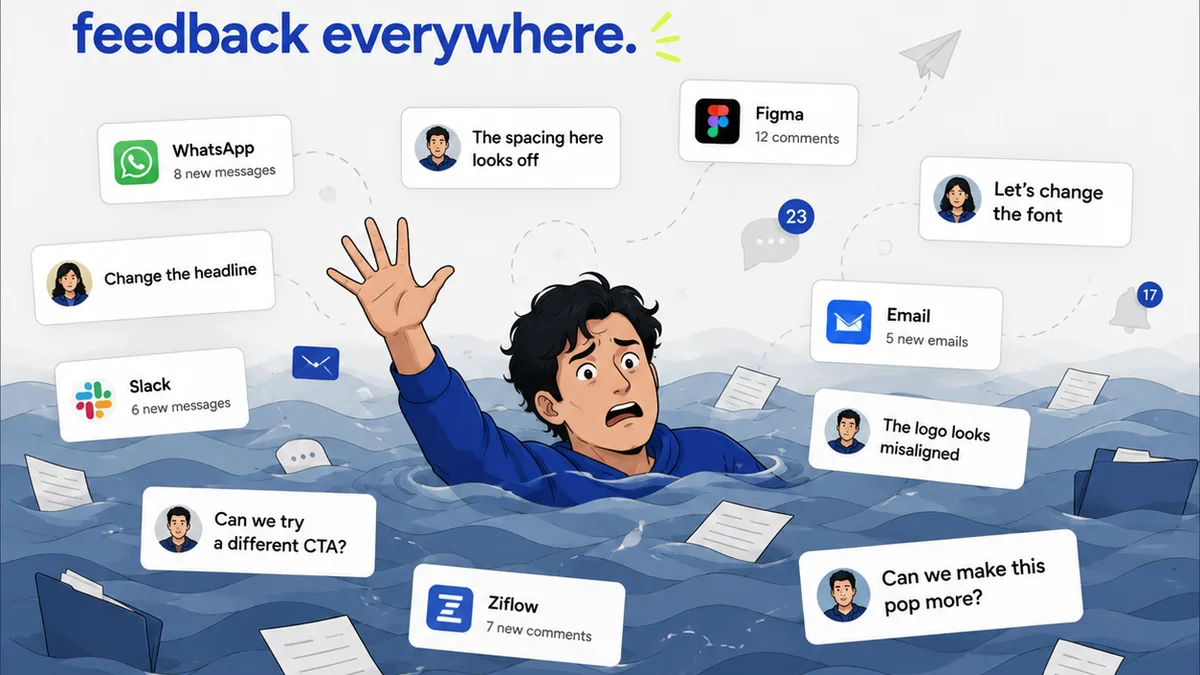
Managing remote design reviews can feel chaotic because feedback is scattered across emails, chat messages, and random documents. It’s hard to track what’s been said, who said it, and what decisions were made.
Revue is built to solve this. It centralizes all client feedback and internal stakeholder comments directly on the design assets themselves. You can track revisions, manage approval statuses, and run quality assurance checks all within a single platform.
This visibility means less time chasing down feedback and more time iterating on great creative work. It brings the operational discipline needed for successful remote design reviews.
Final Thought
Are your remote design reviews a bottleneck or a catalyst for better creative work?
The difference lies not in the tools you use, but in the rigor of your process. Focus on clarity, structure, and accountability, and your distributed team can achieve design excellence.
Frequently asked questions
What is the biggest challenge with remote design reviews?
The biggest challenge is the lack of structured communication and centralized feedback. Without clear processes and tools, feedback gets lost, discussions become unfocused, and approvals are delayed.
How can I ensure feedback is actionable during remote reviews?
Encourage reviewers to explain the 'why' behind their feedback, linking it to project goals or user needs. Use annotation tools to specify exactly what element needs attention. Define clear criteria for what constitutes 'good' feedback beforehand.
Should remote design reviews be synchronous or asynchronous?
A hybrid approach is best. Use asynchronous methods (e.g., annotated comments, recorded walkthroughs) for collecting initial feedback and detailed critiques. Reserve synchronous (live) sessions for synthesizing feedback, resolving conflicts, and making final decisions.
How do I manage feedback from multiple stakeholders remotely?
Use a centralized platform to consolidate all feedback. Clearly define roles and responsibilities for who provides feedback at each stage. Summarize key decisions and action items after each review session to ensure alignment.