Everyone thinks design review software is just about marking up comps. Click here, add a comment, done. That’s the surface-level view.
It’s not wrong, but it’s incomplete. Massively incomplete.
The real value isn’t in the annotation tools themselves. It’s in how they integrate into your entire creative workflow, from initial brief to final client sign-off. The hard truth? Most agencies are using these tools inefficiently, creating more bottlenecks than they solve.
Let’s cut through the noise and talk about what actually matters when choosing design review software for your agency.
1. Centralized Feedback is Non-Negotiable
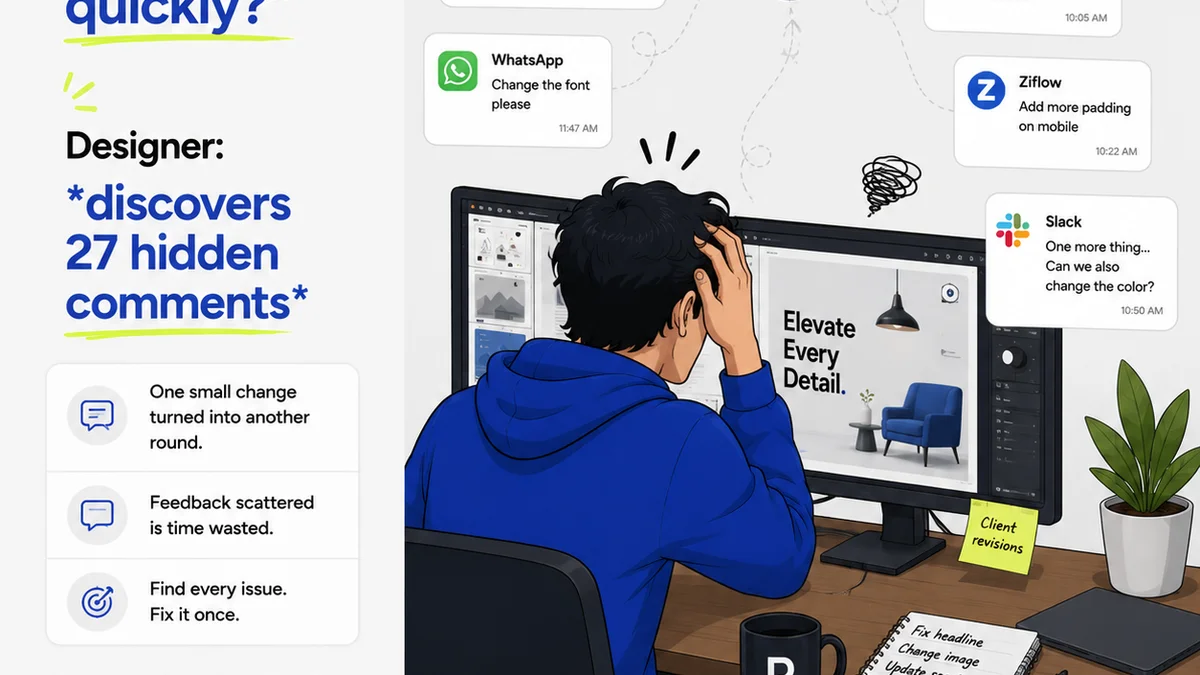
Scattered feedback is the death of efficient creative production. Emails, Slack messages, random Word docs, scribbled notes on printouts – it’s a recipe for missed revisions and client frustration.
Your design review software needs to be the single source of truth for all creative feedback. Period.
Consolidating Communication
Think about the typical project lifecycle.
- Client receives a design draft.
- They send feedback via email.
- You forward it to the designer.
- Designer makes changes, sends back.
- Client sees changes, has more feedback.
- This cycle repeats, with each iteration potentially introducing new misinterpretations or lost context.
A good system consolidates this. Every comment, every revision, every approval lives in one place, attached directly to the creative asset. This eliminates ambiguity and ensures everyone is working from the same, up-to-date information.
Version Control That Actually Works
How many times have you seen the dreaded “_v2_final_final_really_final.jpg”? Version control is critical, but it’s often handled poorly.
Your software should automatically track versions. When a new draft is uploaded, it’s linked to the previous one. Clients can compare versions side-by-side, seeing exactly what changed. This transparency builds confidence and reduces arguments about whether a requested change was actually made.
Beyond Simple Annotations
While pixel-perfect annotations are a baseline, look for more robust feedback mechanisms.
- Contextual comments: Comments attached directly to specific elements, not just floating on the page.
- Decision tracking: Ability to mark comments as 'to-do', 'approved', or 'won't do' with clear reasoning.
- Team collaboration: Features that allow internal team members to discuss feedback before responding to the client.
2. Streamlining the Approval Process
Getting to 'approved' should be a clear, trackable event, not a vague understanding. Many agencies rely on a handshake or a simple email confirmation, which is incredibly risky.
Formal approvals protect both you and the client. They define the point at which a version is signed off and the scope of work for the next stage.
Clear Sign-Off Authority
Who has the authority to approve? Your software should allow you to designate specific stakeholders for approval. This prevents junior team members or unqualified individuals from giving the final nod.
When a client approves a version, that status should be clear and immutable. It’s a digital signature, a record of agreement.
Automated Notifications and Reminders
One of the biggest drains on agency time is chasing clients for feedback and approvals. Your software should automate this.
- Set deadlines for feedback.
- Send automated reminders to clients when feedback is due or has been requested.
- Notify the internal team when a new approval is received.
This frees up project managers and account teams to focus on strategic tasks rather than administrative nagging.
Integration with Project Management
Ideally, your approval status should feed directly into your project management system. When a client approves a design stage, the project management tool should automatically update, signaling that the next phase can begin.
This creates a seamless flow of information, reducing manual data entry and the potential for errors.
3. Ensuring Quality and Consistency
Design review isn't just about client preferences; it's about upholding standards. This is where many agencies fall short, letting subjective opinions override best practices.
Your software should facilitate internal quality control checks before anything is sent to the client.
Internal Review Workflows
Before a design goes out for client review, it should pass through an internal review. This could involve:
- A creative director’s final check.
- A QA specialist verifying against the brief and technical requirements.
- A peer review from another designer.
The software should support these internal workflows, allowing team members to add comments and mark items as 'ready for client' only after all internal checks are passed.
Checklists and Compliance
For many projects, there are specific requirements – brand guidelines, accessibility standards, technical specifications. How do you ensure these are met consistently?
Look for software that allows you to create and attach checklists or compliance requirements to specific projects or assets. This ensures that reviewers aren't just looking at aesthetics but also at adherence to critical standards.
For example, when reviewing a web design, an accessibility checklist might include:
- Sufficient color contrast ratios (WCAG 2.1 AA requires 4.5:1 for normal text).
- Clear focus indicators for interactive elements.
- Logical tab order for keyboard navigation.
- Alt text provided for all meaningful images.
These aren't subjective; they are measurable. Your tool should help you measure them.
Performance and Usability Testing Integration
While direct integration might be rare, the feedback loop should consider usability. Are clients commenting on confusing navigation? Is a button hard to find? This feedback is invaluable for iterating on user experience.
The best systems allow you to capture this type of feedback efficiently, alongside aesthetic comments, so you can address both functional and visual concerns holistically.
4. Managing Multiple Stakeholders and Projects
Agencies juggle numerous clients, projects, and internal teams. Your design review software needs to handle this complexity without breaking a sweat.
Granular Permissions and Roles
Not everyone needs access to everything. You need granular control over who can view, comment, approve, or manage projects. This is crucial for security and for maintaining a clean, uncluttered interface for each user.
Define roles like:
- Administrator (full control)
- Project Manager (manage specific projects)
- Designer (view and respond to feedback)
- Client Approver (limited view, can approve)
- Internal Reviewer (can comment, but not approve client-facing versions)
This prevents accidental edits or confusion about who is responsible for what.
Scalability for Growth
As your agency grows, your tools need to grow with you. Can the software handle an increasing number of users, projects, and assets without performance degradation?
Consider the long-term implications. A tool that works for 10 projects might buckle under the weight of 100.
Reporting and Analytics
Understanding project velocity and client responsiveness is key to improving your processes. Good software provides insights into:
- Average time to feedback per client.
- Number of revision cycles per project.
- Most common types of feedback received.
- Approval bottlenecks.
These metrics help identify areas for improvement in your workflow and client communication strategies.
Where Revue Fits In
At Revue, we understand that design review is more than just a step in the process; it's a critical juncture that impacts project timelines, client satisfaction, and profitability. While Revue isn't a pixel-pushing annotation tool, it’s the connective tissue that ensures all communication, feedback, and approvals happen in a structured, efficient, and transparent way.
Revue centralizes client communication and feedback, making it easy to track conversations, decisions, and revisions across all your projects. Instead of sifting through endless email threads or Slack channels, all project-related feedback is organized and accessible.
Our platform facilitates clear revision and approval workflows. You can set up structured processes for feedback collection and sign-offs, ensuring that every iteration is accounted for and that approvals are explicit and recorded. This visibility helps prevent scope creep and ensures that projects move forward with clarity.
By providing a unified platform for managing client interactions and project progress, Revue helps your agency maintain quality checks by ensuring that the right feedback is captured, acted upon, and approved, ultimately leading to more successful project outcomes and stronger client relationships.
Final Thought
Are you using design review software as a digital rubber stamp, or as a strategic tool to elevate your agency’s operations? The difference isn't just about efficiency; it's about building a more robust, reliable, and profitable business.
Frequently asked questions
What is the primary benefit of using dedicated design review software?
The primary benefit is centralizing all creative feedback, version control, and approvals in one place. This eliminates confusion from scattered communication channels like email and Slack, ensuring everyone is working from the same, up-to-date information and reducing errors and delays.
How does design review software help with client approvals?
It formalizes the approval process by allowing designated stakeholders to formally sign off on specific versions. This creates an immutable record of agreement, helps prevent scope creep, and can often be integrated with project management tools to automatically trigger the next project phase.
Can design review software improve internal team collaboration?
Yes, many platforms support internal review workflows. This allows team members, such as creative directors or QA specialists, to provide feedback and conduct quality checks before a design is sent to the client. Features like granular permissions and commenting help manage these internal discussions.
What should I look for in terms of version control in design review software?
You should look for software that automatically tracks versions, allows for side-by-side comparison of different iterations, and clearly labels the current approved version. This transparency helps avoid confusion and disputes about which version is the most current or has been approved.