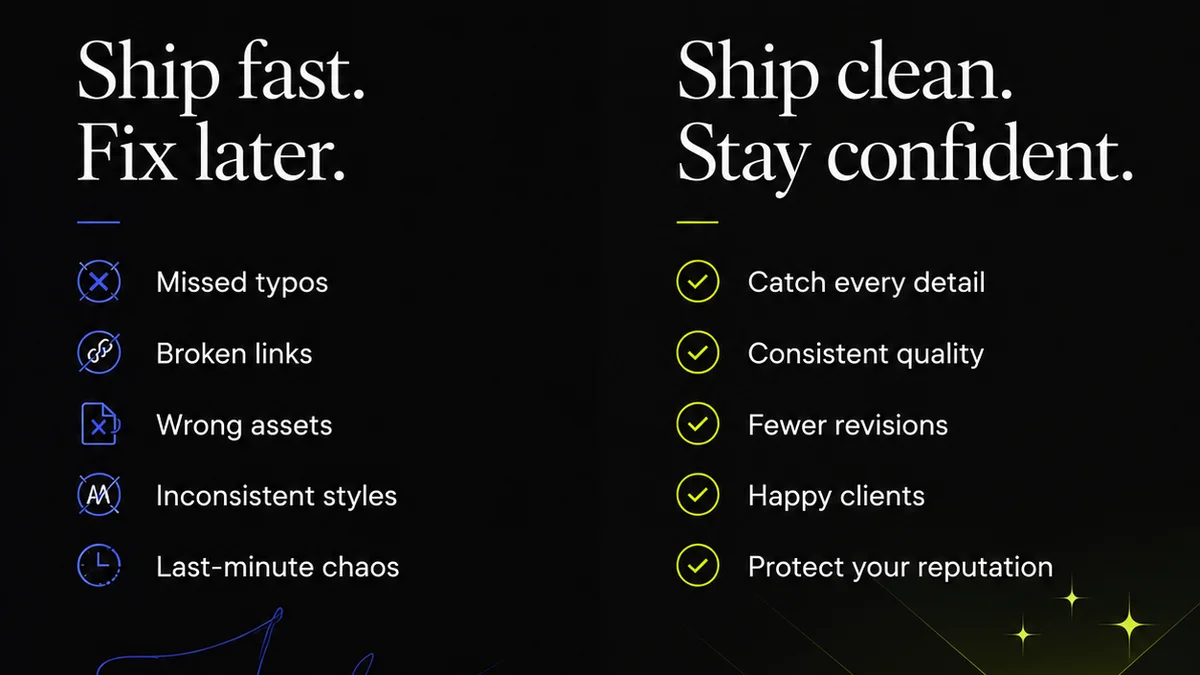
Everyone thinks design review software is about making approvals faster. That’s only part of the story.
The real value isn't just speed; it's clarity, control, and a clear audit trail. Without these, faster approvals just mean faster mistakes.
1. Centralized Feedback: The Single Source of Truth
Scattered feedback kills creativity. Emails get lost, Slack messages vanish, and sticky notes disappear. This chaos is the enemy of good design.
A robust design review platform consolidates all client input into one, easily accessible location. No more hunting through inboxes or deciphering cryptic notes.
Why Centralization Matters
- Reduces miscommunication.
- Ensures all stakeholders see the same feedback.
- Creates a historical record of discussions.
- Minimizes the risk of overlooked comments.
This isn't just about convenience; it's about building a reliable process. When everyone knows where to find and leave feedback, the entire workflow becomes more efficient and less prone to error.
2. Version Control and Revision Tracking
Design is iterative. You’ll go through multiple rounds of revisions. Tracking these changes is crucial for understanding project evolution and accountability.
Good software doesn't just show you the latest design; it lets you compare versions side-by-side. You can see exactly what changed, when, and who requested it.
Key Features to Look For
- Clear version numbering or dating.
- Visual comparison tools (diffing).
- Ability to revert to previous versions if needed.
- Audit logs detailing who made changes.
This visibility prevents “scope creep” disguised as minor tweaks. It also helps clients understand the effort involved in each revision round.
3. Clear Approval Workflows
“Approved” can mean different things to different people. Is it a final sign-off, or just a go-ahead for the next stage?
Your design review software should define and enforce clear approval stages. This eliminates ambiguity and ensures everyone is on the same page about the project's status.
Defining Your Workflow
- Set up distinct approval steps (e.g., Concept Approval, Final Approval).
- Assign specific roles or individuals to each step.
- Automate notifications when a stage is complete or requires action.
- Require explicit sign-off, not just a passive “okay.”
A structured approval process builds confidence. It shows clients that their projects are managed professionally and that their decisions have clear consequences.
4. Annotation and Markup Tools
Feedback needs to be precise. Vague comments like “make it pop” are useless.
Effective annotation tools allow reviewers to mark specific areas of the design directly. This provides context and actionable instructions.
Effective Annotation Practices
- Use point-and-click comments for specific elements.
- Employ drawing tools to illustrate changes.
- Leverage color-coding for different types of feedback.
- Ensure annotations are clearly linked to design elements.
This precision saves immense time. Instead of guessing what a client means, you have exact directions. It streamlines the revision process and reduces the back-and-forth.
5. Security and Permissions
Creative assets are valuable. You need to ensure that only authorized individuals can view, comment on, or approve designs.
Your chosen software must offer granular control over who sees what and who can do what within the platform.
Essential Security Features
- Role-based access control.
- Password protection for shared links.
- Watermarking options for proofs.
- Secure data storage and transfer.
Protecting client assets is non-negotiable. A breach of trust here can be catastrophic for your agency's reputation.
6. Integrations and Collaboration
Design doesn't happen in a vacuum. It connects to project management tools, communication platforms, and asset libraries.
Seamless integration with your existing tech stack prevents data silos and further streamlines workflows.
Integration Benefits
- Connect with project management software (e.g., Asana, Monday.com).
- Link to cloud storage (e.g., Google Drive, Dropbox).
- Sync with design tools (e.g., Figma, Adobe Creative Cloud).
- Facilitate team collaboration beyond just client feedback.
When tools work together, your team works better. It reduces manual data entry and ensures consistency across platforms.
Where Revue Fits In
The core challenge for agencies and in-house teams is managing the constant flow of creative work and feedback. It's easy to get bogged down in the administrative overhead.
Revue is built to tackle this head-on. It provides a centralized hub for all client feedback, ensuring nothing gets lost in translation. Our version control and clear approval workflows give you visibility and control over the revision process.
By consolidating feedback and streamlining approvals, Revue helps you reduce errors, save time, and ultimately deliver better creative work, faster.
Final Thought
Is your current design review process a bottleneck or a catalyst for creativity? The right software isn't just a tool; it's a strategic asset that can transform your agency's efficiency and output.
Frequently asked questions
What is the primary benefit of design review software for agencies?
The primary benefit is establishing a single source of truth for all feedback, revisions, and approvals. This centralizes communication, reduces misinterpretations, and creates a clear audit trail, ultimately streamlining the entire creative process.
How does version control in design review software help?
Version control allows you to track every iteration of a design. You can compare different versions side-by-side, see who made which changes, and understand the project's evolution. This prevents confusion and provides accountability.
Why are clear approval workflows important?
Clear approval workflows eliminate ambiguity about project status. By defining specific stages and assigning responsibilities, you ensure that everyone understands what 'approved' means and that the project progresses logically, reducing the risk of scope creep or misunderstandings.
Can design review software integrate with other tools?
Yes, many design review platforms offer integrations with project management tools, cloud storage, and even design software. These integrations prevent data silos and create a more seamless workflow by connecting different parts of your tech stack.