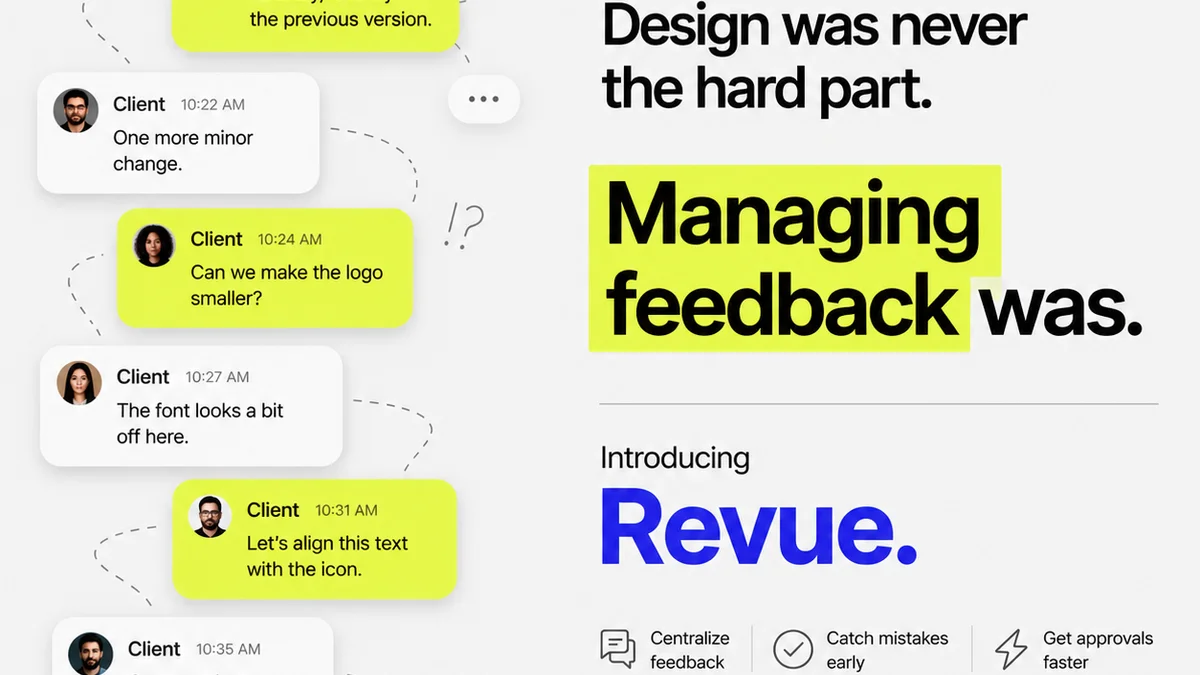
You think good design review process software is about faster feedback loops. Or maybe it’s about fewer emails. None of that is wrong. But it’s incomplete.
The hard truth? Your review process is a bottleneck. And the software you use needs to do more than just collect comments. It needs to manage the entire workflow, from initial draft to final sign-off. Without that, you’re just digitizing chaos.
1. Centralized Feedback: The Single Source of Truth
Scattered feedback is a killer. Comments in emails, Slack messages, carrier pigeons – it all adds up to confusion. Your design review process software must consolidate everything in one place.
This isn’t just about convenience. It’s about clarity. When everyone sees the same comments, on the same version, in the same context, misinterpretations drop dramatically.
Context is King
Look for software that attaches comments directly to design elements. A pinpoint on a screenshot, a note on a specific layer, a timestamp on a video. This visual context is non-negotiable.
Without it, you’re left guessing.
Version Control is Crucial
How many times has a client approved an old version? Too many. Your tool needs robust version control. Every iteration should be clearly numbered and accessible.
This prevents rework and keeps everyone aligned on the current state of the project.
Permissions and Roles
Not everyone needs to see everything. Define roles: client, stakeholder, creative director, designer. Ensure the software supports granular permissions to control who can view, comment, and approve.
This keeps feedback focused and relevant.
2. Revision Management: Tracking the Changes
Feedback is useless if it leads to more confusion during revisions. The right software makes tracking changes intuitive.
This means seeing what changed, why it changed, and who requested it. It’s about building a clear audit trail.
Visual Diffing
Some advanced tools offer visual diffing – they highlight exactly what’s different between two versions. This saves immense time for designers and reviewers alike.
You can quickly spot the impact of feedback without manual comparison.
Status Tracking
Each piece of feedback should have a status: New, In Progress, Resolved, Won't Fix. This transparency keeps the revision process on track.
Everyone knows where things stand.
Automated Notifications
When a revision is complete or new feedback is added, key stakeholders should be notified automatically. This keeps the momentum going and prevents tasks from falling through the cracks.
No more chasing people for updates.
3. Approval Workflows: Streamlining Sign-offs
The final hurdle. Approvals can drag on for weeks if not managed properly.
Your design review software should facilitate clear, unambiguous sign-offs.
Multiple Approval Stages
Some projects require phased approvals. Marketing signs off on copy, legal on compliance, then the client on the final look. Your tool should support multi-stage workflows.
Clear Approval Buttons
A simple, prominent “Approve” button is essential. But so is the ability to reject with clear reasons. Vague approvals lead to scope creep later.
Make it hard to approve by accident, easy to approve with confidence.
Deadline Management
Set deadlines for feedback and approvals. The software should track these and send reminders. This adds accountability and keeps projects moving.
Time is money. Don’t waste it.
4. Quality Assurance: Catching Errors Early
Design review isn't just about client happiness; it's about delivering polished, error-free work.
Good software helps integrate quality checks into your process.
Checklist Functionality
Create and assign QA checklists. Ensure designers and reviewers are hitting all the necessary points – accessibility, brand guidelines, technical specs.
This standardizes quality.
Bug Tracking Integration
For digital products, integration with bug tracking tools like Jira is invaluable. Feedback can directly become a bug report.
Seamless handoffs mean fewer errors.
Accessibility Checks
Tools that can flag potential accessibility issues (e.g., contrast ratios) during the review process are a huge advantage. This aligns with modern design standards like those outlined by the WCAG.
Build accessibility in from the start.
5. Integration and Scalability
Your review software shouldn't live in a vacuum. It needs to play well with your existing tech stack.
And it needs to grow with your agency.
Integration with Design Tools
Direct integration with tools like Figma, Adobe Creative Cloud, or Sketch is a major time-saver. Uploading and updating designs becomes frictionless.
Integration with Project Management Tools
Connecting to your PM software (Asana, Trello, Monday.com) keeps project timelines and tasks synchronized.
Scalability
Can the software handle more users, more projects, and larger file sizes as your agency grows? Don't invest in a tool you'll outgrow in a year.
Choose wisely for the long term.
Where Revue Fits In
Many agencies struggle with the fragmented nature of client feedback and internal reviews. This is precisely where a platform like Revue shines.
Revue acts as the central hub for your creative workflow. It’s designed to:
- Centralize Feedback: Collect all client comments, annotations, and approvals within a single, organized project space. No more digging through emails or chat logs.
- Manage Revisions: Track every version of your creative assets, making it easy to see what’s changed, who approved what, and when. This visibility dramatically reduces revision cycles.
- Streamline Approvals: Implement clear approval workflows, ensuring that all necessary stakeholders sign off on the work before it moves to the next stage.
- Enhance Quality Checks: By providing a clear, documented history of feedback and approvals, Revue helps ensure that final deliverables meet client expectations and internal quality standards.
It’s about bringing order to the creative process, making each step from initial concept to final delivery more efficient and transparent.
Final Thought
The best design review process software isn't just a comment box. It's a workflow engine. It’s a collaboration facilitator. It’s a quality gatekeeper.
Are you using software that truly drives your projects forward, or just one that collects feedback?
Frequently asked questions
What is the most important feature in design review software?
Centralized feedback is paramount. The software must act as a single source of truth, attaching comments directly to design elements with clear version control to avoid confusion and misinterpretations.
How can design review software improve client approvals?
By offering clear approval workflows, supporting multiple stages, and providing unambiguous 'Approve' or 'Reject' options with required comments for rejection. Deadline management and automated notifications also keep the process moving.
Can design review software help with quality assurance?
Yes, good software includes features like customizable QA checklists, integration with bug tracking systems, and sometimes even basic accessibility checks (like contrast ratio warnings) to ensure deliverables meet standards.
Why is version control so critical in design review tools?
Version control prevents clients from approving outdated designs. It ensures everyone is working from and commenting on the latest iteration, saving significant time and preventing costly rework.