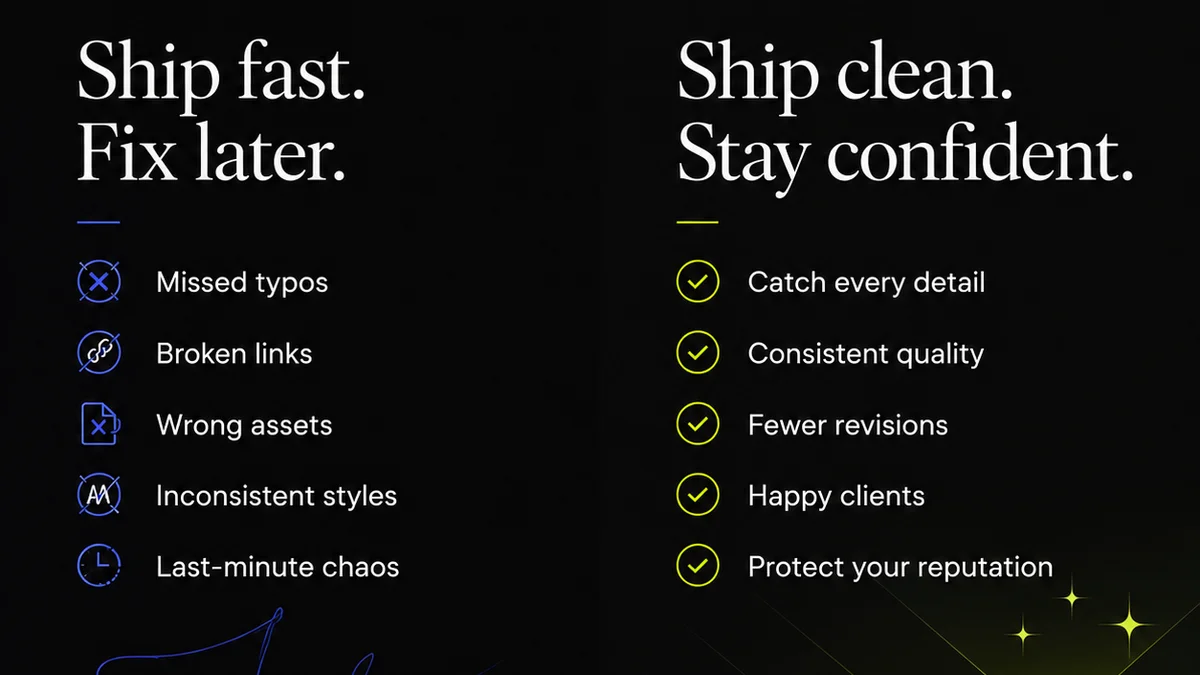
Everyone wants faster design review turnaround times. Agency owners want to bill more hours. Clients want their projects yesterday. Creative directors want to move on to the next big thing.
None of that is wrong. But it’s incomplete.
The hard truth? Most agencies focus on the *duration* of a review, not the *efficiency* of the entire review cycle. You can shave an hour off a single review, but if the system around it is broken, you’re just rearranging deck chairs on the Titanic.
1. Understanding the Real Bottlenecks
A typical design review process looks like this: Creative finishes a draft. It gets sent for review. Someone comments. Creative revises. It goes back for another review. Repeat.
This linear, often sequential, process is where things go wrong. We assume a review is just the time spent looking at the design. But the actual bottleneck is rarely the *act* of reviewing. It’s the friction *between* steps.
The Waiting Game
How much time does a design draft sit in an inbox before someone opens it? How long does it take for feedback to be collated? How much time is lost chasing down missing stakeholders?
These aren’t review times. These are process delays. And they’re the real killers of turnaround speed.
Information Decay
Feedback given days or weeks after a review is less effective. Context is lost. Creative teams have moved on mentally. The original intent might be fuzzy.
Timeliness isn’t just about speed; it’s about relevance.
2. The Anatomy of an Efficient Review Cycle
An efficient design review cycle isn’t about cramming more reviews into a day. It’s about removing friction and ensuring clarity at every stage.
Clear Briefs, Clearer Feedback
It starts before the design even exists. A vague brief leads to vague designs, which leads to vague feedback. This creates a feedback loop of confusion.
Ensure your briefs are crystal clear on:
- Project goals
- Target audience
- Key messages
- Mandatory elements
- Deliverables
- Success metrics
The same applies to feedback. Vague comments like “make it pop” or “I don’t like it” are useless. Feedback needs to be specific, actionable, and tied back to the brief.
Defined Reviewers and Roles
Who is actually *allowed* to review? Who has final sign-off? When a project has five stakeholders, all with different opinions, and no one knows who’s in charge, you get paralysis.
Establish clear roles:
- Primary Stakeholder: The person whose approval matters most.
- Subject Matter Expert: Provides input on specific areas (e.g., legal, technical).
- Creative Director: Oversees aesthetic and strategic alignment.
- Final Approver: The ultimate decision-maker.
This prevents endless back-and-forth and ensures feedback comes from the right people at the right time.
Structured Feedback Collection
Email chains, Slack messages, and random Word docs are review death traps. Feedback gets lost, misinterpreted, or ignored.
You need a centralized system for collecting feedback. This means specific comments tied to specific design elements. No more digging through hundreds of messages to find out what the client meant by “that one bit.”
Set Expectations on Turnaround
Don’t just assume reviewers know when to respond. Communicate clear expectations for feedback turnaround times. For example:
- 24-hour initial feedback window.
- 48-hour for subsequent rounds.
- Specific deadlines for final approvals.
This requires buy-in from clients and internal teams. It’s not just about *your* speed; it’s about the entire ecosystem.
3. The Tech Stack for Speed
Tools matter. Relying on a patchwork of email, spreadsheets, and chat apps will always create friction.
Centralized Feedback Platforms
This is non-negotiable. You need a tool where reviewers can comment directly on the design asset. Pixels, annotations, version history — all in one place.
This eliminates ambiguity. Reviewers see the exact version you intend them to see. Their comments are tied to specific locations. It’s the opposite of “that blue is a bit off.”
Version Control and Audit Trails
How do you track revisions? How do you know which version is the latest? How do you prove that a stakeholder approved a specific iteration?
Good tools provide clear versioning. Every change, every comment, every approval is logged. This creates accountability and transparency.
Automated Notifications
Don’t let projects languish because someone forgot to check their email. Automated reminders for pending reviews or overdue feedback can keep things moving.
This isn’t about nagging; it’s about system efficiency. It ensures the right people are prompted at the right time.
4. Where Revue Fits In
Managing creative feedback and revisions efficiently is the core challenge Revue solves. It’s not just another tool; it’s a system designed to streamline the entire review cycle.
Revue provides a single source of truth for all creative assets and client feedback. Instead of scattered emails and messages, all comments are centralized, annotated directly on the design, and organized by version.
This means:
- Clearer Feedback: Reviewers comment directly on the asset, eliminating confusion about what they’re referring to.
- Faster Revisions: Creative teams can quickly see and act on consolidated feedback, understanding exactly what needs to change.
- Streamlined Approvals: Stakeholders can easily review iterations and provide clear sign-offs, with a complete audit trail.
- Reduced Delays: Automated notifications and clear version history keep the process moving without manual chasing.
By centralizing feedback and managing revisions within a dedicated platform, agencies can dramatically reduce the non-productive time that plagues review cycles, leading to genuinely faster turnaround times.
5. The Checklist: Actionable Steps
Here’s how to implement a more efficient design review process:
- Audit Your Current Process: Map out every step from design completion to final approval. Identify every point of waiting or confusion.
- Standardize Briefs: Create a template for project briefs that forces clarity on goals, audience, and deliverables.
- Define Roles & Responsibilities: Clearly assign who provides feedback, who consolidates it, and who has final approval for each project.
- Implement a Centralized Feedback Tool: Ditch email chains. Use a platform designed for design review.
- Set Clear Turnaround Expectations: Communicate and enforce realistic deadlines for feedback and approvals.
- Train Your Team & Clients: Ensure everyone understands the new process and the tools used.
- Automate Where Possible: Leverage notifications and reminders to keep the process moving.
- Regularly Review Performance: Track your actual review turnaround times and identify areas for ongoing improvement.
Final Thought
Faster design review turnaround isn’t a magic trick. It’s the result of a well-oiled operational machine. Are you optimizing for speed, or are you just moving faster in the wrong direction?
Frequently asked questions
What is the biggest mistake agencies make with design review turnaround time?
The biggest mistake is focusing only on the time spent *actively reviewing* a design, rather than optimizing the entire *review cycle*. This means ignoring the delays caused by unclear briefs, scattered feedback, waiting for approvals, and inefficient communication between steps.
How can I get faster feedback from clients?
Set clear expectations from the outset. Communicate defined turnaround times for feedback and approvals, ideally within your contract or project kickoff. Use a centralized feedback tool so clients can easily see the asset and provide specific comments, reducing the effort required from their side.
What are the key elements of an efficient design review process?
An efficient process includes clear project briefs, defined roles for reviewers and approvers, a centralized system for collecting specific, actionable feedback, clear communication of turnaround expectations, and robust version control to track all changes and approvals.
Can technology truly speed up design reviews?
Yes, technology is crucial. Centralized feedback platforms, like Revue, eliminate the friction of scattered communication. Features like direct annotation, version history, and automated notifications keep the process organized and moving forward, significantly reducing delays compared to traditional methods like email.