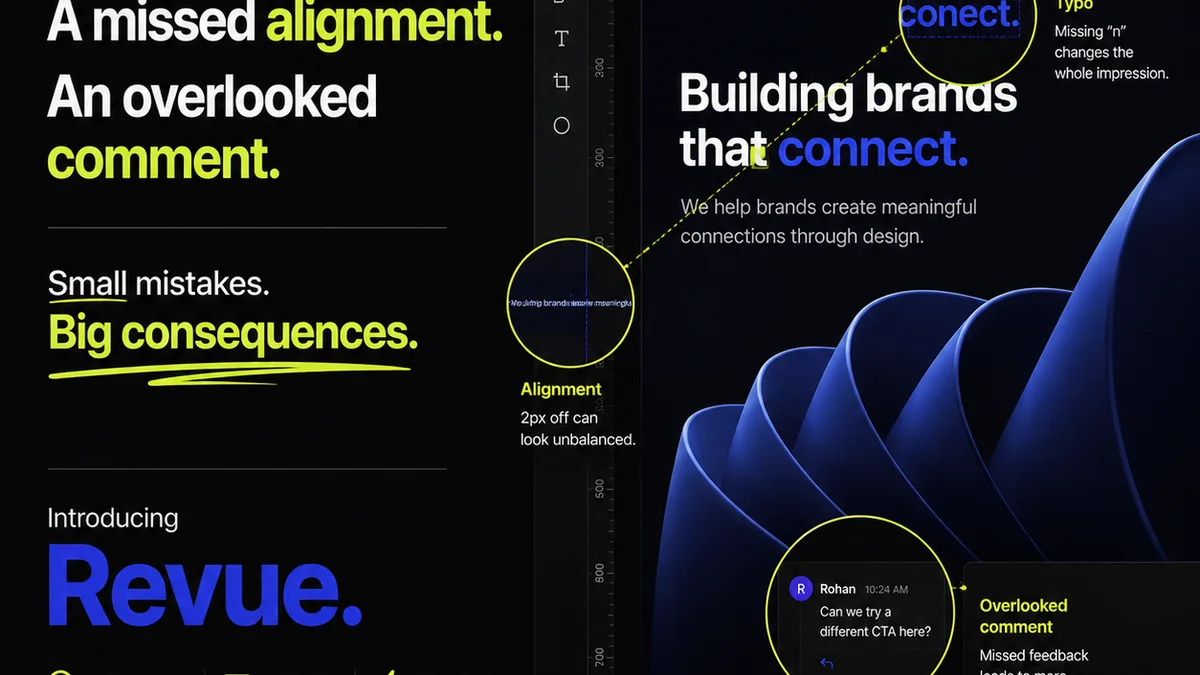
Everyone thinks they know what a design sign-off process is. It's the final check. The last hurdle before launch. The point where everyone nods and says, 'Looks good.' None of that is wrong. But it’s incomplete.
The hard truth? A truly effective design sign-off process isn't just a gate; it's a carefully engineered system designed to prevent problems, clarify expectations, and ensure quality. It’s about minimizing risk and maximizing efficiency. For modern creative teams, this means moving beyond ad-hoc approvals and embracing a structured, transparent approach.
1. The Myth of the 'Final' Review
The biggest misconception is that the sign-off is a single, monolithic event. In reality, it’s a series of micro-decisions and confirmations that happen throughout a project. Waiting until the absolute end to get 'final' approval is a recipe for disaster. It often means significant, costly rework because crucial feedback was missed or misunderstood earlier.
This late-stage bottleneck creates:
- Last-minute panic and rushed decisions.
- Client frustration over unexpected changes.
- Team burnout trying to accommodate eleventh-hour requests.
- Compromised creative integrity to meet arbitrary deadlines.
A robust design sign-off process recognizes that feedback and approval are iterative. They should be integrated from the project's inception, not tacked on at the end.
2. Defining 'Approved' Early and Often
What does 'approved' even mean? It's not just a thumbs-up. It’s a clear, documented confirmation that a specific deliverable meets defined criteria at a particular stage. This requires upfront clarity.
Before any design work begins, establish:
- Clear project scope: What are we building? What are the goals?
- Defined deliverables: What specific assets will be produced?
- Review criteria: What standards must each deliverable meet? (e.g., brand guidelines, accessibility standards, technical specs).
- Approval workflow: Who needs to approve what, and when?
This upfront alignment prevents scope creep and ensures everyone is working towards the same definition of success. It sets the stage for meaningful reviews, not just subjective opinions.
3. Building a Multi-Stage Approval Workflow
Instead of one big sign-off, think in stages. Each stage has its own purpose and approval gates.
Stage 1: Concept Approval
This is about direction. Are we on the right track conceptually? Does the mood, tone, and core idea resonate with the brief?
Stage 2: Design System/Component Approval
For larger projects, approving core design elements (like a button style, typography hierarchy, or layout grid) before applying them everywhere saves immense time. It ensures consistency early on.
Stage 3: Iteration/Refinement Approval
After initial rounds of feedback and revisions, get approval on specific iterations. This confirms that changes have been implemented correctly and the design is moving closer to the final vision.
Stage 4: Pre-Production/Final Approval
This is the closest to a traditional 'final' sign-off, but it’s informed by all previous stages. It’s a confirmation that the deliverable is ready for development, printing, or deployment, meeting all agreed-upon criteria.
4. The Role of Visual Feedback Tools
Email chains and scattered screenshots are the enemy of clear sign-offs. Feedback gets lost, misinterpreted, or ignored. This is where specialized tools become critical for a modern design sign-off process.
Effective tools allow for:
- In-context annotations: Pinning comments directly onto the design.
- Version control: Easily comparing different revisions.
- Centralized communication: All feedback in one place, linked to the specific asset.
- Clear status tracking: Knowing exactly where each item stands.
Tools that integrate directly into your design workflow, like Figma or Adobe XD plugins, are particularly powerful. They reduce friction and ensure feedback is actionable.
5. Document Everything: The Audit Trail
A sign-off is only as good as its documentation. Without a clear audit trail, you have no record of approvals, decisions, or the rationale behind them.
This trail should include:
- Who provided feedback.
- When feedback was given.
- What feedback was given.
- Who approved the deliverable.
- When approval was given.
- Any specific conditions attached to the approval.
This isn't about bureaucracy; it's about protection. It safeguards your team against accusations of missed feedback or unauthorized changes. It provides clarity in case of disputes and invaluable data for post-project reviews.
6. Integrating Quality Assurance (QA)
Sign-off isn't just about client approval; it's also about internal quality assurance. A design sign-off process should incorporate QA checks before client review, and potentially a final QA pass before launch.
QA ensures the design meets technical requirements, functions as intended, and adheres to accessibility standards. This proactive step catches issues that clients might not even notice but can impact user experience or brand perception.
Consider checklists for common QA points:
- Cross-browser/device compatibility.
- Performance metrics.
- Accessibility (WCAG 2.1 AA is a good baseline).
- Usability heuristics.
- Brand consistency across all touchpoints.
A smooth sign-off process is a quality process.
Where Revue Fits In
Managing feedback, revisions, and approvals across multiple projects and clients can quickly become chaotic. This is precisely the problem Revue is built to solve for creative teams.
Revue acts as a central hub, providing a single source of truth for all client communication and project approvals. Instead of digging through endless email threads or Slack messages, your team can see exactly what feedback has been given, what revisions have been made, and who has approved what, and when.
This visibility is crucial for a streamlined design sign-off process. It means:
- Centralized Feedback: All client comments and stakeholder input are captured in one place, linked to the specific version of the design. No more lost messages.
- Clear Revision History: Easily track the evolution of a design, understanding which feedback led to which changes. This makes the approval process transparent.
- Streamlined Approvals: Define clear approval stages and workflows. Stakeholders can formally approve or reject specific versions, creating an undeniable audit trail.
- Reduced Miscommunication: By having all communication and decisions documented, the risk of misunderstandings and scope creep significantly decreases.
Revue helps transform the sign-off process from a potential point of friction into a seamless, documented, and efficient part of your creative workflow.
Final Thought
Is your design sign-off process a necessary evil, or a strategic advantage? If it feels like a bottleneck, it probably is. By reframing sign-off not as a final hurdle but as an integrated, multi-stage system built on clarity, documentation, and the right tools, you can transform it into a driver of efficiency and quality.
How can you start building a more robust sign-off process today?
Frequently asked questions
What is the most common mistake in design sign-off processes?
The most common mistake is treating sign-off as a single, final event. This often leads to significant rework because crucial feedback is missed or misunderstood earlier in the project. A robust process integrates feedback and approval iteratively throughout the project lifecycle.
How can I ensure clarity in my design sign-off process?
Clarity starts with defining project scope, specific deliverables, and clear review criteria upfront. Establish a multi-stage approval workflow where each stage has defined objectives and approval gates. Documenting all feedback and approvals also ensures transparency.
What are the benefits of using specialized tools for design sign-off?
Specialized tools offer benefits like in-context annotations, version control, centralized communication, and clear status tracking. They reduce miscommunication, prevent feedback from getting lost, and create a reliable audit trail, making the entire process more efficient and transparent.
How does Quality Assurance (QA) fit into the design sign-off process?
QA is a critical component. It involves internal checks to ensure the design meets technical requirements, functions as intended, and adheres to standards like accessibility before client review or final launch. This proactive step catches issues early, improving overall quality.