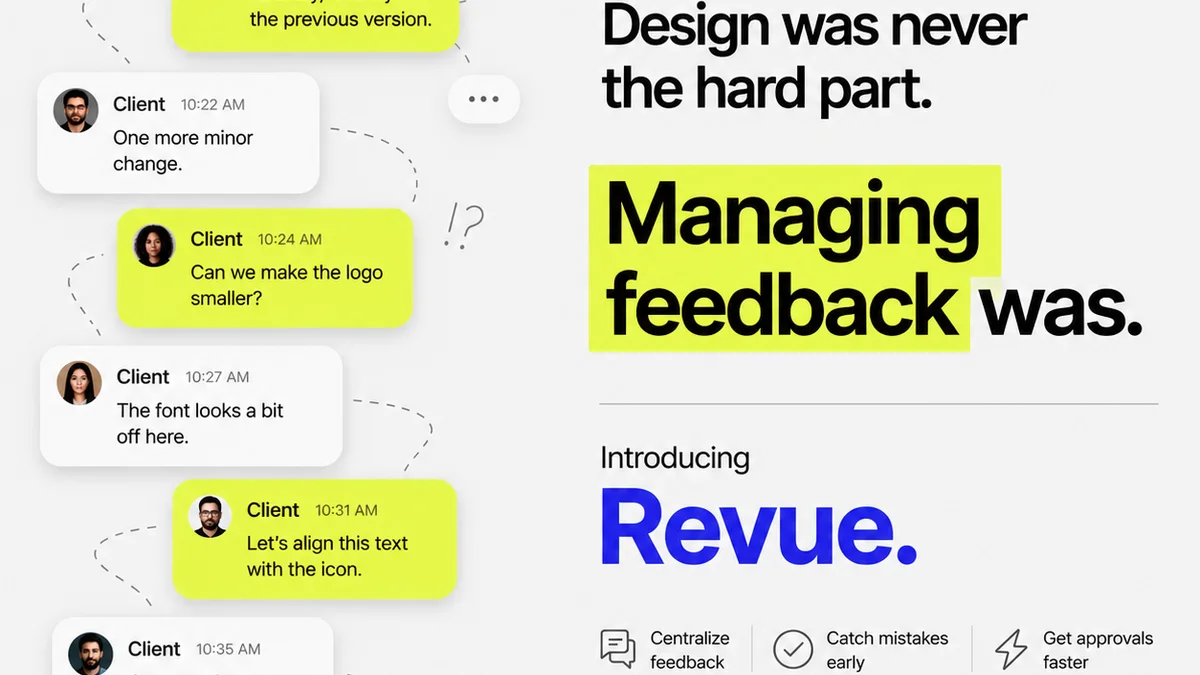
Everyone agrees design sign-off needs to be smoother. Easier. Faster. That’s the common wisdom. But simply getting a tool with a ‘review’ button won’t magically fix your workflow.
The hard truth is that most design sign-off process software is just a digital bulletin board. It’s a place to dump files and add comments. It doesn't fundamentally change how decisions are made or how feedback is given. That’s where the real problem lies.
1. Beyond Basic Proofing: What 'Sign-Off' Really Means
Your typical design review tool lets clients upload files, add annotations, and mark things as 'approved'. Simple, right?
Wrong.
True sign-off isn't just a click. It's the culmination of a process where clarity, context, and accountability are paramount. Without these, ‘approved’ often means ‘I didn’t look closely enough’ or ‘I’ll change my mind later’.
The Illusion of Finality
The core issue is that many tools create a false sense of finality. They present a static image or PDF. But creative work is iterative. Feedback is rarely black and white.
- Is the feedback clear and actionable?
- Is there a clear audit trail of who said what, and when?
- Are revisions tracked against the original brief?
- Can clients easily see what has and hasn't been addressed?
If your software doesn't facilitate answers to these questions, you're not getting true sign-off. You're just getting a file with fewer red marks.
Feedback Needs Context
Design decisions are made within a strategic framework. A client might ask for a CTA to be bigger. But *why*? Is it for accessibility? To improve conversion rates? To match a new campaign direction?
Software that only allows for visual markup misses this crucial context. It leads to revisions based on subjective taste rather than strategic goals.
2. The Core Problem: Fragmented Communication
Most agencies operate with a patchwork of tools for design sign-off. Emails, Slack messages, shared folders, even text messages. This is where the chaos begins.
Trying to consolidate feedback from multiple channels into a single source of truth is a nightmare.
The Email Avalanche
The dreaded 'reply all' email chain. Feedback gets lost. Versions get confused. Someone misses a critical comment buried deep in thread number 17.
This isn't just inefficient; it's a breeding ground for errors and misinterpretations.
Version Control Black Holes
Which version is the *actual* latest? Was that change requested in email #5 or Slack message #23? Without a clear system, tracking revisions becomes a detective mission.
This leads to duplicated effort, wasted time, and frustrated designers.
Decentralized Decision-Making
When feedback and approvals are scattered, it's impossible to know who has the final say. Is it the marketing manager? The VP of sales? The intern who ‘really liked the blue one’?
This ambiguity slows down the entire process and increases the risk of scope creep.
3. What to Demand from Sign-Off Software
Forget features that just mimic a PDF annotation tool. Look for software that actively *manages* the sign-off process.
Centralized Feedback Hub
Everything related to a project’s review and approval should live in one place. All versions, all comments, all decisions. No more hunting through emails or chat logs.
Clear Version History and Comparison
The software must allow you to easily upload new versions and compare them side-by-side with previous iterations. This visual comparison is critical for tracking changes and ensuring nothing is missed.
See the exact pixel differences.
Structured Feedback and Actionable Comments
Comments should be more than just text. They need to be tied to specific elements, have clear statuses (e.g., 'Needs Revision', 'Implemented', 'Deferred'), and be assignable to specific team members.
This turns subjective notes into actionable tasks.
Defined Approval Workflows
The system should support custom approval workflows. Who needs to review? In what order? What constitutes a final approval? This eliminates ambiguity and ensures the right people are signing off.
Automated notifications are key here.
Integration with Your Creative Tools
Seamless integration with design tools like Adobe Creative Cloud or Figma can dramatically speed up the process. Uploading and updating proofs should be a one-click operation.
Visibility and Accountability
Everyone involved should have clear visibility into the project status, outstanding feedback, and approval history. This fosters accountability and reduces the likelihood of critical comments being ignored.
4. Where Revue Fits In
Revue isn't just another file-sharing tool. It's built to address the core inefficiencies in creative project management, including the sign-off process.
We provide a centralized platform where feedback is captured, revisions are tracked, and approvals are managed with clarity.
- Centralized Feedback: All client comments and stakeholder input live in one organized space, linked directly to the creative assets.
- Revision Management: Easily upload new versions and see a clear history of changes, making it simple to track progress and ensure all feedback is addressed.
- Clear Approval Status: Define who needs to approve, track their progress, and get clear, unambiguous sign-offs. No more guessing who has the final say.
- Contextual Communication: Link feedback directly to specific project goals or brief requirements, ensuring revisions are strategic, not just aesthetic.
By streamlining these critical steps, Revue helps creative teams move faster, reduce errors, and deliver exceptional work with confidence.
5. The Cost of Inefficiency
Let's be blunt. Poor sign-off processes cost agencies time and money. They erode client relationships and demotivate your team.
Wasted Hours
How many hours do your designers and project managers spend chasing feedback, deciphering unclear comments, or redoing work because of miscommunication?
It adds up fast.
Strained Client Relationships
Clients get frustrated when the process is confusing or endless. They lose confidence in your ability to manage projects efficiently.
This can lead to difficult conversations and lost business.
Team Burnout
Constantly battling a broken process wears down your creative team. It leads to frustration, burnout, and higher staff turnover.
No one wants to work in a chaotic environment.
6. A Smarter Approach to Sign-Off
The goal isn't just to get a signature. It's to ensure the final creative output perfectly meets the client’s objectives.
This requires a system that facilitates clear communication, tracks decisions rigorously, and holds everyone accountable.
Focus on Clarity, Not Just Comments
Your software should force clarity. It should prompt users to be specific and actionable. It should make it easy to see what’s been done and what’s still needed.
Embrace Transparency
Everyone on the team, and the client stakeholders, should have visibility. What’s the status? Who’s holding things up? What was the decision behind that change?
Transparency builds trust and speeds up consensus.
Integrate into Your Workflow, Don't Disrupt It
The best tools fit seamlessly into how your team already works. They should automate the tedious parts, not add new layers of complexity.
Look for solutions that enhance, rather than hinder, your creative flow.
Final Thought
Is your current design sign-off process a bottleneck or a bridge? If you're still wrestling with endless email chains and version control chaos, it's time to demand more from your tools. The right software doesn't just collect feedback; it orchestrates clarity, accountability, and ultimately, better creative outcomes.
Frequently asked questions
What are the biggest challenges in design sign-off?
The biggest challenges include fragmented communication across multiple channels (email, chat), poor version control leading to confusion, lack of context for feedback, and unclear decision-making authority, all of which slow down the process and increase errors.
How can software improve the design sign-off process?
Software can improve it by centralizing all feedback and assets, providing clear version history and comparison tools, enabling structured and actionable comments, automating approval workflows, and increasing visibility and accountability for all stakeholders.
What's the difference between design proofing and design sign-off?
Design proofing is the act of reviewing creative assets. Design sign-off is the formal, documented approval that signifies agreement on the final deliverable, often after a structured process of feedback, revision, and confirmation.
Should sign-off software integrate with design tools?
Yes, integration with design tools like Figma or Adobe Creative Cloud is highly beneficial. It allows for quicker uploads of new versions and can streamline the feedback loop, reducing manual steps and potential errors.