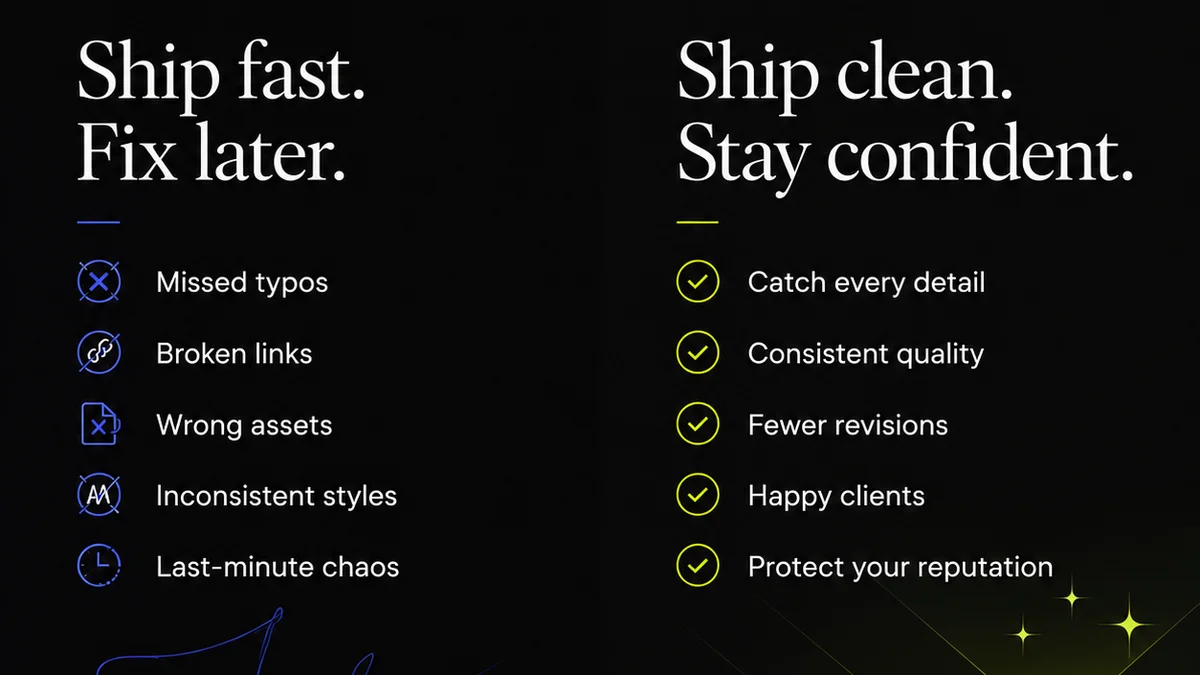
Everyone talks about design systems for product teams. They’re essential for consistency, scalability, and developer efficiency. This is all true.
But marketing teams? Often left out of the conversation. They’re seen as using the brand, not building with it. That’s a mistake.
The hard truth is that marketing teams need a design system just as much, if not more, than product teams. Without one, they’re building campaigns on shaky ground, leading to inconsistency, wasted effort, and diluted brand impact. This isn't about building UI components; it's about building campaign assets, social graphics, ad creatives, landing pages, and email templates with a unified voice and visual identity.
1. The Foundation: Brand Guidelines Beyond the Logo
A design system for marketing starts with a clear, comprehensive understanding of the brand. This goes way beyond a static PDF of logo usage rules.
Core Visual Identity
- Logo Usage: Clear rules on primary, secondary, and tertiary logos. Minimum size, clear space, acceptable variations (e.g., monochrome).
- Color Palette: Primary, secondary, and accent colors. Define HEX, RGB, CMYK, and Pantone values. Specify usage context (e.g., backgrounds, text, calls-to-action).
- Typography: Define primary and secondary fonts. Specify weights, sizes, and line heights for headings (H1-H6), body text, captions, and UI elements. Include fallback fonts.
- Imagery Style: Guidelines for photography and illustration. Mood, subject matter, tone, composition, color treatment.
- Iconography: Style, stroke weight, fill, and usage for icons.
- Voice and Tone: Define the brand's personality. Examples of what to say and what not to say.
This is the bedrock. If these aren't crystal clear and easily accessible, everything built on top will be wobbly.
2. Asset Library: The Single Source of Truth
A centralized, organized asset library is crucial for marketing teams. Think of it as the pantry for all your brand's visual ingredients.
What to Include
- Logos: All approved logo variations in various formats (SVG, PNG, JPG, EPS).
- Color Swatches: Easily importable color palettes for design tools.
- Typography Styles: Predefined text styles or templates.
- Templates: Pre-built templates for common marketing assets like social media posts (Instagram Stories, LinkedIn Banners), email headers, ad banners (various sizes), presentation slides, and simple one-page landing pages.
- Icon Sets: All approved icons, ready for use.
- Imagery: Curated library of approved photography and illustrations.
- Brand Guidelines Document: The master document, easily accessible.
This isn't just a folder dump. Assets should be tagged, searchable, and version-controlled.
3. Component Toolkit: Reusable Marketing Elements
Beyond static assets, a design system for marketing includes reusable components. These are the building blocks for dynamic campaigns.
Key Components
- Buttons: Primary, secondary, tertiary styles. Hover, active, disabled states.
- Forms: Input fields, dropdowns, checkboxes, radio buttons, error states.
- Cards: Different layouts for featuring content, products, or testimonials.
- Call-to-Action (CTA) Blocks: Standardized layouts for driving user action.
- Navigation Elements: Simple header/footer components for landing pages.
- Modals/Pop-ups: For specific campaign messaging or lead capture.
These aren't necessarily code components unless you’re building web pages directly. For many marketing teams, these are pre-designed, locked-down templates within their creative tools (like Figma, Adobe XD, or even PowerPoint/Keynote) that ensure brand consistency and speed up production.
4. Workflow and Governance: Keeping It Tidy
A design system is only as good as the processes that support it. Without clear governance, it becomes outdated and ignored.
Essential Processes
- Contribution Model: How are new assets or components added? Who approves them?
- Review and Audit Process: How often is the system reviewed? How are outdated assets retired?
- Usage Guidelines: Clear documentation on when and how to use each element.
- Tooling Integration: How does the design system integrate with the tools your marketing team uses daily (e.g., Figma, Adobe Creative Cloud, Google Workspace)?
- Training and Onboarding: How are new team members educated on the design system?
This is where many marketing departments stumble. They create assets but forget the system to maintain them.
5. Accessibility Considerations: Designing for Everyone
Marketing materials, like all digital content, must be accessible. A design system should bake this in from the start.
Checklist Items
- Color Contrast Ratios: Ensure text and background colors meet WCAG AA standards. Define minimum contrast requirements for different elements.
- Typography Legibility: Ensure font choices and sizes are readable across devices and contexts.
- Interactive Element States: Clear visual cues for focus states on links and form fields.
- Alt Text Guidelines: Instructions for writing descriptive alt text for images and graphics.
- Video Captions: Requirements for providing captions and transcripts for video content.
Accessibility isn't an afterthought; it's a core requirement for inclusive marketing.
Where Revue Fits In
Building and maintaining a design system for marketing assets requires a central hub for feedback, revisions, and approvals. This is where Revue shines.
Imagine your team creating a new social media campaign. Instead of endless email chains and scattered Slack messages, all stakeholders can provide consolidated feedback directly on the visual assets within Revue. Reviewers can see the latest version, mark up specific areas, and track the history of changes. This visibility ensures everyone is on the same page, significantly reducing misinterpretations and speeding up the approval process.
Furthermore, Revue helps manage the revision cycle. Once feedback is addressed, the updated asset can be easily shared for a final check, ensuring it aligns with the design system's standards before going live. This structured approach minimizes errors and ensures brand consistency across all marketing outputs.
Final Thought
Is your marketing team truly building with your brand, or just slapping it onto whatever looks good at the moment?
A robust design system isn't just for product development. It's a strategic imperative for marketing teams aiming for impact, efficiency, and undeniable brand recognition. It's time to move beyond the basic brand guide and build a system that empowers your marketers to create consistently excellent work, faster.
Frequently asked questions
What's the difference between brand guidelines and a design system for marketing?
Brand guidelines typically cover the foundational elements like logo, color, and typography. A design system for marketing expands on this by including reusable assets, templates, and components for specific marketing collateral (social posts, ads, emails), along with clear processes for their creation and use.
What tools are best for creating a marketing design system?
The best tools depend on your team's workflow. For visual asset creation and templating, tools like Figma, Adobe XD, or even Canva can be effective. A centralized platform like Revue is crucial for managing feedback, approvals, and version control of these assets.
How often should a marketing design system be updated?
A marketing design system should be reviewed and updated quarterly or bi-annually. More frequent updates might be needed if your brand identity evolves significantly or if new marketing channels emerge that require specific asset types.
Can a small marketing team benefit from a design system?
Absolutely. Even small teams benefit from the efficiency and consistency a design system provides. It reduces guesswork, speeds up content creation, and ensures a unified brand voice, which is crucial for building recognition and trust, regardless of team size.