Design systems are supposed to be efficiency engines. They promise consistency, speed, and better collaboration. And they can deliver. But most teams treat them like a style guide, a nice-to-have that lives on a shelf. That’s where the money drains away.
The hard truth? A poorly implemented or neglected design system isn’t just an inconvenience. It’s a significant operational drain and a missed strategic advantage.
1. Treating Your Design System Like a Static Style Guide
Many teams create a design system, tick a box, and then forget about it. They treat it as a one-and-done project, a beautiful document that sits on a server, rarely referenced and never updated.
This static approach is the fastest way to kill your design system’s value. Components become outdated. Guidelines become irrelevant. The system becomes a relic.
Symptoms of a Static System:
- Developers ignore the guidelines because they’re out of sync with the codebase.
- Designers create custom solutions because existing components don’t meet new needs.
- Onboarding new team members becomes a lengthy process of explaining what *should* be used, not what *is* used.
- Brand inconsistencies creep back into products.
- Technical debt grows as bespoke solutions proliferate.
This isn’t a design problem; it’s a workflow problem. The system isn’t integrated into the day-to-day work.
2. Neglecting the Developer Experience (DX)
A design system that’s hard for developers to use is a design system that won’t be used. If the code components are buggy, poorly documented, or difficult to integrate, developers will find workarounds. And workarounds cost time and money.
Think about it from their perspective. They need components that are:
- Well-documented with clear examples.
- Easy to install and import.
- Flexible enough for common variations without breaking.
- Reliable and performant.
- Aligned with their existing tech stack.
When these conditions aren’t met, developers spend hours debugging, reinventing the wheel, or building their own solutions. That’s direct, billable time lost.
A common mistake is focusing solely on the visual design aspects and underinvesting in the code quality and documentation of the component library. This creates a beautiful facade with a shaky foundation.
3. Lack of Clear Ownership and Governance
Who owns the design system? Who decides when a component needs updating? Who approves new additions? Without clear answers, the system stagnates.
This ambiguity leads to:
- Stale documentation.
- Conflicting updates.
- Unresolved bugs.
- A lack of strategic direction for the system’s evolution.
A robust governance model ensures the design system remains a living, breathing asset. It requires dedicated roles or a clear committee responsible for its health and growth. This isn’t just an administrative task; it’s crucial for maintaining the system’s integrity and long-term value.
Without this structure, the system becomes a shared responsibility that no one is truly responsible for.
4. Insufficient Onboarding and Training
You can build the most perfect design system, but if your team doesn’t know how to use it, it’s worthless. Onboarding new hires and upskilling existing team members on the design system is critical.
This means more than just pointing them to the documentation.
- Dedicated training sessions.
- Workshops on how to use specific components.
- Clear guidelines on contribution and contribution processes.
- Ongoing reinforcement through regular team meetings.
When adoption is low, teams revert to old habits. This leads to fragmented experiences and wasted effort trying to maintain consistency across disconnected efforts.
The cost isn’t just in the initial training; it’s in the ongoing productivity gains that are missed when the system isn’t fully leveraged.
5. Not Measuring Impact or ROI
How do you know if your design system is actually working? If you can’t measure its impact, you can’t justify its continued investment or identify areas for improvement.
Teams often fail to define key performance indicators (KPIs) for their design system. What should you track?
- Reduction in design and development time for common features.
- Decrease in bug reports related to UI inconsistencies.
- Improvement in user satisfaction scores.
- Faster time-to-market for new features.
- Adoption rate of system components within projects.
Without these metrics, it’s impossible to demonstrate the value of the design system to stakeholders. This makes it vulnerable to budget cuts and can lead to its eventual abandonment.
You can’t manage what you don’t measure. And you certainly can’t optimize what you don’t understand.
6. Over-Engineering and Scope Creep
It’s tempting to build a design system that solves every possible problem for every conceivable future scenario. This leads to bloated systems that are complex, slow to adopt, and difficult to maintain.
Start small. Focus on the core components and patterns that solve your most pressing problems. Iterate and expand based on actual needs and feedback.
A common mistake is trying to document every single UI element and interaction pattern from day one. This creates an overwhelming amount of work and a system that’s too rigid.
The goal is to enable faster, more consistent work, not to create an exhaustive encyclopedia of every design decision ever made.
Where Revue Fits In
Operationalizing a design system is where many initiatives falter. Keeping it relevant, ensuring adoption, and managing feedback loops are constant challenges.
Revue can help bridge the gap between the design system’s potential and its practical application.
- Centralized Feedback: Gather feedback on design system components and documentation directly within the platform. No more scattered email threads or Slack messages.
- Revision and Approval Visibility: Track revisions to design system elements and their approval status, ensuring everyone is working with the latest, approved versions.
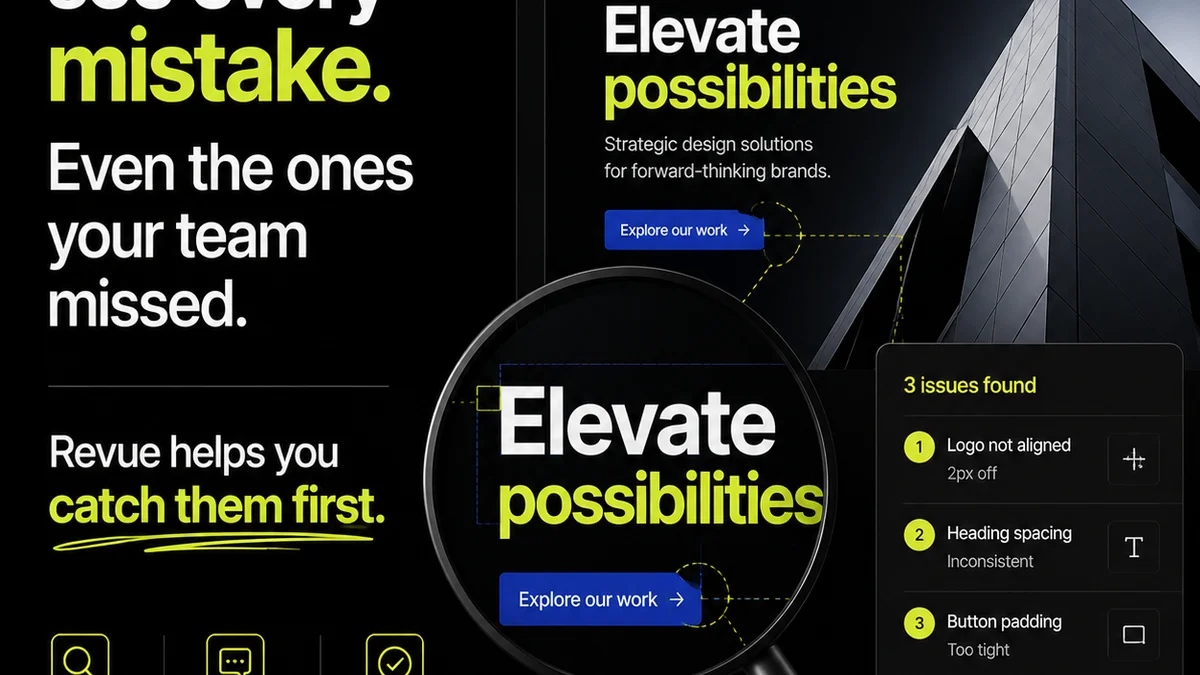
- Quality Checks: Integrate design system adherence into your quality assurance process. Flag components that deviate from the system, ensuring consistency and reducing technical debt.
By streamlining these workflows, Revue helps ensure your design system remains a valuable, living asset rather than a dusty relic.
Final Thought
A design system isn’t just a collection of UI elements and guidelines. It’s a dynamic product that requires ongoing investment, clear ownership, and a commitment to its users—your internal teams.
Are you treating your design system as a strategic asset, or just another document?
Frequently asked questions
What is the biggest mistake teams make with design systems?
The biggest mistake is treating a design system like a static style guide or a one-time project. It needs to be a living, evolving product with clear ownership, ongoing maintenance, and active integration into daily workflows.
How does a neglected design system cost money?
It costs money through wasted developer time debugging inconsistencies, reinventing components, and building workarounds. It also leads to slower time-to-market, increased technical debt, and potential brand damage from inconsistent user experiences.
Why is developer experience (DX) so crucial for a design system?
If the code components are difficult to use, poorly documented, or buggy, developers will avoid them. This leads to custom solutions, inconsistencies, and a failure to realize the efficiency benefits the design system was meant to provide.
How can agencies improve design system adoption?
Improve adoption through comprehensive onboarding, dedicated training sessions, clear documentation with practical examples, and continuous reinforcement. Make it easy and rewarding for teams to use the system.