Everyone agrees you need version control for design work. It’s table stakes. You can’t ship client projects without tracking changes. But if you think ‘version control’ just means saving a new file with a date stamp or using a cloud drive’s basic history, you’re missing the bigger picture. That’s not version control; that’s just file management.
The real power of design version control software for agencies lies in its ability to create a single source of truth, manage complex feedback loops, and ensure project integrity without drowning your team in administrative tasks. It’s about operational efficiency, not just file safety.
1. Beyond File History: True Versioning
Most people associate version control with reverting to a previous file. That’s a component, but it’s not the whole story. True design version control goes deeper, tracking the *evolution* of a design, not just discrete file states.
What to Look For:
- Granular Change Tracking: The system should log *who* made *what* change, *when*. This isn't just for accountability; it's for understanding design decisions and debugging issues.
- Branching and Merging Capabilities: Like in software development, the ability to work on separate features or concepts (branching) and then integrate them back into the main design (merging) is crucial for parallel workstreams and experimentation without risk.
- Comparison Tools: Visual diffing tools that highlight differences between versions are essential for quickly identifying changes and for client reviews.
Think about a complex website redesign. Multiple team members might be working on different sections simultaneously. Without robust branching, one person’s updates could overwrite another’s, leading to chaos.
2. Centralized Feedback and Annotation
Client feedback is the lifeblood of agency work, but it’s often a bottleneck. Scattered emails, Slack messages, and scribbled notes on PDFs are a recipe for missed revisions and misinterpretations. Effective version control integrates feedback directly into the design context.
Key Features for Feedback Management:
- In-Context Annotations: The ability for clients and stakeholders to leave comments directly on the design canvas or specific elements.
- Comment Resolution Tracking: A clear workflow for addressing, replying to, and marking comments as resolved. This creates an auditable trail.
- Version-Specific Feedback: Ensuring that feedback is tied to a particular design version. A comment on v2 should not appear on v1 after it’s been superseded.
- Consolidated Review Links: Generating shareable links that present the design and its associated feedback clearly, without requiring recipients to have special software.
This isn't just about convenience; it's about clarity. When feedback is centralized, the chances of a critical instruction getting lost in a sea of digital noise plummet.
3. Revision and Approval Workflows
Once feedback is gathered, the revision process begins. This needs structure. Unmanaged revisions lead to scope creep, delays, and frustrated clients who feel their input isn't being properly managed.
Essential Workflow Elements:
- Defined Stages: The ability to map out a clear process, from 'Draft' to 'In Review' to 'Approved'.
- Automated Notifications: Alerting the right people when a design is ready for review, when feedback is submitted, or when a revision is complete.
- Approval Sign-offs: Formal mechanisms for clients or project managers to approve specific design versions. This creates a clear handover point.
- Revision History Visibility: Easy access to see all previous versions and the feedback that led to the current state.
This structured approach transforms revision management from a reactive mess into a proactive, transparent process.
4. Integration with Existing Tools
Your design version control software shouldn't exist in a vacuum. It needs to play nicely with the tools your team already uses daily.
Seamless Integrations to Seek:
- Design Software Connectors: Direct links to or plugins for Adobe Creative Suite, Figma, Sketch, etc.
- Project Management Tools: Connections to platforms like Asana, Jira, or Trello to link design assets and feedback to specific tasks.
- Communication Platforms: Notifications or updates pushed to Slack or Microsoft Teams.
When tools integrate, data flows freely, reducing manual entry and the potential for errors. It keeps everyone in sync without extra effort.
5. Security and Permissions
Client work is sensitive. Protecting intellectual property and controlling access to design files is paramount. Robust security features are non-negotiable.
Security Considerations:
- Role-Based Access Control: The ability to define user roles (e.g., Admin, Designer, Client, Viewer) with specific permissions for viewing, editing, or approving.
- Secure Storage: Ensuring that your design files are stored in a secure, backed-up environment, protected against data loss.
- Audit Trails: Comprehensive logs of all user activity within the system, providing an extra layer of security and accountability.
Breaches or accidental data leaks can be catastrophic for an agency’s reputation and client trust.
Where Revue Fits In
While Revue isn't a design file versioning tool in the same vein as specialized software, it excels at managing the *communication and approval* layers that surround design versions. It acts as the central hub for client feedback and decision-making.
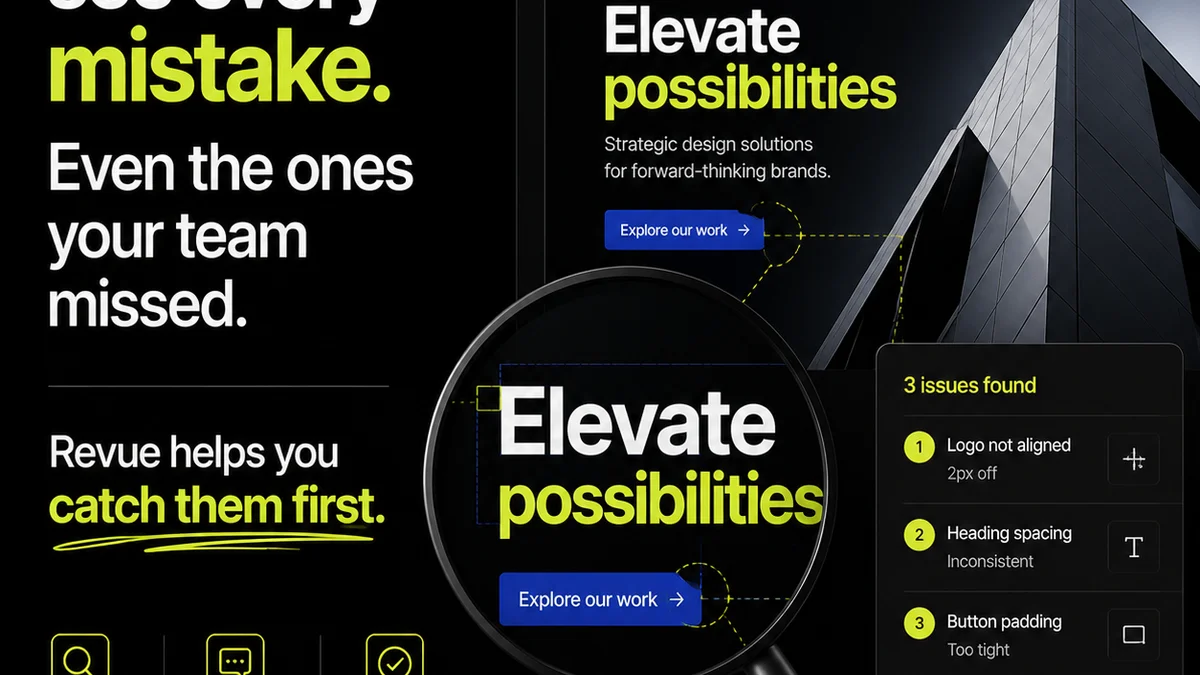
Imagine a client needs to approve a new set of ad creatives. Instead of chasing emails, you can present the latest versions in Revue. Clients can leave contextual comments directly within Revue, and you can track which version they are commenting on. The approval process becomes clear, documented, and efficient, reducing the friction that often surrounds design iteration.
Revue helps ensure that the *right* feedback gets to the *right* version and that approvals are clearly recorded, making the entire revision lifecycle smoother and more transparent for both the agency and the client.
Final Thought
The right design version control software is more than just a digital filing cabinet. It’s a workflow engine that fuels collaboration, clarifies communication, and protects your agency’s most valuable assets: its creative output and client trust. Are you managing files, or are you managing your workflow?
Frequently asked questions
What is the difference between file versioning and design version control software?
File versioning, like cloud drive history, tracks discrete file saves. Design version control software tracks the evolution of a design, including granular changes, branching/merging, comparison tools, and integrates feedback and approval workflows directly within the design context.
Why is in-context annotation important for design feedback?
In-context annotation allows clients and stakeholders to leave comments directly on specific elements of a design. This reduces ambiguity, ensures feedback is tied to the correct part of the design, and creates a clear, visual record of discussions.
How does branching and merging benefit agency design teams?
Branching allows designers to work on alternative concepts or features in isolation without affecting the main design. Merging then allows these tested elements to be integrated back into the primary design, facilitating parallel workstreams and experimentation safely.
Can a tool like Revue replace dedicated design version control software?
Revue is not a direct replacement for design file versioning tools. However, it excels at centralizing client communication, feedback, and approval processes around design versions, complementing the file management aspects of specialized software by streamlining the workflow.