Everyone agrees that digital asset Quality Assurance (QA) is important. You check the colors, the copy, the links, and make sure the client signed off. None of that is wrong. But it’s incomplete.
The hard truth? Treating QA as a last-minute sanity check before delivery is a recipe for disaster. It’s not a gate; it’s a process. A truly effective digital asset QA checklist is built into your workflow, catching issues long before they hit the client.
1. Defining 'Done' (Before You Start)
What does “done” even mean for your project? This sounds obvious, but agencies often skip defining clear acceptance criteria upfront. This leads to scope creep, endless revisions, and subjective QA.
Your QA process needs a baseline. What are the non-negotiables for this specific project? Who defines them?
Project Scope and Deliverables
Every project brief should clearly outline:
- The exact number and format of assets to be delivered.
- Specific technical requirements (file types, dimensions, resolutions, color profiles).
- Brand guidelines adherence.
- Accessibility standards (if applicable).
- Performance metrics (e.g., load times for web assets).
Stakeholder Alignment
Ensure all key stakeholders (client, internal team, third-party vendors) agree on these criteria before work begins. Misalignment here is a prime source of last-minute QA headaches.
2. Building QA into the Workflow, Not Onto It
The biggest mistake is thinking QA happens only at the very end. This is where most agencies stumble. You need multiple checkpoints throughout the creative process.
Think of it like building a house. You don’t wait until the roof is on to check the foundation. You inspect at every stage.
Concept and Wireframe QA
Before a single pixel is designed, QA the core concept and user flow. Are the wireframes logical? Does the user journey make sense? Is the proposed functionality feasible?
This early QA saves immense time and resources down the line. Fixing a flawed wireframe is exponentially cheaper than redesigning a finished visual.
Design Iteration QA
As designs evolve, QA each iteration against the brief and previous feedback. Are you staying on track? Are new issues being introduced?
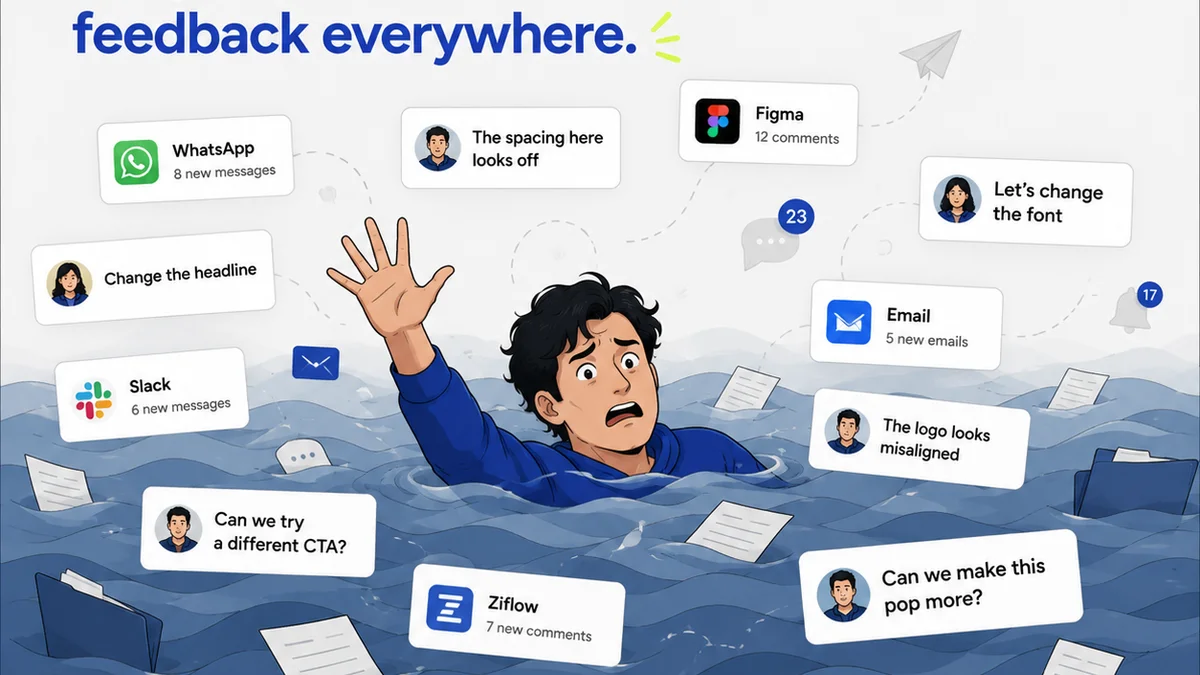
Use a standardized feedback tool. This ensures feedback is clear, actionable, and trackable. Scattered emails and Slack messages are QA killers.
Development and Staging QA
Once development starts, QA rigorously. Test on different devices and browsers. Check functionality, responsiveness, and performance.
This is where a detailed digital asset QA checklist becomes critical. It ensures no detail is overlooked.
3. The Essential Digital Asset QA Checklist Components
Your checklist shouldn't be a generic document. Tailor it to the asset type, but ensure these core areas are covered.
Content and Copy
- Accuracy of all text.
- Grammar, spelling, and punctuation.
- Tone of voice consistency.
- Call-to-action (CTA) clarity and correctness.
- Proofreading by a fresh pair of eyes.
Visuals and Design
- Brand guideline adherence (logos, colors, typography).
- Image quality, resolution, and cropping.
- Consistency across all elements.
- Visual hierarchy and readability.
- Alignment and spacing.
- Accessibility considerations (color contrast, font sizes). WCAG guidelines are a good reference.
Functionality and Interactivity
- Links (internal, external, email) – are they correct and working?
- Forms (submission, validation, error states).
- Interactive elements (animations, carousels, accordions) – do they function as intended?
- Cross-browser and cross-device compatibility.
- Performance optimization (image compression, code minification).
Technical Specifications
- File naming conventions.
- Correct file formats (JPG, PNG, SVG, MP4, etc.).
- Correct dimensions and resolutions.
- Color profiles (RGB, CMYK).
- Metadata.
Client-Specific Requirements
- Adherence to any unique client requests or previous feedback.
- Legal disclaimers or required text.
4. Who Owns QA? (Spoiler: Everyone)
Assigning QA to a single person or department is a common, but flawed, approach. It creates a bottleneck and fosters a culture where others feel less responsible.
Quality is a team sport. Everyone involved in a project has a role to play in ensuring the final asset is up to par.
Designer's Role
Self-QA before handing off. Check against brand guidelines, project specs, and internal standards.
Developer's Role
Test functionality, responsiveness, and performance in the staging environment. Ensure code quality.
Project Manager's Role
Oversee the entire QA process. Ensure checklists are used, feedback is tracked, and sign-offs are obtained. Act as the final gatekeeper.
Client's Role
Provide clear, constructive feedback based on agreed-upon criteria. Approve final deliverables promptly.
Dedicated QA Specialist (Optional but Recommended)
For larger agencies or complex projects, a dedicated QA specialist can provide an objective, expert review. They act as the ultimate quality gatekeeper, ensuring consistency and thoroughness.
5. Leveraging Technology for Smarter QA
Manual checking is prone to human error and is time-consuming. Technology can automate many repetitive QA tasks, freeing up your team for more critical checks.
Integrated tools streamline the entire process, from feedback collection to final approval.
Centralized Feedback Platforms
Tools that allow clients and team members to comment directly on assets (images, videos, websites) eliminate confusion. They consolidate feedback in one place, making it easier to track and act upon.
Version Control and Audit Trails
Understanding the history of revisions is crucial. Which version was approved? What feedback was given at each stage? This prevents disputes and ensures accountability.
Automated Testing Tools
For web development, automated tools can check for broken links, code errors, and performance issues. Browser testing platforms simulate different user environments.
Where Revue Fits In
This is where a dedicated platform for creative workflow management becomes invaluable. Revue is built to streamline the entire process, making robust QA a natural outcome, not an extra step.
Imagine a world where client feedback isn’t buried in email threads or scattered across Slack messages. Imagine having a clear, documented history of every revision and approval.
Revue provides a central hub for:
- Centralized Client Feedback: Clients can comment directly on proofs, sketches, and mockups. All feedback is organized, contextual, and easily reviewable. No more hunting for that one crucial email.
- Revision and Approval Visibility: Track the status of every asset. See who has reviewed it, what feedback was given, and when it was approved. This transparency is key to effective QA.
- Streamlined Quality Checks: Use Revue’s structured review cycles to implement your digital asset QA checklist. Ensure every required check is performed and documented before final delivery.
By integrating Revue into your workflow, you transform QA from a reactive chore into a proactive, integrated part of your creative delivery process. It ensures fewer errors, happier clients, and more profitable projects.
6. Post-Delivery QA: The Unsung Hero
Your job isn’t done when the files are delivered. A final, albeit different, type of QA should happen after the asset is live or implemented.
Live Environment Checks
If it’s a website, check it live. Are all the links working? Is the design rendering correctly on various devices? Is the content as intended?
Performance Monitoring
Monitor loading speeds and user behavior. Are there any unexpected performance dips related to the new assets?
Client Confirmation
Get explicit confirmation from the client that the delivered assets meet their expectations in the final context. This final sign-off closes the loop and prevents future disputes.
Final Thought
Is your digital asset QA checklist a static document gathering dust, or a living, breathing part of your agency’s workflow? The difference isn't just about catching typos; it's about building a reputation for excellence and delivering work you can be proud of, every single time.
Frequently asked questions
What are the key components of a digital asset QA checklist?
A comprehensive checklist should cover content accuracy, visual design adherence (brand guidelines, aesthetics), functionality (links, forms, interactivity), technical specifications (file types, formats, dimensions), and client-specific requirements. It should be tailored to the specific asset type.
How can I make QA a proactive part of my workflow, not just a final step?
Integrate QA checkpoints at multiple stages: concept, wireframe, design iterations, and development. Use a centralized feedback tool to capture and manage feedback systematically. Define 'done' criteria clearly at the project's outset.
Who should be responsible for QA in an agency setting?
Quality assurance is a team responsibility. Designers should self-QA, developers test functionality, project managers oversee the process, and clients provide final approval based on agreed criteria. A dedicated QA specialist can add an extra layer of objective review.
How does a platform like Revue help with digital asset QA?
Revue centralizes client feedback directly on assets, provides clear revision and approval histories, and allows for structured review cycles. This transparency and organization streamline the QA process, ensuring all checks are documented and reducing errors.