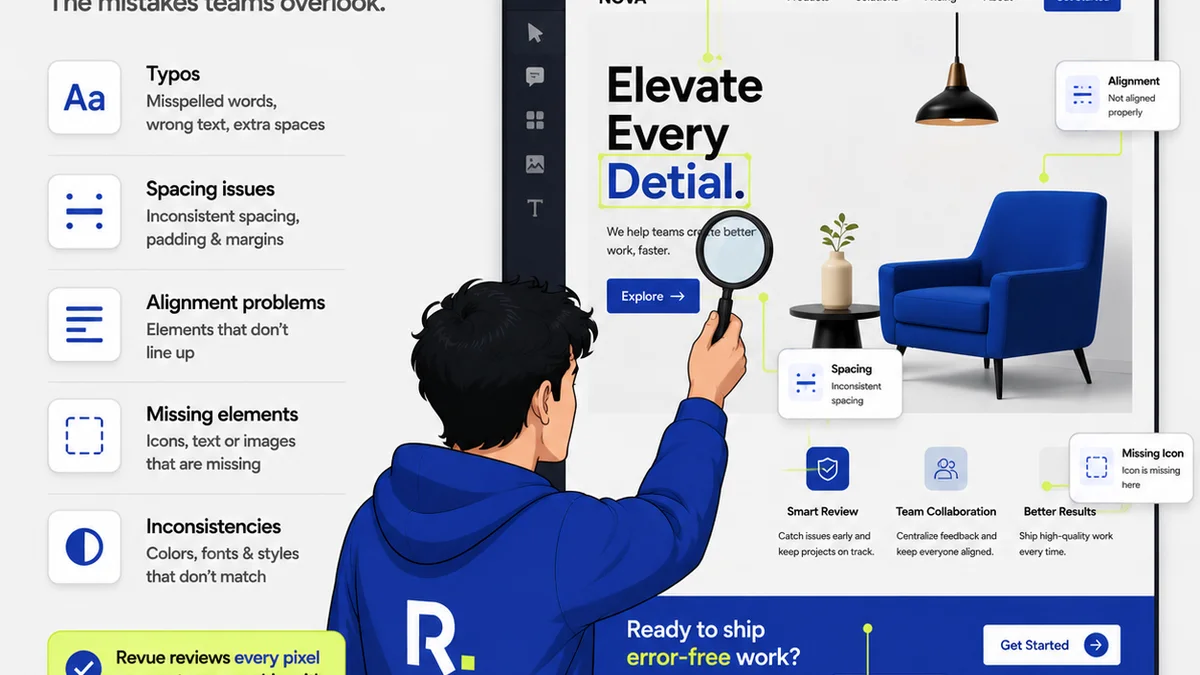
Everyone agrees that quality assurance (QA) for digital assets is crucial. You've probably heard that good QA means catching typos, checking brand colors, and ensuring files are exported correctly. None of that is wrong. But it’s incomplete.
The hard truth? Basic proofing is just the tip of the iceberg. True digital asset QA software needs to do more than just flag errors; it needs to integrate seamlessly into your creative process, manage feedback effectively, and provide clear visibility into revisions and approvals. It’s about operational efficiency, not just error detection.
1. Beyond Basic Proofing: Integrated Workflow
Many teams think of QA as a final gate. A last look before launch. This sequential approach breeds bottlenecks. It assumes the creative work is 'done' before it's actually reviewed.
The reality is that feedback and revisions are part of the creative process itself. They aren't an afterthought.
Your digital asset QA software should reflect this. It needs to:
- Facilitate real-time, contextual feedback directly on the asset.
- Allow for clear annotation and markup, not just general comments.
- Track the history of feedback and revisions, so nothing gets lost.
- Integrate with the tools your creative teams already use.
This isn't about adding another step; it's about making the review and approval process a fluid part of creation.
Context is King
Generic feedback like 'make it pop' is useless. Good QA software provides the context needed for actionable feedback. This means seeing the asset in its intended environment or alongside related assets.
Version Control is Non-Negotiable
How many times has a client approved an older version? Or a designer started revisions on the wrong file? Robust version control within your QA tool prevents these costly mistakes. Every iteration needs to be logged, accessible, and clearly distinguished.
2. Managing Stakeholder Feedback at Scale
Creative agencies and in-house teams juggle multiple stakeholders. Clients, legal teams, marketing departments – they all have a say. Without a system, this feedback becomes a chaotic mess.
Email chains get lost. Slack messages are forgotten. Spreadsheets become unwieldy. This is where dedicated digital asset QA software shines.
Look for features that:
- Centralize all feedback in one place, linked to specific assets.
- Allow for granular control over who sees what and who can approve.
- Provide clear audit trails of all communication and decisions.
- Automate notifications for new feedback or pending approvals.
This isn't just about organization; it's about accountability and efficiency.
The 'Too Many Cooks' Problem
When everyone has access to comment, you get conflicting directions. Your QA software should enable a primary point of contact for feedback or designate specific reviewers for different stages.
Streamlining Approvals
The goal isn't just feedback; it's approval. Your software should make this final sign-off clear and unambiguous. Digital approvals should be as binding and trackable as a wet signature.
3. Ensuring Asset Integrity and Compliance
Beyond aesthetics and copy, digital assets have technical requirements. File formats, dimensions, color profiles, and even accessibility standards must be met.
Your QA process needs to verify these technical details. But manual checks are prone to error and time-consuming.
Effective digital asset QA software should support:
- Automated checks for common technical specifications (e.g., file size, resolution).
- Tools for verifying color accuracy across different platforms.
- Features to flag potential accessibility issues (e.g., contrast ratios, alt text placeholders).
- Integration with asset management systems for proper storage and retrieval.
This ensures that what you deliver is not only visually correct but also technically sound and compliant.
Accessibility Matters
The web is for everyone. Your QA process must include checks for accessibility. This isn't just good practice; it's often a legal requirement. Tools that help identify contrast issues or prompt for alt text are invaluable.
Brand Consistency Across Channels
Assets need to look and feel consistent, whether they're for a social media post, a website banner, or a print ad. QA software can help by providing a central library of approved brand elements and templates.
4. Visibility and Reporting: The Data You Need
If you can't measure it, you can't improve it. Many teams operate on gut feeling regarding their review cycles. This leads to underestimating the time and resources spent on revisions.
Good digital asset QA software provides data.
Key reporting features include:
- Time spent in review and revision cycles per asset or project.
- Number of revisions per asset.
- Common types of feedback or errors encountered.
- Stakeholder engagement and approval times.
This data is gold. It helps you identify process inefficiencies, forecast timelines more accurately, and demonstrate the value of your QA efforts.
Understanding Bottlenecks
Is one stakeholder consistently holding up approvals? Does a particular type of feedback cause the most back-and-forth? Reports can highlight these issues, allowing you to address them proactively.
Justifying Resources
Showing the time saved or the errors prevented through a robust QA process can justify investment in better tools and processes.
Where Revue Fits In
Managing feedback, tracking revisions, and ensuring quality checks are at the heart of what Revue is designed to solve. Instead of relying on disparate tools and manual tracking, Revue provides a centralized platform.
You can gather all client feedback directly within the platform, eliminating scattered emails and messages. Revision history is automatically logged, giving you clear visibility into the evolution of an asset. This structured approach makes quality checks more efficient and approvals more straightforward.
Revue helps move beyond basic proofing to a more integrated, visible, and controlled creative workflow.
Final Thought
Is your digital asset QA process a source of friction or a driver of efficiency? The tools you choose and the processes you implement directly impact your team's output and your clients' satisfaction. Don't just check the boxes; build a system that elevates your creative work.
Frequently asked questions
What is the primary goal of digital asset QA software?
The primary goal is to ensure digital assets meet quality standards, technical specifications, and brand guidelines before deployment. Beyond just error checking, it aims to streamline the feedback, revision, and approval process, making creative workflows more efficient.
Why is integrated feedback important in QA software?
Integrated feedback allows reviewers to comment directly on specific parts of an asset, providing crucial context. This avoids ambiguous feedback and reduces the back-and-forth associated with scattered communication channels like email or chat.
How does digital asset QA software help with brand consistency?
By centralizing approved brand assets, guidelines, and templates, QA software ensures that all stakeholders are working with the correct elements. It helps maintain visual and technical consistency across all digital outputs.
Can QA software help with accessibility compliance?
Yes, many advanced QA tools include features that can flag potential accessibility issues, such as low color contrast ratios or prompt for necessary alt text. This helps ensure assets are usable by a wider audience and meet compliance standards.
What kind of reporting can I expect from good QA software?
Good QA software provides reports on revision cycles, time spent in review, common feedback types, and stakeholder approval times. This data is vital for identifying process bottlenecks and improving future project efficiency.