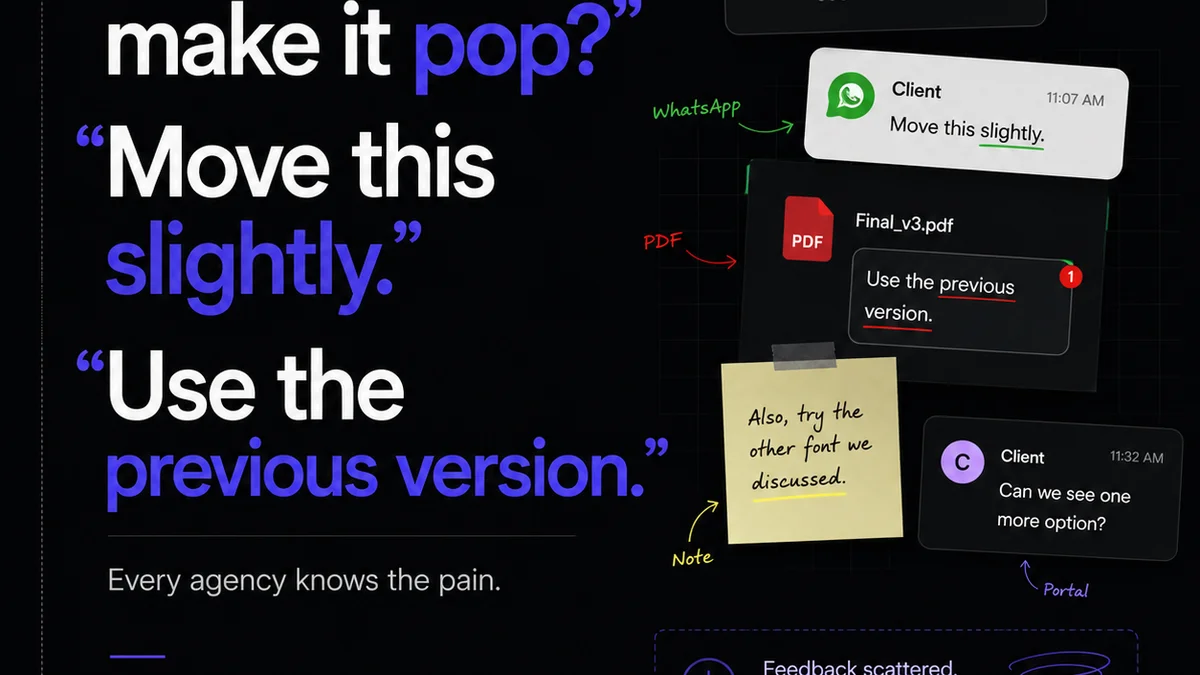
Everyone thinks they have digital proofing nailed. Send a link, get a green light, move on. Easy, right?
Wrong.
This superficial approach to digital proofing is a silent killer of agency efficiency. It’s where misinterpretations fester, revisions spiral, and client relationships strain. The real challenge isn’t just getting a ‘yes’; it’s ensuring that ‘yes’ means everyone is aligned, understood, and satisfied with the creative output. That requires a structured, deliberate process, not a hopeful click.
1. The Foundation: Clarity Before Creation
Before any digital proof even enters the workflow, the groundwork must be laid. This means crystal-clear briefs and defined expectations.
The Brief Is King
A vague brief is the genesis of proofing hell. It leads to subjective feedback and endless ‘can you just…’ requests.
- Who is the target audience?
- What is the primary objective of this creative asset?
- What are the key messages to convey?
- Are there any mandatory elements (logos, taglines, legal disclaimers)?
- What is the desired tone of voice?
- What are the technical specifications (dimensions, file format, resolution)?
If the brief is a shrug emoji, the proof will be a dumpster fire.
Defining Success
What does ‘done’ look like? What are the specific KPIs or goals this creative piece aims to achieve?
Establishing these upfront gives context to every comment and decision made during the proofing stage. It shifts the conversation from personal preference to objective performance.
2. The Proofing Process: Structure Over Spontaneity
A haphazard proofing process is an invitation to chaos. You need a defined workflow, clear roles, and consistent communication.
Assign Roles and Responsibilities
Who is the primary point of contact for feedback? Who has final approval authority? Who needs to be informed?
Ambiguity here leads to conflicting feedback and missed sign-offs. Every stakeholder should know their role in the approval chain.
Set Clear Timelines
When is the proof due back? What are the turnaround times for revisions?
Unrealistic deadlines or endless waiting periods derail projects. Communicate expectations upfront and stick to them.
Standardize Feedback Channels
Email chains? Slack messages? Phone calls? A mix of everything?
Scattered feedback is impossible to track and manage. Centralize all comments and revisions in a single platform. This prevents context from getting lost and ensures all feedback is captured.
Establish a Revision Limit
How many rounds of revisions are included? What constitutes a new revision versus a minor tweak?
Unfettered revisions bleed agency resources and erode profitability. Define this upfront in your SOW and stick to it. Anything beyond the agreed scope should trigger a change order.
3. The Digital Proof Itself: Making it Actionable
The proofing tool is only as good as the information it facilitates. Here’s how to ensure your proofs are effective.
Visual Annotation is Key
The ability to click directly on an element and leave a comment is non-negotiable. This removes ambiguity about what is being discussed.
Text-based feedback like “move the button up a bit” is open to interpretation. A visual pin on the exact button, with a specific instruction, leaves no room for error.
Version Control is Crucial
Every revision must be tracked. Clients need to see what has changed since the last version.
This transparency builds trust and helps everyone stay on the same page. It also acts as a historical record, preventing the dreaded “we never asked for that” scenario.
Contextual Comments
Allow for threaded conversations within each comment. This keeps the discussion focused on a specific point.
Instead of a new email for every follow-up question, the conversation lives directly on the element in question. It’s efficient and keeps the context intact.
Clear Approval Status
The system must clearly indicate the status of each proof: Pending, Approved, Needs Revision. No guesswork allowed.
Automated notifications for status changes are a game-changer. They keep the process moving without manual chasing.
4. Quality Assurance: The Final Gatekeeper
Proofing isn’t just about client sign-off. It’s about ensuring the final output meets internal standards and project requirements.
Check Against the Brief
Does the final asset meet all the objectives and requirements outlined in the initial brief?
This is a critical internal check before delivery. It ensures you’re not just delivering what the client *asked* for, but what they *need*.
Technical Specifications Check
Are the file dimensions correct? Is the resolution appropriate? Are all required elements (logos, legal copy) present and correctly formatted?
This is where many projects stumble. A final technical QA prevents embarrassing delivery errors.
Brand Guideline Adherence
Does the creative align with the client’s brand guidelines? Color, typography, imagery, tone of voice?
Consistency is paramount. This check ensures brand integrity across all touchpoints.
Accessibility Considerations
For digital assets, are accessibility standards being met? This includes things like color contrast, alt text for images, and keyboard navigation where applicable.
Ignoring accessibility is not only bad practice, it can lead to legal issues. Tools and checklists can help ensure compliance.
Consider resources like the Web Content Accessibility Guidelines (WCAG) for best practices.
Where Revue Fits In
Managing this entire digital proofing workflow manually is a recipe for disaster. It’s slow, error-prone, and frustrating for everyone involved.
Revue provides a centralized hub for all your creative feedback and approvals.
- Streamlined Feedback: Pinpoint comments directly on creative assets. No more deciphering vague email instructions.
- Version Control: Track every revision, see what changed, and maintain a clear audit trail.
- Clear Approvals: Get explicit sign-offs with clear status indicators. Reduce ambiguity and speed up delivery.
- Revision Management: Define and track revision rounds, ensuring scope creep is managed effectively.
- Quality Checks: Integrate QA into your workflow, ensuring assets meet brief requirements and technical specs before final delivery.
Revue transforms proofing from a bottleneck into a seamless part of your creative process.
Final Thought
Is your digital proofing process a source of friction or a facilitator of great work?
The difference often lies not in the tools, but in the discipline applied. A robust checklist isn’t about adding bureaucracy; it’s about building clarity, accountability, and ultimately, better creative outcomes.
Frequently asked questions
What is the most important part of a digital proofing checklist?
Clarity. Ensuring the initial brief is detailed and expectations are clearly defined is the bedrock of effective digital proofing. Without this, even the best checklist can't prevent subjective feedback and scope creep.
How can I prevent endless revision cycles?
Define the number of revision rounds and what constitutes a 'minor tweak' versus a 'major change' in your project scope or SOW upfront. Use a proofing tool that clearly tracks revisions and flags when the agreed limit is reached. Anything beyond that should trigger a change order.
Why is version control important in digital proofing?
Version control provides a clear history of all changes made to an asset. It helps prevent confusion, ensures everyone is working from the latest version, and serves as an audit trail to resolve disputes about feedback or requested changes.
What role does accessibility play in digital proofing?
For digital assets, accessibility is crucial. This means checking for adequate color contrast, ensuring alt text is provided for images, and verifying keyboard navigability where applicable. Ignoring accessibility can lead to user exclusion and potential legal issues. Refer to WCAG guidelines for standards.