Most creative and marketing teams assume digital proofing is inherently superior to print proofing. Faster, cheaper, greener. It’s the default for a reason.
None of that is wrong. But it’s incomplete. The real truth about digital versus print proofing isn't about the medium itself. It's about how you manage the feedback loop and the hidden costs that bleed into your projects.
1. The Myth of Speed and Savings
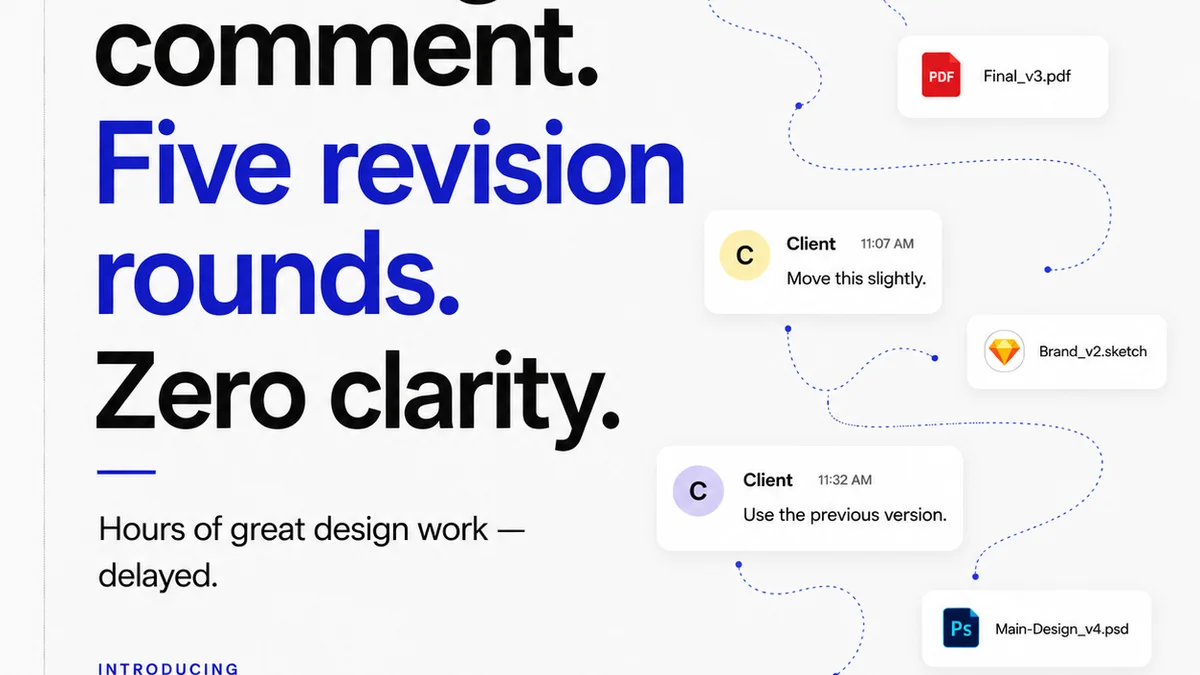
Digital proofing promises instant feedback. Upload a file, share a link, get comments. Simple, right? Yet, projects still drag. Clients still miss deadlines for feedback. Revisions pile up, often based on misunderstandings or subjective comments lost in a sea of digital noise.
The assumed cost savings are also often illusory. While you save on paper and courier fees, the time spent chasing down feedback, clarifying comments, and managing multiple versions across email, chat, and cloud storage adds up. This is where the real expense hides.
The Hidden Time Sinks
- Endless email chains with scattered feedback.
- Misinterpreted comments leading to wasted revisions.
- Difficulty tracking who approved what and when.
- Version control nightmares, especially with large files.
- Client confusion over multiple platforms for feedback.
Print proofing, while slower and seemingly more expensive upfront, can sometimes offer clarity that avoids costly digital back-and-forths. A physical, tangible piece leaves less room for subjective interpretation on core elements like layout, color balance, and overall impact.
2. Print Proofing: Tangibility and Clarity
Print proofing forces a deliberate step. It’s a commitment to a specific output. When a client holds a physical proof, the stakes feel higher. This can lead to more considered feedback.
The advantages are clear for certain types of work:
- Color Accuracy: Especially critical for brand-sensitive projects where CMYK or Pantone colors must be exact. Digital screens vary wildly, making color-accurate digital proofs a challenge.
- Layout and Typography: Seeing text at its final size, on a physical page, reveals readability issues and spacing problems that might be missed on a screen.
- Tactile Experience: For packaging, direct mail, or any physical product, a print proof is the only way to assess paper stock, finishes, and the overall feel.
However, print proofing isn't without its own significant drawbacks. The cost of printing, couriering, and the time delay are substantial. What's more, it’s impractical for rapid iteration or for distributed teams and clients.
The Print Proofing Pitfalls
- High cost per proof.
- Significant time delays for printing and delivery.
- Inefficient for iterative design changes.
- Logistical challenges for remote teams or clients.
- Environmental impact of paper and transport.
3. Digital Proofing: The Illusion of Efficiency
Digital proofing is essential for modern workflows. It’s fast, accessible, and integrates with existing tools. The problem isn’t the technology; it’s the workflow *around* the technology.
Too often, digital proofing devolves into a chaotic mess of notifications, unread comments, and conflicting feedback. This isn't a failure of digital proofing; it’s a failure of process management.
Common Digital Proofing Breakdowns
- Lack of Centralization: Feedback scattered across email, Slack, Teams, and even text messages.
- Ambiguous Comments: Vague feedback like “make it pop” or “looks a bit off” without context.
- No Clear Audit Trail: Difficulty proving who requested what change and when approval was given.
- Technical Glitches: File corruption, rendering issues, or platform downtime disrupting the flow.
- Over-reliance on Comments: Missing the bigger picture of design intent or strategic goals.
The real challenge with digital proofing is maintaining discipline and structure. Without it, the perceived speed advantage evaporates, replaced by confusion and rework.
4. Bridging the Gap: When to Use Which
The decision between digital and print proofing isn't binary. It depends on the project phase, the deliverable, and the client’s needs.
When Print Proofing Still Shines
- Final Color Approvals: For high-stakes print collateral (brochures, packaging, signage) where color fidelity is paramount.
- Complex Layouts: When intricate page layouts, precise typography, or specific print finishes need to be physically assessed.
- Client Comfort: For clients who are less tech-savvy or who specifically request physical proofs for peace of mind.
When Digital Proofing Excels
- Early-Stage Concepts: Rapid iteration and feedback on wireframes, mood boards, and initial design directions.
- Web and UI/UX Design: Where the final output is inherently digital.
- Content Review: For text-heavy documents or websites where minor copy edits are frequent.
- Collaborative Workflows: For teams spread across different locations or time zones.
The most effective strategies often combine both. Use digital for speed and iteration, and reserve print for critical, final sign-offs where accuracy and tangible quality are non-negotiable.
5. Where Revue Fits In
Managing feedback effectively, whether digital or print, is the core challenge. This is where a centralized platform like Revue becomes invaluable.
Revue streamlines the entire review and approval process. Instead of chasing comments across disparate channels, all feedback, revisions, and approvals are housed in one place.
- Centralized Feedback: Consolidate all client comments on a single version of the creative asset, eliminating confusion.
- Clear Revision History: Track every iteration, see exactly what changed, and understand the evolution of the project.
- Visible Approvals: Maintain a definitive audit trail of who approved what, and when, mitigating disputes.
- Quality Control Checkpoints: Implement structured review stages to catch errors before they reach the client or go to print.
By bringing order to the chaos of feedback, Revue ensures that both digital and print proofing processes are more efficient, transparent, and less prone to costly errors.
6. Final Thought
The debate over digital versus print proofing often misses the point. It’s not about the medium; it’s about the method. Are you managing feedback with clarity and control, or are you drowning in digital noise and print delays?
The true cost isn’t in paper or pixels, but in wasted time and missed opportunities. How are you ensuring your proofing process adds value, rather than friction, to your creative workflow?
Frequently asked questions
When is print proofing still necessary for digital assets?
Print proofing is rarely necessary for purely digital assets. However, if a digital asset (like a web banner) is also intended for print (like a large-format display), a print proof might be essential for color and scale accuracy.
What are the biggest hidden costs of digital proofing?
The biggest hidden costs of digital proofing are the time lost to managing scattered feedback, clarifying ambiguous comments, dealing with version control issues, and the rework caused by misunderstandings. These operational inefficiencies can far outweigh the savings on printing and shipping.
How can creative teams reduce the cost of print proofs?
Creative teams can reduce print proofing costs by being highly selective about when they are used, opting for digital proofs for most iterations, and ensuring that only critical, final checks are done via print. Consolidating feedback digitally before a final print proof can also minimize the number of physical proofs needed.
Is digital proofing always faster than print proofing?
Digital proofing is faster in terms of file transmission and immediate access. However, the overall project timeline can be longer if the feedback process is disorganized, leading to delays in approvals and multiple rounds of revisions due to miscommunication or missed comments.