Everyone knows you need a process for creative approvals. You probably think that means a lot of emails, right? Maybe a shared drive with versions. Some version of that is how most teams operate.
None of that is wrong. But it’s incomplete. It’s a band-aid on a broken system.
The hard truth? Email-driven approval processes are a black hole for feedback, a breeding ground for miscommunication, and a guaranteed way to slow down your creative output. They’re not just inefficient; they actively damage client relationships and team morale.
Let’s fix that. This is about establishing a robust, clear, and efficient system for email creative approval.
1. The Myth of 'Simple' Email Feedback
The assumption is that email is universal and easy. Everyone has an inbox. Therefore, using email for feedback must be the path of least resistance. It feels straightforward.
But what happens when feedback comes from multiple stakeholders? When comments are buried in reply-alls? When tone is misinterpreted through text?
You end up with:
- Conflicting feedback from different reviewers.
- Missed comments in long email threads.
- Endless back-and-forth clarifying what someone *actually* meant.
- Version control nightmares.
- Lost time searching for that one crucial piece of feedback.
- Frustrated designers and account managers.
- Unhappy clients who feel their input wasn't heard.
This isn't simple. It's a recipe for disaster.
2. The Deeper Truth: Feedback Needs Structure
Creative approval isn't just about getting a 'yes' or 'no'. It's a critical step in the project lifecycle that requires clarity, accountability, and traceability. Email, by its very nature, is unstructured and ephemeral.
Think about it: an email thread is a chronological log, not a structured dataset. It’s hard to see at a glance who said what, what the final decision was, or what specific elements were approved. This lack of structure is where problems fester.
Your feedback process needs to be:
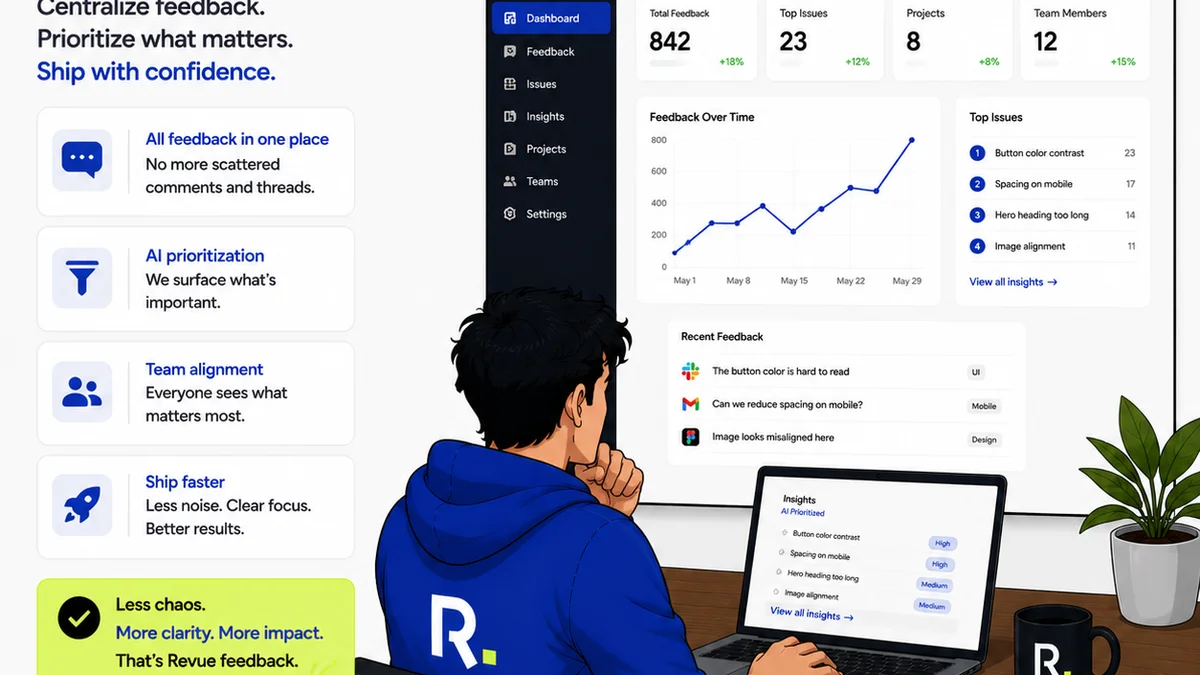
- Centralized: All feedback in one place.
- Organized: Clearly linked to specific creative assets.
- Actionable: Easy to understand and implement.
- Accountable: Visible who provided what feedback and when.
- Archivable: Easily searchable for future reference.
Email fails on almost all these points.
3. Establishing Core Approval Workflows
Before you even think about tools, you need to define your workflow. This isn't about reinventing the wheel, but about codifying what works and eliminating what doesn't.
a. Define Stakeholders and Roles
Who needs to provide feedback? Who has final sign-off authority? Clearly map this out. Avoid involving every Tom, Dick, and Harry. Too many cooks spoil the creative broth.
Assign clear roles:
- Primary Reviewer: The main point of contact for feedback.
- Secondary Reviewers: Other stakeholders who may offer input.
- Final Approver: The single person with the ultimate sign-off.
This prevents conflicting instructions and streamlines the process.
b. Set Clear Timelines and Expectations
When does feedback need to be submitted? What is the turnaround time for revisions? Communicate these clearly upfront to clients and internal teams.
Use concrete numbers:
- Feedback window: 48 business hours.
- Revision turnaround: 24 business hours post-feedback.
- Final approval: 24 business hours post-revision.
If these aren't met, the project might move to the next stage by default (with a clear note about the risk).
c. Standardize Feedback Submission
This is where email falls apart. Instead of a free-for-all in the inbox, mandate a structured submission method.
This could look like:
- All feedback submitted via a specific form.
- Comments logged directly on a shared document or prototype.
- Using a dedicated project management tool.
Whatever the method, it must enforce structure. No more 'just send me an email with your thoughts'.
d. Consolidate and Clarify
The primary reviewer (or account manager) must consolidate all feedback. This is a crucial step to filter noise, resolve conflicts, and ensure clarity before it hits the creative team.
This consolidation process involves:
- Reviewing all submitted feedback.
- Identifying conflicting comments.
- Seeking clarification from reviewers if needed.
- Prioritizing revisions.
- Creating a single, clear revision brief for the creative team.
This prevents designers from being pulled in multiple directions by disparate comments.
4. The Perils of
Frequently asked questions
What is the biggest mistake teams make with email creative approval?
The biggest mistake is treating email as a structured feedback system. Its inherent lack of organization, traceability, and clarity leads to conflicting comments, missed feedback, and significant delays.
How can I ensure all stakeholders provide feedback on creative assets?
Define clear stakeholders and roles upfront. Set explicit deadlines for feedback submission and communicate these clearly. Standardize the feedback submission method, such as a dedicated platform or form, to ensure all input is captured.
What's the best way to handle conflicting feedback via email?
Conflicts should be resolved *before* they reach the creative team. The designated primary reviewer or account manager must consolidate all feedback, identify discrepancies, seek clarification from reviewers, and prioritize revisions into a single, actionable brief.
Can email still be used in a creative approval process?
Email can serve as a notification or a final confirmation channel, but it should not be the primary tool for detailed feedback and revision tracking. Relying solely on email for the core approval loop is highly inefficient and prone to errors.