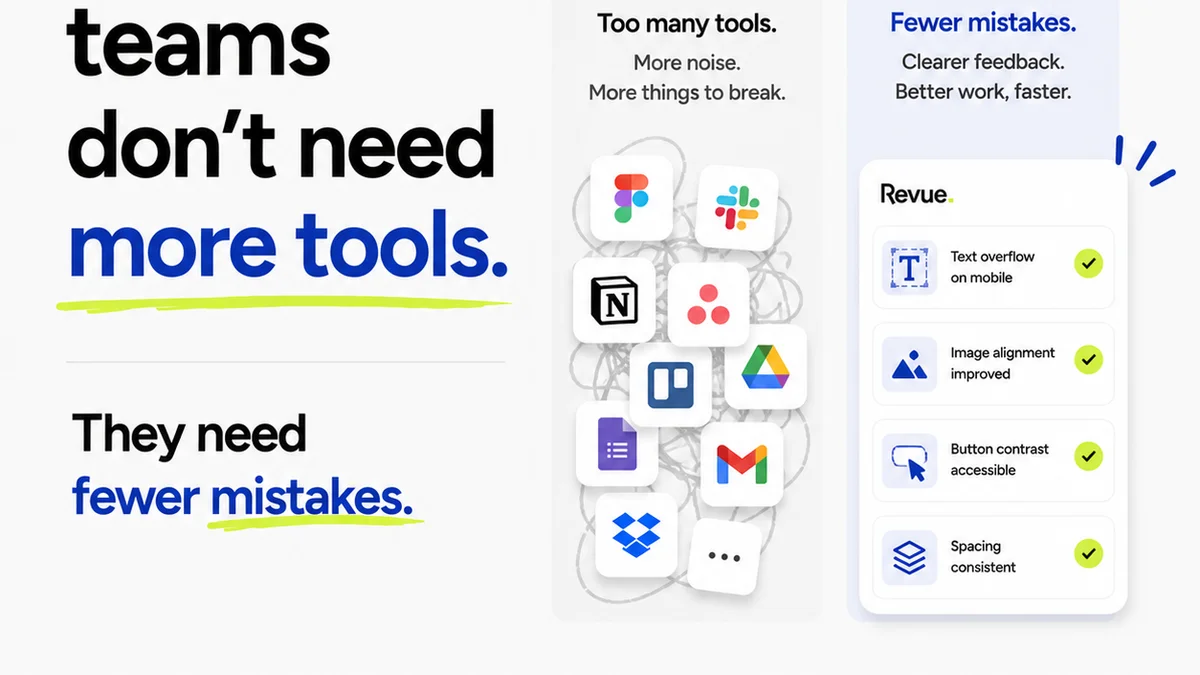
Everyone talks about the best enterprise design workflow tools. They list features: version control, commenting, asset management, integrations. None of that is wrong. But it’s incomplete.
The hard truth is, features are table stakes. The real value of an enterprise design tool isn't what it *can do*, but how it *fixes your actual workflow problems*. For US teams, this often means navigating complex stakeholder layers, rapid iteration cycles, and the constant pressure to deliver high-quality creative at scale.
Let's cut through the noise and talk about what truly matters when selecting enterprise design workflow tools.
1. Centralized Feedback and Collaboration
This is where most design workflows break. Scattered emails, Slack messages, and random PDF comments create chaos. You need a single source of truth for feedback.
Think about the typical enterprise scenario:
- Marketing briefs come in via email.
- Designers use Figma or Adobe CC.
- Feedback is requested via a link to a PDF or a shared drive.
- Stakeholders leave comments in disparate places.
- The creative director has to collate and interpret everything.
- Revisions go back and forth, often with missed points.
This isn't just inefficient; it breeds errors and frustration. The right enterprise design tools streamline this by bringing everyone into one platform.
The Problem: Feedback Fragmentation
When feedback lives everywhere, it's impossible to track. You can't easily see the history of a specific comment or understand who approved what. This leads to:
- Missed feedback.
- Conflicting instructions.
- Endless clarification loops.
- Wasted time chasing down comments.
Enterprise-level design work demands clarity. You can't afford ambiguity when multiple departments and external partners are involved.
The Solution: Contextual Commenting and Versioning
Look for tools that allow comments directly on the design asset, at a specific point or layer. This provides immediate context.
Crucially, robust version control is non-negotiable. You need to see every iteration, who made changes, and when. This prevents accidental overwrites and provides an audit trail.
2. Revision Management and Approval Workflows
Once feedback is consolidated, managing revisions and approvals becomes the next hurdle. This is more than just ticking a box; it's about structured processes.
Enterprise teams often deal with:
- Multiple approval stages (legal, brand, executive).
- Strict deadlines for campaign launches.
- The need for clear sign-off records.
A tool that treats revisions as a simple file replacement misses the mark. You need a system that tracks the flow of work.
The Challenge: Opaque Approval Chains
Without a clear system, approvals become a bottleneck. Who is waiting for whom? Is the legal team holding up the launch? Is the VP of Marketing even aware the asset is ready for review?
This lack of visibility causes:
- Delays.
- Missed launch dates.
- Increased stress.
- Potential for last-minute changes that derail the project.
The Fix: Configurable Workflows and Digital Sign-offs
Enterprise design workflow tools should allow you to define custom approval chains. This means specifying:
- Who needs to review.
- In what order.
- What constitutes a final approval.
A digital sign-off feature, linked directly to a specific version of the asset, provides that critical audit trail. It moves beyond a simple
Frequently asked questions
What is the most important factor when choosing enterprise design workflow tools?
Beyond features, the most critical factor is how well the tool solves your specific workflow problems, particularly regarding centralized feedback, clear revision management, and robust approval processes. It needs to integrate seamlessly into your existing operations and scale with your team's needs.
How do enterprise design tools improve collaboration for US teams?
Enterprise design tools improve collaboration by providing a single source of truth for all feedback and assets. This eliminates confusion, ensures everyone is working from the latest versions, and streamlines communication across different departments and stakeholders, which is crucial for large US-based organizations.
Can enterprise design workflow tools help with quality control?
Yes, many enterprise design workflow tools incorporate features that aid in quality control. This includes version history for audits, clear approval sign-offs to ensure all requirements are met, and sometimes even integrations with brand guideline checkers or accessibility tools.
What's the difference between a general project management tool and an enterprise design workflow tool?
While general project management tools focus on task tracking and timelines, enterprise design workflow tools are specifically built for creative assets. They offer features like contextual commenting on visuals, version control for design files, and specialized approval workflows that are essential for creative production.