Everyone talks about User Experience (UX) in the context of customer-facing apps and websites. They point to sleek interfaces and intuitive flows that lead to more sales or higher engagement. And that’s not wrong.
But it’s incomplete. Entirely.
The real power of enterprise UX—the kind that fuels sustainable business growth—lies not just in external products, but in the internal tools and processes that power your agency or in-house team every single day. It’s about efficiency, clarity, and collaboration. It’s about turning operational friction into a competitive advantage.
The hard truth? Underestimating the impact of internal UX is leaving money on the table and capping your team’s potential.
1. The Myth of "Good Enough" Internal Tools
There’s a pervasive, quiet assumption in many businesses: internal tools don’t need to be beautiful or particularly user-friendly. They just need to *work*. Functionality trumps form, because, hey, employees have to use them anyway, right?
This thinking is a slow-burn killer. It breeds inefficiency, frustration, and errors. It creates hidden costs that dwarf the perceived savings of neglecting UX.
The Hidden Costs of Poor Internal UX
- Wasted Time: Employees spend hours navigating clunky interfaces, searching for information, or correcting mistakes caused by poor design.
- Increased Errors: Confusing workflows and ambiguous data entry fields lead to costly errors in client deliverables or project management.
- Reduced Productivity: A frustrating user experience drains cognitive load, leaving less mental energy for actual creative or strategic work.
- Higher Training Overhead: Complex, non-intuitive systems require more extensive and ongoing training for new and existing staff.
- Employee Turnover: Talented creatives and strategists don't stick around when their daily tools are a source of constant friction and annoyance.
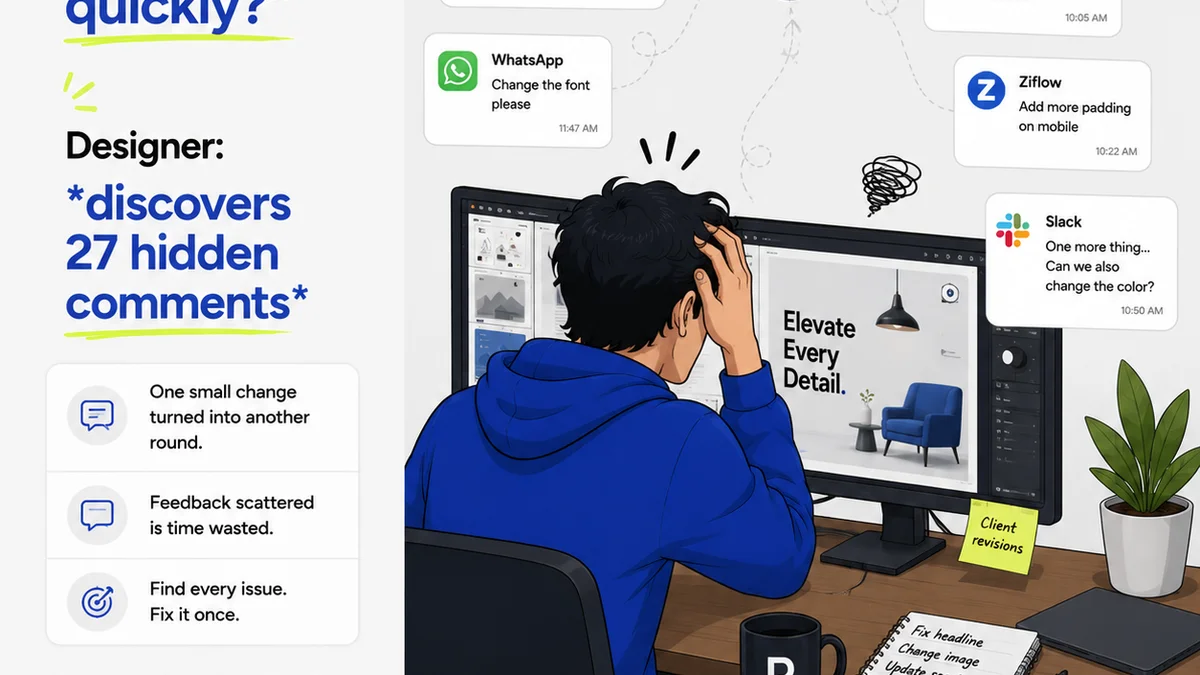
Think about your own experience. How much time do you spend wrestling with project management software, wrangling feedback in endless email chains, or trying to find that one crucial file buried in a disorganized drive?
That’s lost productivity. That’s friction. That's a drag on growth.
2. Enterprise UX as a Productivity Multiplier
When enterprise UX gets it right, it’s not just about making tools look nicer. It’s about fundamentally improving how work gets done. It’s about streamlining complex processes and empowering your team to focus on high-value tasks.
Consider the difference between a system that requires manual data entry across multiple platforms versus one that integrates seamlessly, automating data flow and providing clear, actionable dashboards.
Key Areas Where UX Makes a Difference
- Project Management: Intuitive task tracking, clear progress visualization, and simplified reporting save time and reduce missed deadlines.
- Client Feedback & Approvals: Centralized, visual feedback tools eliminate version control nightmares and speed up revision cycles.
- Asset Management: Easily searchable, well-organized digital asset libraries ensure the right files are always at hand.
- Internal Communication: Streamlined communication platforms reduce noise and ensure critical information reaches the right people quickly.
- Onboarding & Training: Well-designed internal documentation and user guides make bringing new team members up to speed faster and more effective.
This isn’t about adding bells and whistles. It’s about removing barriers.
3. Scaling UX Across Complex Organizations
Enterprise UX isn’t a one-off design project. It’s an ongoing discipline. Scaling it effectively requires a strategic approach that considers the diverse needs of different teams and roles within an organization.
Challenges in Enterprise UX Implementation
- Diverse User Needs: A designer’s needs differ from a project manager’s, which differ from an accountant’s. A one-size-fits-all approach rarely works.
- Legacy Systems: Integrating new UX principles with existing, often outdated, technology infrastructure can be a significant hurdle.
- Change Management: Getting buy-in from stakeholders and ensuring adoption across teams requires careful planning and communication.
- Measuring ROI: Quantifying the impact of UX improvements can be challenging, making it harder to justify investment.
The key is to think holistically. It’s about creating a consistent, positive experience across all touchpoints, whether that’s a client-facing proposal tool or an internal time-tracking system.
This requires a commitment from leadership. It means prioritizing user research, iterative design, and continuous feedback, even for internal-facing applications.
4. The Direct Link to Business Growth
So, how does better internal UX translate directly into business growth? It’s not magic; it's operational excellence.
Growth Levers Activated by Strong Enterprise UX
- Increased Capacity: When your team operates more efficiently, they can handle more projects without a proportional increase in headcount.
- Improved Client Satisfaction: Faster turnaround times, fewer errors, and a more professional communication process lead to happier clients and repeat business.
- Enhanced Innovation: Freeing up creative minds from administrative drudgery allows them to focus on strategic thinking and innovative solutions.
- Talent Attraction & Retention: A modern, efficient work environment is a significant draw for top talent and a key factor in keeping them.
- Reduced Operational Costs: Minimizing errors, rework, and wasted time directly impacts your bottom line.
Think of enterprise UX as the invisible engine driving your business forward. When it runs smoothly, everything else performs better.
Where Revue Fits In
Implementing robust enterprise UX doesn't always mean overhauling entire software suites. Often, it's about optimizing critical workflows. This is where tools like Revue become essential.
Revue is designed to tackle specific, high-friction points in the creative agency workflow, particularly around client feedback and approvals. Instead of fragmented communication across emails, Slack, and random documents, Revue centralizes this critical process.
- Centralized Feedback: All client comments and stakeholder input live in one place, linked directly to the creative asset. This eliminates confusion and ensures everyone is working from the same version of truth.
- Streamlined Revisions & Approvals: Visual annotation tools and clear status tracking make the revision process transparent and efficient, reducing back-and-forth.
- Quality Control Visibility: Having a clear audit trail of feedback and approvals helps maintain project quality and accountability.
By optimizing these core interaction points, Revue directly contributes to better enterprise UX, reducing operational friction and enabling creative teams to deliver exceptional work faster.
Final Thought
Is your agency or in-house team treating internal tools as an afterthought? Are you accepting friction as a cost of doing business?
The most successful creative operations understand that optimizing the internal experience is not a secondary concern—it’s a primary driver of client success and sustainable growth. It’s time to stop settling for
Frequently asked questions
What is the difference between customer UX and enterprise UX?
Customer UX focuses on external-facing products designed to attract and retain customers. Enterprise UX, or internal UX, focuses on the design of tools and systems used by employees within an organization to perform their jobs more effectively and efficiently.
How can I measure the ROI of enterprise UX improvements?
ROI can be measured through metrics like reduced time spent on tasks, decrease in errors, improved employee retention rates, increased project throughput, and positive client feedback related to faster delivery and fewer issues.
Is enterprise UX only relevant for large companies?
No, enterprise UX is crucial for businesses of all sizes, especially creative agencies and in-house teams. Even smaller teams benefit immensely from streamlined internal processes, leading to greater efficiency and capacity.
What are the first steps to improving enterprise UX?
Start by identifying the biggest friction points in your team's daily workflow. Gather feedback from users (your team members) about their challenges with current tools and processes. Prioritize areas where improvements can yield the most significant gains in efficiency and satisfaction.