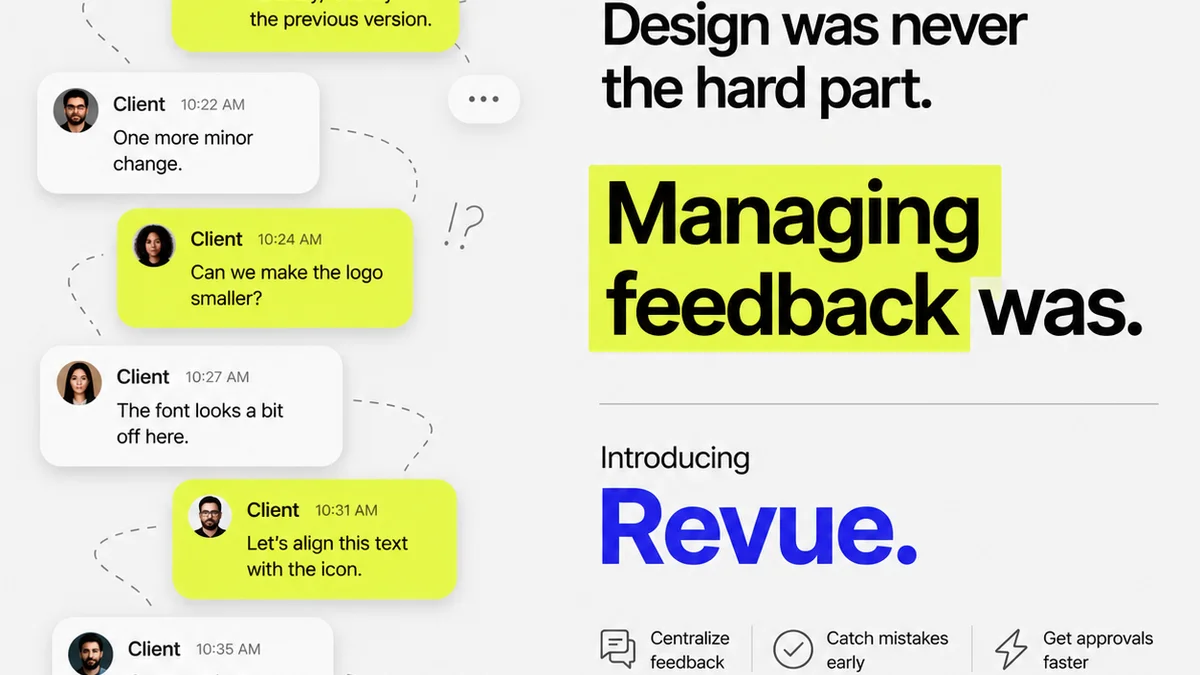
Everyone agrees that clear, actionable feedback is crucial for creative projects. You’ve probably heard it a million times: “We need better feedback.”
None of that is wrong. But it’s incomplete.
The hard truth? The *tool* you use for feedback dramatically impacts its quality, speed, and impact. It’s not just about collecting comments; it’s about creating a frictionless, intelligent system that elevates design work, not just manages it.
1. Centralized, Contextual Feedback is Non-Negotiable
Scattered feedback is toxic. When comments live in emails, Slack messages, random documents, or worse, verbal conversations, you lose context. Designers spend more time hunting for instructions than actually designing.
This fragmentation leads to:
- Missed revisions.
- Misinterpreted instructions.
- Wasted time clarifying what was said where.
- Frustrated clients and designers.
Your feedback software must be the single source of truth. Every comment, every annotation, every approval should live in one place, directly attached to the creative asset itself.
The Power of Visual Annotation
Text-based feedback is okay. But visual feedback is king for designers. The ability to click directly on an element and leave a comment, draw a box, or highlight an area provides unparalleled clarity.
Think about it: would you rather read “The button looks a bit off” or see a red box around a specific button with the comment “This button’s padding feels too tight compared to the other UI elements”?
The latter is instant, unambiguous, and actionable.
Version Control and History
Creative work evolves. You need to see how feedback has been incorporated (or rejected) over time. A good system tracks revisions, showing the progression of an asset and the feedback associated with each version.
This history is invaluable for:
- Understanding the evolution of a design decision.
- Identifying patterns in feedback.
- Resolving disputes by referring to documented changes.
2. Streamlined Workflows, Not Just Comment Boxes
The best feedback software doesn't just collect comments; it actively guides the entire review and approval process. This means moving beyond simple annotation to structured workflows.
Defined Review Stages
Not all feedback is created equal. Some is high-level strategic input, some is minor aesthetic tweaking, and some is final sign-off. Your software should support these distinctions.
Look for features that allow you to:
- Set up distinct review stages (e.g., Internal Review, Client Review, Legal Approval).
- Assign specific reviewers to each stage.
- Trigger notifications when a stage is complete or requires action.
This prevents premature feedback from derailing early conceptual work and ensures critical sign-offs aren't missed.
Clear Status and Accountability
Who is responsible for what? What’s the current status of this design? These questions should be answered at a glance.
Effective tools provide clear visual cues for:
- Pending reviews.
- Approved assets.
- Rejected assets.
- Feedback requiring action.
This transparency cuts through confusion and keeps projects moving.
Automated Notifications and Reminders
Chasing clients or internal stakeholders for feedback is a drain on agency resources. Good software automates this.
Automated reminders for pending reviews ensure that feedback loops stay tight and project timelines aren't jeopardized by forgotten tasks.
3. Collaboration Beyond Simple Commenting
Feedback isn't a one-way street. It’s a conversation. Your software should facilitate, not hinder, genuine collaboration between designers, stakeholders, and clients.
Discussion Threads
When a piece of feedback is raised, it often sparks questions or requires clarification. Integrated discussion threads allow these conversations to happen directly within the context of the feedback item.
This keeps all related communication in one place, preventing the need to jump between email and the feedback tool.
Role-Based Permissions
Not everyone needs to see or do everything. Managing access is critical for maintaining a clean and efficient workflow.
Your software should allow you to:
- Define different user roles (e.g., Admin, Designer, Reviewer, Client).
- Control what each role can see and do within the platform.
- Ensure clients only see what they need to, and internal teams have full visibility.
This protects your internal processes while keeping clients engaged.
Integrations That Matter
Your feedback tool shouldn't exist in a vacuum. It needs to play nicely with the other tools your team uses daily.
Consider integrations with:
- Design software (Figma, Adobe Creative Cloud).
- Project management tools (Asana, Jira, Monday.com).
- Communication platforms (Slack).
Seamless integration reduces friction and ensures that feedback flows smoothly into your existing ecosystem.
4. Quality Assurance and Final Approval
The feedback process isn't just about gathering input; it’s about ensuring the final output meets standards and is ready for delivery.
Checklists and QA Tools
Many design projects have specific requirements or quality checks that need to be met before launch. Integrated checklists or QA modules can ensure these are systematically addressed.
This is especially crucial for:
- Ensuring brand guidelines are followed.
- Verifying accessibility standards (e.g., WCAG compliance).
- Confirming all interactive states are correct.
Having these built into the review process catches errors early.
Formal Approval Sign-offs
A simple “Looks good” in an email isn’t a formal approval. You need a clear, auditable record of sign-off.
Look for software that provides a distinct, recorded approval action. This could be a button click, a digital signature, or a status change that is logged and timestamped.
This protects your agency and provides confidence to clients that the work has been officially accepted.
Where Revue Fits In
Managing client feedback effectively is the lifeblood of a creative agency. The deluge of emails, the scattered Slack threads, the endless revision cycles—it’s a common pain point that slows down projects and strains relationships.
Revue acts as the central nervous system for your creative feedback and approval process. It’s built for the realities of agency workflow, acknowledging that good design requires clarity, efficiency, and accountability.
With Revue, you can:
- Centralize all feedback directly on creative assets, eliminating the chaos of scattered communication.
- Visualize feedback with precise annotation tools, ensuring designers understand exactly what needs to be addressed.
- Streamline review cycles with clear stages, automated notifications, and defined approval pathways.
- Maintain a clear audit trail of all feedback, revisions, and approvals, providing transparency and protecting your agency.
- Integrate seamlessly with your existing tools, making the feedback process a natural extension of your workflow, not a disruption.
Revue is designed to turn the often-painful process of feedback into a clear, manageable, and productive experience, allowing your team to focus on what they do best: creating great work.
Final Thought
The tools we choose aren't just functional; they shape our behavior and our outcomes. Are your current feedback tools enabling your team to do their best work, or are they adding unnecessary friction to an already complex process?
Frequently asked questions
What is the most important feature in feedback software for designers?
The most critical feature is centralized, contextual feedback, ideally with visual annotation tools. This ensures clarity, reduces misinterpretation, and saves designers time searching for instructions.
How can feedback software improve client collaboration?
Effective software streamlines communication through features like discussion threads on specific feedback points, clear status updates, and role-based permissions, ensuring clients are involved appropriately without causing chaos.
Can feedback software help with quality assurance?
Yes, many tools offer features like integrated checklists or QA modules that can be used to ensure projects meet specific standards, brand guidelines, or accessibility requirements before final approval.
What are the benefits of automated notifications in feedback software?
Automated notifications and reminders help keep review cycles moving by prompting stakeholders to provide feedback promptly, preventing delays and ensuring projects stay on schedule.