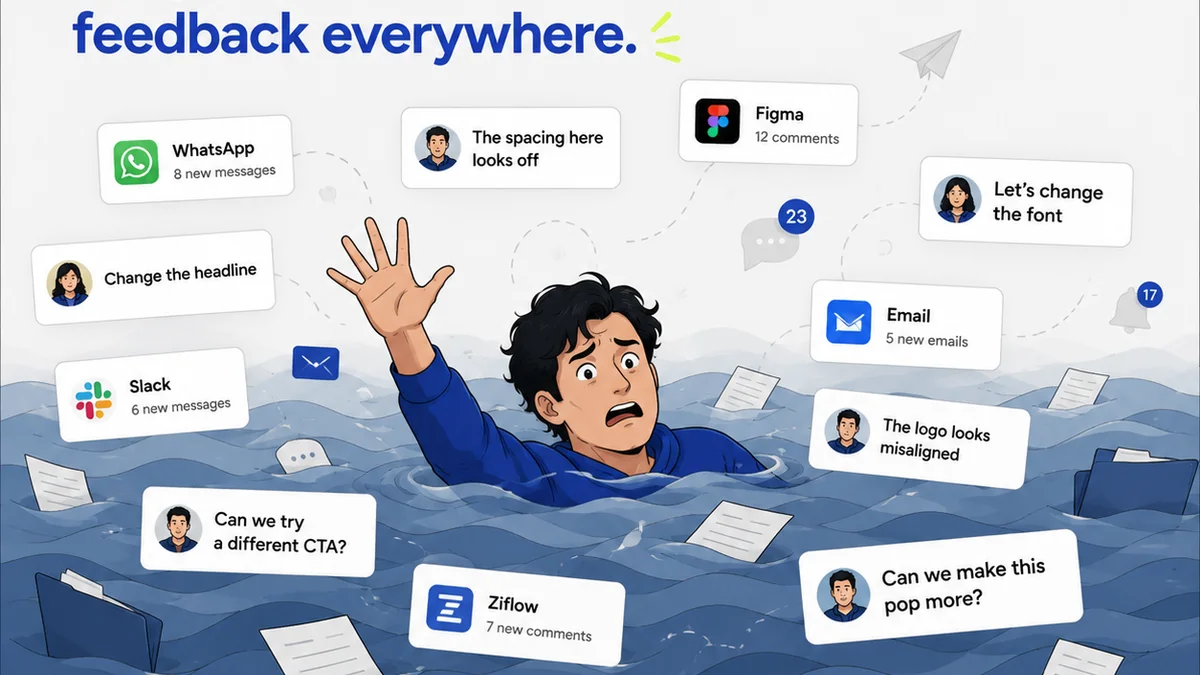
Everyone thinks feedback management software is about making clients happy. A faster way to get approvals, right?
That’s part of it. But it’s not the whole story.
The real win isn't just speed. It's clarity. Control. And ultimately, better creative work.
1. The Hard Truth: Feedback is a Process, Not a Post-it Note
Your clients have ideas. Your team has expertise. Managing the gap between them is where creative projects live or die. Too often, this gap becomes a black hole for feedback.
Scattered emails, Slack messages, scribbled notes on PDFs, verbal instructions that get forgotten. Sound familiar?
This chaos doesn't just slow things down. It erodes trust and leads to misinterpretations, scope creep, and endless revision cycles.
Why Generic Tools Fail
- Email chains become unmanageable.
- Cloud storage links get lost.
- Spreadsheets become outdated quickly.
- Chat apps create ephemeral conversations.
You need a system built for the specific demands of creative feedback.
2. Centralization: The Single Source of Truth
The most critical function of any feedback management software is to bring everything into one place. This isn't just about convenience; it's about establishing a single source of truth for all project communication and assets.
Key Features to Prioritize:
- Version Control: Automatic tracking of asset versions. No more 'final_final_v3.pdf'.
- Centralized Asset Hub: All project files (images, videos, documents, websites) stored and accessible within the platform.
- Integrated Commenting: Ability to leave comments directly on specific elements of an asset, at the pixel or frame level.
- User Roles and Permissions: Control who can view, comment, approve, or edit specific assets.
When feedback lives in one dedicated space, you eliminate ambiguity. Everyone sees the same asset, the same comments, and the same approval status.
3. Clarity and Context: Beyond 'I Don't Like It'
Vague feedback is the enemy of efficient creative work. Good software helps you push for specificity and provides the context needed for your team to act.
Tools for Clearer Feedback:
- Annotation Tools: Direct markup capabilities on visuals, PDFs, and even live websites.
- Contextual Comments: Linking feedback to specific design elements or sections.
- Decision Tracking: Clearly marking comments as 'actioned', 'resolved', or 'rejected' with justifications.
- Video Feedback: Time-coded comments on video or audio files.
This level of detail transforms feedback from subjective opinion into actionable direction.
4. Revision and Approval Workflows: Streamlining the Process
Getting to 'approved' shouldn't be a battle. Effective software automates and clarifies the revision and approval stages.
Workflow Features to Seek:
- Configurable Approval Stages: Set up multi-step approval processes for different client types or project phases.
- Automated Notifications: Alerts for new feedback, pending approvals, or overdue tasks.
- Comparison Tools: Easily compare different versions of an asset side-by-side to track changes.
- Client-Side Portals: A branded, easy-to-use interface for clients to review and approve work without needing extensive training.
A well-defined workflow reduces bottlenecks and ensures that creative work moves forward predictably.
5. Quality Assurance and Accountability
Feedback management isn't just about clients. It's also about ensuring your internal team delivers high-quality work and that all feedback is addressed systematically.
QA and Accountability Features:
- Checklists and Audits: Tools to ensure brand guidelines, technical specs, or accessibility standards (like those outlined by WCAG) are met.
- Task Management Integration: Linking feedback items to specific tasks for designers or developers.
- Audit Trails: A complete history of who said what, when, and what actions were taken.
- Reporting and Analytics: Insights into feedback volume, revision cycles, and approval times.
This builds a culture of accountability and continuous improvement.
6. Integration with Existing Tools
Your feedback software shouldn't operate in a silo. It needs to play nicely with the tools you already use.
- Design Software: Plugins for tools like Adobe Creative Suite or Figma.
- Project Management: Connections with platforms like Asana, Jira, or Trello.
- Communication: Integrations with Slack or Microsoft Teams.
- Cloud Storage: Links to Google Drive, Dropbox, or OneDrive.
Seamless integrations reduce manual data transfer and keep your workflow fluid.
Where Revue Fits In
Revue is built from the ground up to address these challenges for creative agencies and in-house teams. We understand that creative feedback is nuanced and requires more than a generic ticketing system.
Our platform provides a centralized hub for all your creative assets and client feedback. You can annotate directly on designs, videos, and web pages, ensuring every comment has clear context.
Revue streamlines your revision and approval workflows with clear version control and configurable approval stages. This visibility means fewer misunderstandings and faster sign-offs.
We help you maintain quality assurance by providing an auditable trail of all feedback and decisions, fostering accountability within your team.
Final Thought
Is your current feedback process a bottleneck or a bridge? The right software transforms it from a point of friction into a catalyst for better creative outcomes.
What's the single biggest source of feedback chaos in your agency right now?
Frequently asked questions
What is the primary benefit of feedback management software?
The primary benefit is establishing a single source of truth for all creative assets and client feedback, which eliminates ambiguity, streamlines communication, and leads to clearer, more actionable feedback, ultimately improving the quality of the creative work and speeding up approvals.
How does feedback software help with version control?
Good feedback management software automatically tracks asset versions, allowing you to see the history of changes and revert to previous versions if needed. This prevents confusion caused by multiple file names like 'final_v2_real.pdf'.
Can feedback management software improve client relationships?
Yes, by providing a clear, organized, and transparent process for feedback and approvals, clients feel more in control and confident in the project's progress. This reduces misunderstandings and frustration, leading to stronger relationships.
What does 'centralization' mean in the context of feedback software?
Centralization means bringing all project assets, communication, comments, and approval statuses into one dedicated platform. This eliminates the need to search through scattered emails, chat logs, or cloud storage, ensuring everyone is working with the most up-to-date information.