You think choosing the right feedback management software means finding a tool that makes collecting client comments easier. That’s not wrong. But it’s incomplete.
The real challenge isn’t just collecting feedback; it’s making it actionable. It’s about turning chaotic input into clear direction, without breaking your team or your client relationships.
1. Centralization: The Single Source of Truth
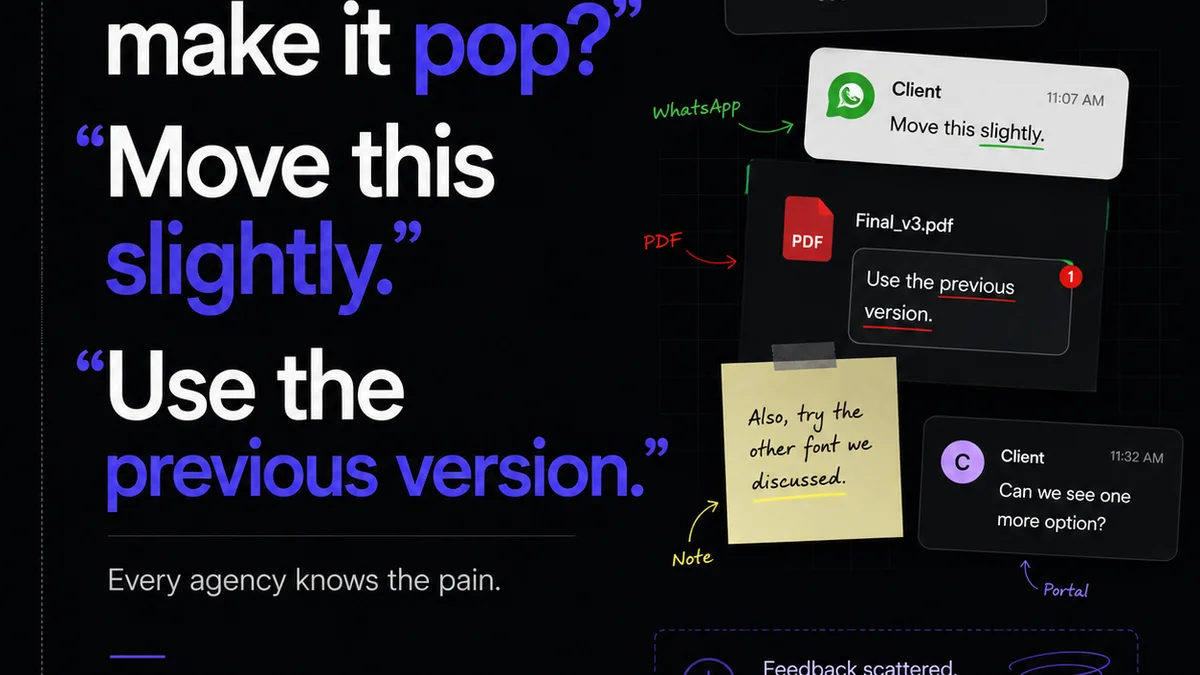
Scattered feedback is the enemy of progress. When comments live in emails, Slack threads, meeting notes, and random documents, you’re guaranteed to miss something. Or worse, act on outdated information.
Your feedback management software must be the undisputed hub for all creative input. Everything related to a project’s feedback loop lives and dies in one place.
Why Centralization Matters
- Reduces confusion about which version is current.
- Minimizes the risk of misinterpreting or missing feedback.
- Creates an auditable trail for every decision.
- Improves client confidence when they see all their input logged.
Think of it as your project’s central nervous system. All signals converge here.
2. Contextual Feedback: Seeing the Whole Picture
Generic feedback like “I don’t like it” or “Make it pop more” is useless. Good feedback management software provides tools to attach comments directly to specific elements on the creative asset.
This means a client can click on a button and say, “Change the color of *this* button to blue,” not just “Change the button color.”
Key Contextual Features
- On-image annotation (clicking directly on the design).
- Version comparison (seeing changes side-by-side).
- Specific element referencing.
- Ability to attach files or links to feedback points.
Context eliminates ambiguity. It’s the difference between a vague suggestion and a clear instruction.
3. Clear Revision and Approval Workflows
Collecting feedback is only half the battle. You need a system to manage what happens next. This means defining clear steps for revisions and approvals.
Your software should support a structured workflow, not just be a digital sticky note.
Workflow Essentials
- Defined stages for feedback, revision, and final approval.
- Assigning tasks to specific team members.
- Tracking the status of each revision cycle.
- Automated notifications for key milestones.
Without defined workflows, feedback management becomes a bottleneck, not a solution.
4. Version Control and History
Creative projects evolve. You need to track these changes meticulously. Good software doesn’t just store the latest version; it keeps a history of all previous iterations.
This is crucial for understanding how a design arrived at its current state and for rolling back if a new direction proves problematic.
Version Control Benefits
- Easy access to any previous version of an asset.
- Ability to compare different versions to highlight changes.
- Prevents accidental overwrites of critical work.
- Provides a historical record for scope creep discussions.
It’s your project’s safety net.
5. Collaboration and Communication Tools
Feedback isn’t always a one-way street. Your team needs to discuss, clarify, and resolve comments internally before responding to the client.
Integrated communication features can prevent the feedback loop from jumping back into separate email or chat applications.
Ideal Collaboration Features
- Internal commenting on client feedback.
- Tagging team members for specific actions.
- Status updates on individual feedback items.
- Direct messaging within the platform.
Keep the conversation focused and within the project context.
6. Role-Based Permissions and Access
Not everyone needs access to everything. Managing permissions ensures that clients see only what they should, and your internal team has the right level of access to specific project stages.
This protects sensitive information and streamlines the user experience for different stakeholders.
Permission Considerations
- Client vs. internal team member roles.
- Ability to grant view-only or edit access.
- Project-specific access controls.
- Admin controls for managing users and permissions.
Control who sees what, and when.
7. Reporting and Analytics
Understanding your feedback process can reveal inefficiencies. Software that provides basic reporting can highlight trends and bottlenecks.
Which clients provide the most feedback? How long do revisions typically take? What’s the average number of revision cycles per project?
Useful Reports
- Feedback volume by client or project.
- Average time spent in each workflow stage.
- Number of revision cycles per project.
- Approval turnaround times.
Data helps you improve your process.
Where Revue Fits In
Managing creative feedback effectively is core to agency operations. Tools that help centralize feedback, streamline revisions, and manage approvals are essential.
Revue provides a platform designed to bring clarity to the creative review process. It acts as that single source of truth, allowing teams to gather feedback directly on assets, manage multiple versions, and track approvals through defined workflows.
By centralizing client feedback and internal communication, Revue helps eliminate the ambiguity and inefficiency that plague traditional review cycles. This ensures your team is always working with the most current information, leading to faster, more accurate revisions and happier clients.
Final Thought
The goal isn’t just to manage feedback; it’s to manage the *process* that feedback initiates. Are you simply collecting comments, or are you building a system that turns input into output, efficiently and effectively?
Frequently asked questions
What is the primary benefit of using feedback management software?
The primary benefit is centralizing all client and stakeholder feedback into a single, organized system. This drastically reduces confusion, prevents missed comments, and ensures everyone is working from the same, most current information, leading to more efficient revisions and approvals.
How does contextual feedback improve the revision process?
Contextual feedback allows users to attach comments directly to specific elements of a creative asset (like a button, text block, or image). This eliminates ambiguity, as opposed to general comments like 'I don't like the color.' It provides clear, actionable direction for designers and developers.
Why is version control important in creative feedback tools?
Version control is crucial because creative projects evolve through multiple iterations. It ensures you can always access previous versions of an asset, compare changes, understand the project's history, and easily revert if a new direction proves problematic. It also helps in discussions about scope creep.
Can feedback management software help with client communication?
Yes, many platforms facilitate better client communication by providing a clear, organized space for feedback and approvals. Some also include internal communication features, allowing teams to discuss feedback before responding to clients, keeping all project-related conversations centralized.