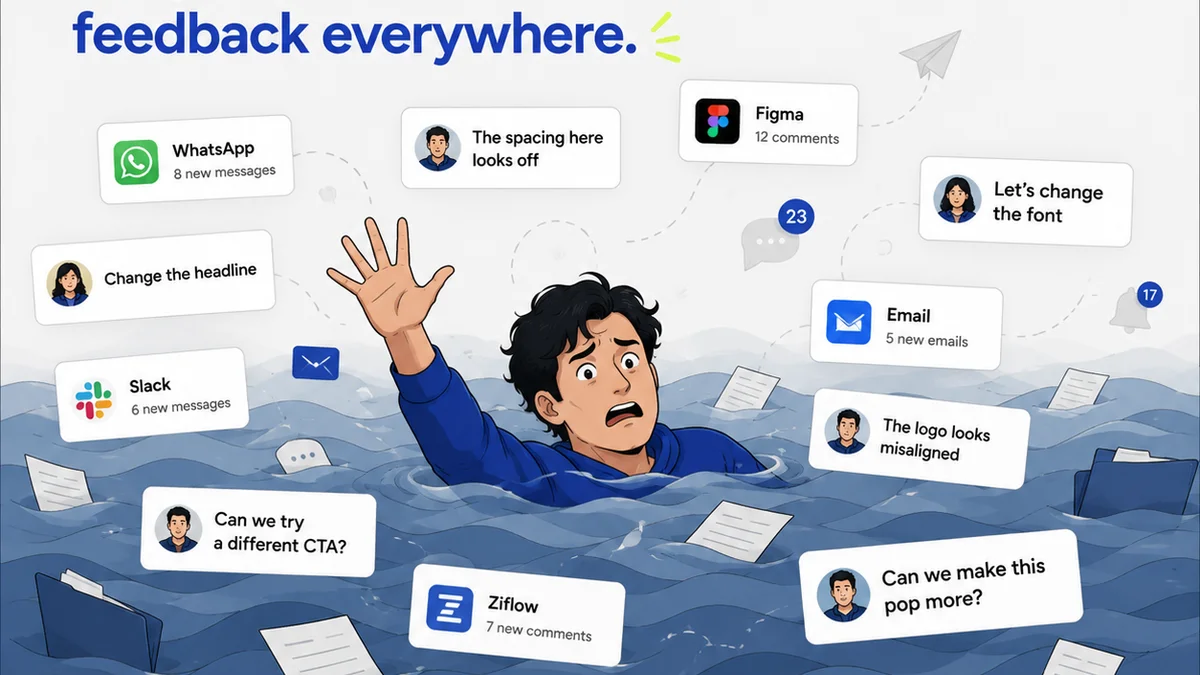
Everyone thinks Figma comments are the be-all and end-all of design feedback. You get clients into the canvas, they drop pins, they type. Simple, right?
None of that is wrong. But it’s incomplete.
The hard truth? Relying solely on in-app comments is a productivity death sentence for busy creative agencies and in-house teams. It’s a black hole for critical feedback, revision history, and accountability. You end up with chaos disguised as collaboration.
1. The Illusion of Centralization
Figma’s comment feature feels like the ultimate centralized hub. You’re all in one place, seeing the design, seeing the feedback.
But it’s an illusion.
Consider the workflow:
- Client leaves a comment.
- Designer replies, makes a change.
- Client leaves another comment, maybe on a different part.
- Another stakeholder chimes in, referencing a previous comment that’s now buried.
- Someone asks for a decision, but the original request is lost.
These aren't isolated incidents. They’re common points of friction that erode efficiency. The comment stream becomes a chronological mess, not a functional record.
The Problem with Chronological Chaos
Comments are timestamped. That’s it. There’s no inherent structure for prioritizing, assigning, or tracking the resolution of feedback.
You might get a comment like, “Change the blue to something warmer.” Okay. What blue? What change? Who is this for?
Then another: “Love the layout, but can we try a different font for the headline?” Again, which headline? Which font?
Without context, these simple requests become scavenger hunts. Designers have to ask clarifying questions, wasting precious time.
2. The Missing Link: Actionability and Accountability
Figma comments are passive. They sit there. They don't inherently tell you what needs to happen next, who needs to do it, or when it’s due.
This is where the real problems surface for agencies.
Actionability: A comment is just a statement. It doesn’t translate directly into a task. A designer has to interpret the comment, decide on the action, and then remember to do it.
Accountability: Who owns the feedback? Who is responsible for implementing it? If a client asks for something vague and it’s not done, who’s to blame? The client for the vague request, or the agency for not clarifying?
This ambiguity is a breeding ground for misunderstandings and scope creep. You’re not managing feedback; you’re just collecting it.
The Cost of Unresolved Feedback
Every unresolved or misunderstood comment has a downstream cost:
- Extra revision cycles
- Delayed project timelines
- Client frustration
- Team burnout
- Potential for errors slipping through
This isn't just about making pretty pictures. It's about running a profitable, predictable business. And that requires clarity.
3. Beyond the Canvas: The Need for Context
Designs live in Figma. Feedback often starts there. But the conversation rarely ends there.
Think about:
- Emails from clients asking for follow-ups.
- Slack messages with quick thoughts.
- Briefs and SOWs outlining initial requirements.
- Internal team discussions about strategy.
Where does all that contextual information live relative to the specific design feedback in Figma?
Usually, nowhere. It’s scattered across multiple platforms, making it impossible to get a holistic view.
A designer might see a comment in Figma, but forget it’s tied to a specific line item in the Statement of Work that has different constraints. Or a client might reference an email decision that the designer never saw.
This fragmentation leads to:
- Inconsistent decision-making
- Missed critical requirements
- Wasted effort on designs that don't align with broader goals
Truly effective feedback management needs to bridge the gap between the design tool and the project’s overall context.
4. What to Look for in Figma Comments Software (and Beyond)
If Figma comments alone aren't enough, what should you seek? It’s not about finding a better comment tool within Figma. It’s about augmenting your workflow.
Look for solutions that provide:
a. Structured Feedback Capture
Not just a text box. You need fields for:
- Type of Feedback: (e.g., Bug, Suggestion, Approval, Question)
- Priority: (e.g., Critical, High, Medium, Low)
- Assignee: Who is responsible for addressing this?
- Status: (e.g., Open, In Progress, Resolved, Deferred)
- Link to Source: Reference the SOW, brief, or prior decision.
This transforms feedback from passive notes into actionable tasks.
b. Centralized Project Overview
A dashboard that shows all feedback, regardless of source (Figma, email, Slack), linked to specific projects or deliverables. This provides a single source of truth.
c. Revision and Approval Tracking
Clear visibility into which version of a design is currently under review, who has approved it, and what changes were made between versions. This is crucial for auditing and client peace of mind.
d. Integration, Not Isolation
The tool should work *with* Figma, not replace it. It needs to pull comments from Figma, or allow you to push feedback into Figma, while keeping the master record elsewhere. Think of it as a management layer.
e. Version Control and Audit Trails
The ability to see the history of changes, feedback, and approvals. This protects both your agency and your client.
Where Revue Fits In
This is precisely why Revue was built. We understand that creative feedback isn't just about redlines on a screen.
Revue acts as the central nervous system for your client feedback and creative workflow. It’s designed to bring order to the inherent chaos of agency life.
- Centralized Feedback Hub: Consolidate feedback from Figma, emails, and other sources into one organized, searchable system. No more digging through comment threads or inboxes.
- Revision Management: Clearly track design iterations. Understand exactly what changed between versions and what feedback relates to each.
- Approval Workflows: Streamline the approval process with clear statuses and accountability. Know who needs to sign off and when.
- Quality Assurance: Ensure all feedback is addressed, decisions are documented, and the final output meets all requirements before delivery.
Revue doesn’t replace Figma; it enhances it by providing the crucial management and accountability layer that’s missing from native comment features.
Final Thought
Are your team's Figma comments a productivity booster or a bottleneck? The answer lies not in the tool itself, but in how you manage the *entire* feedback lifecycle. It’s time to move beyond the comment bubble and build a truly robust system for creative collaboration.
Frequently asked questions
Can Figma comments alone manage client feedback effectively?
No. While useful for quick annotations, Figma comments lack the structure for prioritization, assignment, and accountability needed for complex agency projects. They can become disorganized and lead to missed feedback.
What are the main problems with relying only on Figma comments?
The primary issues are chronological chaos, lack of clear actionability and accountability, difficulty integrating feedback with broader project context (like briefs or SOWs), and poor revision/approval tracking. This leads to wasted time and potential errors.
What features should I look for in feedback management software for Figma?
Seek structured feedback capture (priority, assignee, status), a centralized project overview, clear revision and approval tracking, seamless integration with Figma, and robust version control with audit trails.
How does Revue help with Figma feedback?
Revue acts as a management layer on top of Figma. It centralizes feedback from various sources, tracks revisions and approvals, and ensures accountability, transforming chaotic comments into a streamlined, manageable workflow.