Everyone thinks Figma is the magic bullet for creative operations. And in many ways, it is. It’s democratized design, made collaboration easier, and put powerful tools in more hands. But relying solely on Figma for your entire creative operations workflow? That’s like thinking a hammer is all you need for a construction project.
None of that is wrong. But it’s incomplete.
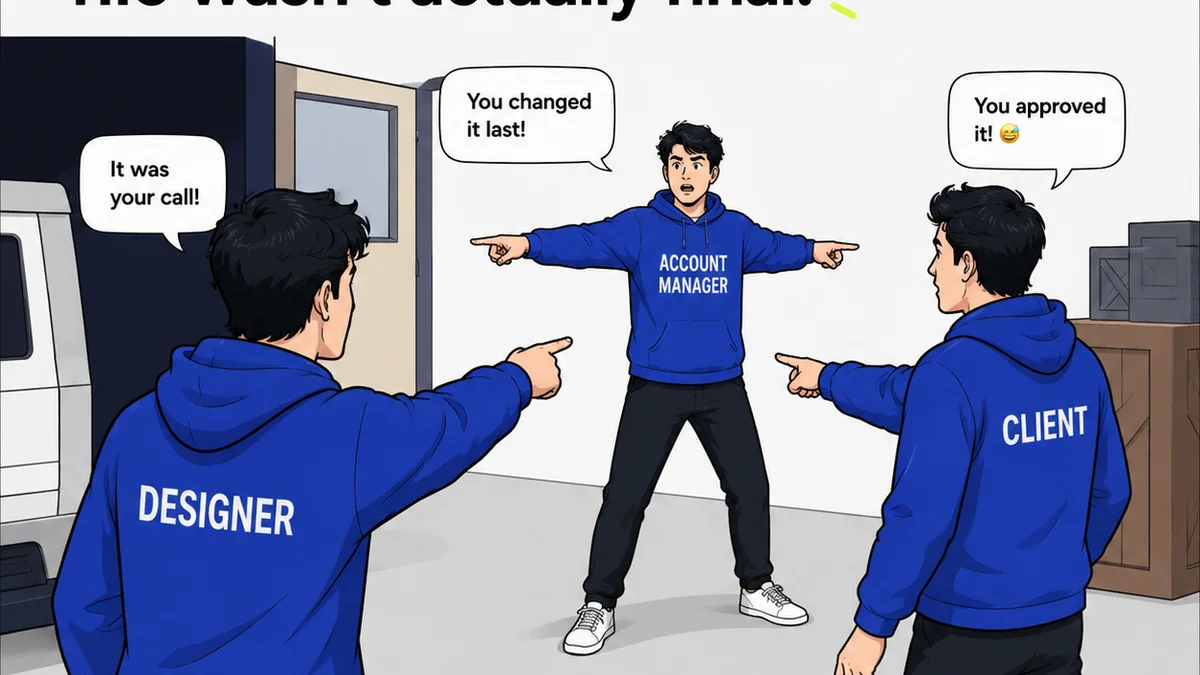
The real challenge isn’t just *using* Figma; it’s managing the chaos that surrounds it. Client feedback drowning out design decisions. Endless revision loops. Version control nightmares. Tracking approvals across email, Slack, and shared docs.
That’s where specialized creative operations software comes in. But not all tools are created equal. Here’s what to look for when choosing software to truly supercharge your Figma workflow.
1. Centralized Client Feedback Management
Client feedback is the lifeblood of agency work, but it’s often a bottleneck. Scattered comments across emails, Slack channels, and even scribbled notes can lead to misinterpretations, missed feedback, and unnecessary revisions.
Your creative operations software needs to bring all that feedback into one, clear, actionable place.
What to Prioritize
- Direct Annotation on Designs: The software should allow clients (or internal stakeholders) to click directly on a design element within a prototype or static image and leave a comment. This eliminates ambiguity about *what* needs changing.
- Consolidated Feedback Dashboard: All feedback, regardless of source (email, Slack, direct annotation), should aggregate into a single, sortable, and filterable list.
- Contextual Relevance: Feedback needs to be tied directly to specific design versions or files. If a client comments on an older version, that shouldn't derail current work.
- Status Tracking: Each piece of feedback should have a status—new, acknowledged, in progress, resolved, approved. This provides visibility for everyone involved.
This isn't just about tidiness; it's about efficiency. Reducing the time spent hunting for feedback frees up designers and project managers to focus on actual creative work.
2. Streamlined Revision and Approval Workflows
The back-and-forth of revisions and approvals is where projects often grind to a halt. Without a clear process, it’s easy for things to slip through the cracks, leading to delays and unhappy clients.
Your operations software should define and enforce these critical steps.
Key Features to Seek
- Version Control and History: Robust versioning is non-negotiable. You need to easily track every iteration, compare versions side-by-side, and roll back if necessary. This is crucial for auditing and resolving disputes.
- Clear Approval Gates: Define who needs to approve what, and when. The system should clearly flag when a design is ready for review, when it's been approved, and by whom.
- Automated Notifications: Keep stakeholders informed. When a design is ready for review, when feedback is added, or when an approval is pending, automated alerts are essential.
- Audit Trails: Every action—upload, comment, revision, approval—should be logged. This creates accountability and a clear record of project progression.
A well-defined workflow turns a potentially messy process into a predictable, manageable one. It’s about removing guesswork and ensuring everyone is on the same page.
3. Quality Assurance and Handoff Tools
The final hurdle before launch is ensuring the creative work meets all requirements and is ready for development. This stage often involves a checklist of checks, from design specs to accessibility standards.
Your chosen software should support these final quality checks.
Look for These Capabilities
- Specification Export: While Figma offers some of this, integrated tools can make it smoother. Can you easily export design specs, assets, and style guides in formats developers can use?
- Checklist Functionality: Integrate your agency’s or team’s QA checklists directly into the workflow. Mark off items as they are completed and verified.
- Accessibility Integration: Does the tool offer or integrate with tools that can flag potential accessibility issues (e.g., color contrast, touch target sizes) early in the process? Adhering to standards like WCAG is paramount.
- Bug Tracking Integration: For complex projects, seamless integration with bug tracking software (like Jira) ensures design issues identified during QA are immediately logged for resolution.
This isn't just about catching errors; it's about building confidence that what you're handing off is polished, compliant, and ready for prime time. It minimizes costly post-launch fixes.
4. Seamless Integration with Figma (and Beyond)
The best creative operations software doesn't try to replace Figma; it enhances it. Integration is key.
Your tools should work together, not against each other.
Integration Points to Consider
- Figma Plugin/App: A direct integration or plugin that allows users to access feedback, versions, or approval status without leaving Figma is a huge productivity booster.
- Single Sign-On (SSO): Simplify access for your team and clients.
- API Access: For advanced users, an API allows for custom integrations with other systems in your tech stack (e.g., project management tools, DAMs).
- Cross-Platform Compatibility: Ensure the software works across different operating systems and browsers, for both your internal team and external clients.
A tool that requires constant context switching or manual data transfer is a productivity killer, not a booster. Look for solutions that feel like a natural extension of your existing tools.
5. Reporting and Analytics
How do you know if your processes are actually improving? You need data.
Good operations software provides insights into your team's performance.
What Metrics Matter
- Cycle Times: How long does it take from initial brief to final approval?
- Feedback Volume and Resolution Rate: How much feedback are you getting, and how quickly is it being addressed?
- Approval Bottlenecks: Which stakeholders or stages are causing delays?
- Resource Allocation: Understand where time is being spent in the review and revision process.
These insights are invaluable for identifying inefficiencies, making data-driven process improvements, and demonstrating value to clients.
Where Revue Fits In
Managing the lifecycle of creative work, from initial concept to final delivery, requires more than just a design tool. It requires a system.
Figma is your design canvas. Revue is your central hub for managing the entire feedback, revision, and approval process around that canvas.
Revue brings:
- Centralized Client Feedback: Consolidate all client comments, annotations, and approvals in one place, directly linked to design versions. No more hunting through emails or Slack.
- Clear Revision and Approval Visibility: Define and track every step of your revision and approval workflow. Everyone knows what's pending, what's approved, and by whom.
- Quality Checks and Handoff: Integrate your team’s QA checklists and ensure designs meet all required specifications before handoff to development.
- Streamlined Collaboration: Reduce back-and-forth and keep all stakeholders informed with automated notifications and a clear audit trail.
Revue is built for creative operations teams who need to manage client work efficiently, ensuring projects move smoothly from brief to launch without getting bogged down in administrative overhead.
Final Thought
Choosing creative operations software is about more than just adding another tool to your stack. It’s about fundamentally rethinking how you manage creative projects.
Are you looking for software that simply organizes your Figma files, or are you looking for a system that transforms your entire client feedback and approval process?
The answer dictates the kind of tool you need—and the kind of agency you’ll become.
Frequently asked questions
What is creative operations software for Figma?
Creative operations software for Figma is a tool designed to manage the processes *around* the design work done in Figma. This includes centralizing client feedback, streamlining revision and approval workflows, managing version control, and facilitating quality assurance and handoff to development, thereby enhancing the efficiency of design teams.
Why can't I just use Figma for all my creative operations?
While Figma is excellent for design and collaboration, it lacks robust features for managing the broader operational aspects. It doesn't inherently provide centralized client feedback aggregation from multiple sources, structured approval workflows with audit trails, comprehensive version history beyond design iterations, or integrated quality assurance checklists needed for efficient agency operations.
What are the key benefits of using dedicated creative operations software with Figma?
Key benefits include reduced project delays by streamlining feedback and approvals, improved clarity and reduced miscommunication through centralized feedback, enhanced accountability with audit trails, better resource management through reporting, and a more professional client experience. It frees up designers to focus on creative tasks rather than administrative overhead.
How important is integration with Figma?
Integration is crucial. A good creative operations tool should complement Figma, not compete with it. Seamless integration, often through plugins or direct APIs, allows for a fluid workflow where designers and stakeholders can access necessary information and actions without constantly switching between applications, thus maximizing productivity.